

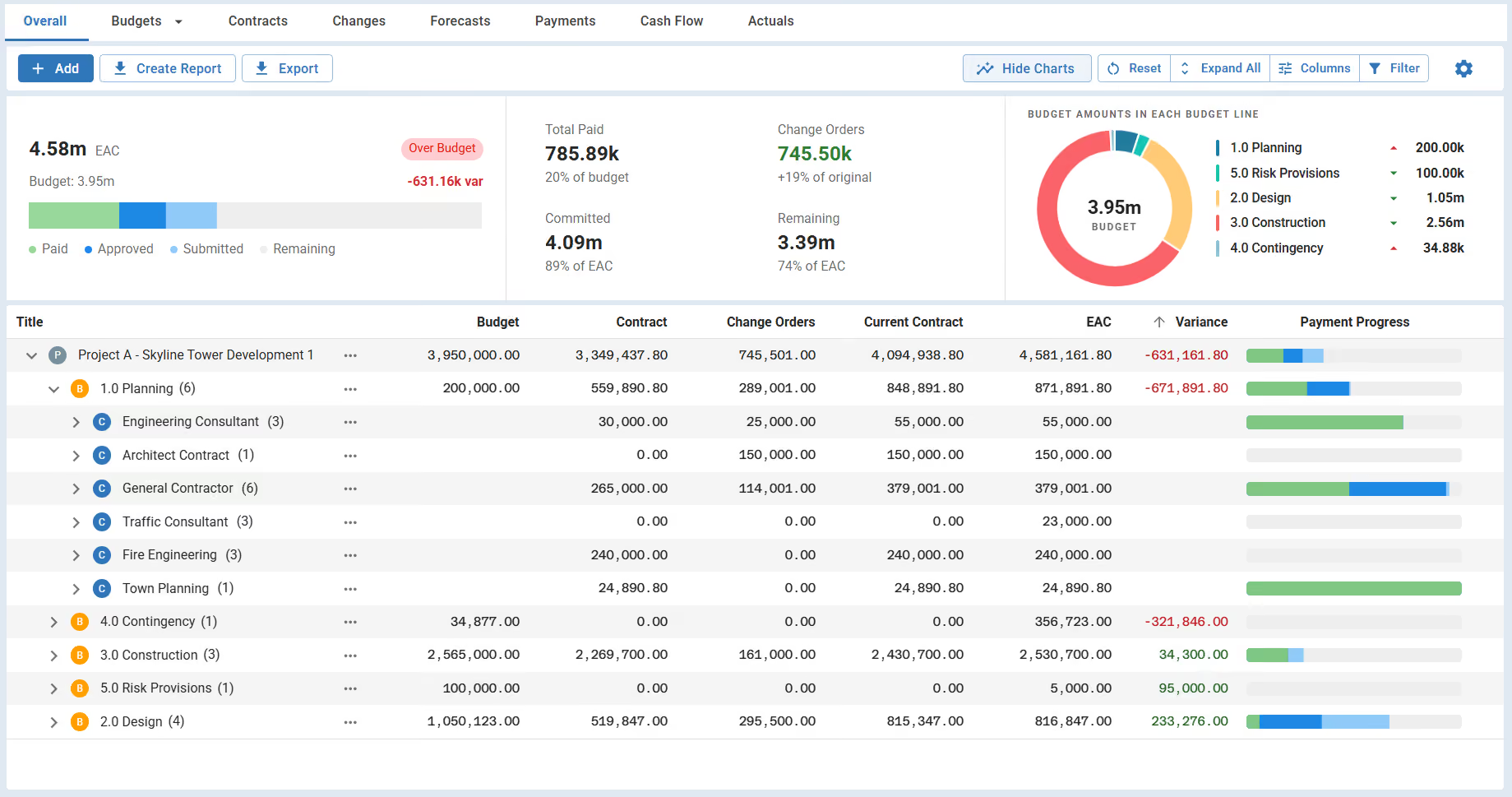

What Is a Contract Management Dashboard?
A contract management dashboard is a single view of every contract by value, change, payment, and compliance. It sits over the contract register and turns a list of agreements into a live picture of commitment and risk. Owners read it to see where money is committed and what needs action.
On a construction project, the dashboard monitors each construction contract from award to closeout. It works across lump sum, guaranteed maximum price (GMP), and cost-plus contracts, which each track differently. It answers one question for leadership: are these contracts on budget, on time, and compliant?
What Should a Contract Management Dashboard Include
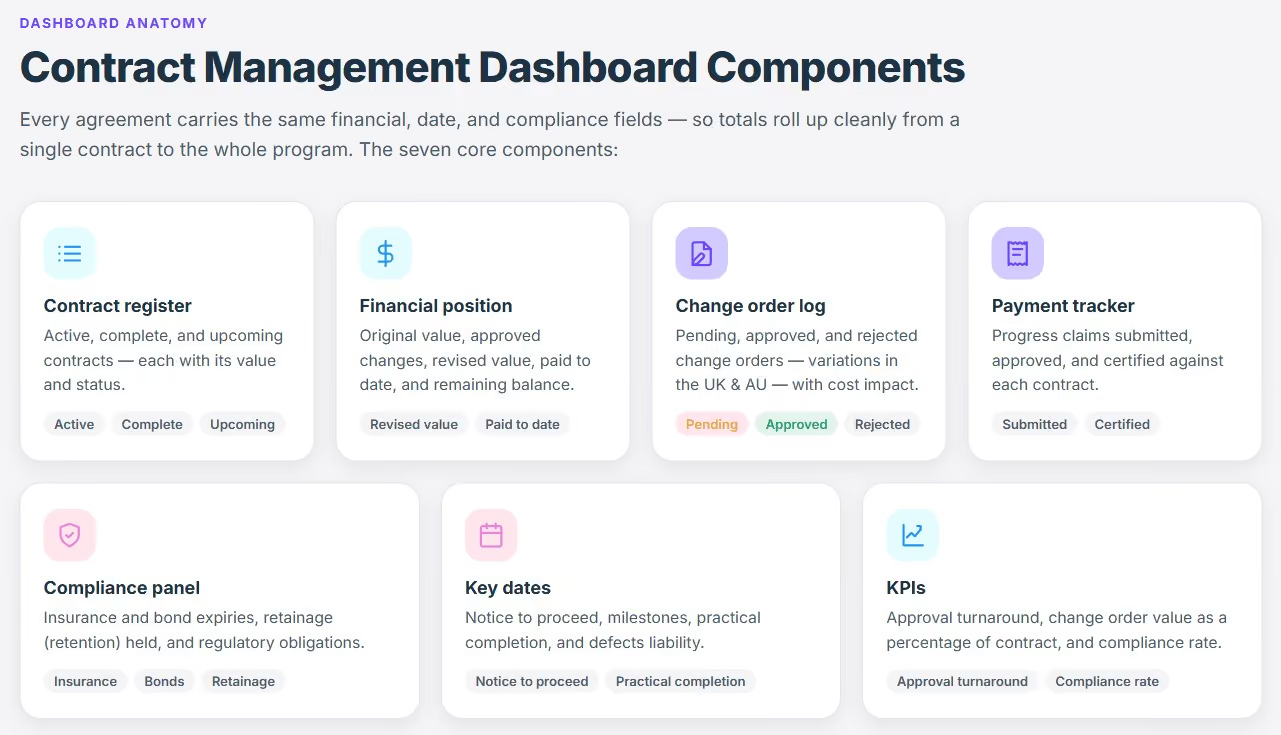
The dashboard holds the financial, date, and compliance detail of every agreement in one structured view. Each contract carries the same fields, so totals roll up cleanly across the program. The seven core components are:
- Contract register: the list of active, complete, and upcoming contracts, with value and status.
- Financial position: original value, approved changes, revised value, paid to date, and remaining balance.
- Change order log: pending, approved, and rejected change orders (variations in Australia and the UK), with cost impact.
- Payment tracker: progress payments submitted, approved, and certified against each contract.
- Compliance panel: insurance and bond expiries, retainage (retention) held, and regulatory obligations.
- Key dates: notice to proceed, milestones, practical completion, and defects liability.
- KPIs: approval turnaround, change order value as a percentage of contract, and compliance rate.
The summary strip rolls these up to program level. It shows total contract value, total certified, and the contracts that need attention this period.

Construction Contract Management Dashboard Example
This contract management dashboard example shows a regional airport terminal program with six approved contracts. Change orders have added $312K, 9% of the $3.65M budget. The biggest, Main Works, carries $177K of that change.
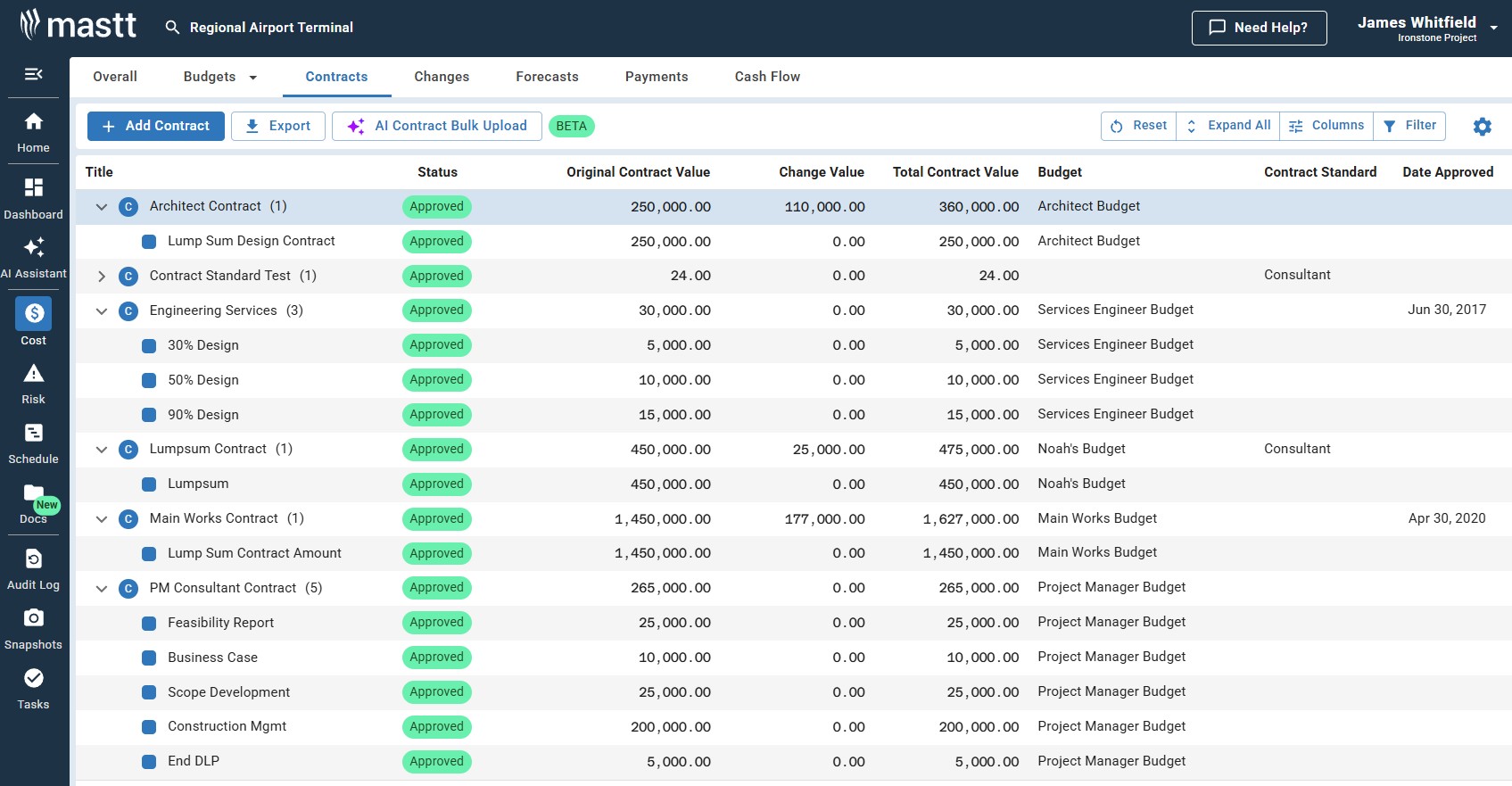
The dashboard shows the committed and certified position at a glance. At 76% committed and 53% paid, the forecast still lands $208K under budget. The owner sees the 9% change movement now, before it eats the contingency.
Related templates: construction cost tracker, project cost dashboard. For the platform view, see Mastt's construction contract management software.
Contract Management Dashboard KPIs to Track
The dashboard is only as useful as the metrics on it. Track the few that show contract health and where money and risk sit. These KPIs matter most on owner-side construction projects:
Most contract tools track none of these in construction terms. They report metrics like renewal rate, which a capital project rarely needs.
How to Build a Contract Management Dashboard
To build a contract management dashboard, start from a complete contract register. Set the baseline, then update it on a fixed cycle. That rhythm keeps the numbers current. Follow seven steps:
- Build the register: list every contract with its value, dates, contractor, and status.
- Set the baseline: load original contract values and budgets as the benchmark for tracking.
- Link contracts to budgets: tie each contract to the budget line it draws from, so commitments map to the budget.
- Log changes and payments: record each change order and certified payment against its contract as it happens.
- Configure the KPIs: choose a few that drive decisions, like approval turnaround, change percentage, and compliance rate.
- Track compliance and dates: monitor insurance expiries, bonds, retainage, and milestone dates against every contract.
- Update on a cycle: refresh the dashboard each reporting period, aligned to your payment runs.
Maintained this way, the dashboard gives executives a summary and project teams the detail. It scales across a program when every contract uses the same fields.
Contract Management Dashboard vs Contract Register vs Cost Report
A register lists the contracts, a dashboard visualizes them, and a cost report states the financial position. Each has one job:
The register holds the records. The dashboard turns them into a live view. The cost report turns the position into a statement leadership can act on. Together they support contract management across the contract lifecycle.
Why Owners Use Contract Management Dashboards
Project owners use a contract management dashboard to control commitment and catch contract risk before it costs money. Poor contract management erodes an estimated 9.2% of contract value, by World Commerce and Contracting research.
A late approval or an expired insurance is cheap to fix early and costly to fix late. A live dashboard is the visible layer of contract lifecycle management (CLM). In contract software, the same view is called the CLM dashboard. It gives the team real-time, data-driven visibility:
- One source of truth: committed value, paid to date, and remaining balance across every contract.
- Early warning: overdue approvals, pending changes, and expiring insurances or bonds.
- Role-based views: owners, client-side managers, and finance each see what they need.
- Consistent comparison: contract performance lined up across contractors and projects.
- An audit trail: every change and decision, contract by contract, ready for review.
💡 Pro Tip: Track approval turnaround as a headline KPI. A rising approval time is the earliest signal that payments and change orders are about to slip.
Who Should Use a Contract Management Dashboard
This dashboard serves the whole client side of a construction project, not only the owner. Anyone who commits, certifies, or reports on contract money uses it. It is built for owner-side teams, not for contractors pricing their own work.
- Project owner and developer: see contract exposure, financial health, and compliance across the portfolio.
- Client-side project manager and owner's representative: track change orders, payments, and approval cycles.
- Commercial manager and quantity surveyor: control committed cost, variations, and the final account.
- Project control and cost manager: hold the estimate at completion and variance across every contract.
- Contract administrator and superintendent: certify payments and keep an audit-ready record of obligations.
- Procurement and contracts team: track award value, contract status, and supplier compliance.
- Capital program and PMO team: compare contract performance across construction projects on one format.
- Finance and public sector capital team: reconcile certified payments, drawdowns, and funding compliance.
Common Problems With Excel and Word Contract Management Dashboards
Manual dashboards in Excel or Word fail in the same ways once a program grows. Each failure has a known fix:
Excel works while one person owns the file. It breaks when the contract count grows or the dashboard changes hands.
Build Your Contract Management Dashboard in Mastt
Mastt runs your contracts in the Cost module and builds the contract management dashboard live from that data. They sit in a Contract Register, so the dashboard always matches the cost records. Here is the workflow owners run:
- Set up budgets: add each contract against the budget line it draws from.
- Upload the contract: AI extracts the roles, key dates, payment terms, and a compliance checklist.
- Log changes and payments: record change orders and certified payments against each contract.
- Run AI Compliance: Mastt checks each payment against the contract before you approve it.
- Open the project dashboard: read value, changes, payments, and compliance live.
- Create the report: export a board-ready PDF, or the data behind it.
Month-end becomes a review instead of a rebuild. The dashboard the board sees is the live contract data in the system.
💡 Pro Tip: Upload the contract on the create a contract screen and let AI read it. The roles, dates, and payment terms populate the dashboard without manual entry. The compliance checklist then applies to every future payment.
.avif)
Written by
Doug Vincent
Doug Vincent is the co-founder and CEO of Mastt, the AI capital-project management platform used by governments, Fortune 500 companies, and consultancies across APAC, North America, and MENA. Before founding Mastt in 2019, he spent a decade at RPS delivering more than $2 billion in capital works, including the $2.1B Defence Navy Infrastructure program, and holds a CPSPM certification with the AIPM. He contributes content and speaks on AI in capital project delivery at Mastt.

A free contract management dashboard for owners and client-side teams. Track contract values, change orders, payments, and compliance in one live view.

Top Performers Don’t Guess. They Deliver.
Cut the stress of showing up unprepared
Start for FreeTrusted by the bold, the brave, and the brilliant to deliver the future