

Mastt's construction dashboard software helps owners and project managers create stakeholder reports, reuse reporting layouts, and share live views or PDFs.

























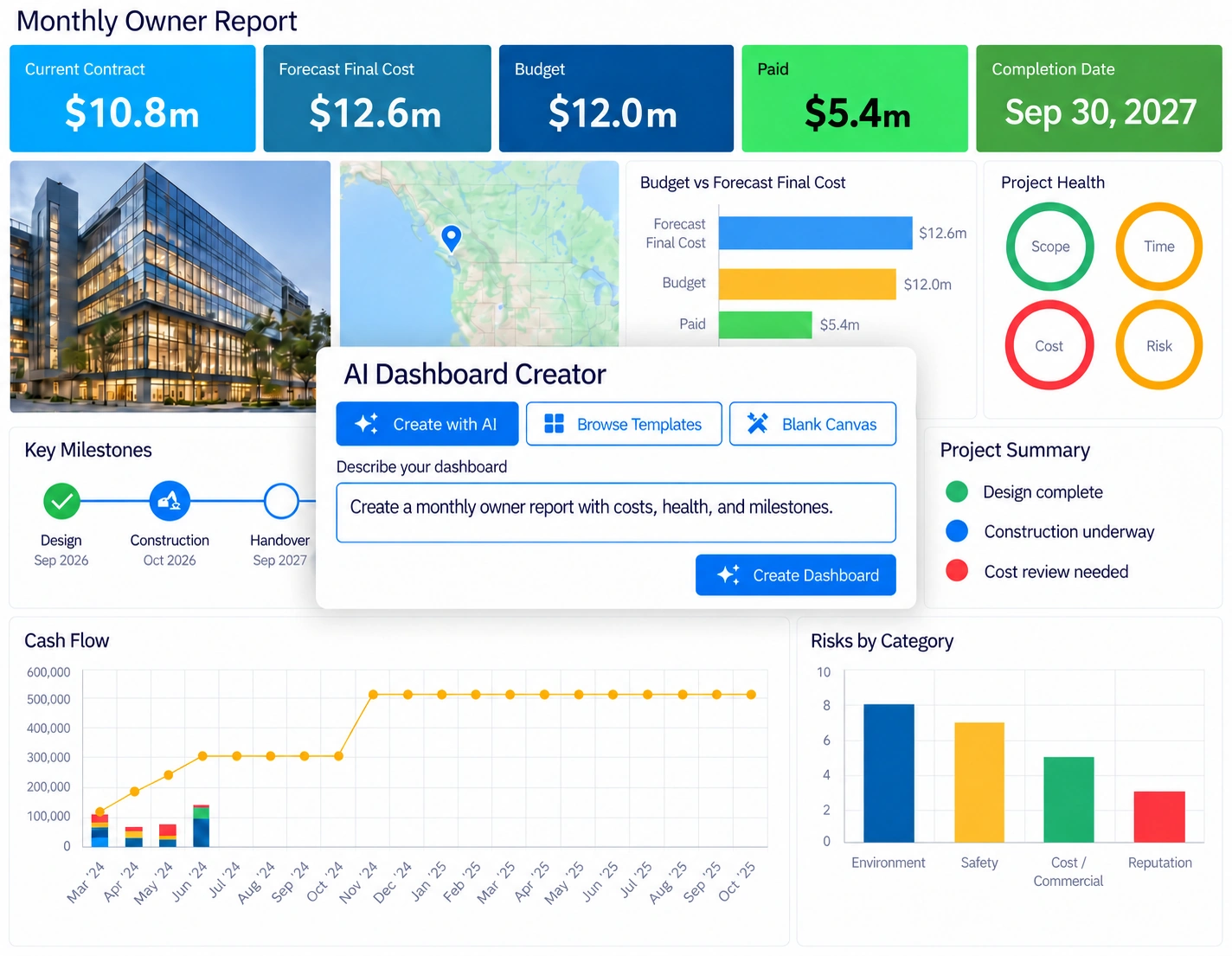
Use Mastt’s construction project dashboard software to review budget variance, forecast final cost, health, and milestones. Show stakeholders what has changed and where decisions are needed.
Describe the report you need, and Mastt’s AI Dashboard Creator generates a new dashboard layout.
Review the suggested tiles and settings, then choose the project information and commentary to include.
Explore Mastt AI Agent

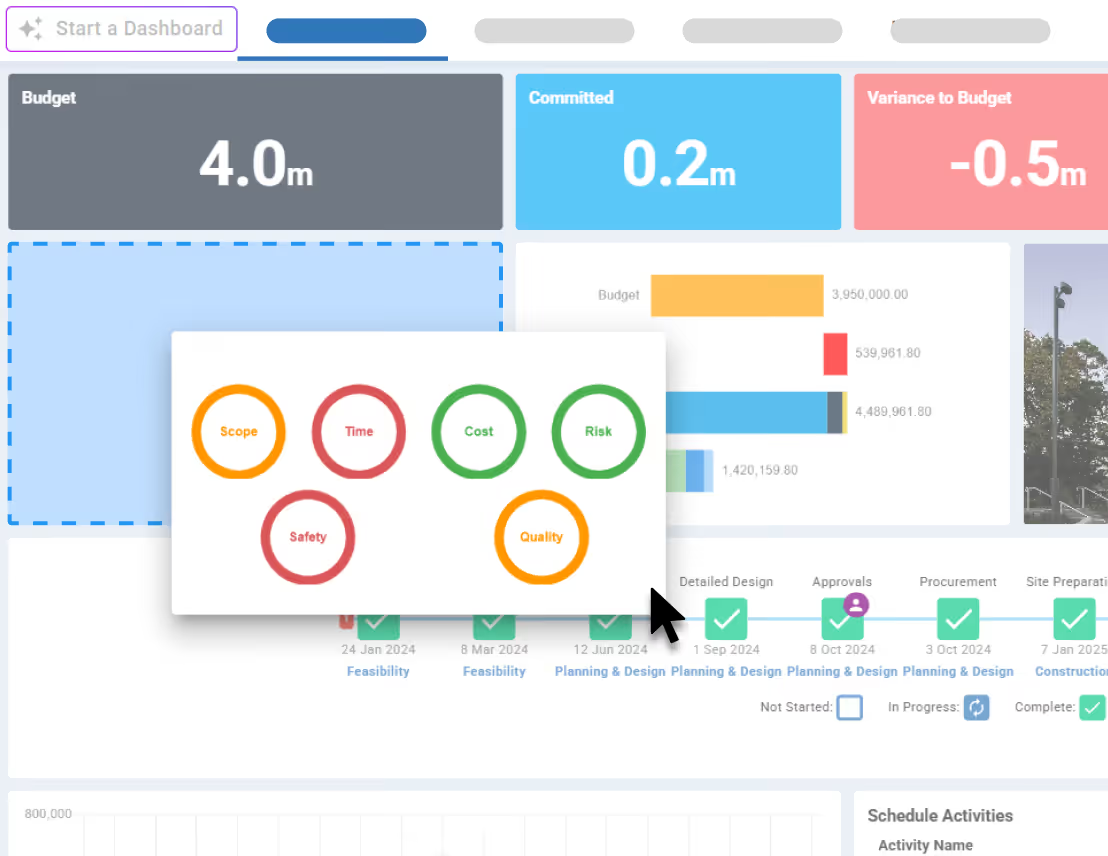
Build an owner update with forecast final cost, key milestones and risks, or a detailed cost report with commitments and payments.
Arrange the dashboard tiles, add commentary and save your layout as a reusable template for future reports.
Explore Dashboard Examples
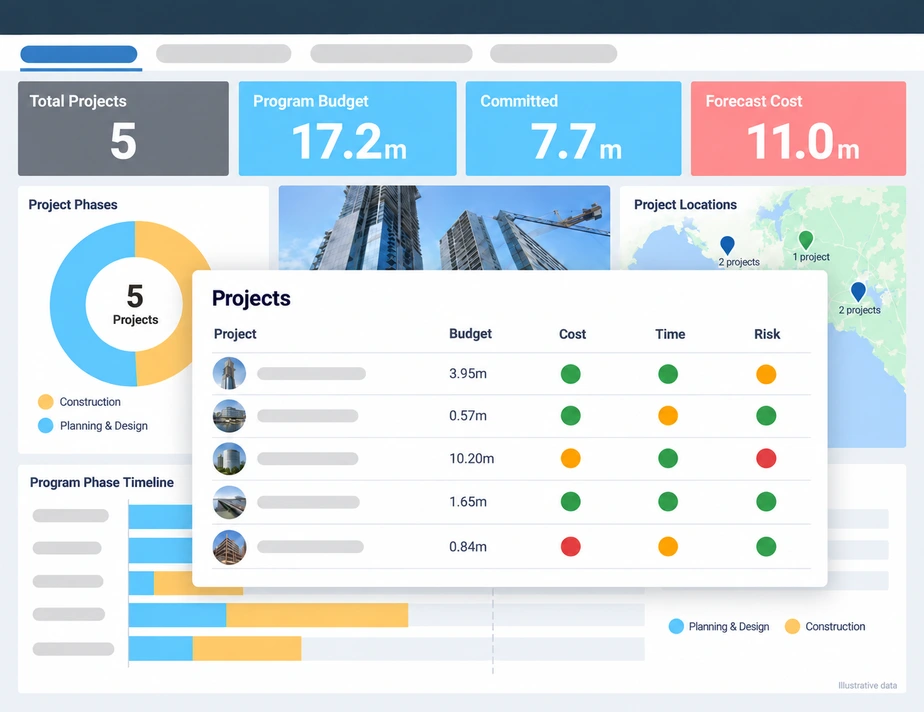
Track project progress, budgets and milestones across your portfolio in one dashboard.
As teams update project records, see where each project stands and what needs attention.
Explore Program Management
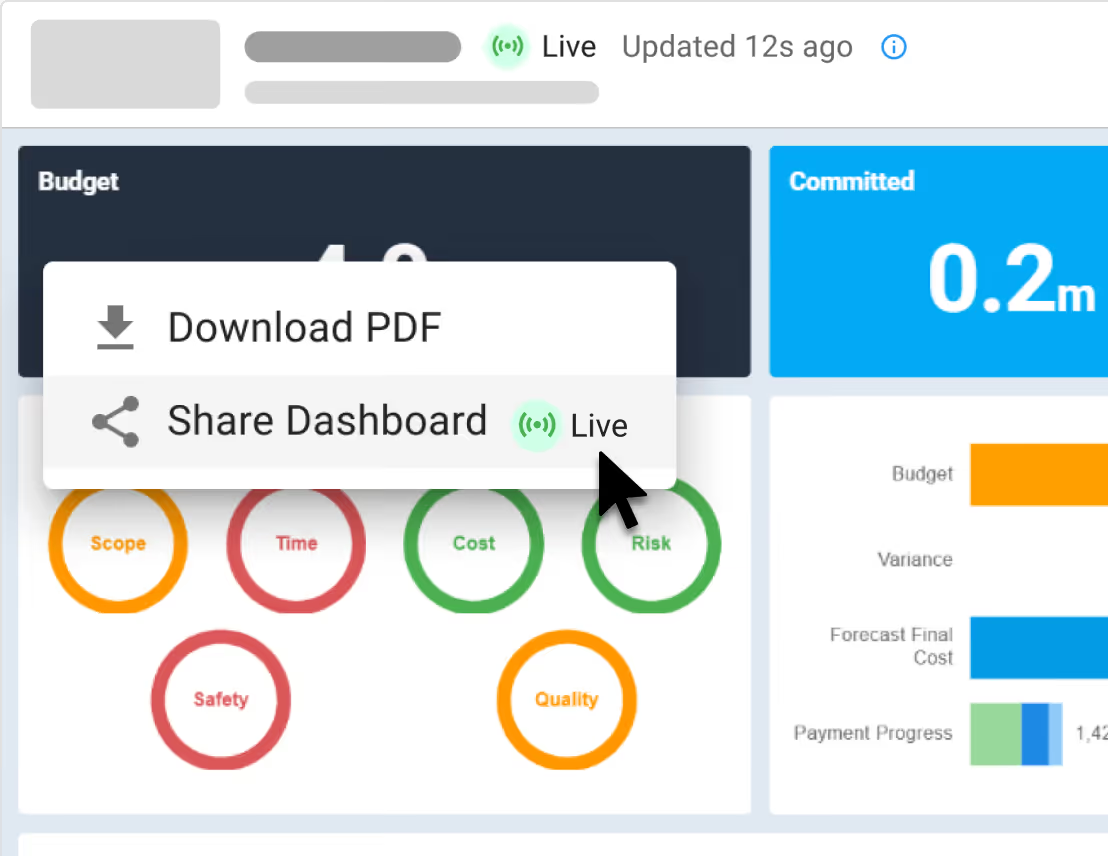
Our online construction reporting software lets you share live dashboards or download PDF reports for client updates, meetings and board packs.
Invited recipients can view shared dashboards and download PDFs without a Mastt account. Access is view-only, and you control who can view.
Explore Link Sharing
See how construction project management professionals experience the rush of wielding true project power.
Read Case Studies

“Since moving to Mastt, we are able to report in real time so there's no delay in financial data being updated.”
Jacob Edwards, Funds Manager


Create construction project reports tailored to your audience. Help owners and developers review costs, risks and progress, while project managers, consultants and owner’s representatives prepare consistent client updates.

Review budgets, forecasts, risks and milestones to identify where your decisions are needed.
Learn more

Track development costs, payments and progress to keep investors and project partners informed.
Learn more

Create consistent client reports with reusable dashboards for cost, schedule and risk updates.
Learn more

Report on the owner’s behalf with clear updates on project performance and issues needing attention.
Learn more

"Mastt has standardized our approach, making sure all of our reporting meets the same standards. Being live is great, clients have always got live data, rather than old data."
Luke Somerville, Managing Director
See Customer Stories.webp)

Bring information from your Cost, Schedule, and Risk modules into your dashboards. Explore supporting tools for program oversight and document management.

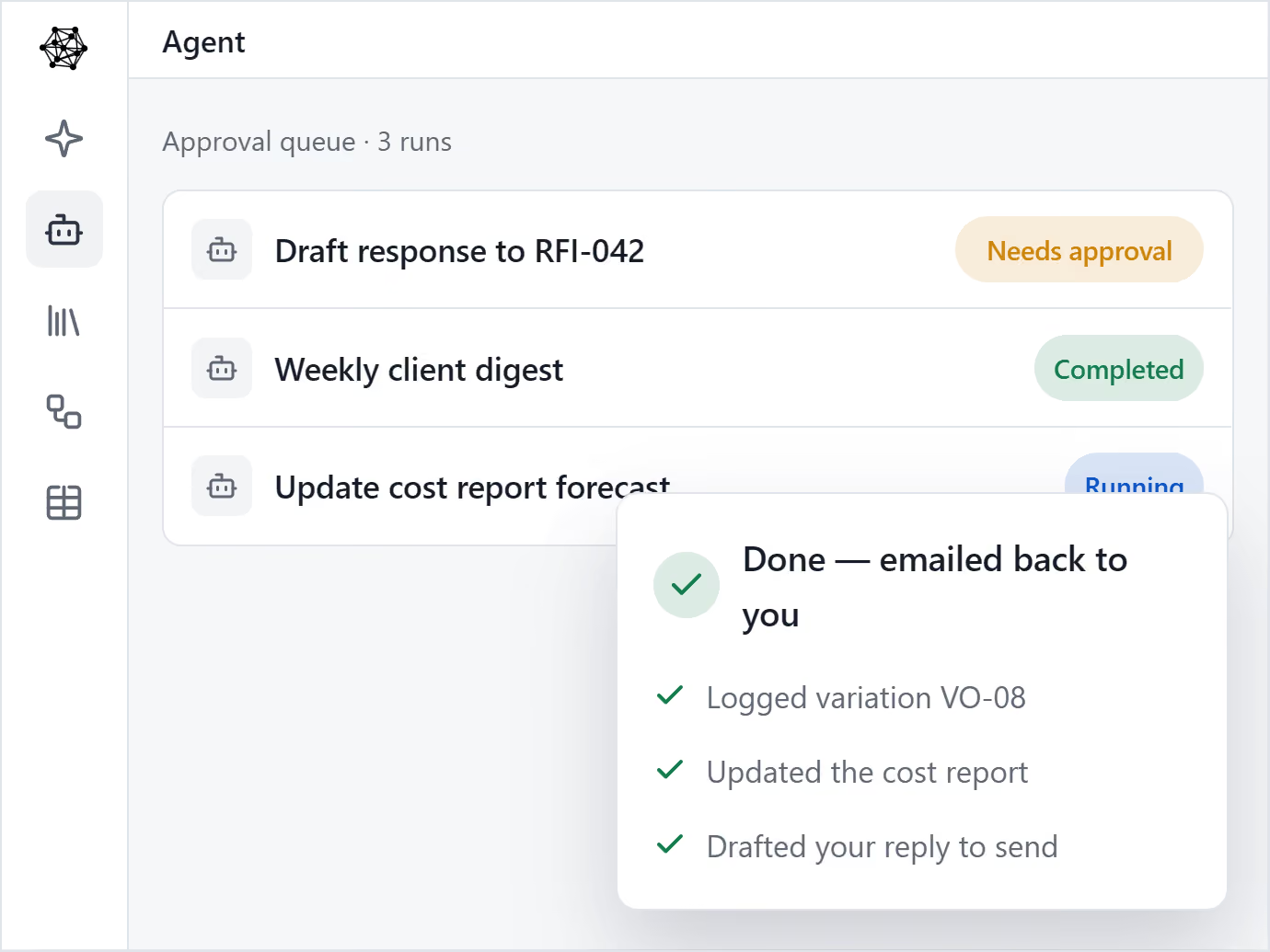
Multiply your people with AI Agents. Helps one person produce the output of many.

AI that knows your company’s templates, procedures and lessons learned.

Upload the templates you already use, and your AI Agent drafts on-brand, every time.

Set up a process once, and let Agent run it every time.

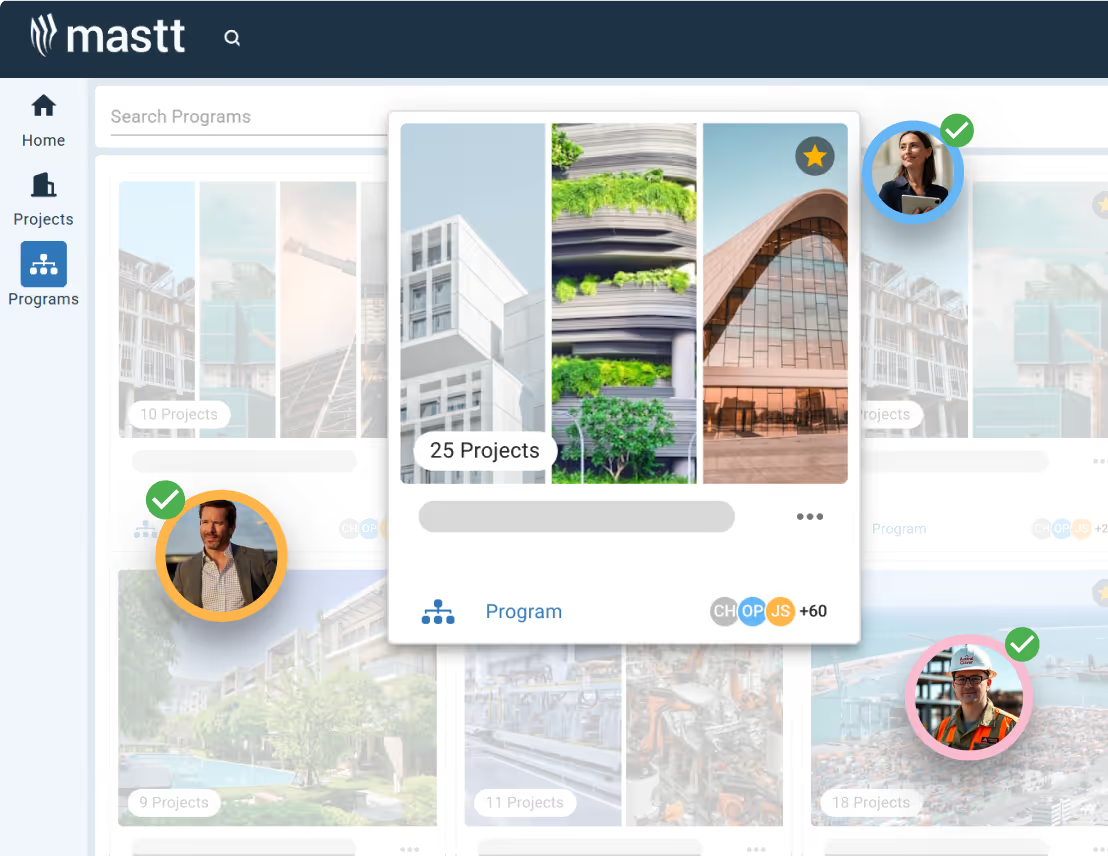
Mastt brings every project in your program into one clear, connected view.

Roll up cost, risk, schedule, and reporting from every project into one unified, real-time view.

Consistency across every project. Secure, centralized data, full audit trails, and real-time decision-making.

Mastt’s trusted AI eliminates the admin and manual standardization that slow your team down.
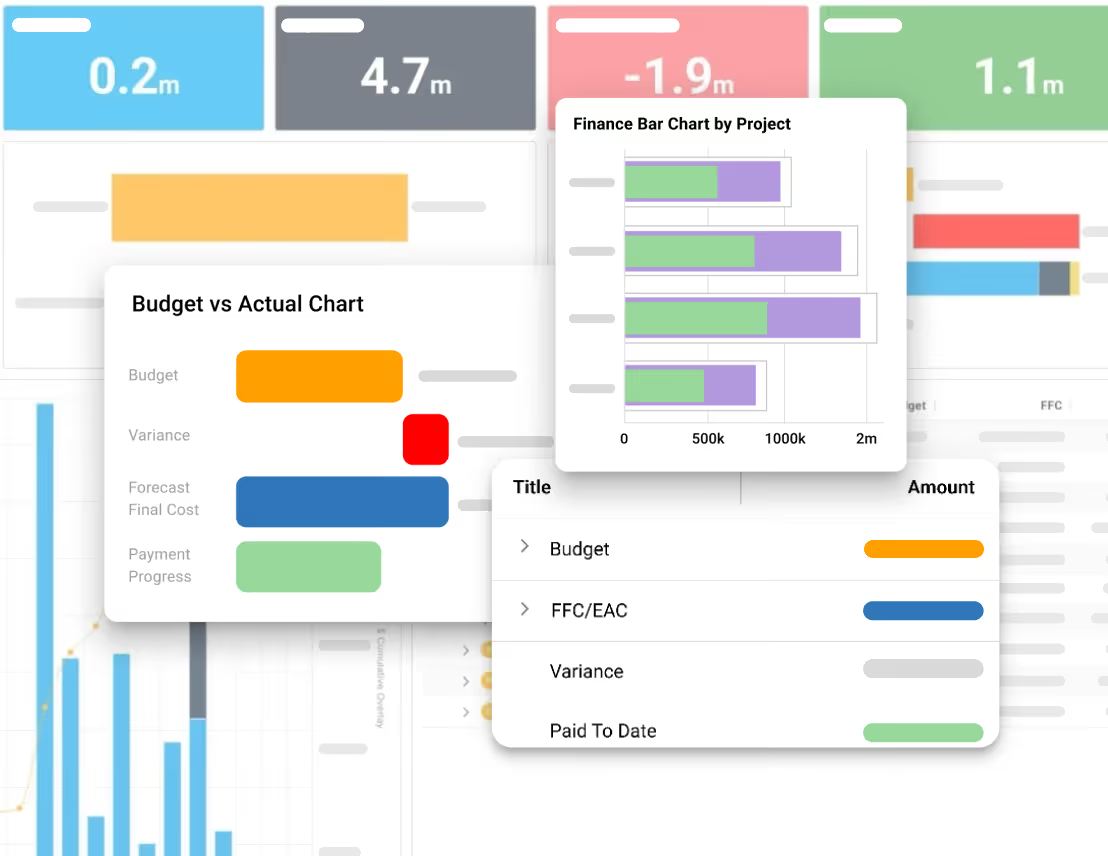
Keep track of projects with live, interactive reports 24/7
Fast & automated reports from project status to project portfolio reports
Capital project charts, maps, visualizations and other components out of the box!
Snapshot & store entire projects or reports for record keeping & compliance

Digital ledgers and smart forms for financial precision
Track costs back to budgets and see unders/overs
Centralize all contracts & payments back to budgets

Report on cash flow actuals, forecasts, and baselines
Manage the complete project lifecycle across your portfolio

Tracks your project through key milestones

Manage projects through clear phases, stages and gates
Measure performance of a portfolio of projects
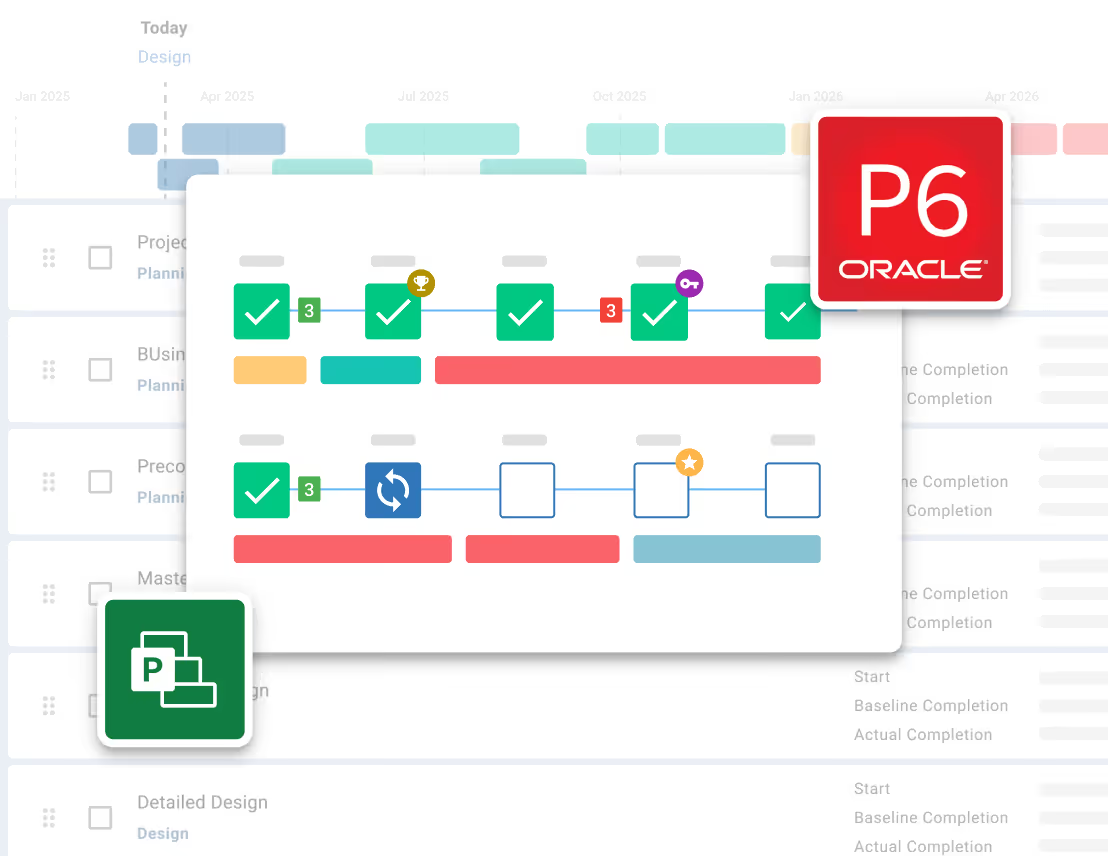
Risk Management process made simple and configured to your likelihood & impact ratings
Streamline Risk Analysis on your 5x5 or 4x4 Risk Matrix and identify Treatments

Visualize Risks for fast, easy reporting and workshopping. Generate a Risk Register
Maintain Risk Registers at a Project or Program / Portfolio level


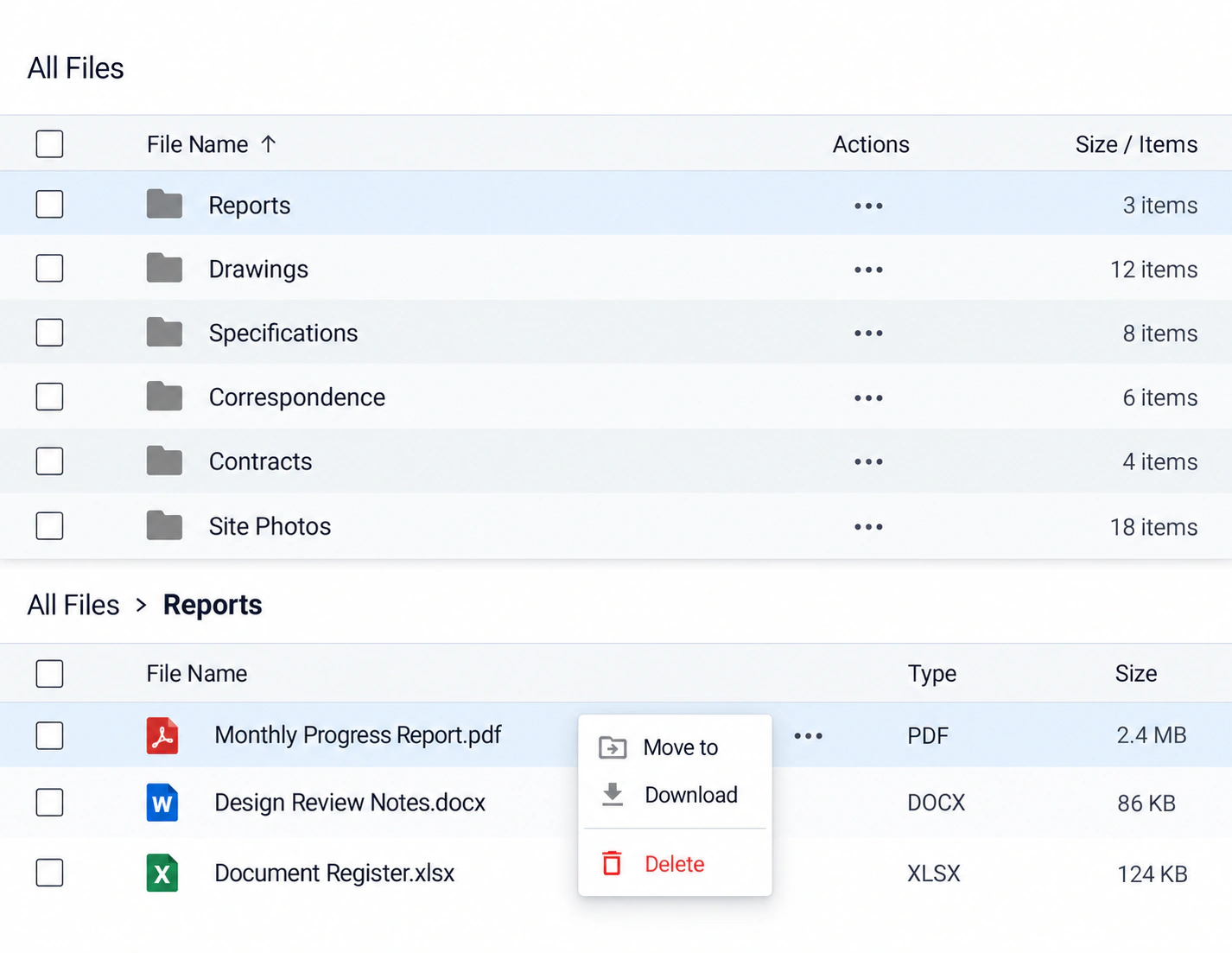
Store every contract, report and project file in one secure place.
Structure every project with clear, consistent folders your whole team can navigate.
Search by file name and preview PDFs, Word documents, and Excel spreadsheets before downloading.
See every document tied back to its source in your project - contract, payments, changes and more.
Launch faster with expert-designed dashboard templates proven across thousands of construction projects. Explore layouts for project status, costs, budgets, timelines and owner reporting.
Build dashboards, explain project performance and share project updates with tools for reporting on costs, progress and risks.

Build dashboards with a ready-to-use library of charts and visualizations.
Learn more
Andrew Benn, WSP Technical Director
"With Mastt, our client can see the status of the project anytime, reducing back and forth queries, and not having to wait until the end of the month to receive a monthly report."
Read Case Study
Rebecca White, RPS Program Manager
"Mastt has saved our team significant time and effort in managing the financials elements of 65+projects. The team now has total visibility over their individual projects as well as the overarching program of works."
Read Case Study
Erik Maasepp, Capital Insight Senior Project Manager
"Mastt takes away a lot of user error that spreadsheets bring. With Mastt, we are able to combine multiple projects into programs or portfolios for management level analysis and direction."
Read Case Study
CAPT. Dan Foley, Army Digital Transformation Manager
"Mastt is increasing the team’s tempo and productivity by enabling real time information across our portfolio of projects. This transparency is assisting us to make informed decisions, to identify opportunities and reduce the risk."
Read Case Study
Dan Atkins, Jacobs National Program Manager
"Mastt's ability to record critical financial information as well as program forecasted delivery and milestones put Jacobs in a favourable position to our clients."
Read Case Study.webp)
Mohammed Salameh, Compass' Associate Director
"Moving to Mastt is one of the best decisions my team has ever made. It’s cost-effective, easy to use, and a quick set up."
Read Case Study.webp)
Fergus Bruce, Project Manager at WSP
"A key factor in our decision to adopt Mastt is its user-friendliness. It had to continue to empower us to work smart, allowing us to consistently deliver excellence across multiple sectors and geographic regions."
Read Case Study

See how Mastt customers use dashboards and reports to keep clients informed and improve visibility into project finances and progress.

Mastt is a great solution to the issue of incomplete or redundant data used in project reporting. The fact that the data is in the cloud and able to be updated in real-time is a great benefit to me and my client's time.

Owner
Super slick, very easy to use, and improves workflow time massively. Keep up the good stuff, Mastt!

Senior Project Manager
Mastt assists with standardising and making data more transparent and easy to interpret.

Project Director
The data analysis and production of informative, easy-to-understand infographics are excellent for client communication and briefing and also allow for efficient and effective internal stakeholder meetings at various business management levels.

Associate Director
Moving to Mastt is one of the best decisions my team has ever made. Mastt’s user-friendly interface makes it easy and fast for the project teams to update as things happen on-site.

Director
It's great to have the confidence that reports I generate are correct (no checking formulas).

Assistant Project Manager
Mastt has allowed us to continue to ‘wow’ our clients. At Compass, Mastt enables us to deliver present projects in an amazing way, rounding out the whole (Compass) experience.
Director
With Mastt, our client can login on the public and private networks and see the status of the project anytime, reducing back and forth queries, and most importantly not having to wait until the end of the month to receive a monthly report. It’s all accessed real-time in Mastt.

Technical Director
With Mastt, our client can see the status of the project anytime, reducing back-and-forth queries and not having to wait until the end of the month to receive a report.

Director
Since moving to Mastt, our reporting regime has become a lot simpler. We are able to report in real time, so there's no delay in financial data being updated. The time it takes is a lot quicker, making the fund a lot more efficient for investors.

Fund Manager
Mastt really makes a difference. Some reports (before Mastt) were previously taking far too long.

Business Manager
Custom reporting solutions are a huge investment and not justifiable for most clients. We wanted something that had rules in place to ensure best-practice project management but still gave us the control to customise based on the clients’ and industry nuances. Mastt allowed us to do this.
Director

You can show budgets, contract values, approved changes and estimate at completion using our financial KPI tiles. Add schedule metrics for project phase, completion dates and delays. You can also add project health indicators, with status and commentary updated by your team. The information displayed depends on your selected tiles and project data.
Our Starter plan is free for your first project, with no credit card required. Professional is a paid monthly plan, with pricing based on your project count. Enterprise pricing is tailored to your organization. Use the calculator on Mastt pricing page to check costs and compare included features.
Open your project or program, select New Dashboard, and start with a template, a blank canvas or our AI Dashboard Creator. Add and arrange tiles, select the information to display and include your commentary. For step-by-step instructions, follow our dashboard creation guide.
Yes. Describe the report you need, and our AI Dashboard Creator builds a new dashboard with a suggested layout and tiles. Review the result and adjust it using the dashboard editing tools. The creator builds new dashboards; it does not edit existing ones. Learn more in our AI Dashboard Creator guide.
Yes. Create project dashboards for client updates, owner reviews and board packs, then share a live dashboard or PDF report. Invited recipients can view the shared dashboard and download PDFs without a Mastt account. Their access is view-only, and you can revoke it. Learn how to share your dashboard.
Yes. You can download dashboards as PDF reports and export data from project registers, including budgets, contracts, changes and payments, to Excel. Excel exports contain register data, not the dashboard’s visual layout. Learn how to export your project data to Excel.
Yes. Reusable dashboard templates help your teams follow a consistent reporting structure. Our Program module brings multiple projects into one view for program and portfolio oversight. Learn how to create and use our dashboard templates.
Yes. Add, move and resize tiles, adjust display settings and include commentary to suit your audience. Save your layout, filters and tile settings as a custom template for future dashboards. Follow our custom dashboard template guide to save and reuse your reporting layout.
Construction project dashboard software brings key project information into a visual view of costs, schedules, risks and progress. Mastt helps owners, project managers and consultants use that information for capital project oversight, client updates and board reporting. Explore our dashboard and reporting guides to see how it works.
Become superhuman with AI today. Free to start, simple to scale.

Your first project is on us — no credit card required. Get started instantly with core tools.
.svg)
Flexible month-to-month plan. Add projects as you grow and access free videos, training, and guides.
per month

Full enterprise features, advanced security, and dedicated human rollout support.

Agentic AI that gives humans an AI Agent counterpart to accelerate work, increase quality, and boost output.
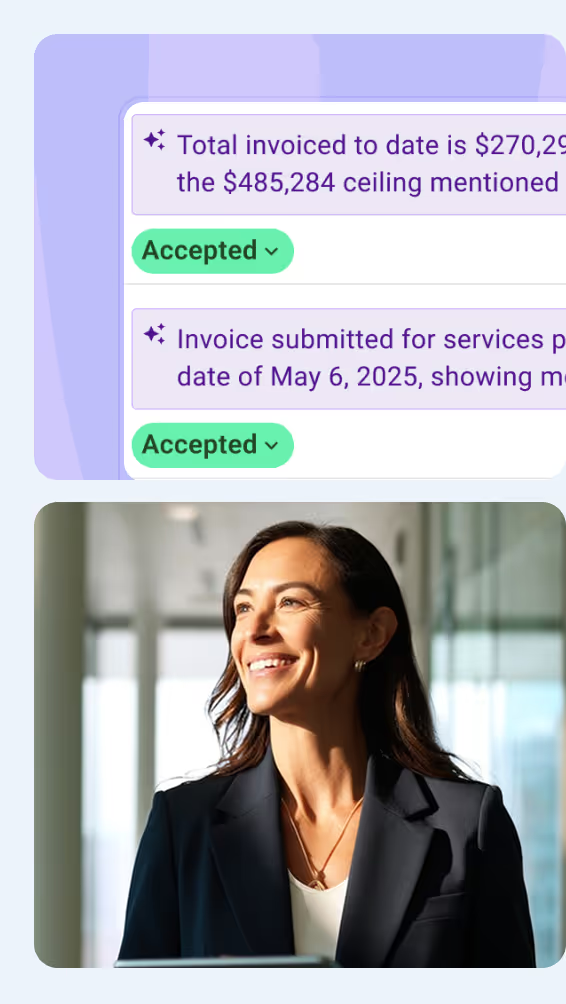

At Mastt, we’re building the world’s first Agentic AI for construction project teams
Used by project leaders building the future around the globe


.svg)
.svg)
.svg)
.svg)
.svg)


