

Compare the best cost report software for construction in 2026. See features, pricing, and how these tools automate budget tracking, variance analysis, and forecasting.
.avif)
Cost report software significantly reduces the spreadsheet errors that often hide budget risks until it is too late. If you are evaluating tools for 2026, this list compares leading options like Oracle Primavera, Mastt, and Autodesk Construction Cloud. This breakdown explains what each tool does best, its pricing model, and how it helps you deliver projects on budget.
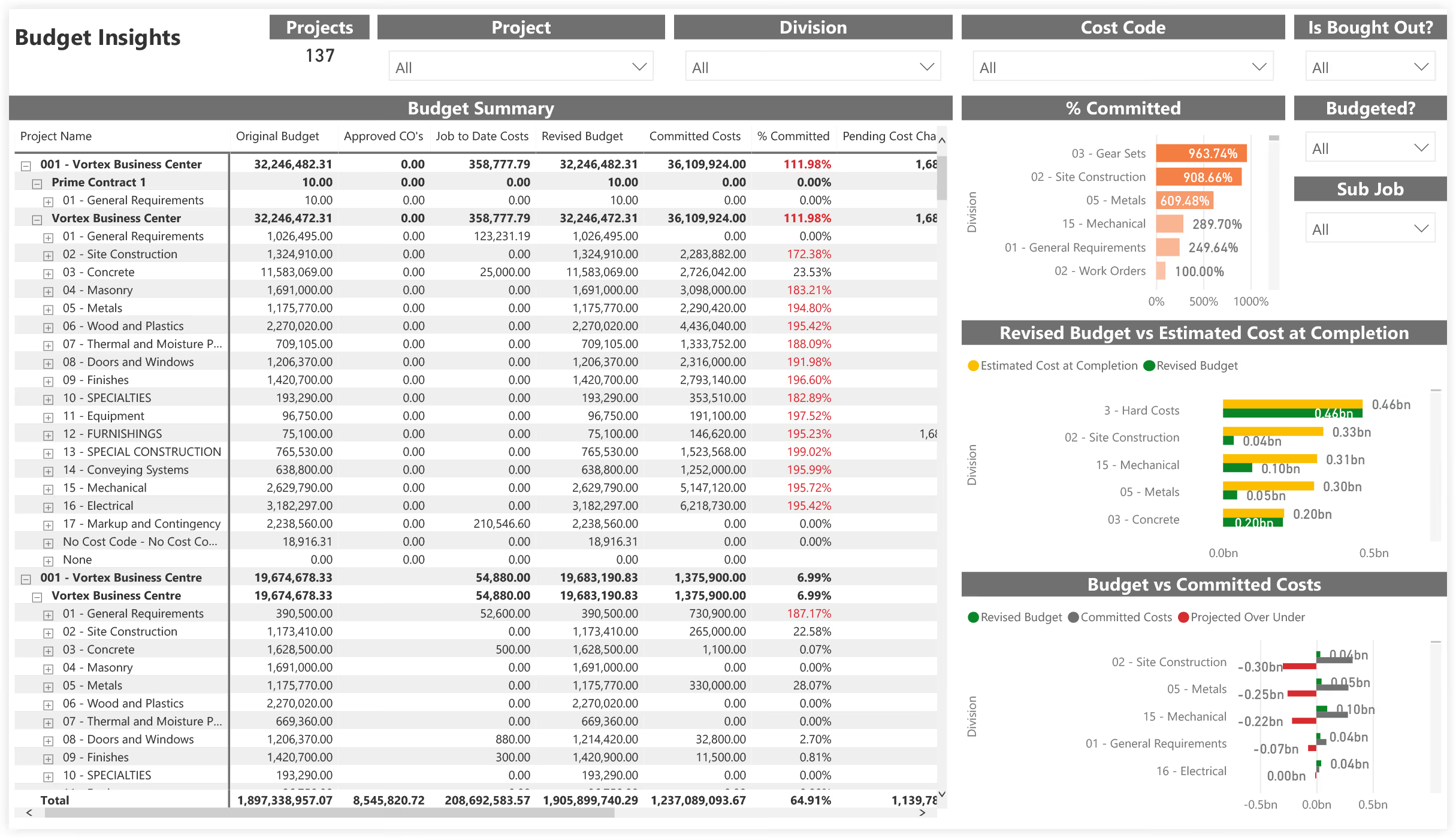
Cost report software is a financial management tool that tracks spending against a set budget. It replaces static data entry with automated dashboards to monitor project health in real time. This system ensures stakeholders have a clear, accurate view of fiscal performance at any moment.
In construction, cost reporting software connects contracts, invoices, and change orders to a live project budget. It links committed costs with actual spending to provide a unified financial record for the project. This visibility helps teams identify budget variances early and reduces the risk of manual spreadsheet errors.
Here are the leading cost reporting software in 2026, designed to meet the specific needs of project teams and financial controllers. From automating variance analysis to streamlining portfolio reporting, these tools turn complex financial data into actionable insights.
Mastt automates the cost reporting process for project owners and project managers. It pulls data from contracts, change orders, and forecasts directly into real-time dashboards. You get instant visibility into financial health without manually compiling spreadsheets.
Key features:
Strengths: Mastt drastically reduces the time spent on monthly reporting cycles. Its visual dashboards make complex financial data easy for stakeholders to understand immediately. The system scales effortlessly from single projects to multi-billion-dollar portfolios.
Weaknesses: Mastt is optimized for the specific needs of project owners and project managers. It may offer more functionality than required for small residential subcontractors who only need basic invoicing tools.
Who is it for: Project owners, real estate developers, government infrastructure bodies, and project management consultancies. It is ideal for teams managing complex portfolios who need to report to investment committees or executive boards.
Accessibility:
Mastt streamlines the process of generating project cost reports. By linking cost data with risk and schedule updates, Mastt ensures your reports always reflect the latest project reality. This unified approach eliminates version control issues and reduces administrative time.
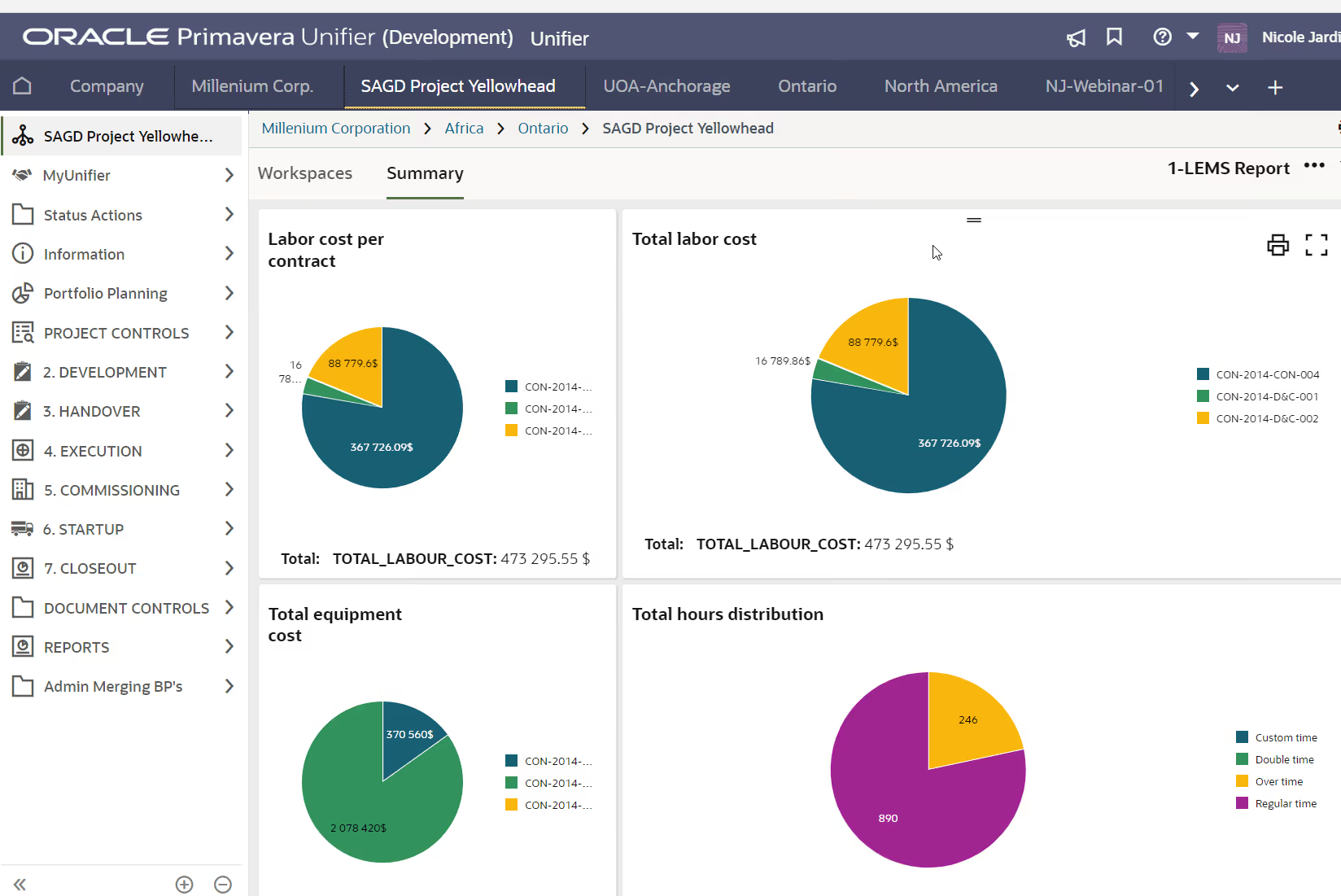
Oracle Primavera Unifier manages complex cost controls for large-scale enterprise projects. It allows you to track funding, commit costs, and manage cash flow across massive portfolios. The platform supports Earned Value Management (EVM) to measure project performance against detailed baselines.
Key features:
Strengths: Unifier handles massive data volumes and complex financial models with ease. The level of customization allows for strict control over capital planning and project execution. It is built to support the rigorous demands of mega-projects.
Weaknesses: The system is complex and often requires dedicated administrators to maintain. Implementation takes significant time, and the interface can feel heavy for teams accustomed to lighter tools.
Who is it for: Large EPC contractors, energy companies, and government agencies managing capital programs.
Accessibility:
Oracle Unifier integrates tightly with Primavera P6, linking cost data directly to the project schedule. This connection provides a complete picture of financial health for complex capital programs.
Autodesk Construction Cloud connects cost management directly to the design and build phases. It allows you to visualize budget impacts on 3D models before construction begins. You can track expenses, manage change orders, and forecast cash flow within the same platform used for design.
Key features:
Strengths: ACC offers strong integration with design tools like Revit. It creates a continuous flow of data from preconstruction through to handover. The visual connection between costs and 3D models helps clarify complex budget changes.
Weaknesses: Setting up the system can be complex and may require training. Teams without a strong background in BIM processes might find the interface overwhelming at first.
Who is it for: General contractors and design-build firms that already utilize the Autodesk ecosystem.
Accessibility:
ACC centralizes financial data to keep office and field teams aligned. It streamlines payment applications and links cost activities to specific project locations or assets. This integration ensures that budget changes are visible across the entire project lifecycle.
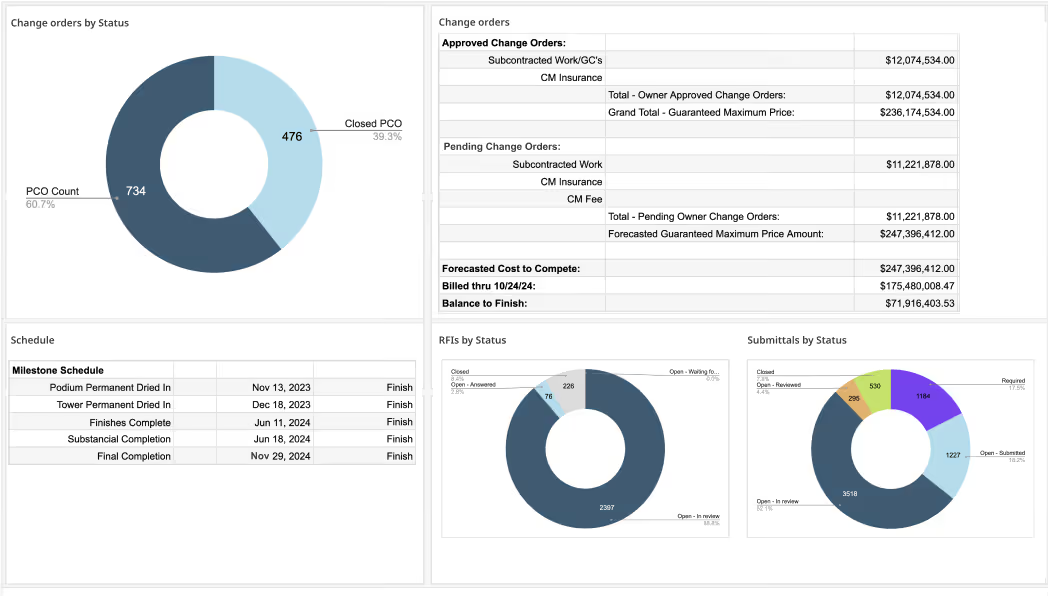
Procore links your field operations directly to your project's financial reports. When a site team logs a change event, the budget updates instantly for the office. This real-time connection ensures cost reports always match the reality on the ground.
Key features:
Strengths: Procore provides visibility between site teams and financial controllers. The interface is intuitive and works well on mobile devices. It reduces the lag time between a site event and its financial reporting.
Weaknesses: The financial tools are part of a comprehensive, large-scale platform. It may be cost-prohibitive for firms that do not require the full suite of project management features.
Who is it for: General contractors and specialty contractors who need to bridge the gap between field operations and accounting.
Accessibility:
Procore manages the full financial lifecycle, from initial commitments to final payments. You can handle invoices, time tickets, and change orders within a single system. It creates a seamless flow of data between project management and accounting software.
Selecting the right project reporting software for cost management requires matching the tool’s capabilities to your team's specific roles and project complexity. Follow these steps to evaluate your options:
Step 1: Define your stakeholder needs
Determine who consumes the reports. If you report to a board of directors, you need high-level portfolio dashboards. If you report to a homeowner, you need a simple client portal.
Step 2: Check integration capabilities
Your cost data cannot live in a silo. Ensure the software integrates with your existing ERP and scheduling tools. Seamless data flow prevents double entry and reconciliation errors.
Step 3: Evaluate forecasting features
Reporting on the past is easy; predicting the future is hard. Look for software that offers robust forecasting methods to help you anticipate final costs and cash flow needs.
Step 4: Test usability and adoption
The best software is the one your team actually uses. Prioritize platforms with intuitive interfaces and good mobile support. Complex tools often fail because field staff find them too difficult to update.
Step 5: Consider scalability
Choose a platform that can grow with you. If you plan to expand from single projects to a program of works, ensure the software can handle portfolio roll-ups and multi-project reporting.
Step 6: Measure ROI
Pilot the software on a single project. Measure the time saved on reporting and the value of caught variances. If the software prevents one major cost overrun, it often pays for itself.
💡 Pro Tip: Prioritize vendors that actively demonstrate a rapid pace of AI development rather than those offering a static feature set. Software that continuously updates its models will eventually automate the risk detection you currently handle manually.
Cost report software transforms financial data from a burden into a competitive advantage. Owners gain confidence in their capital spend, contractors protect their fees, and teams work more efficiently. By implementing the right tool, you ensure that your projects are defined by financial clarity.
Recommended as the
Best Cost Reporting Software for Construction Projects in 2026

Cut the stress of showing up unprepared
Start for FreeTrusted by the bold, the brave, and the brilliant to deliver the future

