Templates

AI that works in your templates

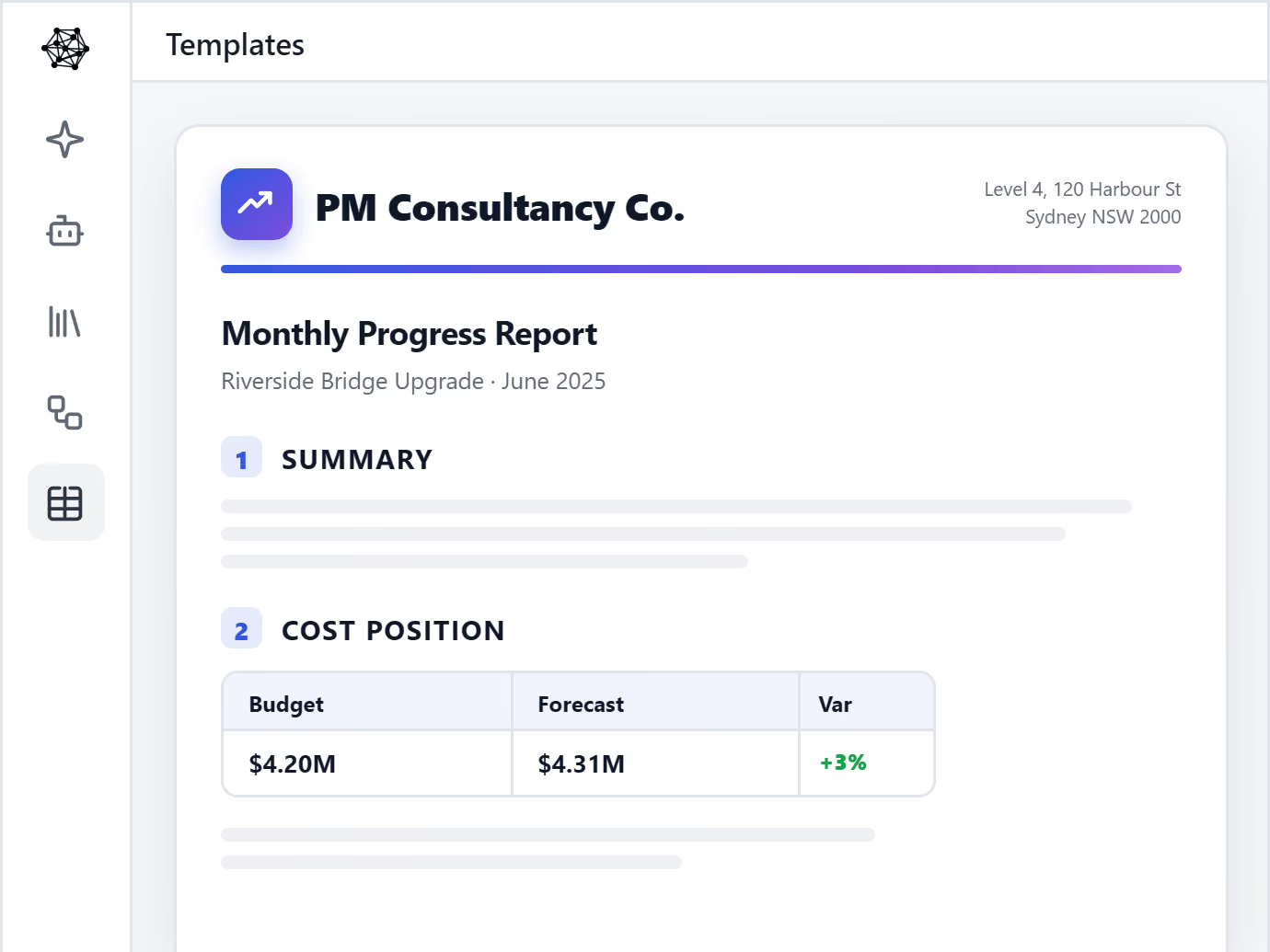
Upload the templates you already use, and your AI Agent drafts inside them — consistently, every time. Your layout, your fonts, your logo, your letterhead. No more inconsistency across your business and projects.

Screenshot of the Mastt AI Contract Assistant interface showing a natural language chat explaining the payment process under a consultancy contract. The AI displays a step-by-step payment process

Agentic AI for Construction Professionals

A logo with black text that says "Australian Department of Defence"
A logo of RPS.
Monash University logo featuring a shield with an open book, laurel wreath, stars, and motto banner.
Tomahawk Property logo featuring a stylized outline of a building next to the company name.
Orange text logo reading 'Tango' with a unique design where the 'g' merges into a square shape.
Super Retail Group logo with stylized orange, blue, and red diagonal stripes.
Logo of the company MostynCopper with black text and a blue underline beneath.
RCP logo with red diamond-shaped graphic and the tagline Leadership in Project Management.
Logo for Signature Project Management with stylized 'S' inside a rectangular border and bold text.
SOILCO logo with stylized S shape in dark and green rectangle.
Logo of GenUrban Projects Co with stylized U featuring a circular lined design.
Logo for Grid Construction featuring a geometric icon with black and red segments beside bold text 'GRID CONSTRUCTION'.
Cohere Project Management logo with a stylized asterisk symbol to the left.
Summertown Interiors logo featuring a stylized tree with three circular leaves in a red square next to a gray rectangle with the word interiors.
A logo with black text that says "Australian Department of Defence"
A logo of RPS.
Monash University logo featuring a shield with an open book, laurel wreath, stars, and motto banner.
Tomahawk Property logo featuring a stylized outline of a building next to the company name.
Orange text logo reading 'Tango' with a unique design where the 'g' merges into a square shape.
Super Retail Group logo with stylized orange, blue, and red diagonal stripes.
Logo of the company MostynCopper with black text and a blue underline beneath.
RCP logo with red diamond-shaped graphic and the tagline Leadership in Project Management.
Logo for Signature Project Management with stylized 'S' inside a rectangular border and bold text.
SOILCO logo with stylized S shape in dark and green rectangle.
Logo of GenUrban Projects Co with stylized U featuring a circular lined design.
Logo for Grid Construction featuring a geometric icon with black and red segments beside bold text 'GRID CONSTRUCTION'.
Cohere Project Management logo with a stylized asterisk symbol to the left.
Summertown Interiors logo featuring a stylized tree with three circular leaves in a red square next to a gray rectangle with the word interiors.

Consistent, on brand outputs for every team member

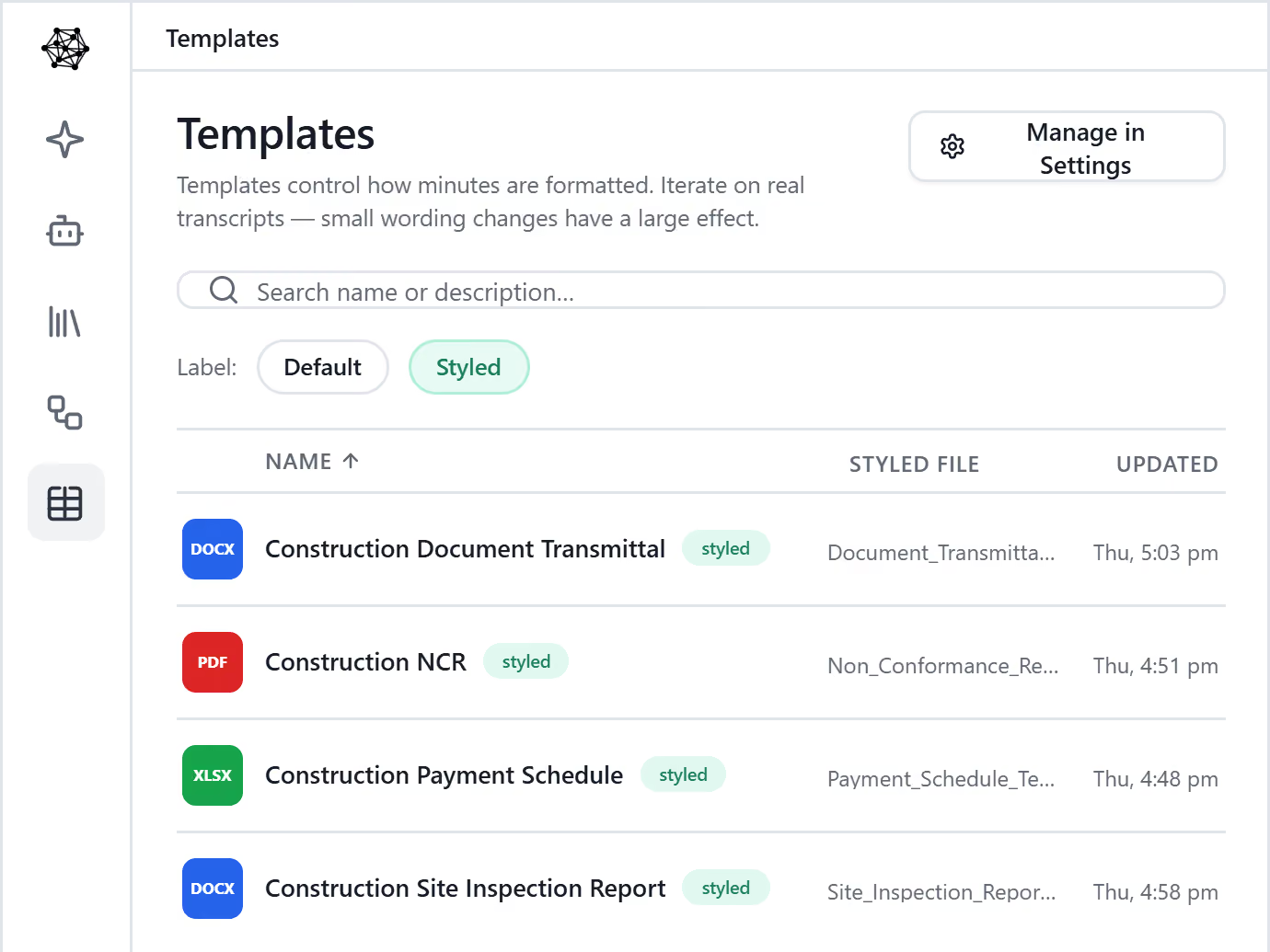
Set your templates once and they apply everywhere — every project, every team, every person, and every Agent. The work your organization produces stays consistent and on-brand at scale.

AI drafts in your exact format, every time

Agent does the drafting, not your team. It writes new work straight into your templates — your layout, your formatting, your letterhead — so nothing is built from scratch and nothing is reformatted.

What comes back is finished and on-brand, looking like your company made it.

See it in action >

Executive Dashboard for Capital Improvement Programs

One standard across your whole organization

Approved templates apply automatically to every project, team and Agent — so the work your business produces stays consistent and on-brand at any scale, without anyone needing to remember the right format.

Whether a document comes from a senior lead, a new starter or an Agent working overnight, it looks like it came from one company.

See what the Agent knows >

As easy as drag and drop

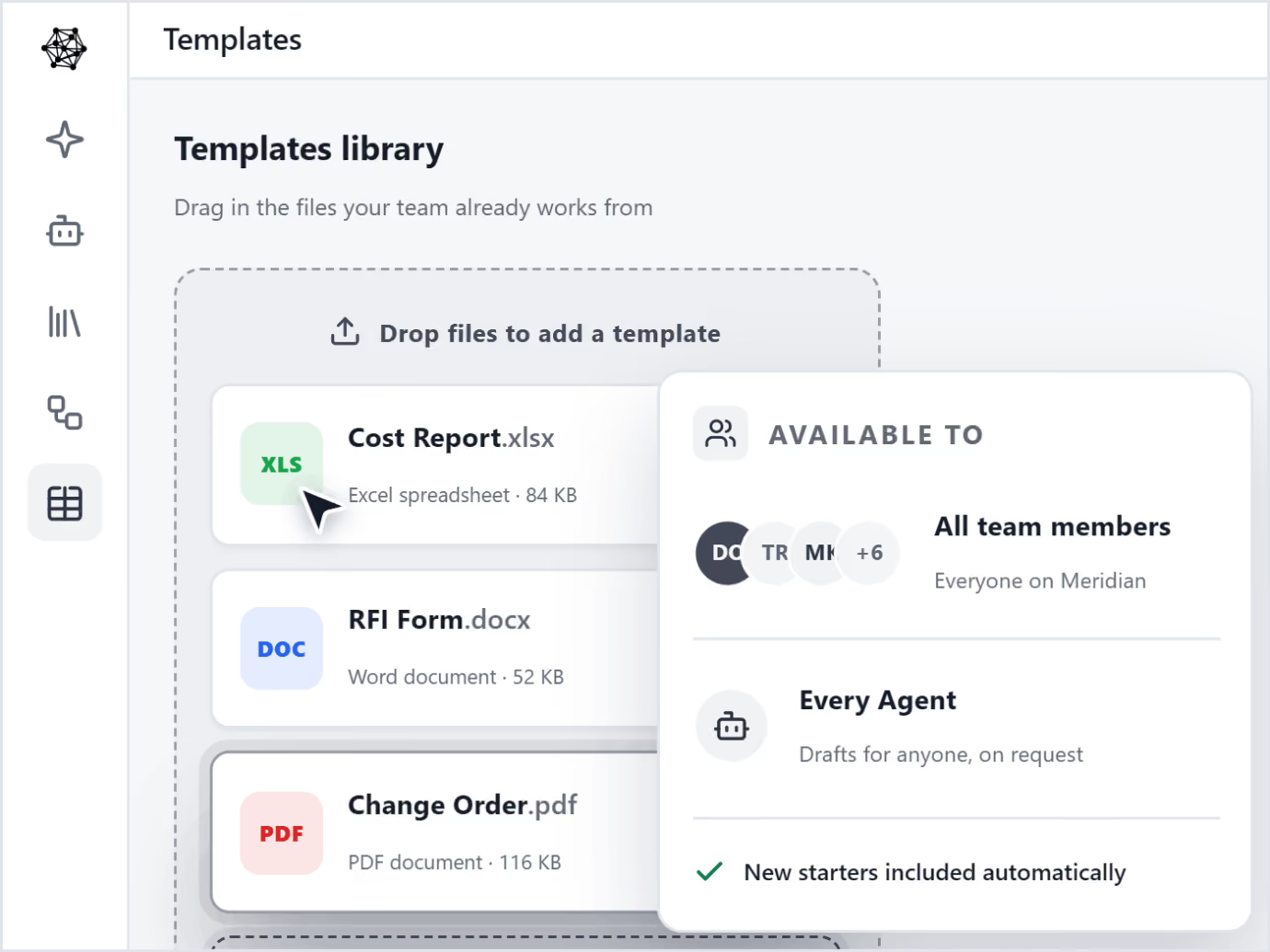
Drag and drop the files you already use — Word, Excel and PDF. Cost reports, RFI forms, change orders, monthly progress reports, risk registers, and the rest of your suite.

Upload them once and they're instantly available to every team member and every Agent — used everywhere, on every job. Nothing to rebuild, nothing to recreate.

Request a demo now >
Executive Dashboard for Capital Improvement Programs

Your brand, on every page you send

Every document leaves your team in your business style, ready for a client's desk — so the work always looks as professional as it is.

Book a Demo

Perfect for Construction Leaders Who Value Smart Efficiency

See what project managers and construction executives are saying about Al transformation.

It instantly takes workload off of people's plates. It's an easy buy. You know, it's something that you can put some reliability on.

— School District Program Manager

I'm thrilled to get the automated entry features. Really helps the team streamline that process which is great.

— Hospital Project Manager

This is a great timing. We're realizing it's time to make sure we are not getting surpassed by the competition or maybe even jumping to stay ahead.

— Construction Executive

The Al Advantage

Construction teams using Al are already seeing dramatic improvements

90%
Time Savings on Data Entry
100%
Accuracy with Human Verification
60sec
Process 100+ Page Documents
Zero
Missed Compliance Requirements

Built for Construction's Trust Standards

We understand that accuracy isn't optional in construction. Our Al is designed with the verification and control you need.

See the Work

No more questioning if the Al made it up. Compare every extraction to exactly where it came from in the source document.

You Stay in Control

Nothing reaches your clients without your approval. You control what gets saved and prevent embarrassing mistakes.

Transparent Process

Clear confidence indicators show what needs your attention. You'll know exactly when something requires verification.

Frequently Asked Questions

Can new team members use this without contract expertise?

Yes. New PMs can ask questions and get instant answers with source references, reducing the burden on experienced administrators. It helps onboard teams faster while maintaining accuracy through built-in verification requirements.

Why not just use ChatGPT for contract review?

ChatGPT doesn't understand construction contracts, lacks source references for verification, and may use your data for training. Mastt is trained specifically on construction contracts, shows exact clause citations, and keeps your confidential contracts completely private.

How much does AI contract review cost in Mastt?

It's included in the Professional plan at $150 per project monthly. Start completely free (no credit card required) to test with your actual contracts. Upgrade when ready. See full pricing details.

Does this work for all construction contract types?

Yes. FIDIC, AIA, JCT, NEC, ConsensusDocs, design-build, lump sum, cost-plus, GMP, subcontracts, consultant agreements, and purchase orders. The AI understands all major construction contract forms and custom agreements.

What can I ask the AI about my contracts?

Any question about contract terms, clauses, obligations, or requirements is fair game. The AI understands construction contract language and provides answers with source references so the exact location in the document is always clear.

How much time does AI contract review save?

The AI processes contracts quickly and provides instant answers to your questions. Instead of manually searching through hundreds of pages, you get immediate responses. The exact time savings depends on your contract complexity and review process.

Is my contract data confidential and secure?

Yes. Contracts never leave your secure environment and are never used to train AI models. All processing happens within your workspace. Visit our Trust Center for complete security and data handling details.

Will AI replace contract administrators or legal teams?

No. AI handles the time-consuming search and extraction work, freeing contract administrators to focus on analysis, negotiation, and strategy. Your expertise becomes more valuable, not less, when paired with AI speed.

Will AI miss critical clauses or make mistakes?

No AI is perfect yet, which is why verification is built in. The system shows source references for every finding, flags confidence levels, and requires your approval before anything is finalized. You stay in control and catch issues AI highlights.

How accurate is AI for reviewing construction contracts?

Mastt's AI is trained on construction contract language, but requires human verification for final decisions. It shows you the exact clause and page for every answer so you can validate before acting.

What is AI contract review?

AI contract review uses artificial intelligence to read and analyze contracts automatically. It finds key clauses, answers questions about terms, identifies risks, and extracts critical dates and obligations without manual reading. Mastt's AI contract review is trained on construction contract language for more accurate results.

Ready to Lead with Al?

Join forward-thinking construction teams already transforming their projects with artificial intelligence.