

Centralize every drawing, contract and report from your contractors in one place. Give your delivery team instant access to the right information and turn project documents into answers with built-in AI.

























Capital projects generate thousands of documents across contractors, consultants, and stakeholders. Mastt brings them into one structured system. Searchable, linked to project records, and ready when you need them.

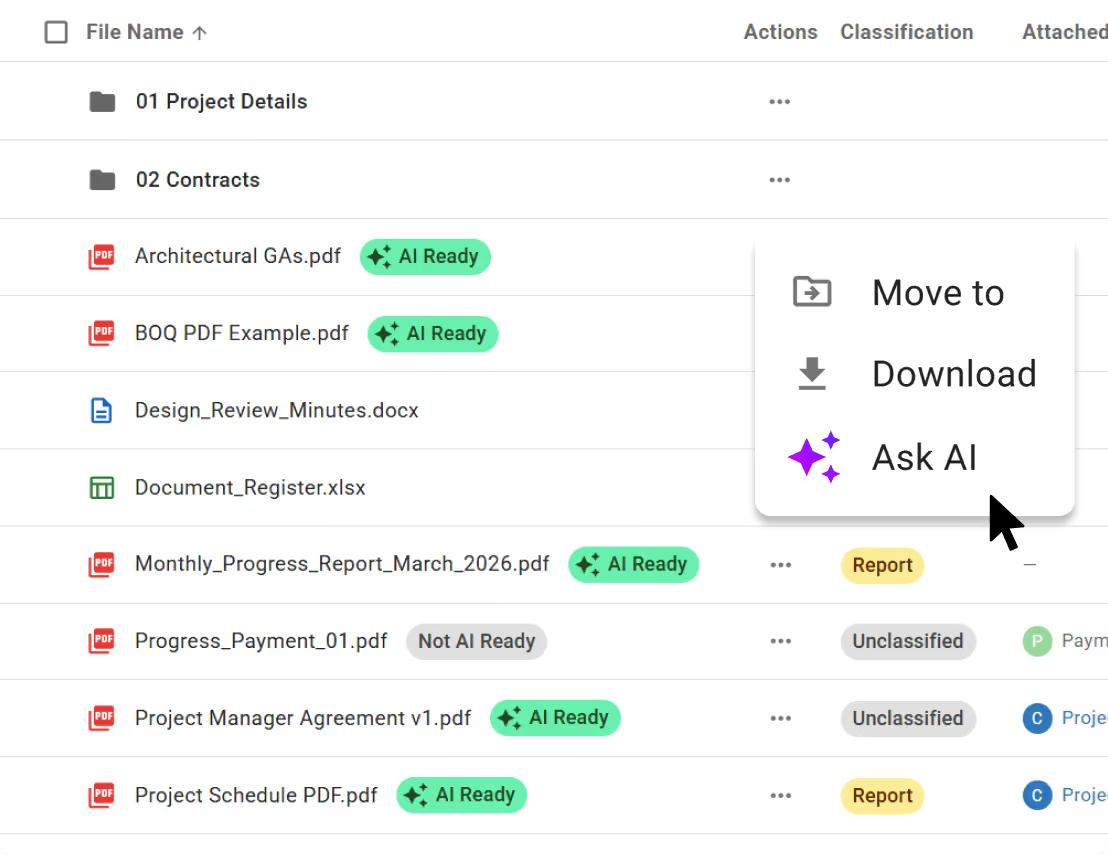
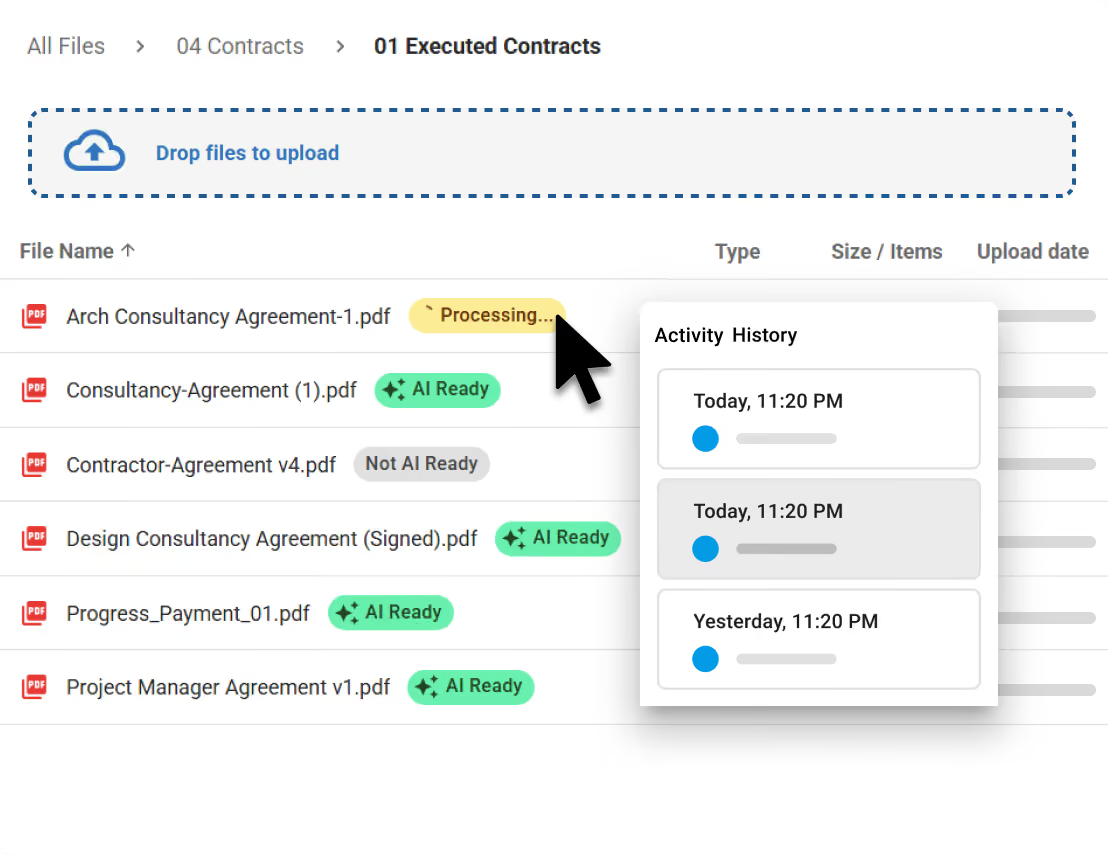
Every file is automatically processed and made AI-ready as soon as it lands in Mastt. Your project knowledge becomes instantly searchable, summarizable and usable across your project.
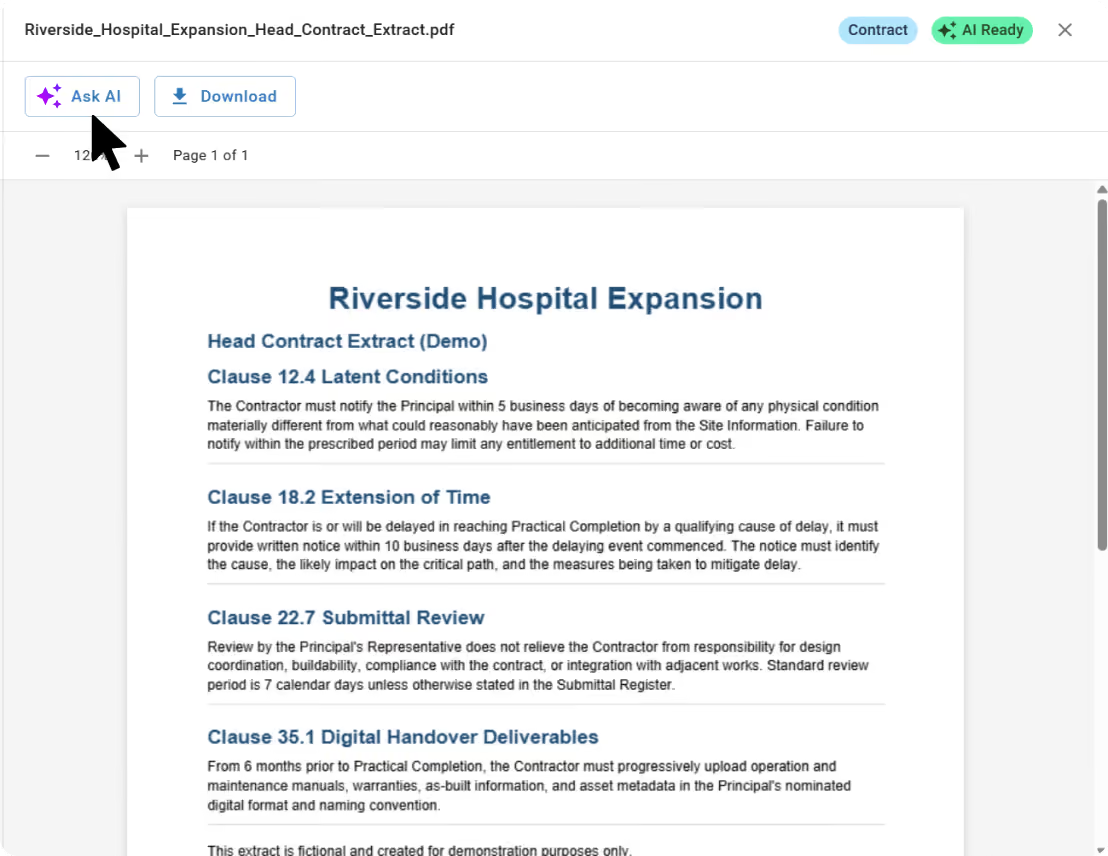
Ask questions in plain English and get answers pulled straight from your contracts, reports and correspondence.
Explore All AI Features

Replace shared drives, email chains and disconnected folders with a single document hub. Owners, PMs and contractors all work from the same up-to-date information.
Every contract, report and correspondence sits exactly where your team expects to find it.
Watch Product Tour

Create projects, folders, and contractor groups so the right people see the right files.
Keep a full audit trail of every upload, access and approval to protect your investment. Owners stay in control of their information without slowing contractors down.
See It Now
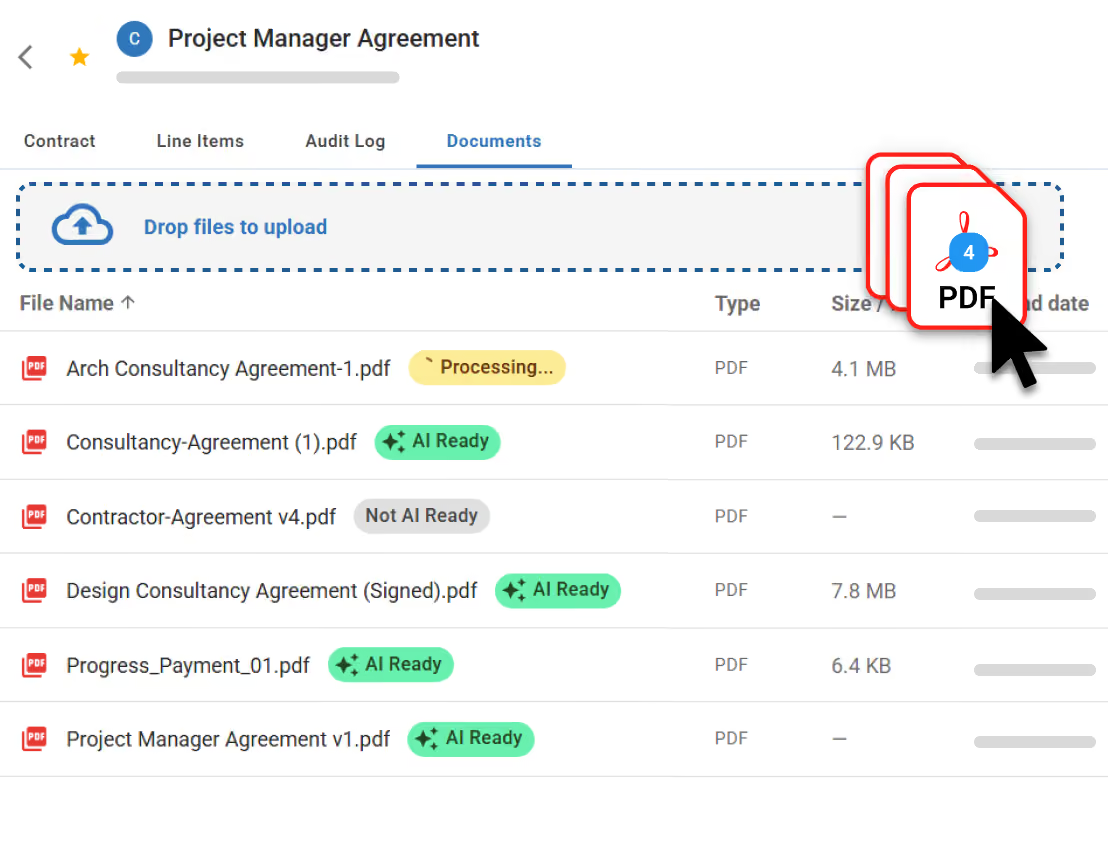
Every document is linked back to where it was uploaded in the Cost module, from contracts and change orders to payments and invoices.
See the financial context behind every file and the supporting evidence behind every cost. No more switching systems to connect a number to its source.
Explore Cost Management in Mastt
Mastt brings together document management, cost control, reporting and risk in one connected platform. Get complete visibility across every project, from initiation to closeout, without stitching together disconnected tools.

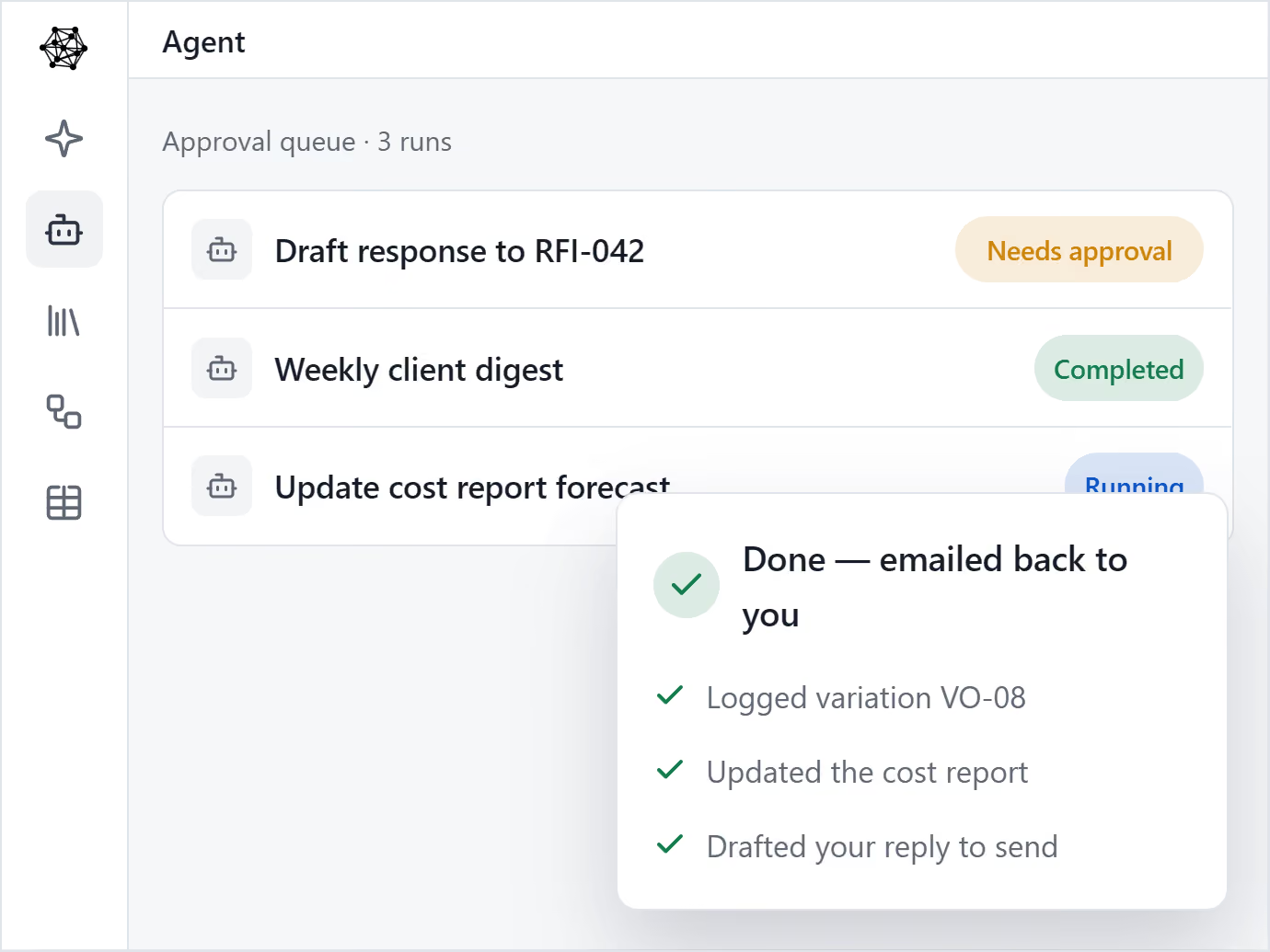
Multiply your people with AI Agents. Helps one person produce the output of many.

AI that knows your company’s templates, procedures and lessons learned.

Upload the templates you already use, and your AI Agent drafts on-brand, every time.

Set up a process once, and let Agent run it every time.

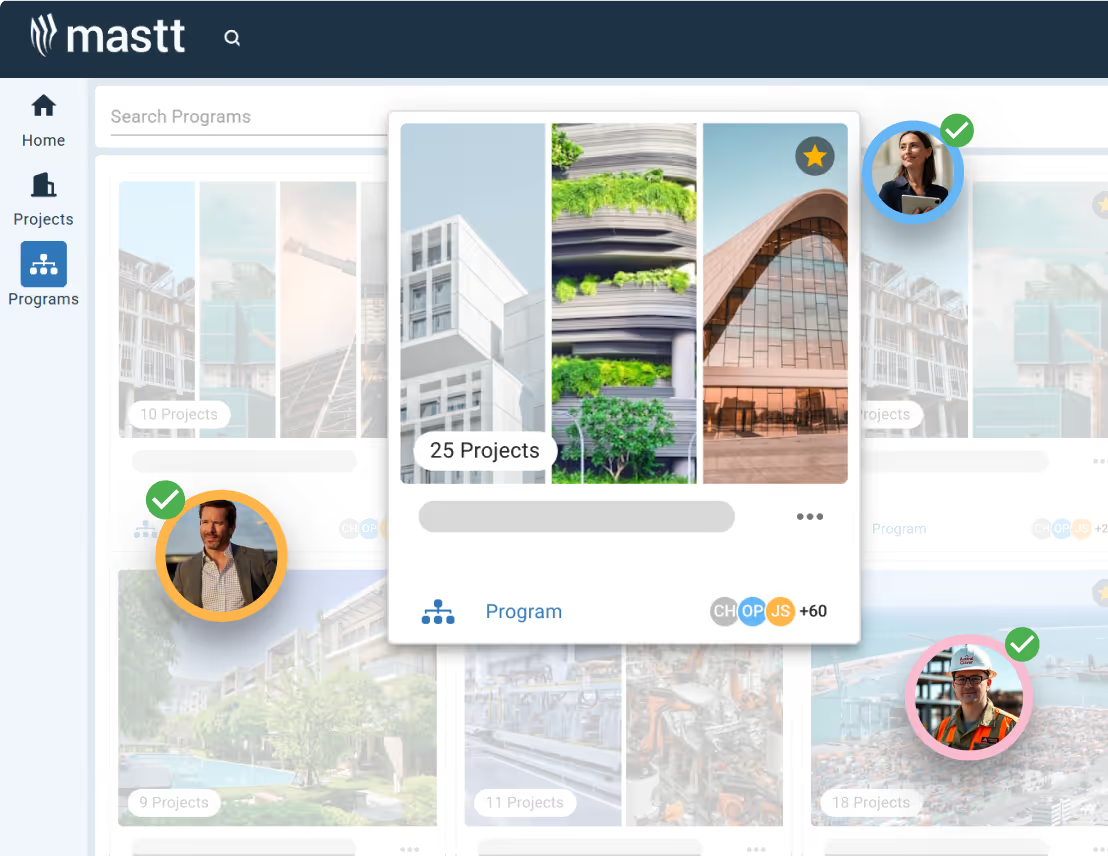
Mastt brings every project in your program into one clear, connected view.

Roll up cost, risk, schedule, and reporting from every project into one unified, real-time view.

Consistency across every project. Secure, centralized data, full audit trails, and real-time decision-making.

Mastt’s trusted AI eliminates the admin and manual standardization that slow your team down.
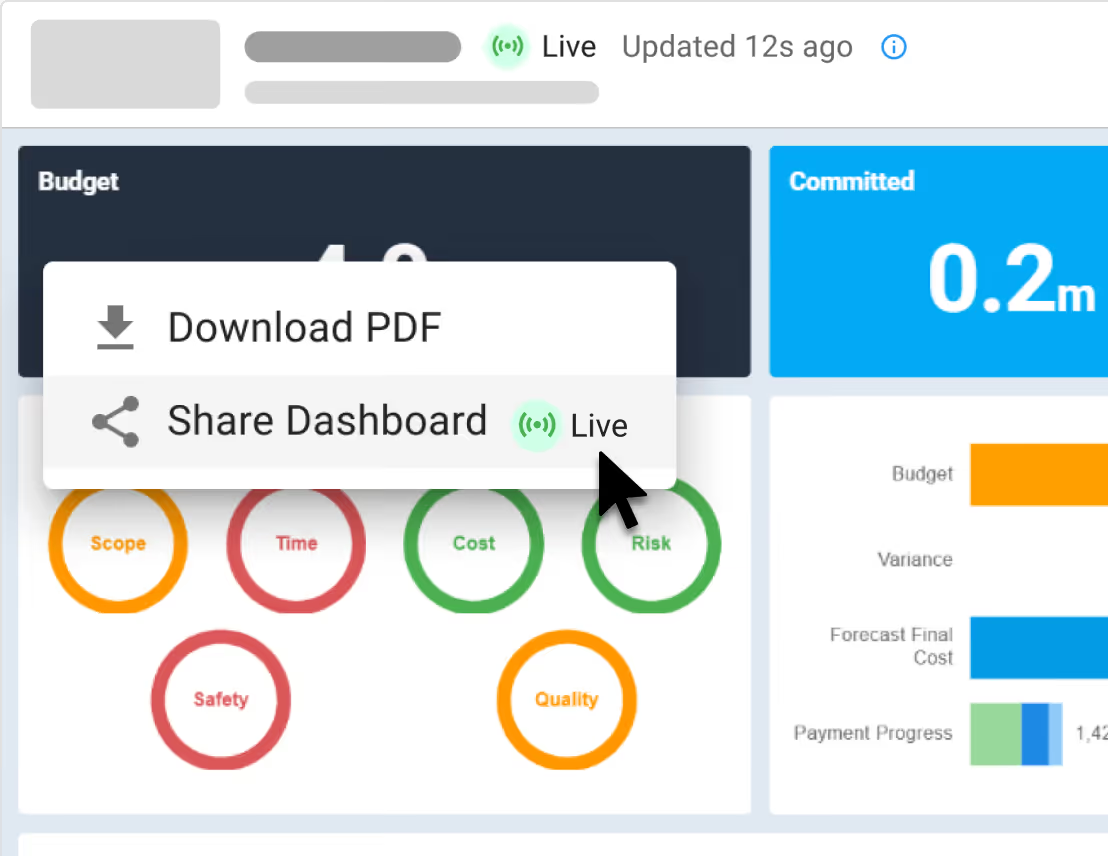
Keep track of projects with live, interactive reports 24/7
Fast & automated reports from project status to project portfolio reports
Capital project charts, maps, visualizations and other components out of the box!
Snapshot & store entire projects or reports for record keeping & compliance

Digital ledgers and smart forms for financial precision
Track costs back to budgets and see unders/overs
Centralize all contracts & payments back to budgets

Report on cash flow actuals, forecasts, and baselines
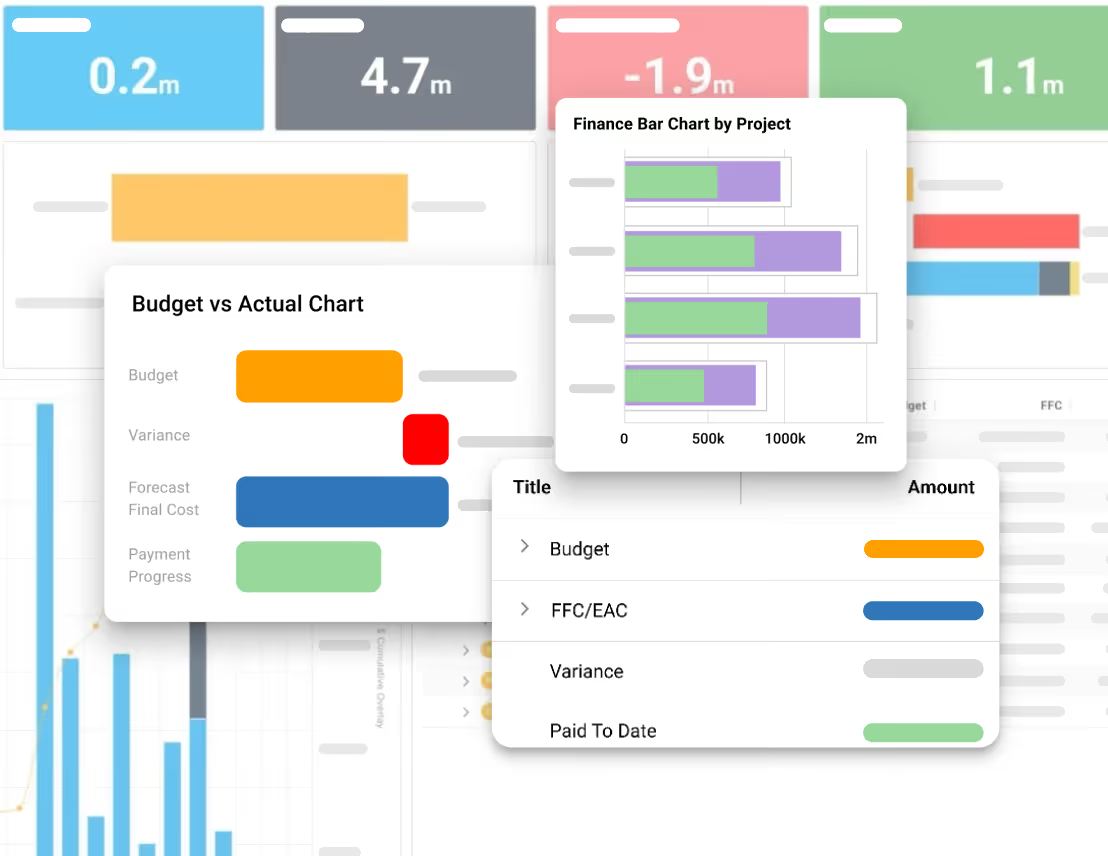
Manage the complete project lifecycle across your portfolio

Tracks your project through key milestones

Manage projects through clear phases, stages and gates
Measure performance of a portfolio of projects
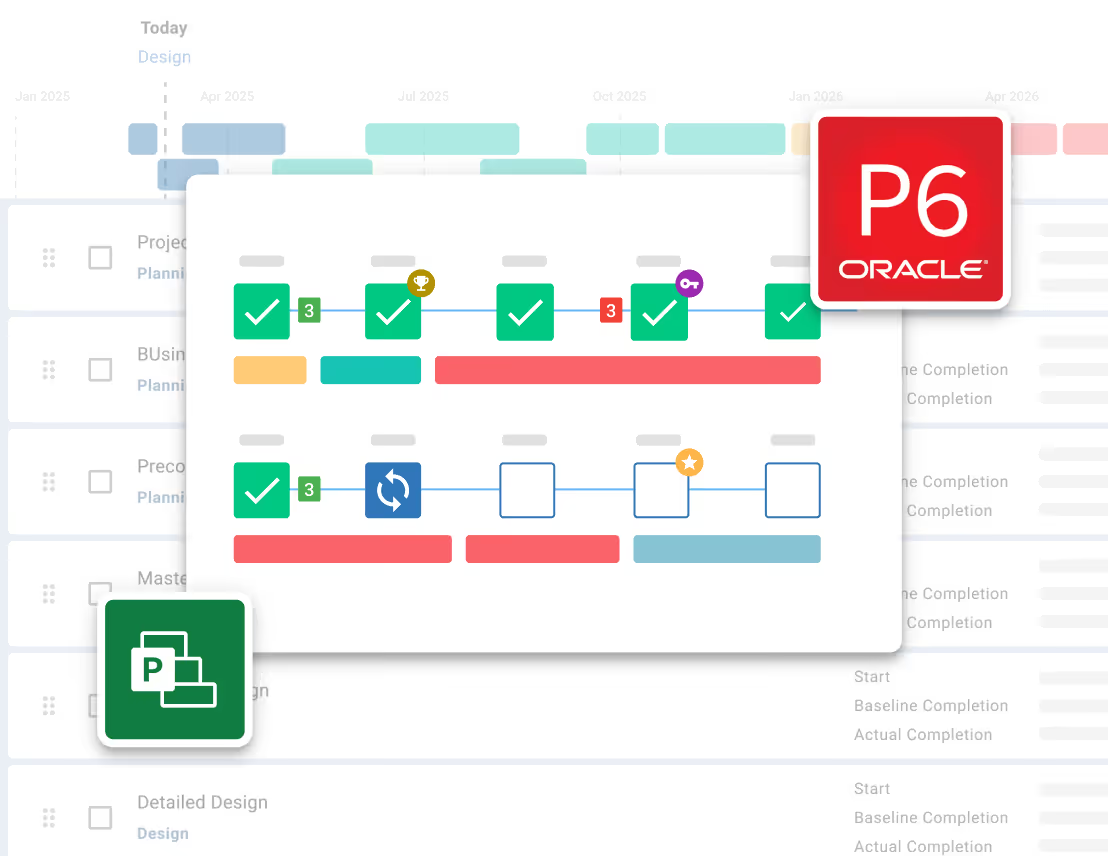
Risk Management process made simple and configured to your likelihood & impact ratings
Streamline Risk Analysis on your 5x5 or 4x4 Risk Matrix and identify Treatments

Visualize Risks for fast, easy reporting and workshopping. Generate a Risk Register
Maintain Risk Registers at a Project or Program / Portfolio level


Store every contract, report and project file in one secure place.
Structure every project with clear, consistent folders your whole team can navigate.

Ask questions in plain English and get answers from your documents instantly.
See every document tied back to its source in your project - contract, payments, changes and more.
.avif)
See how construction project management professionals experience the rush of wielding true project power.
Read Case Studies

“Since moving to Mastt, we are able to report in real time so there's no delay in financial data being updated.”
Jacob Edwards, Funds Manager


Your documents should work the way your projects do. Structured around your contracts, your team, and your clients.

Manage budgets, contracts and reporting across your construction portfolio with real-time visibility.
Learn more

Control budgets, payments and stakeholder reporting across every development.
Learn more

Standardize reporting and project controls, impress clients with real-time dashboards.
Learn more

Give clients confidence with real-time reporting and tighter control on every project.
Learn more

"Mastt has been a game-changer for us. I would highly recommend Mastt to any organization looking to improve the efficiency and effectiveness of their project management processes"
Tom Booth, Mostyn Copper
See Case Studies

Everything your construction project team needs to store, find, and act on project documents. All in one platform.

Interact directly with your project documents and get instant answers from your project data.
Learn more
Import project data from spreadsheets and other sources via copy-paste, drag-and-drop, or file upload.
Learn moreOrganize and manage all project contracts in a central contract repository.
Learn moreStore and manage construction project records in a secure, organized database.
Learn more
Maintain a detailed log of all changes for compliance and record-keeping.
Learn more
Andrew Benn, WSP Technical Director
"With Mastt, our client can see the status of the project anytime, reducing back and forth queries, and not having to wait until the end of the month to receive a monthly report."
Read Case Study
Rebecca White, RPS Program Manager
"Mastt has saved our team significant time and effort in managing the financials elements of 65+projects. The team now has total visibility over their individual projects as well as the overarching program of works."
Read Case Study
Erik Maasepp, Capital Insight Senior Project Manager
"Mastt takes away a lot of user error that spreadsheets bring. With Mastt, we are able to combine multiple projects into programs or portfolios for management level analysis and direction."
Read Case Study
CAPT. Dan Foley, Army Digital Transformation Manager
"Mastt is increasing the team’s tempo and productivity by enabling real time information across our portfolio of projects. This transparency is assisting us to make informed decisions, to identify opportunities and reduce the risk."
Read Case Study
Dan Atkins, Jacobs National Program Manager
"Mastt's ability to record critical financial information as well as program forecasted delivery and milestones put Jacobs in a favourable position to our clients."
Read Case Study.webp)
Mohammed Salameh, Compass' Associate Director
"Moving to Mastt is one of the best decisions my team has ever made. It’s cost-effective, easy to use, and a quick set up."
Read Case Study.webp)
Fergus Bruce, Project Manager at WSP
"A key factor in our decision to adopt Mastt is its user-friendliness. It had to continue to empower us to work smart, allowing us to consistently deliver excellence across multiple sectors and geographic regions."
Read Case Study

Join thousands of construction professionals who've transformed their lives with our platform. From small project managers to enterprise capital projects, our customers consistently deliver projects on time and under budget.

Mastt provides financial information in an easy-to-read and succinct manner. Mastt is constantly requesting feedback on how they are able to better the system and assist in teaching me ways to extract information from the software in a way that is tailored to my needs.

Project Manager
Responsive customer support, easy to use and navigate, and keeps project cost tracking clear and structured.

Senior Project Manager
Mastt’s real-time updates allow our team to keep updated on progress and provide updates to clients whenever required. Mastt has saved our team significant time and effort by becoming a ‘one-stop shop’ for managing the financial elements of 65+ projects.

Practice Lead
It has been great to have the visibility to review our variations and ensure that we are getting value for them. We were also able to easily identify that we had circa 90k in credits, which prompted us to follow up. We are getting great value out of Mastt when we can do things like this.

Business Manager
Mastt allows us to complete our cost management activities in a more efficient way and gives us more time to focus on technical project management activities that we face in the role of project manager.

Project Manager
Mastt helps reduce the opportunity for errors in cash flow and budgeting and provides insights into aggregated data and program trends that we need.

Project Director
Mastt's ability to record critical financial information, as well as program forecasted delivery and milestones put Jacobs in a favourable position for our clients.

Section Leader Defence Infrastructure & Delivery Solutions ANZ
Mastt was easy to use and set up. It uses a lot of cost management principles that clients and contractors would be familiar with but takes away a lot of user error that spreadsheets bring. It also has the power to combine multiple projects into programs or portfolios to filter data for management-level analysis and direction.

Associate Director
Mastt will be used across all our development partners. It is a great way of tracking and forecasting cash flows, claims paid to date, risks, and key milestones.

Portfolio Analyst
Mastt enables efficient and accurate forecasting and cash flow management at an individual project level, as part of a portfolio, or as part of a program of works. Communication with internal and external stakeholders is EXCELLENT. Risk management and communication of the risks at different business levels is excellent.

Associate Director
It's a great reporting tool for the college because it gives us a lot of transparency and visibility of information in regard to contracts, the contract sums, the actual spending against the variations, and where we are at.
Business Manager
Great CAPEX management tool with intuitive infographics. The dashboard view of projects is something that we did not have before Mastt. I can see that it will deliver a clearer and more intuitive understanding of capital projects to executives.


Construction document management software stores, organizes, and provides access to the documents generated across a construction project. Contracts, drawings, reports, and correspondence sit in one structured system instead of scattered across email threads and shared drives.
Construction document software is built for project owners, owners' representatives, and project managers on capital construction projects. Any team managing files across multiple contractors, consultants, and stakeholders benefits from having documents structured, searchable, and linked to the right project records.
Unlike shared drives, Mastt links documents directly to the project records they belong to. A contract sits with its payment schedule, a report sits with its reporting period, and a risk document sits with the risk item it supports. Documents are structured within the project workflow rather than stored in folders teams have to search through separately.
Yes. Documents attach directly to the relevant project record, whether that is a budget, contract, payment certificate, or risk item. Files attached in any module appear automatically in the Documents module, keeping context intact across cost management and risk management workflows.
Yes. Files attached in other modules appear automatically in Documents. A contract uploaded in Cost, for example, shows up in the Documents module without re-uploading. Attach once and the file is accessible across the platform.
Yes. Folders and subfolders are created directly within the Documents module. Files move into folders manually or by drag and drop, keeping the project structure organized across contracts, reports, and other file types.
Mastt accepts almost all common file types including PDFs, Word documents, Excel files, and images. It also supports project schedule files such as MS Project and Primavera P6. PDFs, Word, and Excel files render directly in the preview panel without downloading.
Yes. Clicking a file opens a preview panel on the right side of the screen. PDFs, Word documents, and Excel files render directly in the panel. Other file types can be downloaded if a preview is not available.
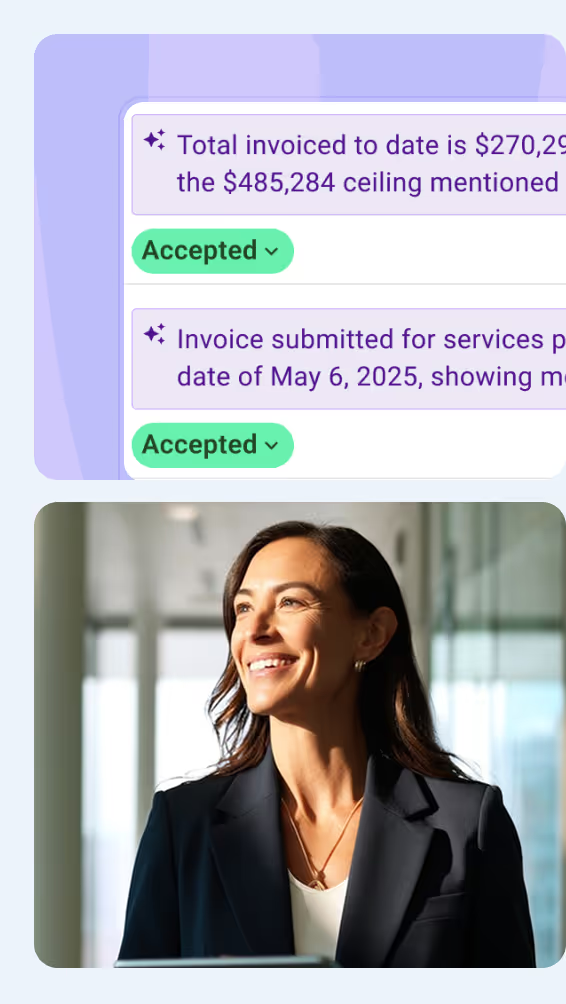
Yes. Files marked as AI Ready open alongside the Mastt AI assistant directly from the document preview. Ask questions about the document in plain English and get answers pulled from the content, useful for contracts, invoices, and reports.
Mastt uses its built-in AI for document analysis. Once a file is marked as AI Ready, the AI reads the content and answers questions based on what is in the document. It works with one document per session and is the same AI available across the rest of the platform.
Yes. Mastt keeps an audit trail of uploads, access, and approvals across the project. This supports owner oversight and provides a traceable record for governance and handover.
Document management is included in all Mastt plans. The Starter plan is free for the first project with no credit card required. Professional plans average $165 per project per month. Enterprise pricing is custom for larger portfolios. See Mastt's Pricing page for full details.
Become superhuman with AI today. Free to start, simple to scale.

Your first project is on us — no credit card required. Get started instantly with core tools.
.svg)
Flexible month-to-month plan. Add projects as you grow and access free videos, training, and guides.
per month

Full enterprise features, advanced security, and dedicated human rollout support.

Agentic AI that gives humans an AI Agent counterpart to accelerate work, increase quality, and boost output.

At Mastt, we’re building the world’s first Agentic AI for construction project teams
Used by project leaders building the future around the globe

.svg)
.svg)
.svg)
.svg)
.svg)

