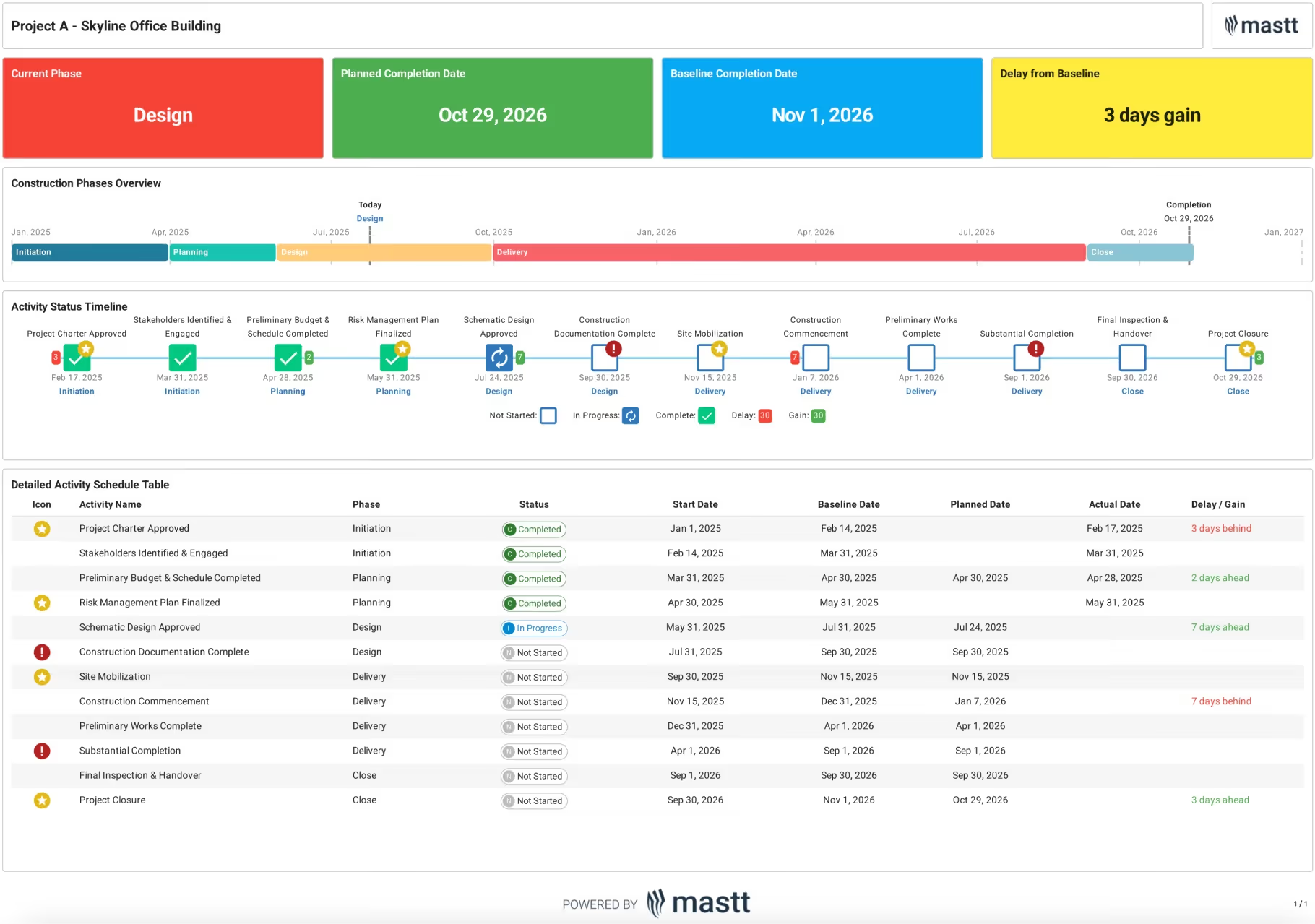
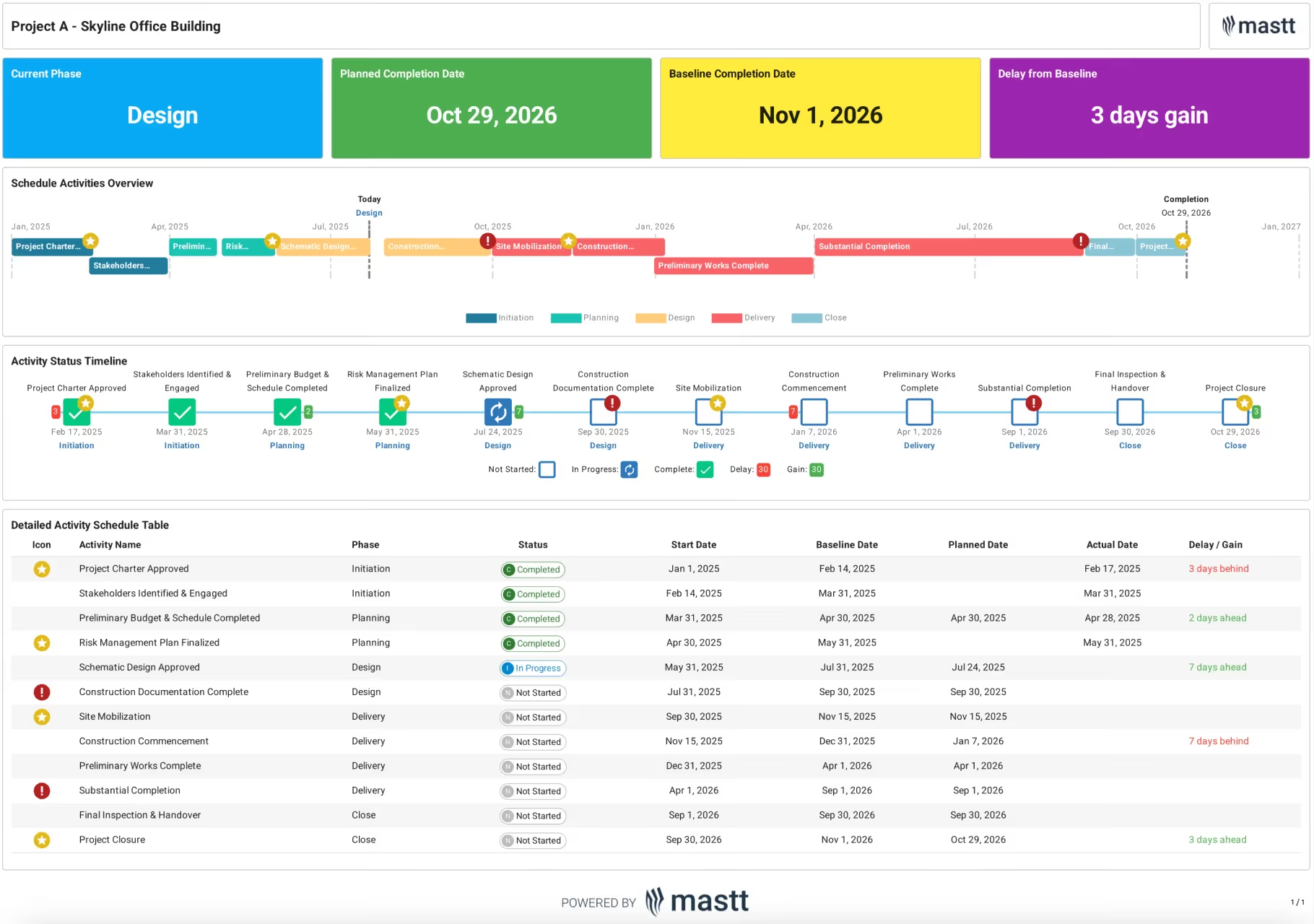
Mastt helps project owners, developers, and client-side project managers compare milestone dates, track construction schedules, and keep clients and leadership informed.
.svg)


























See what has changed, reduce duplicate work, and prepare the information your next project review needs.
Know which delivery dates have moved so you can focus follow-up with your contractor or project team.
Compare planned milestone dates with the baseline, then review status and actual completion dates to understand where the project stands.
Explore Milestone Tracking

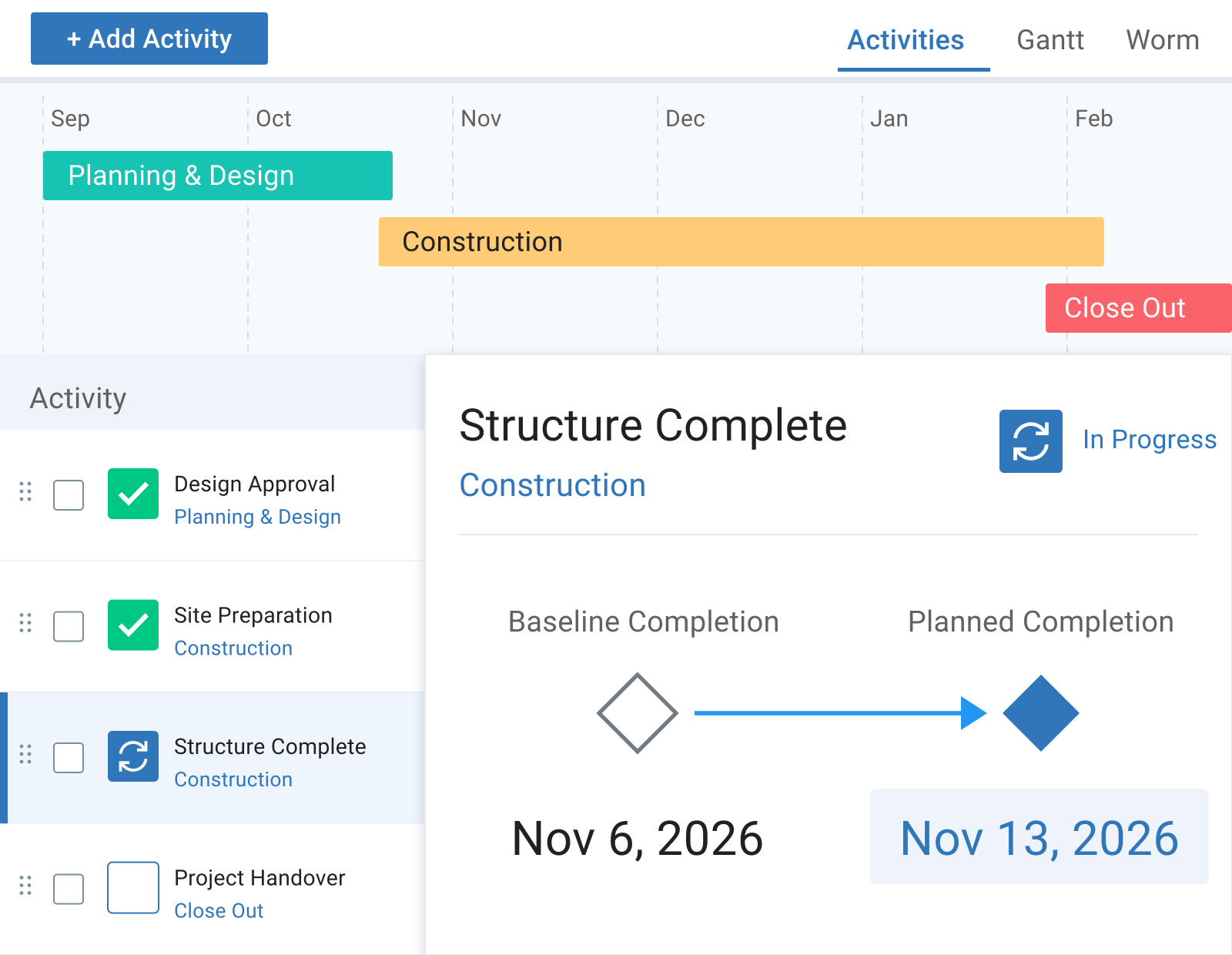
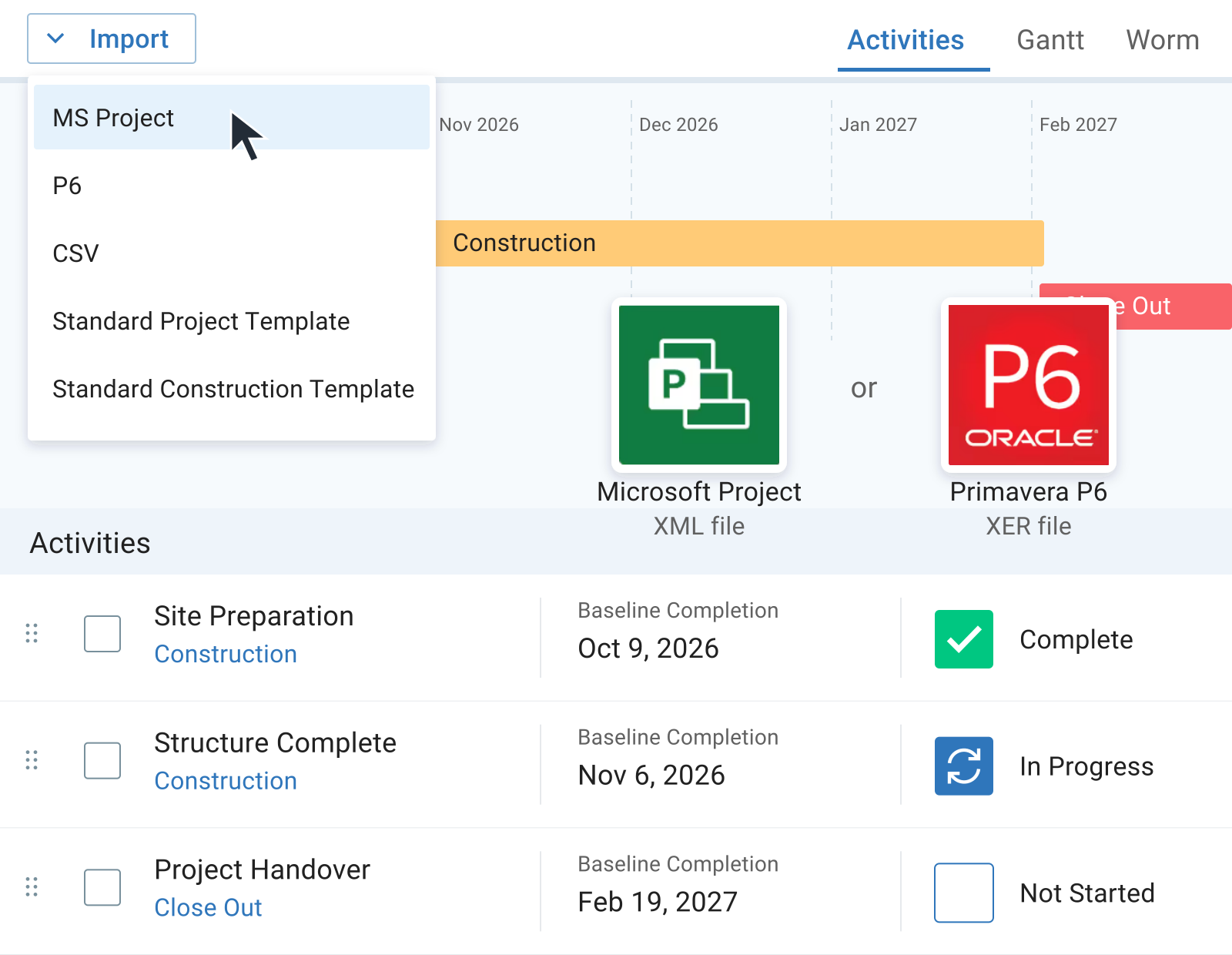
Bring your schedule into Mastt without recreating activities by hand. Spend less time on duplicate setup and more time reviewing the delivery plan.
Import Microsoft Project XML or Primavera P6 XER files, then use the imported activities for tracking and reporting.
Watch Product Tour
Provide clients and leadership with a clear picture of milestone progress, so they can follow delivery between project meetings.
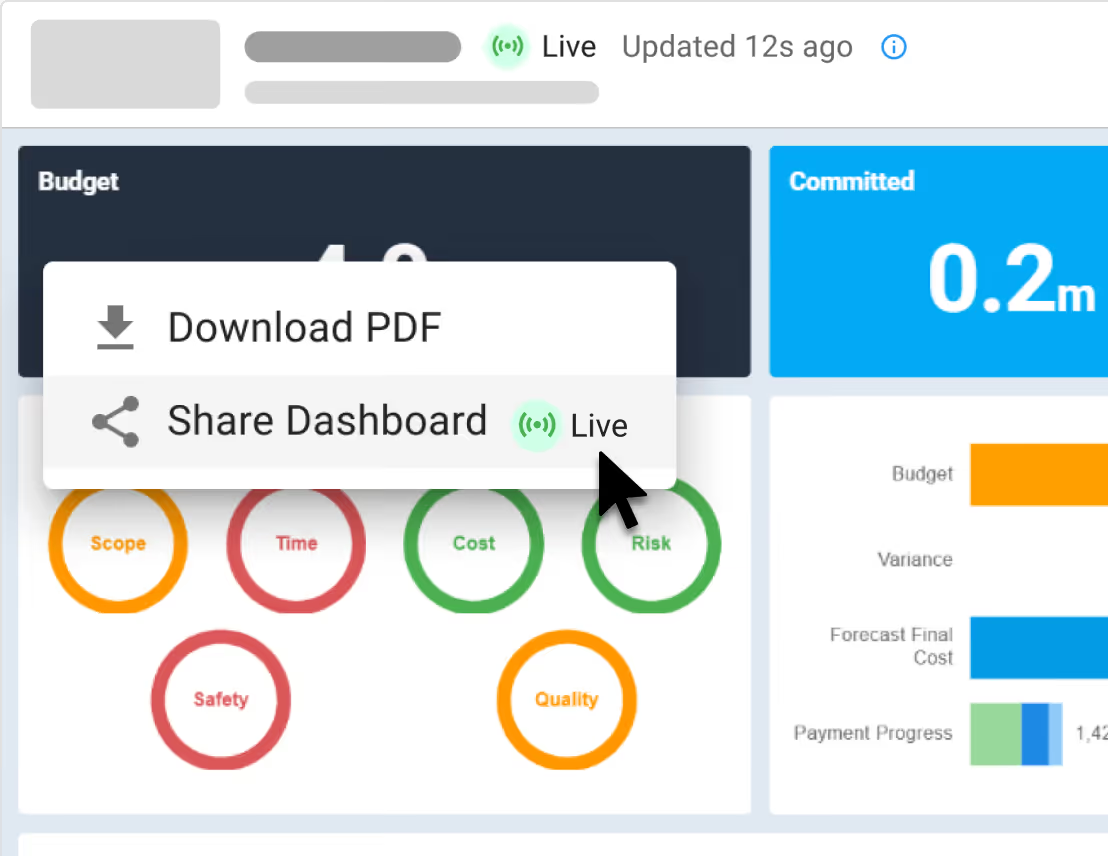
Create schedule reports with relevant phases, milestones, and dates. Share dashboards that reflect the updates you save in Mastt.
Explore Project Dashboard
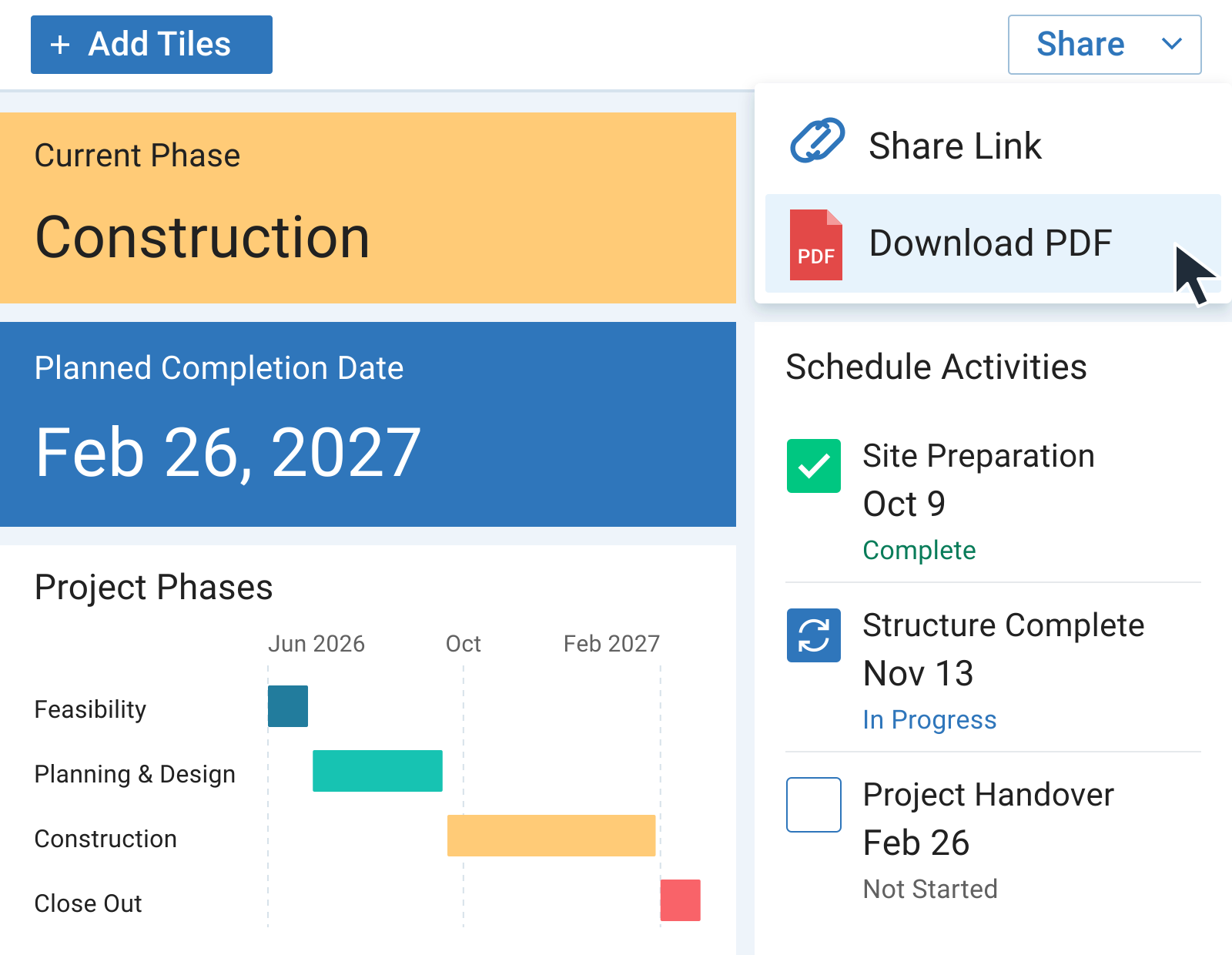
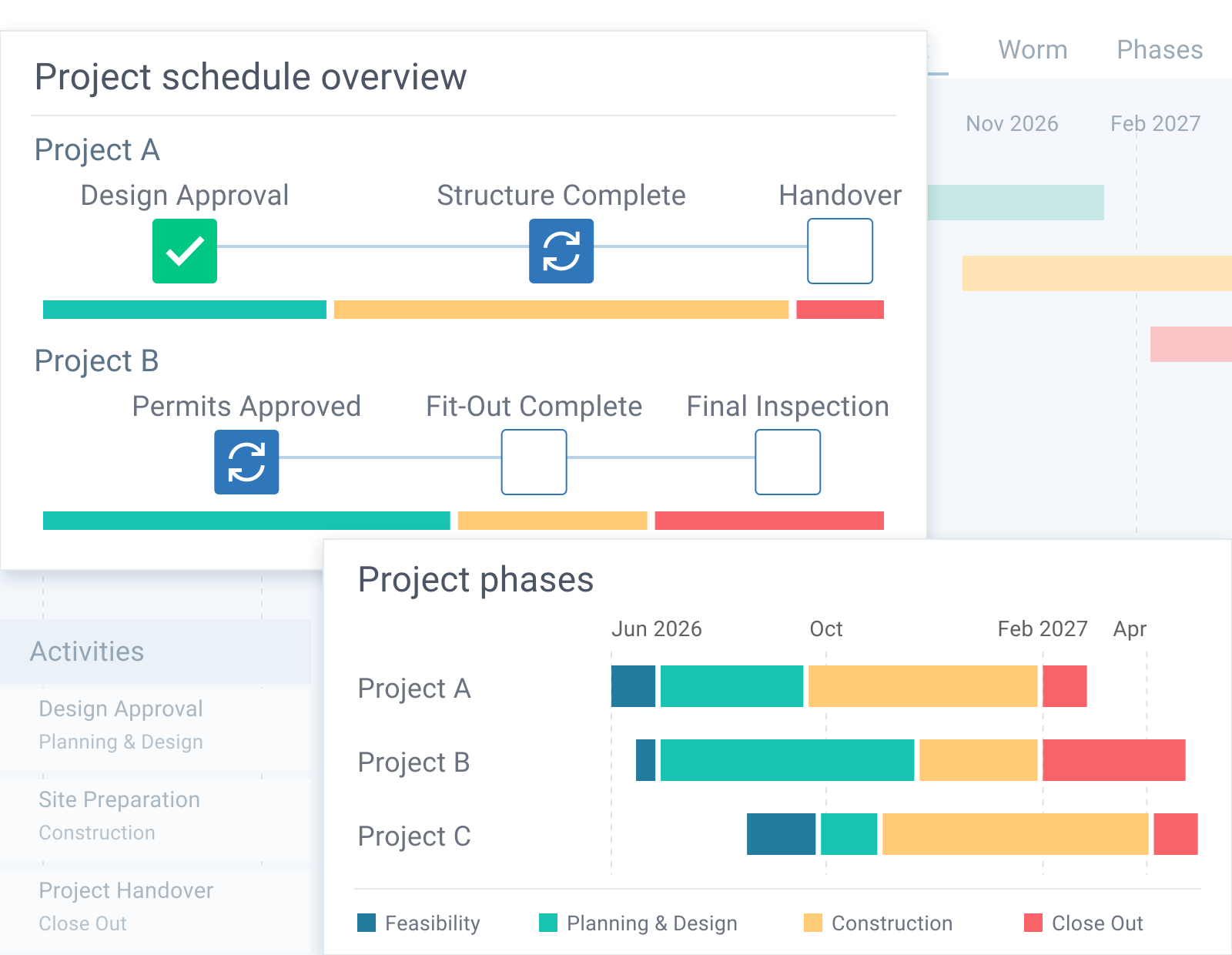
Give project teams a familiar structure for reviewing progress, so owners and clients can follow updates across different delivery plans.
Start with a project or construction schedule template, then adapt its phases and activities to each project’s needs.
Explore Schedule Templates
Review schedule information alongside cost and risk, and bring updates from linked projects into program dashboards. Give owners and leadership a broader view of delivery.

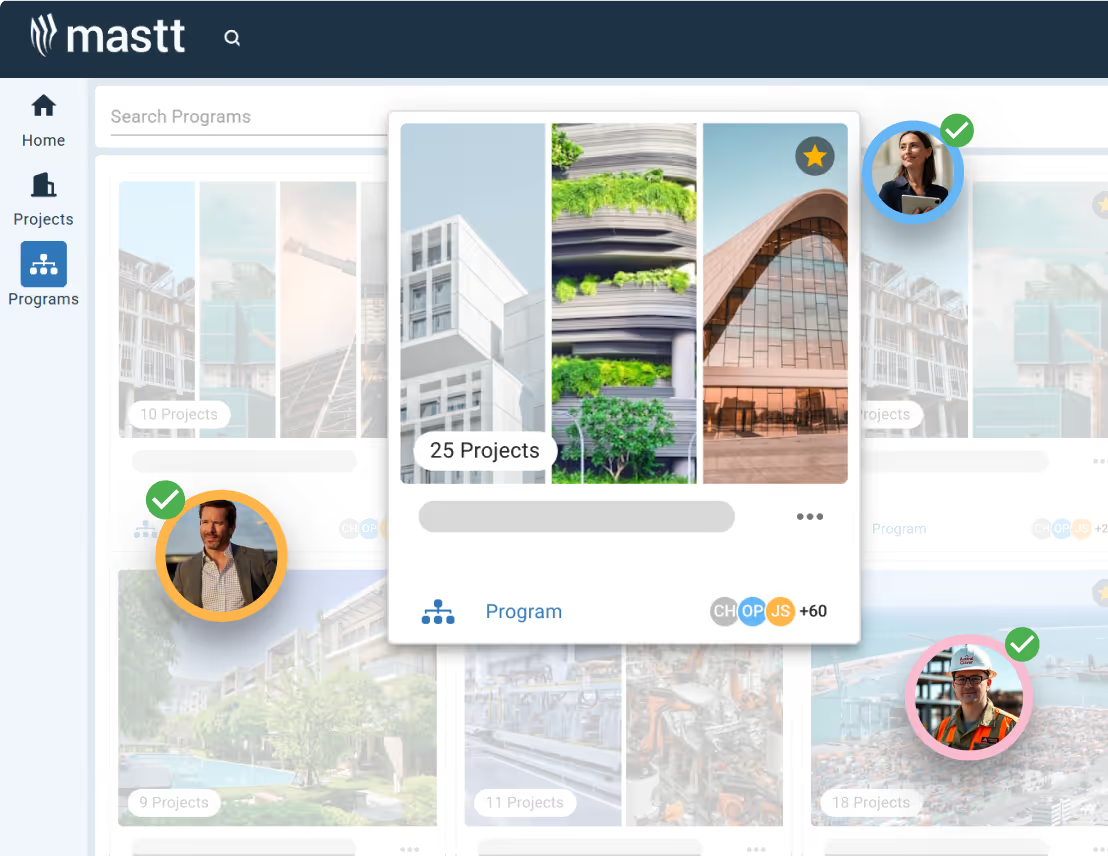
Multiply your people with AI Agents. Helps one person produce the output of many.

AI that knows your company’s templates, procedures and lessons learned.

Upload the templates you already use, and your AI Agent drafts on-brand, every time.

Set up a process once, and let Agent run it every time.
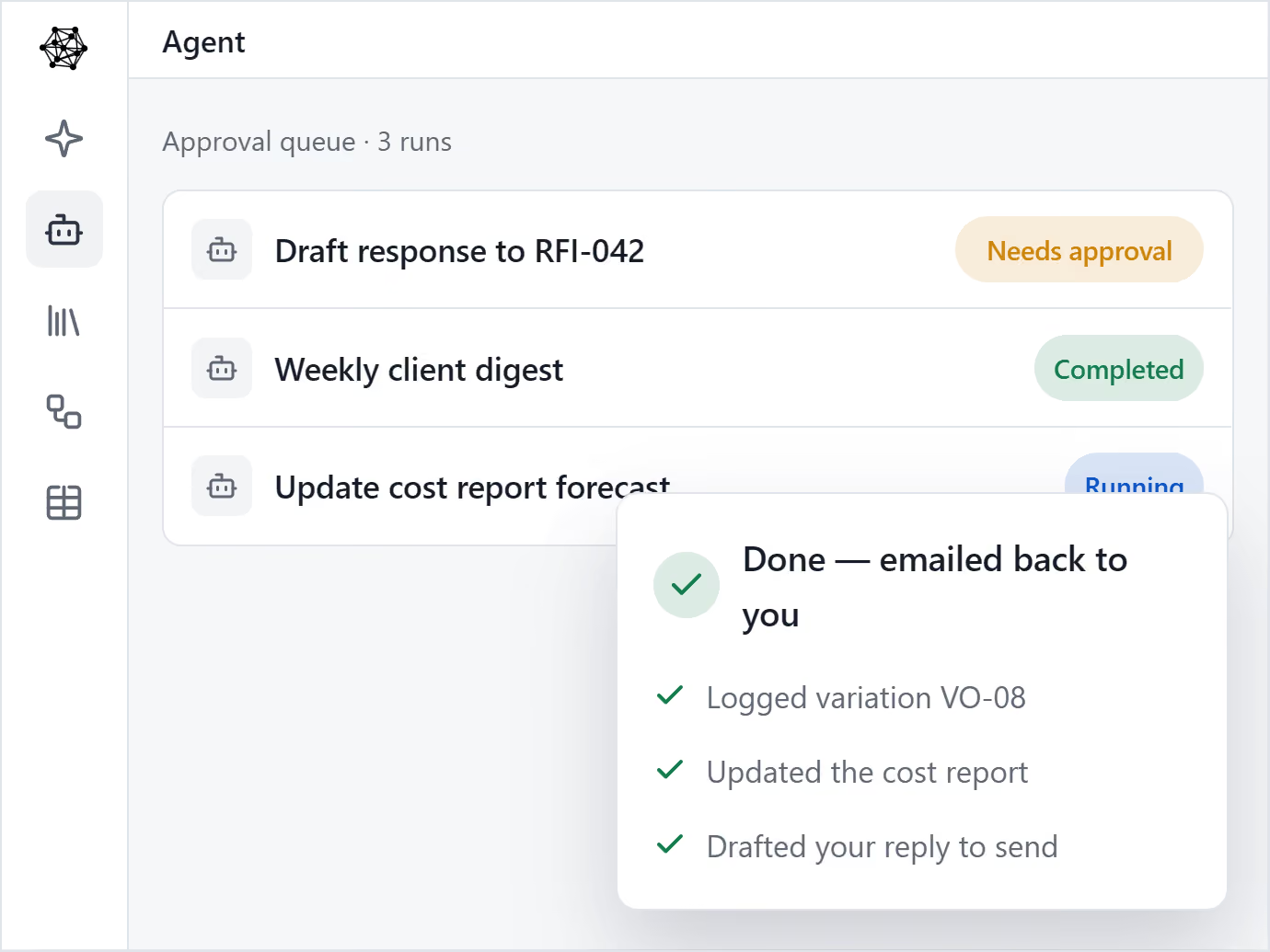

Mastt brings every project in your program into one clear, connected view.

Roll up cost, risk, schedule, and reporting from every project into one unified, real-time view.

Consistency across every project. Secure, centralized data, full audit trails, and real-time decision-making.

Mastt’s trusted AI eliminates the admin and manual standardization that slow your team down.
Keep track of projects with live, interactive reports 24/7
Fast & automated reports from project status to project portfolio reports
Capital project charts, maps, visualizations and other components out of the box!
Snapshot & store entire projects or reports for record keeping & compliance

Digital ledgers and smart forms for financial precision
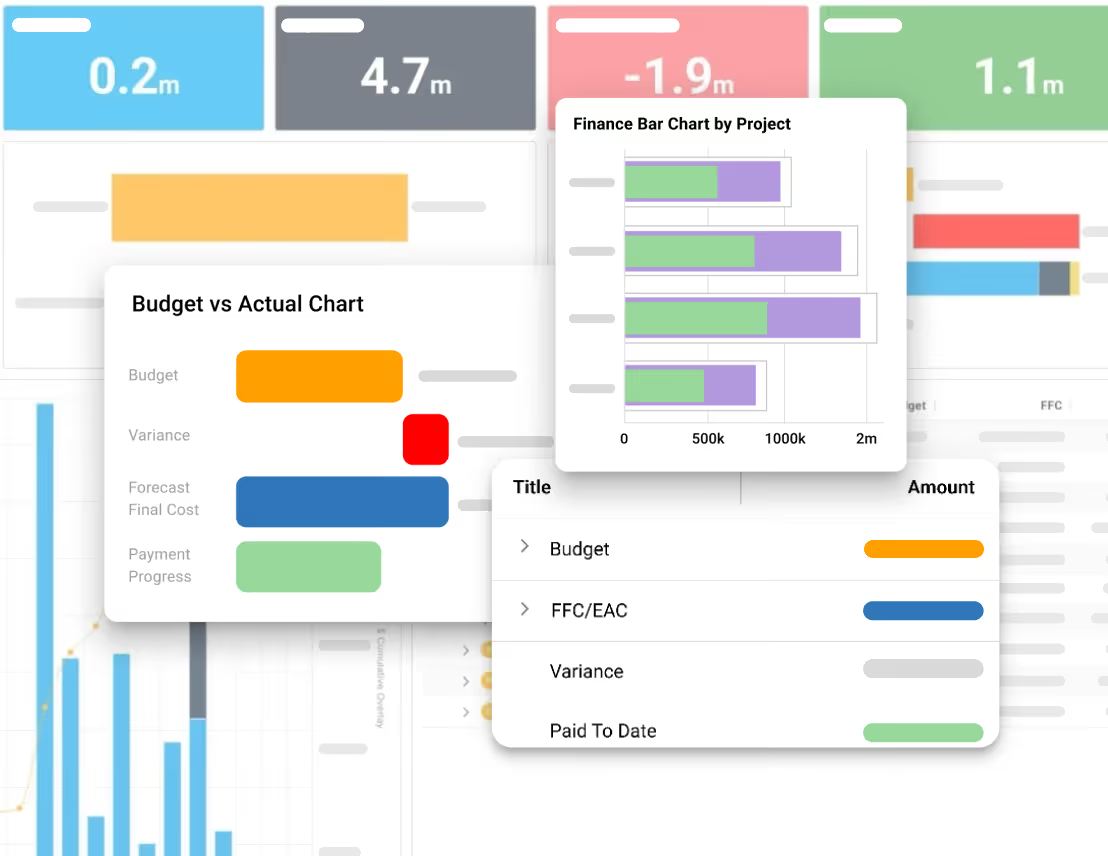
Track costs back to budgets and see unders/overs
Centralize all contracts & payments back to budgets

Report on cash flow actuals, forecasts, and baselines
Manage the complete project lifecycle across your portfolio

Tracks your project through key milestones

Manage projects through clear phases, stages and gates
Measure performance of a portfolio of projects
Risk Management process made simple and configured to your likelihood & impact ratings
Streamline Risk Analysis on your 5x5 or 4x4 Risk Matrix and identify Treatments

Visualize Risks for fast, easy reporting and workshopping. Generate a Risk Register
Maintain Risk Registers at a Project or Program / Portfolio level


Store every contract, report and project file in one secure place.
Structure every project with clear, consistent folders your whole team can navigate.

Ask questions in plain English and get answers from your documents instantly.
See every document tied back to its source in your project - contract, payments, changes and more.
.avif)

Review milestone progress and current completion dates to guide discussions with your delivery team.
Learn more

Track approvals, construction, and handover dates to keep development partners informed of the delivery outlook.
Learn more

Prepare consistent client updates with the dates and project context you need to explain progress.
Learn more

Keep the owner's priorities visible in project reviews and follow up on changes to key delivery dates.
Learn more

"Mastt has been a game-changer for us. I would highly recommend Mastt to any organization looking to improve the efficiency and effectiveness of their project management processes"
Tom Booth, Mostyn Copper
See Case Studies

Jump-start your project scheduling with proven templates designed for real construction workflows and timelines.
Hear how Mastt customers give clients clearer visibility into project progress, milestones, and forecast delivery dates.

A very intuitive platform for financial management. Ability to access the platform from both restricted secure networks (Defence) and public networks. Ease of adapting existing processes into a far more streamlined process.

Mastt's ability to record critical financial information, as well as program forecasted delivery and milestones put Jacobs in a favourable position for our clients.

Section Leader Defence Infrastructure & Delivery Solutions ANZ
Mastt has de-risked our portfolio of work, giving us greater efficiencies and a renewed focus on delivery.

Director
Mastt has the power to combine multiple projects into programs or portfolios to filter data for management-level analysis and direction.

Associate Director
As a sectorised business, it’s really important that we can compare data over a program on a portfolio level; Mastt enables us to do that.
Director
Reporting at the end of the month consumes a lot of our time as project managers, but working with Mastt helps reduce that time.

Project Manager
Mastt gives us transparency, more accurate data, and more confidence. It makes my life easier.

Business Manager
We can manage and report on an individual project or multiple projects in a program, and we can also roll up project information from multiple clients to satisfy our own internal reporting requirements.It was an easy decision for us to use Mastt.

Director
Custom reporting solutions are a huge investment and not justifiable for most clients. We wanted something that had rules in place to ensure best-practice project management but still gave us the control to customise based on the clients’ and industry nuances. Mastt allowed us to do this.
Director
With Mastt, it is so great to get constrained data instead of all the stuff that comes out of the wash... death to spreadsheets!

Moving to Mastt is one of the best decisions my team has ever made. Mastt’s user-friendly interface makes it easy and fast for the project teams to update as things happen on-site.
Director
Create schedules in Mastt, organize activities and phases, and review progress in Gantt and timeline views.

Map tasks and milestones to keep construction schedules on track.
Learn more
Use customizable templates with standardized phases and milestones.
Learn more
Track schedule activities with intuitive Gantt visualizations and automated reporting.
Learn more.webp)
Break down activities into specific tasks and track their completion using a simple checklist format, ensuring all steps are accounted for within the project schedule.
Learn more.avif)
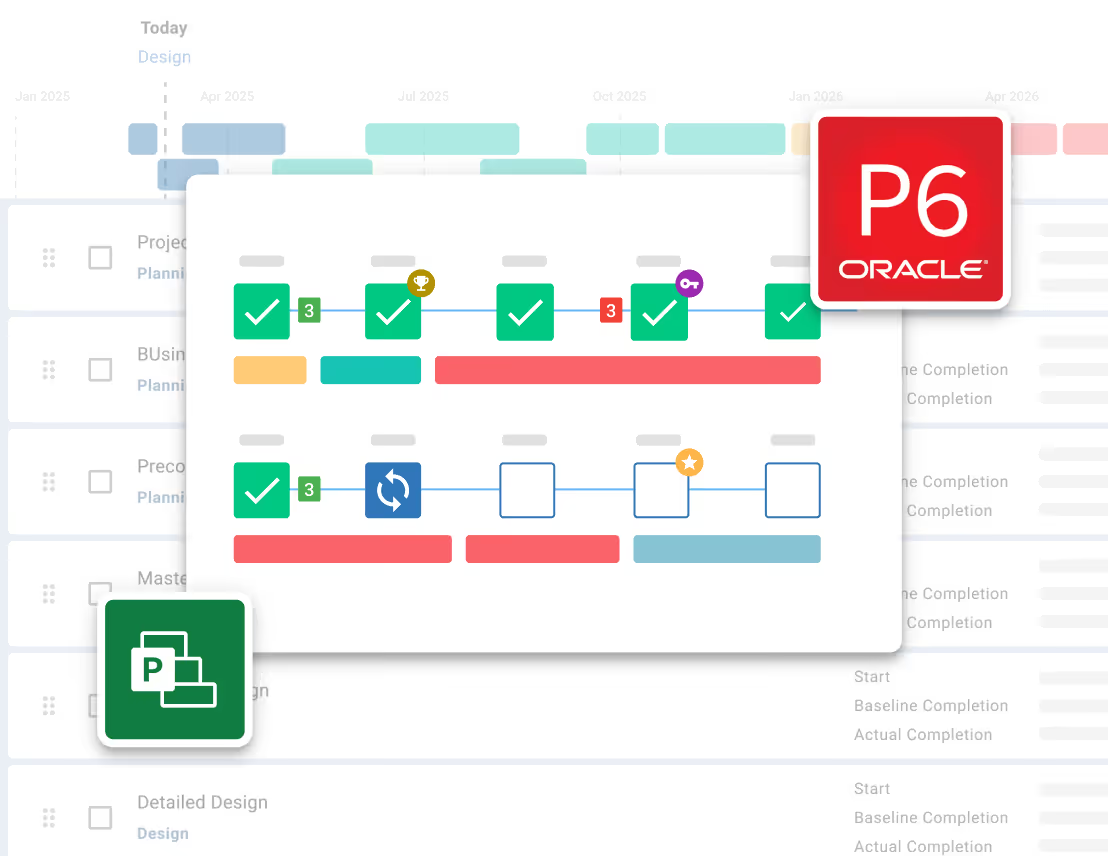
Import P6 schedules into Mastt for live tracking and automated reporting.
Learn more.avif)
Import Microsoft Project schedules for real-time tracking and reporting.
Learn more
Andrew Benn, WSP Technical Director
"With Mastt, our client can see the status of the project anytime, reducing back and forth queries, and not having to wait until the end of the month to receive a monthly report."
Read Case Study
Rebecca White, RPS Program Manager
"Mastt has saved our team significant time and effort in managing the financials elements of 65+projects. The team now has total visibility over their individual projects as well as the overarching program of works."
Read Case Study
Erik Maasepp, Capital Insight Senior Project Manager
"Mastt takes away a lot of user error that spreadsheets bring. With Mastt, we are able to combine multiple projects into programs or portfolios for management level analysis and direction."
Read Case Study
CAPT. Dan Foley, Army Digital Transformation Manager
"Mastt is increasing the team’s tempo and productivity by enabling real time information across our portfolio of projects. This transparency is assisting us to make informed decisions, to identify opportunities and reduce the risk."
Read Case Study
Dan Atkins, Jacobs National Program Manager
"Mastt's ability to record critical financial information as well as program forecasted delivery and milestones put Jacobs in a favourable position to our clients."
Read Case Study.webp)
Mohammed Salameh, Compass' Associate Director
"Moving to Mastt is one of the best decisions my team has ever made. It’s cost-effective, easy to use, and a quick set up."
Read Case Study.webp)
Fergus Bruce, Project Manager at WSP
"A key factor in our decision to adopt Mastt is its user-friendliness. It had to continue to empower us to work smart, allowing us to consistently deliver excellence across multiple sectors and geographic regions."
Read Case Study


Construction project scheduling software helps teams organize activities, milestones, and completion dates, then track progress against a delivery plan. Mastt gives project owners, developers, and client-side project managers a shared view of schedule status so they can review contractor updates and report on delivery.
No. Your contractor can keep using Microsoft Project or Primavera P6. Import their MS Project XML or Primavera P6 XER file into Mastt for oversight and reporting. For later revisions, review and import the new file, then confirm replacement of the existing Mastt schedule.
Mastt uses the same activity records for schedule views and dashboard reports, so a saved schedule update can feed both. That reduces the need to maintain separate reporting spreadsheets. You can also bring an existing Excel schedule into Mastt using its CSV template.
Yes. You can build a schedule directly in Mastt using a project or construction template, or by adding your own activities. Organize activities into phases, set baseline and planned completion dates, and update their status as work progresses. You do not need a Microsoft Project or Primavera P6 file to get started.
Mastt can show the baseline completion date, current planned completion date, and difference in days on a dashboard. The figures use the saved dates on your project’s completion milestone, giving owners a clear comparison between the original target and the current plan.
Yes. Mastt’s dashboard link sharing lets invited clients view schedule information without a Mastt account. They can review the project dashboard and download a PDF, while you control who has access. Recipients cannot edit the dashboard or access other areas of the project through the shared link.
Yes. Mastt’s program management module brings schedule information from linked projects into program dashboards. Each project retains its own schedule, while owners and program managers can review milestones and delivery dates across the program. This supports a broader delivery review without combining every project into one detailed schedule.
Become superhuman with AI today. Free to start, simple to scale.

Your first project is on us — no credit card required. Get started instantly with core tools.
.svg)
Flexible month-to-month plan. Add projects as you grow and access free videos, training, and guides.
per month

Full enterprise features, advanced security, and dedicated human rollout support.

Agentic AI that gives humans an AI Agent counterpart to accelerate work, increase quality, and boost output.
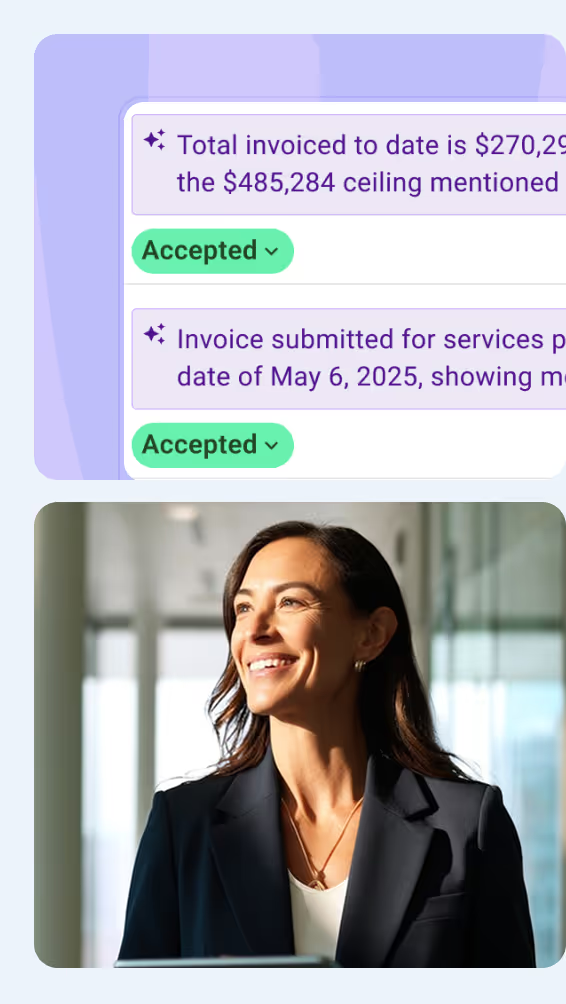

At Mastt, we’re building the world’s first Agentic AI for construction project teams
Used by project leaders building the future around the globe

.svg)
.svg)
.svg)
.svg)