

Compare the best construction document management software in 2026. Explore features, pricing, and how these tools help teams control versions and streamline workflows.

Construction document management software helps reduce version-control errors that can lead to costly rework. If you are exploring options for 2026, this list highlights leading solutions, including Autodesk Docs, Mastt, and Procore. From this list, you will learn what each software does best, its key features, and how it can streamline your document workflows.
Construction document management software is a cloud-based platform that stores, organizes, and controls access to project files. Unlike generic file storage tools like Dropbox or Google Drive, construction-specific systems track revisions, manage permissions, and connect documents to project workflows.
The platform acts as a central workspace for all technical records, including construction drawings, contracts, and specifications. It automates the distribution of the latest revisions to ensure project teams never work from outdated information. This connection reduces the risk of costly rework and maintains a complete audit trail throughout the project lifecycle.
Here are the leading construction document management platforms in 2026, offering unique features for project managers, owners, contractors, and designers. These tools make project data faster and easier to use, such as automating version control and linking documents to budgets.
Mastt is a construction project management software that links document management directly to project controls. Most tools isolate files from the budget, but Mastt connects construction contracts and change orders to cost reports automatically. It is purpose-built for project teams who need a high-level view of project health.
Key features:
Strengths: Mastt connects project documents directly to financial performance. A single contract update instantly adjusts budgets and forecasts to provide real-time risk visibility. Its built-in AI also automates reporting by scanning technical documents to eliminate manual data entry.
Weaknesses: Mastt is optimized for the specific needs of project owners and project managers. It is less focused on the daily field execution tasks of subcontractors, such as punch list coordination or detailed daily logs.
Who is it for: Project owners, owner’s representative, and project management consultants (PMCs). It is ideal for teams managing portfolios who need to standardize reporting and document control across multiple projects.
Accessibility:
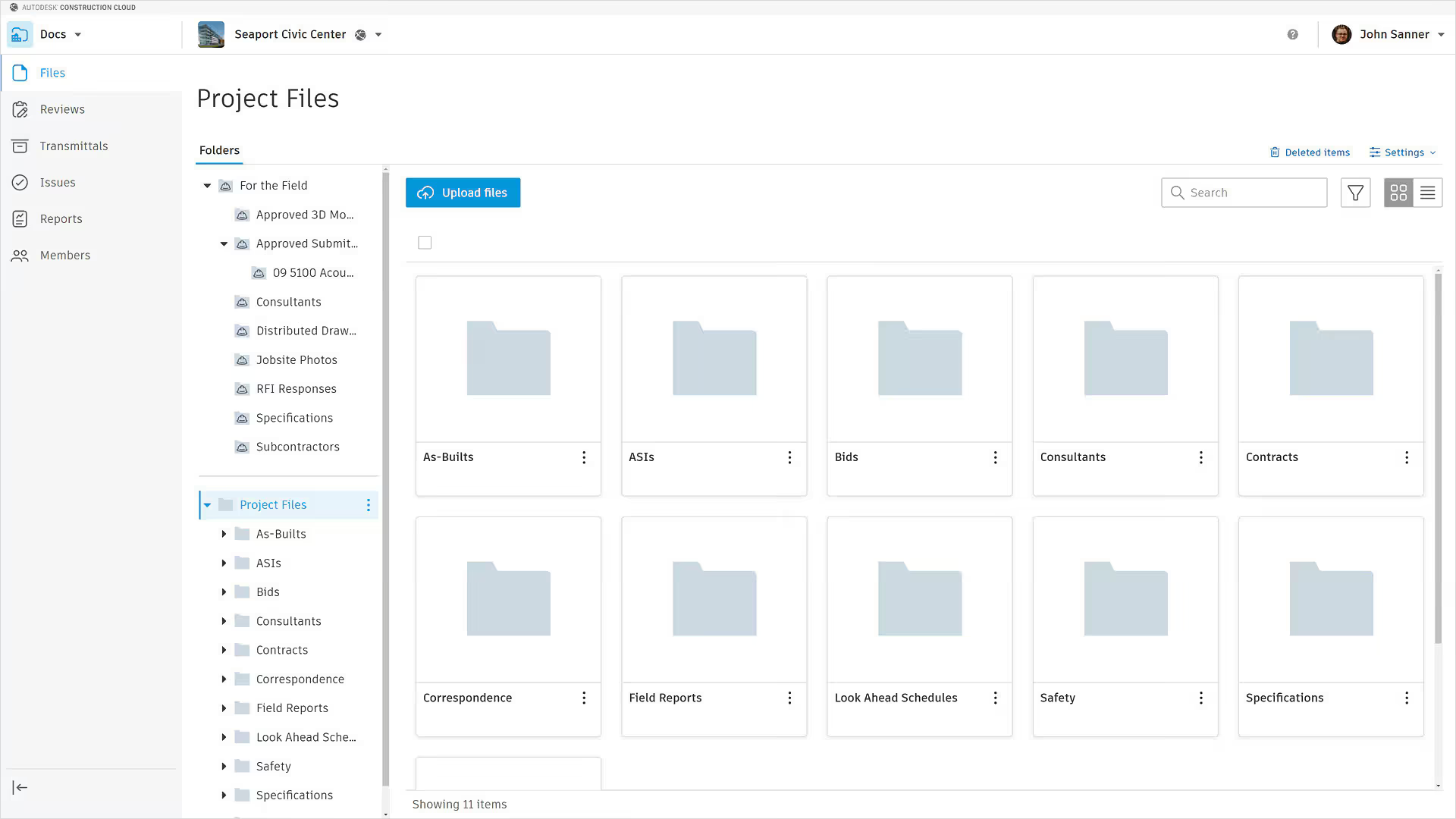
Autodesk Docs is the industry standard for design and engineering firms in construction document control. It supports the entire project lifecycle within the Autodesk Construction Cloud. It is specialized for handling complex 3D models, allowing teams to manage design iterations without leaving their native drafting environment.
Key features:
Strengths: Autodesk Docs offers the smoothest transition from design to construction. Architects can publish drawings directly from their authoring tools. The integration with the Autodesk ecosystem ensures that the model remains the central reference throughout the build.
Weaknesses: The interface can be complex for non-technical users who do not need 3D capabilities. It can also be expensive for small teams that only need basic file storage and sharing.
Who is it for: Architects, engineers, and BIM managers. It is the default choice for projects with heavy design coordination requirements or those using the full Autodesk suite.
Accessibility:
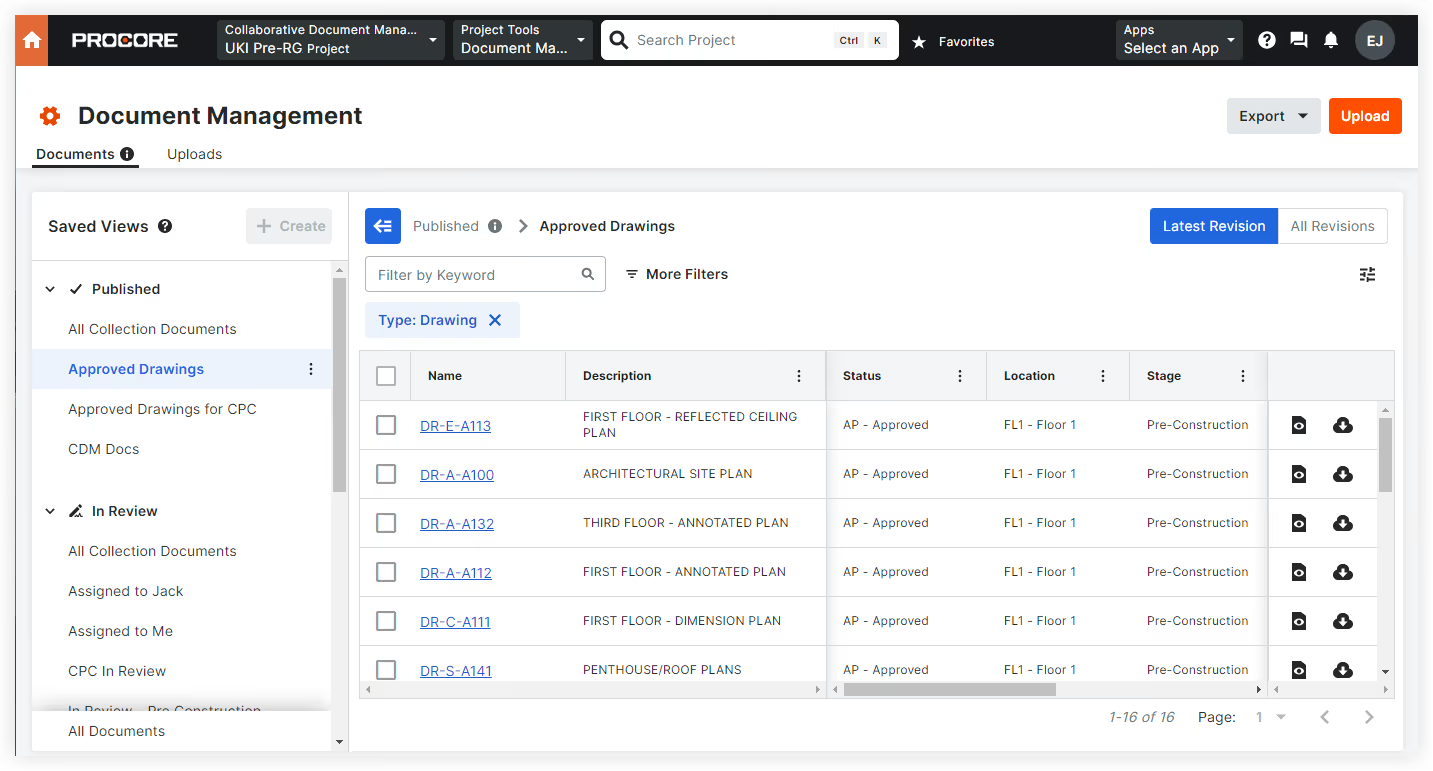
Procore is a construction management platform designed for general contractors. It provides document storage that connects to field management tools. The pricing model includes unlimited users, allowing subcontractors to access files without per-seat fees.
Key features:
Strengths: Procore’s interface allows users to link RFIs directly to drawing markups. This functionality enables teams to view technical questions and answers from within a plan sheet.
Weaknesses: The pricing model is based on a percentage of annual construction volume. This structure often results in high costs for firms with high revenue but low profit margins.
Who is it for: General contractors and specialty contractors. It is suitable for firms that want a single operating system for the entire field team.
Accessibility:
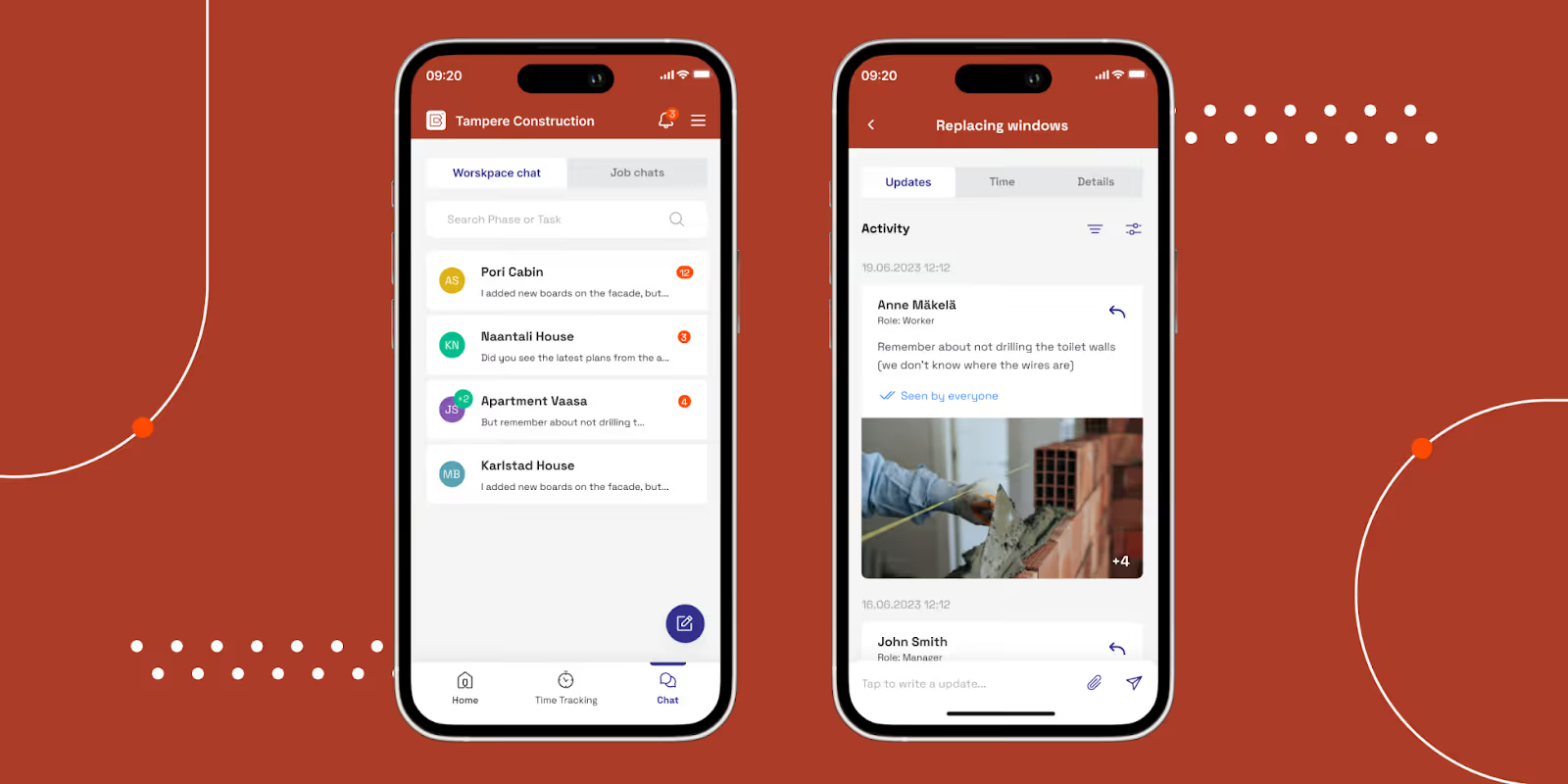
Buildbite is a mobile-first field operations platform built for small and mid-sized construction and home service businesses. Where most document management tools are designed around office workflows, Buildbite is built for the job site, making it easy for field teams, subcontractors, and clients to capture, share, and approve project documentation in real time without needing desktop software or technical training.
Its documentation layer is woven into everyday field activity: every photo, update, approval, and change request is automatically timestamped and logged against the relevant task or job. This creates a comprehensive digital paper trail that eliminates disputes over scope, protects businesses from unbilled work, and gives project managers live visibility across all active sites.
Key features:
Strengths: Buildbite captures field documentation at the point of work rather than relying on teams to submit records after the fact. Every photo, task update, and client approval is automatically logged and linked to the relevant job, creating a timestamped paper trail that reduces billing disputes and protects against scope disagreements. Clients and subcontractors can be added to a job without additional licensing costs, which removes the friction that often prevents full team adoption.
Weaknesses: Buildbite’s construction documentation feature is built for field execution and job-level documentation, making it less suitable for general contractors or design firms managing high volumes of technical drawings and submittals.
Who is it for: Small-to-mid-sized general contractors, trade specialists (plumbers, electricians, roofers, painters), and owner-operators running multiple job sites who need field-generated documentation without the complexity or cost of enterprise software.
Accessibility:
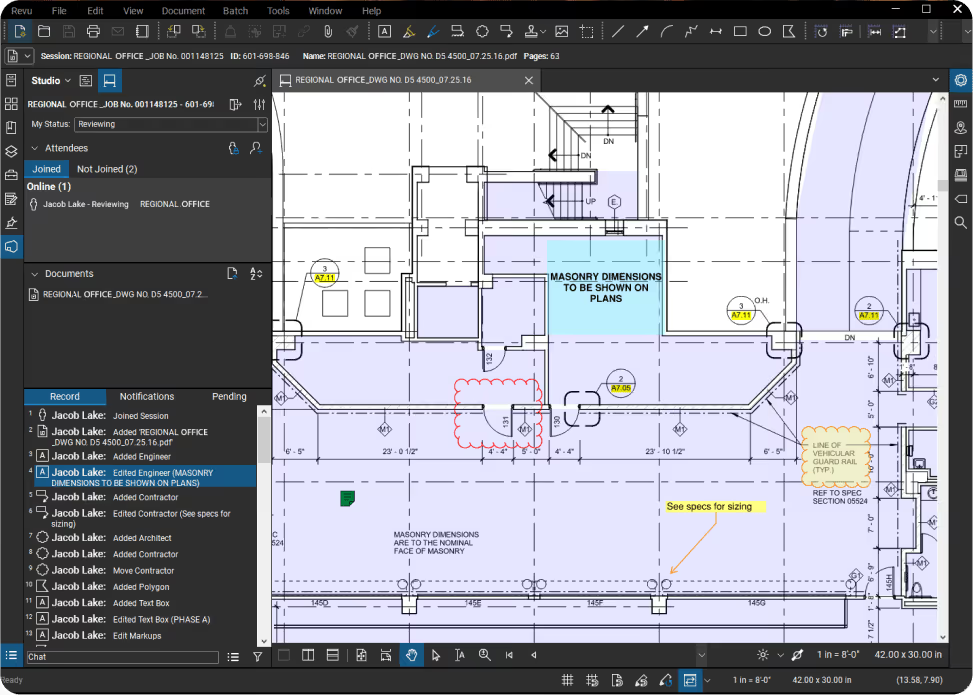
Bluebeam is a construction document management software for PDF editing and document collaboration. It provides specialized markup features for engineering and design documentation. While it is not a full project database, its Studio environment allows multiple teams to review drawings in a shared digital space.
Key features:
Strengths: Bluebeam provides a highly technical set of markup and measurement tools. The platform allows users to overlay different drawing versions to identify design changes quickly. These functions help teams manage the review process for complex blueprints.
Weaknesses: The software is primarily a PDF editor rather than a comprehensive system of record. It lacks integrated project controls like contract management found in document management software. The interface also has a steeper learning curve for users unfamiliar with technical drafting tools.
Who is it for: Estimators, architects, and engineers who perform detailed drawing reviews. It is often used by specialty contractors for quantity takeoffs and design coordination.
Accessibility:
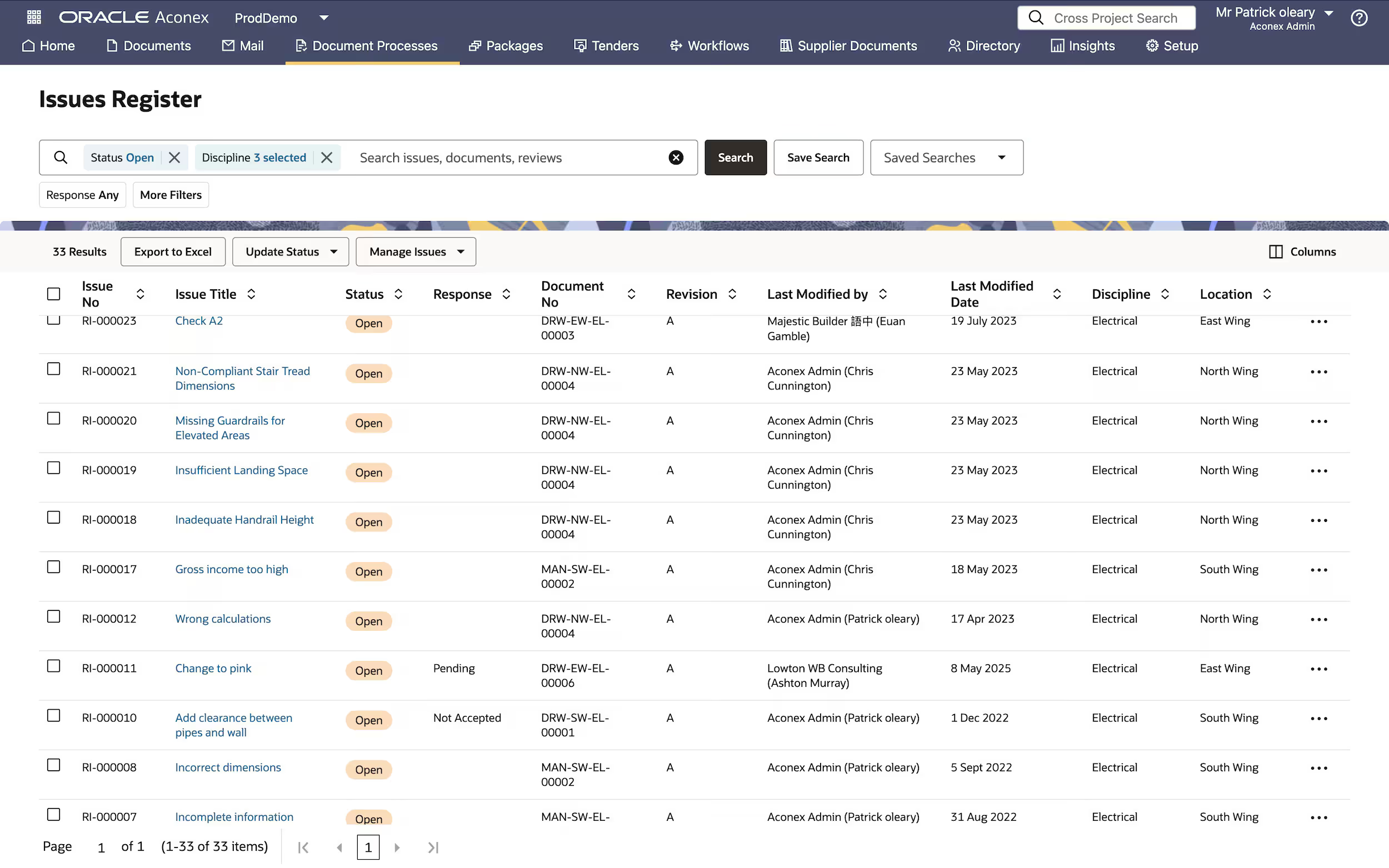
Aconex is a project management platform used for large-scale infrastructure and megaprojects. It utilizes a neutral data model where each organization retains ownership of its information. This structure is often used in joint ventures and government contracts where permanent documentation is a requirement.
Key features:
Strengths: Aconex focuses on security and document accountability. The system records every decision and file transfer in an unalterable history. This level of tracking is intended for high-stakes environments where managing liability and resolving disputes are priorities.
Weaknesses: The interface follows a more traditional design, which may feel less intuitive than newer cloud platforms. The rigid document control workflows can also create administrative friction for smaller teams that prefer more flexible collaboration methods.
Who is it for: Government agencies, infrastructure contractors, and joint venture partners. It is typically deployed on large-scale projects where formal compliance and data security are the primary concerns.
Accessibility:
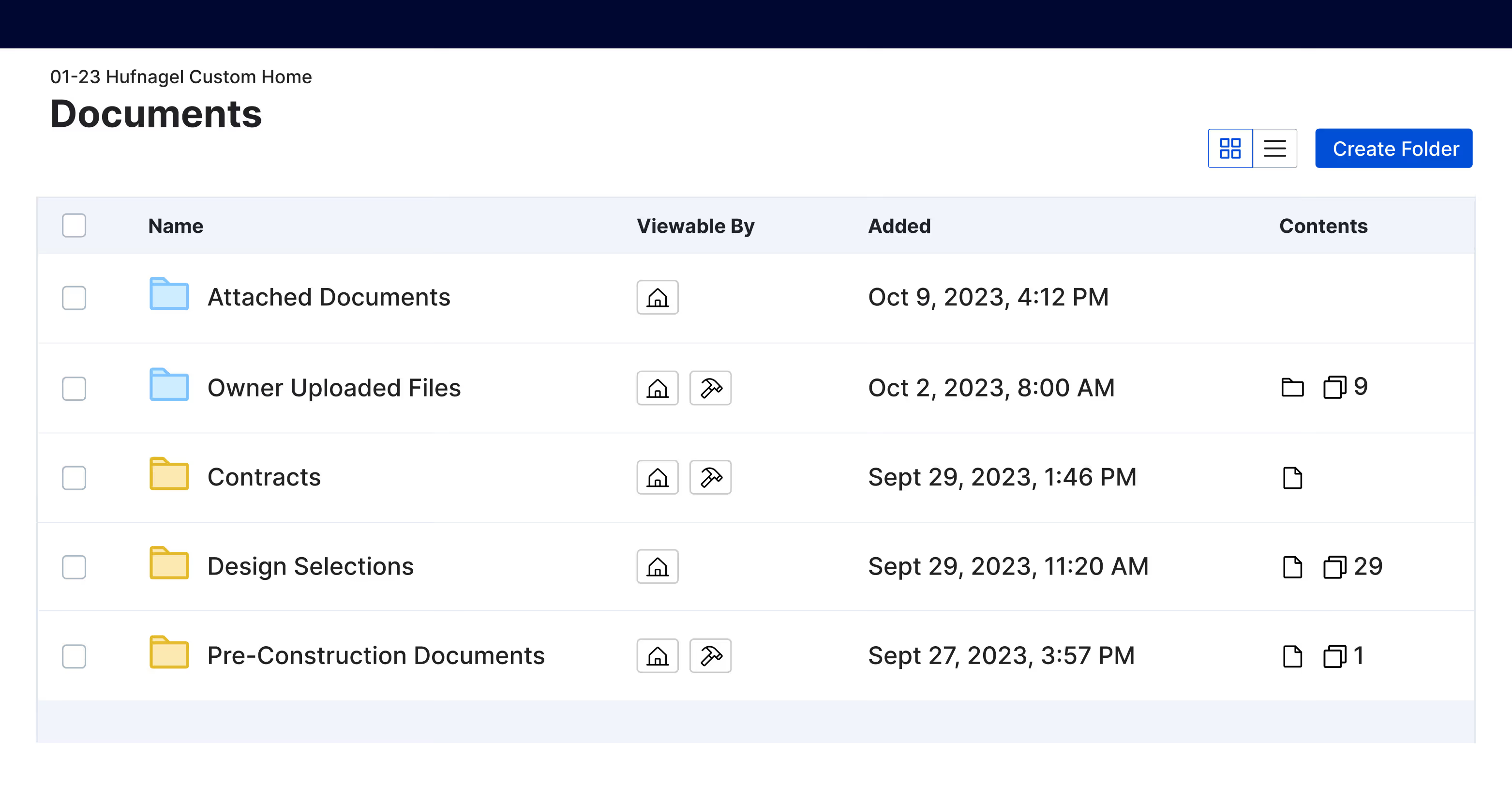
Buildertrend is a construction management platform designed for residential home builders and remodelers. It integrates document storage with client communication and sales management tools. The software includes a portal where homeowners can view project photos and approve design selections.
Key features:
Strengths: Buildertrend combines project documentation with client relationship management. It allows clients to sign documents digitally. The platform is designed to unify sales, project management, and financial data for small-scale residential builders.
Weaknesses: The platform is not intended for complex construction. It lacks the specialized RFI, submittal, and drawing control workflows required for large-scale or multi-discipline projects.
Who is it for: Custom home builders, residential remodelers, and specialty trade contractors. It is used by teams that require a centralized system to manage both project files and client interactions.
Accessibility:
Linking document management to project controls provides a real-time view of your project's financial health. In integrated systems, uploading a contract or change order can automatically update budgets and forecasts. This connection ensures every decision relies on the most current technical and financial data available.
This connection treats every document as a live data feed for your budget. Instead of digging through folders, the system pulls specific approvals directly into your cost reports. This creates an early warning system that flags potential cost overruns as soon as a document is processed.
Selecting the best software comes down to matching the tool to the complexity of your projects and the technical proficiency of your team. The following steps highlight what matters most when evaluating these tools.
Step 1: Define your control requirements
Decide what level of control you need. If you are a government contractor, you need strict audit trails. If you are a residential builder, you need client access. List your non-negotiables first.
Step 2: Evaluate integration capability
Documents are more valuable when they connect to other project data. Check if the platform connects to your schedule and budget tools.
Step 3: Test mobile performance
Project teams will not use a slow app. Test the software on a tablet over a cellular connection. It must render drawings quickly and allow for offline access.
Step 4: Review security and permissions
You must control who sees sensitive contracts. Ensure the system offers granular permission settings. You should be able to share drawings with subcontractors without exposing your entire budget.
Step 5: Consider scalability
Choose a system that handles your growth. It should manage multiple projects and portfolios without performance lag. Program-level reporting is essential for executives overseeing the business.
Step 6: Pilot on one project
Do not roll out a new system company-wide immediately. Test it on a single project to measure adoption and identify training gaps. If the team rejects it, the software will fail regardless of its features.
💡 Pro Tip: Audit the data exit strategy before buying. Many platforms make it easy to upload files but difficult to export structured data for external reporting. Prioritize tools with an open API to ensure you can move your project history into any project controls software without losing data integrity.
Document management is the bridge between project data and decision-making. By choosing a system that integrates documents directly with project controls, you move beyond file storage and gain an automated early warning system. This ensures your team focuses on mitigating the risks that truly impact project cost and performance.
Recommended as the
Best Construction Document Management Software in 2026

Cut the stress of showing up unprepared
Start for FreeTrusted by the bold, the brave, and the brilliant to deliver the future

