

Discover the best construction project budget management software in 2026. Compare pricing, forecasting tools, and platforms built for project managers and owners’ representatives.


Project management construction budget software supports cost workflow from contract award through closeout. It provides visibility into commitments, forecast shifts, and funding exposure as scope changes. The right platform links field activity with live financial data.
Note: This list highlights construction project management budget software that delivers strong financial control in 2026. Each platform was selected for its ability to manage contract exposure, forecast final cost accurately, and support real construction delivery workflows.
Project management budget software is a digital system that manages construction cost planning, tracking, forecasting, and reporting. It replaces fragmented spreadsheets with structured cost control. Within construction budgeting, it centralizes commitments and approved changes.
Unlike accounting systems, it focuses on forward cost exposure rather than past transactions. Budget management software links contract values directly to forecast positions. The result of this is clearer financial visibility during project delivery.
The leading platforms in 2026 combine contract administration with forward cost forecasting. They differ in focus, integration depth, and target user. Below are the strongest options for project managers and owner-side teams.
Mastt's construction project cost management software is built for owner-side financial control. It structures cost reporting around executed contracts rather than invoice history. The system is designed to support capital oversight across single projects and multi-project programs.
Key Features
Strengths
Mastt structures cost control around how contracts are administered in practice. Forecast outputs are aligned with funding governance rather than field coordination. The platform performs well in capital-intensive environments where reporting accuracy affects financing decisions.
Weaknesses
Mastt does not focus on field productivity tools such as scheduling or daily site reporting. Contractor-led firms seeking integrated site management modules may require complementary systems.
Who is it for?
Owner’s representatives, and project and program managers who require structured budget software to manage capital exposure. Mastt supports multi-contract environments where forecast accuracy influences funding decisions. It connects contract administration with disciplined cost control.
Accessibility
Pricing
Mastt is most effective when capital certainty is prioritized over site-level coordination features. It is positioned for environments where funding oversight drives decision-making.
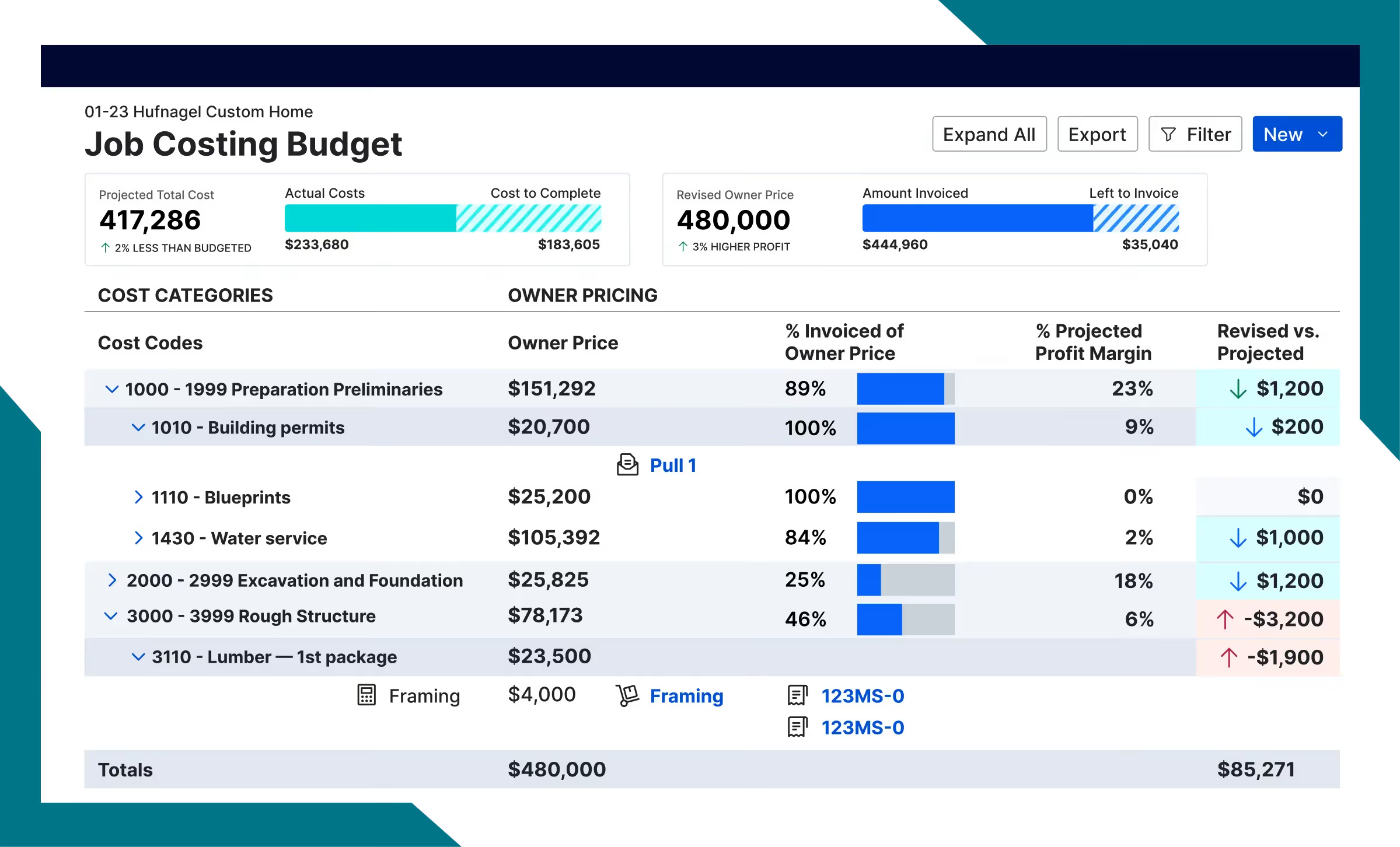
Buildertrend is a residential construction management platform that combines budgeting with homeowner communication tools. It embeds cost tracking within scheduling and client interaction workflows. The system is tailored for custom home builders and remodelers.
Key Features
Strengths
Buildertrend simplifies cost communication between builders and homeowners. Its interface is intuitive for teams managing smaller project portfolios. The system works well where client transparency is a priority.
Weaknesses
The forecasting engine is not designed for complex commercial trade structures. Portfolio-level capital reporting capabilities are limited.
Who is it for?
The platform suits residential contractors building custom homes or performing remodels. It is appropriate for firms that prioritize client interaction alongside cost tracking.
Accessibility
Pricing
Buildertrend performs best in environments where cost tracking must remain visible to clients. Its strength lies in residential transparency rather than institutional capital reporting.
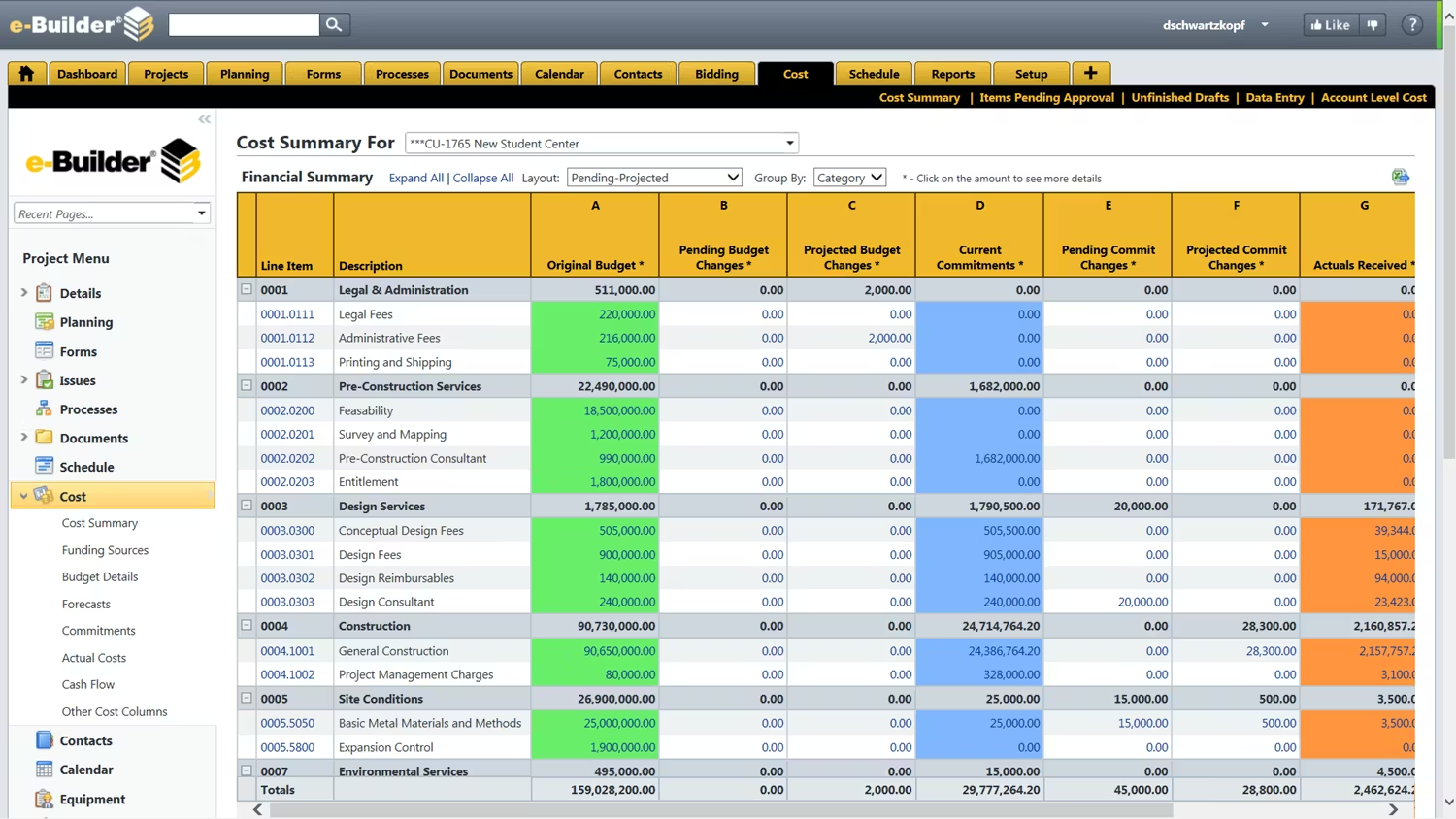
Trimble e-Builder is a capital program management platform focused on workflow and compliance tracking. It supports public agencies managing long-term infrastructure investments. The system emphasizes formal approval routing and documentation control.
Key Features
Strengths
e-Builder supports regulated environments where procedural consistency is required. The platform is suited for structured funding frameworks. Reporting outputs align with public accountability standards.
Weaknesses
Configuration can be complex and resource-intensive. Contractor-facing operational tools are limited.
Who is it for?
e-Builder is suited for public sector owners and infrastructure agencies. It works best in capital programs requiring formal governance and compliance documentation.
Accessibility
Pricing
e-Builder performs best where compliance and approval routing are central to cost administration. Its value increases in regulated capital environments.
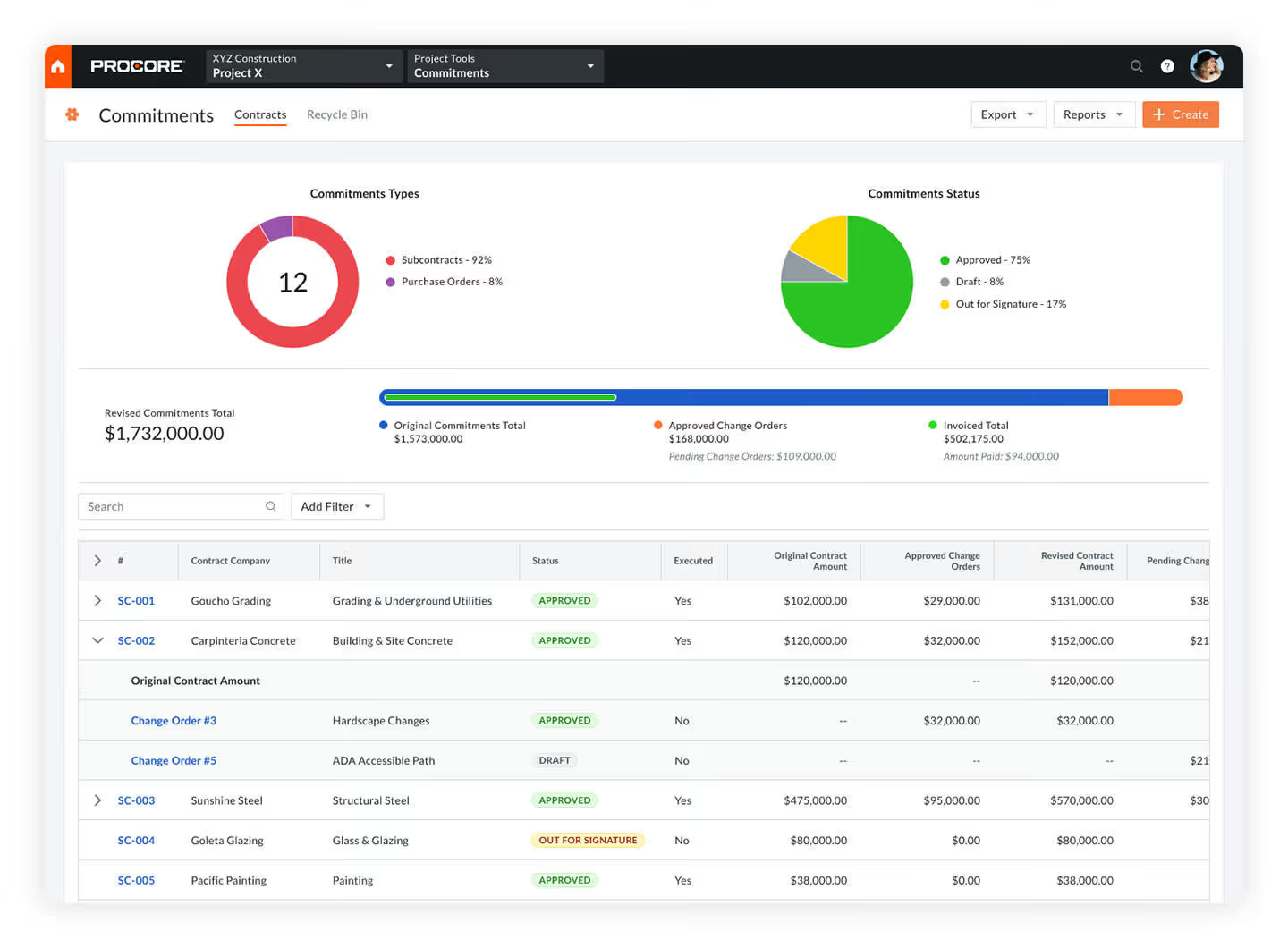
Procore is an integrated construction management platform that combines cost tracking with operational field tools. It embeds budgeting within broader project workflows. The system is widely adopted among commercial general contractors.
Key Features
Strengths
Procore provides a unified environment for operational coordination and financial tracking. It supports contractor workflows where cost management is tied closely to site administration. Adoption is often straightforward for teams already using its field modules.
Weaknesses
Forecasting sophistication depends heavily on configuration and reporting discipline. Owner-side capital oversight may require customized reporting structures.
Who is it for?
It is designed for commercial general contractors managing multiple trade packages. It suits organizations that prioritize operational integration alongside cost control.
Accessibility
Pricing
Procore performs best where operational execution and cost administration must operate within the same system. Its core strength lies in contractor-led environments rather than capital program governance.
CMiC is a construction management platform that integrates job cost control with accounting and compliance modules. It centralizes financial and operational data within a unified system. The platform is commonly used by large commercial contractors.
Key Features
Strengths
CMiC provides deep financial integration across enterprise operations. It supports organizations with internal accounting teams and complex reporting requirements. The system accommodates multi-project and multi-entity structures.
Weaknesses
Implementation can require significant configuration effort. The interface may not be intuitive for field-level users.
Who is it for?
CMiC is suited for large commercial contractors with established finance departments. It works well where integrated accounting and project cost systems must operate together.
Accessibility
Pricing
CMiC is strongest where financial integration drives operational reporting. Its value increases as organizational complexity grows.
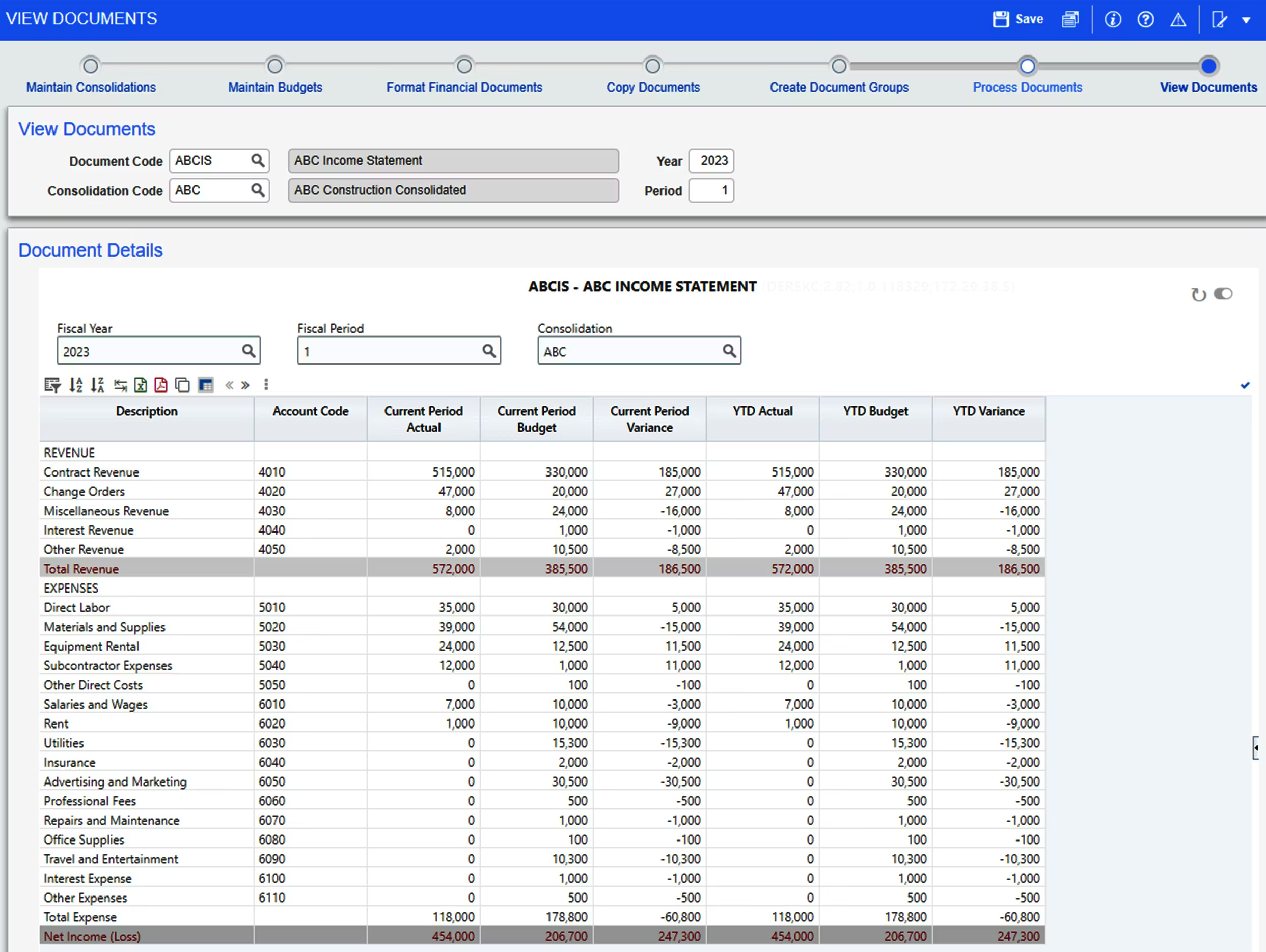
Sage Construction Suite is a construction accounting and job cost system built around financial reporting discipline. It connects project cost tracking directly to corporate accounting frameworks. The platform has long-standing adoption in commercial construction.
Key Features
Strengths
Sage 300 CRE provides reliable financial reporting rooted in accounting principles. It supports firms where finance departments drive cost control processes. The system maintains structured audit trails.
Weaknesses
User experience may feel dated compared to newer cloud-native tools. Forecast modeling depth may require configuration beyond standard setups.
Who is it for?
Sage 300 CRE suits commercial contractors with accounting-led reporting structures. It is appropriate for firms prioritizing finance integration over site-level coordination tools.
Accessibility
Pricing
Sage Construction Suite performs well where cost reporting must align tightly with corporate accounting systems. Its strength lies in financial discipline rather than portfolio oversight.
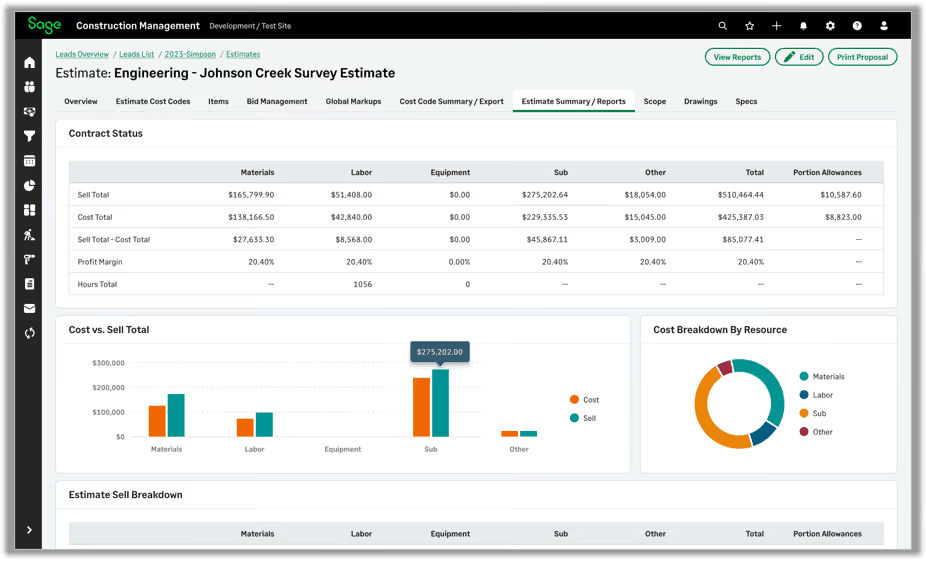
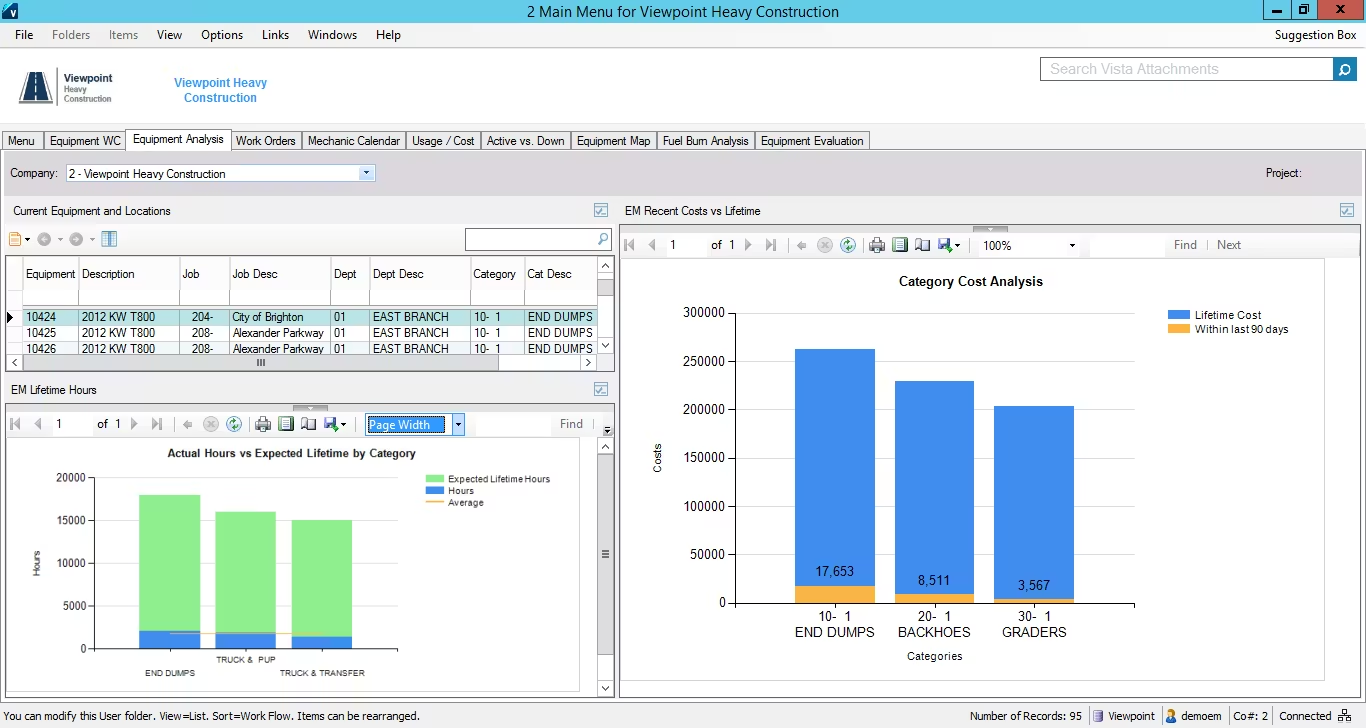
Viewpoint Vista is a construction ERP platform that integrates job cost tracking with accounting and payroll systems. It centralizes financial data within contractor operations. The system supports mid-to-large commercial firms.
Key Features
Strengths
Viewpoint Vista provides strong financial integration across contractor operations. It supports organizations where accounting and project control must operate within one environment. Reporting structures align with corporate finance standards.
Weaknesses
The system may require onboarding support for full utilization. Owner-side capital program reporting is not its primary focus.
Who is it for?
Viewpoint Vista suits mid-to-large contractors with internal accounting teams. It is appropriate for firms integrating project control with ERP infrastructure.
Accessibility
Pricing
Viewpoint Vista performs well in contractor-led financial environments. Its strength lies in integrating operational job cost with enterprise accounting systems.
PMs, program managers, and owners’ representatives use budget platforms because contract movement directly affects the funding position. Manual reporting cannot keep pace with contract changes. They need systems that align commitments with projected capital position.
The reliance becomes clear when financial pressure points emerge:
Contract data alone does not protect capital position. What matters is how cost movement informs funding decisions. That translation layer is where structured budget systems prove their value.
Selecting the best solution requires a defined cost structure before rollout. Software for managing construction project budgets should reinforce how your contracts are administered. Implementation works best when governance settings are agreed upon in advance.
Follow these practical steps during evaluation:
Step 1: Cost structure definition
Align cost codes with your internal WBS framework. Confirm every trade package maps to a controlled budget line without overlap.
Step 2: Contingency policy setup
Define rules for construction contingency and management reserve. Document approval thresholds for drawdowns, such as $50k or board-level limits.
Step 3: Forecasting validation
Confirm the platform calculates EAC using commitments and identified remaining exposure. Test cases where provisional sums convert into fixed subcontract values.
Step 4: Approval workflow testing
Configure tiered approval levels that mirror your delegated stakeholder matrix. Run sample change orders through the system to confirm escalation routes function correctly.
Step 5: Live project upload
Upload an active project with real contracts, progress payments, and pending RFIs. Avoid simplified demo data that masks practical complexity.
Step 6: Variation/Change order scenario modeling
Enter a significant change order, such as a $400k structural variation. Review how forecasts, contingency balances, and construction cash flow adjust.
Step 7: System integration review
Verify integration with finance and payroll systems currently in use. Confirm cost codes and contract values sync without manual re-entry.
Step 8: Reporting compliance check
Generate reports formatted for lenders, boards, or funding partners. Ensure outputs align with contractual reporting obligations and monthly deadlines.
Step 9: Cycle efficiency measurement
Measure the time required to complete a full monthly cost report. Compare current spreadsheet hours against the new reporting workflow.
Structured testing reduces implementation risk. Evaluate each platform using real contract data and actual reporting timelines.
An ideal software solution integrates cost control directly into the way contracts are administered. Forecasts reflect approved change orders, live commitments, and remaining exposure in real time. Financial position stays aligned with actual project mechanics rather than static spreadsheets.
Over time, this structure changes how risk is managed. Leaders evaluate capital position using a contract-backed forecast instead of reconstructed reports. For teams seeking stronger budget management software, Mastt and other tools in this list anchor financial control across complex construction programs.
Recommended as the
Best Construction Budget Software for Project Managers and Owner’s Reps in 2026

Cut the stress of showing up unprepared
Start for FreeTrusted by the bold, the brave, and the brilliant to deliver the future

