


What is a Project Milestone Template?
A project milestone template is a structured tool used to define and track the most critical checkpoints in a project. Unlike task lists that detail every activity, a milestones template highlights key events such as approvals, design completion, contract awards, site mobilization, and handover.
Each milestone carries three dates: the baseline agreed at approval, the date currently planned, and the actual once it is met. The gap between them is the variance, and it is the number a sponsor asks about.
In construction, a project milestone template provides a shared roadmap that aligns owners, project managers, and contractors on delivery expectations. It shows where the project stands at any point in time, helping teams measure progress against scope, schedule, and budget.
Project Milestone Example
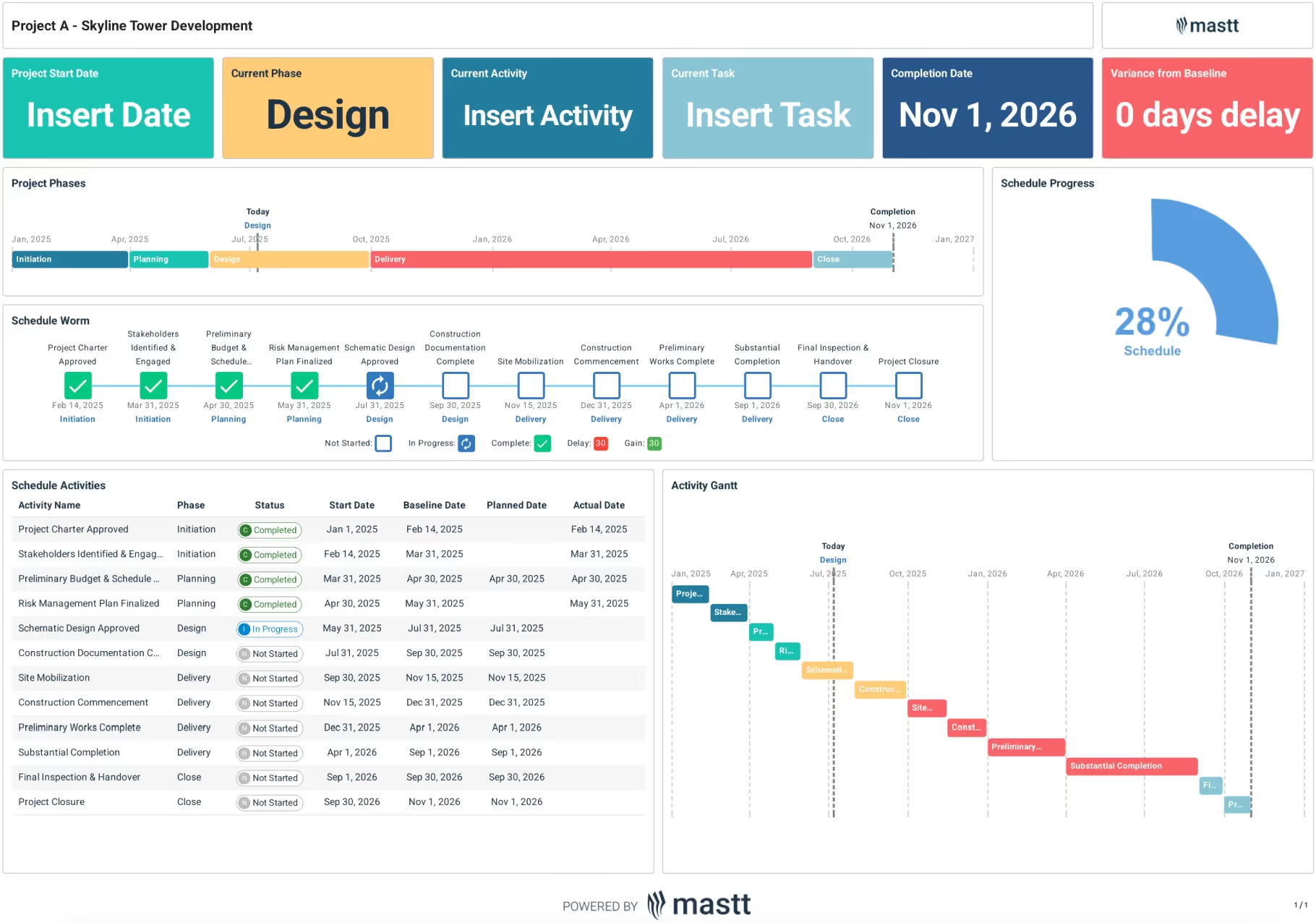
Here's an example of a project milestone template, showing the phases, the milestone sequence, and the activities table with baseline, planned and actual dates against each.
What’s Included in Construction Project Milestone Templates?
A simple project milestone template includes all the critical events that mark progress across the project life cycle, from initiation through to closeout. Each milestone is tied to a specific date and outcome, giving project teams and stakeholders a clear timeline of delivery.
Key inclusions of a project milestone template are:
- Project phases: High-level stages such as initiation, planning, design, delivery, and closeout.
- Milestone sequence: Critical checkpoints like project charter approval, stakeholder engagement, risk planning, design sign-off, site mobilization, construction commencement, substantial completion, and final handover.
- Schedule worm or progress bar: A visual representation of where the project currently stands, including completed, in-progress, and delayed milestones.
- Schedule activities list: A tabular breakdown with milestone name, phase, status, baseline date, planned date, and actual date for audit-ready reporting.
- Completion date and variance: Clear display of the project’s final completion target and the variance from baseline.
- Progress indicators: Visual metrics (like percentage complete) that show overall schedule performance.
- Activity Gantt: A timeline view of milestones across the project lifecycle, with dependencies and current progress highlighted.
💡 Pro Tip: When building a project milestone for construction reporting, limit inclusions to the most significant checkpoints. Too many minor tasks can dilute focus and make project reporting less effective.
Get the Best Fit Project Milestone Template with Mastt AI
AI Template Studio generates a milestone tracker built around your project's phases, approvals and reporting cycle, with baseline dates and status indicators already linked.
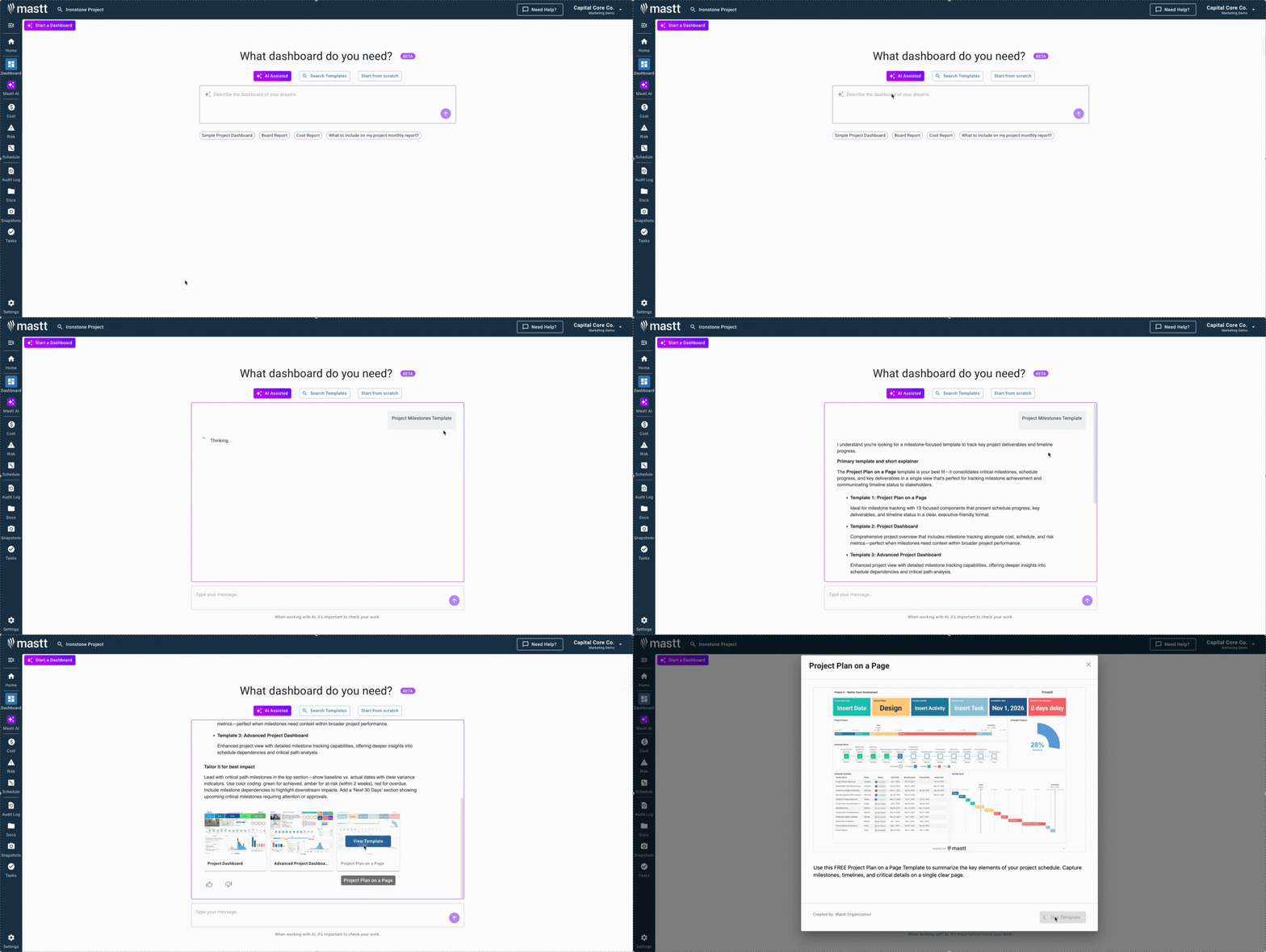
- From your Mastt dashboard, select Start a Template and choose AI Assisted.
- Enter "Project Milestone Template" and review the layouts it generates.
- Click Use This Template, add your project data, and adjust milestones as delivery evolves.
More detail in the help center.
👉 Start your construction project milestone template in Mastt today and move forward with certainty.

Written by
Jackson Row
Jackson Row is the Growth & North American Market Lead at Mastt. With a background in risk modeling, cost forecasting, and integrated project delivery, he helps capital project owners work smarter and faster. Jackson’s work supports better tools, better data, and better outcomes across the construction industry.

See every milestone against its baseline, with the variance in days and where the project sits right now. Set up your project milestone template in Mastt in minutes.

Top Performers Don’t Guess. They Deliver.
Cut the stress of showing up unprepared
Start for FreeTrusted by the bold, the brave, and the brilliant to deliver the future