

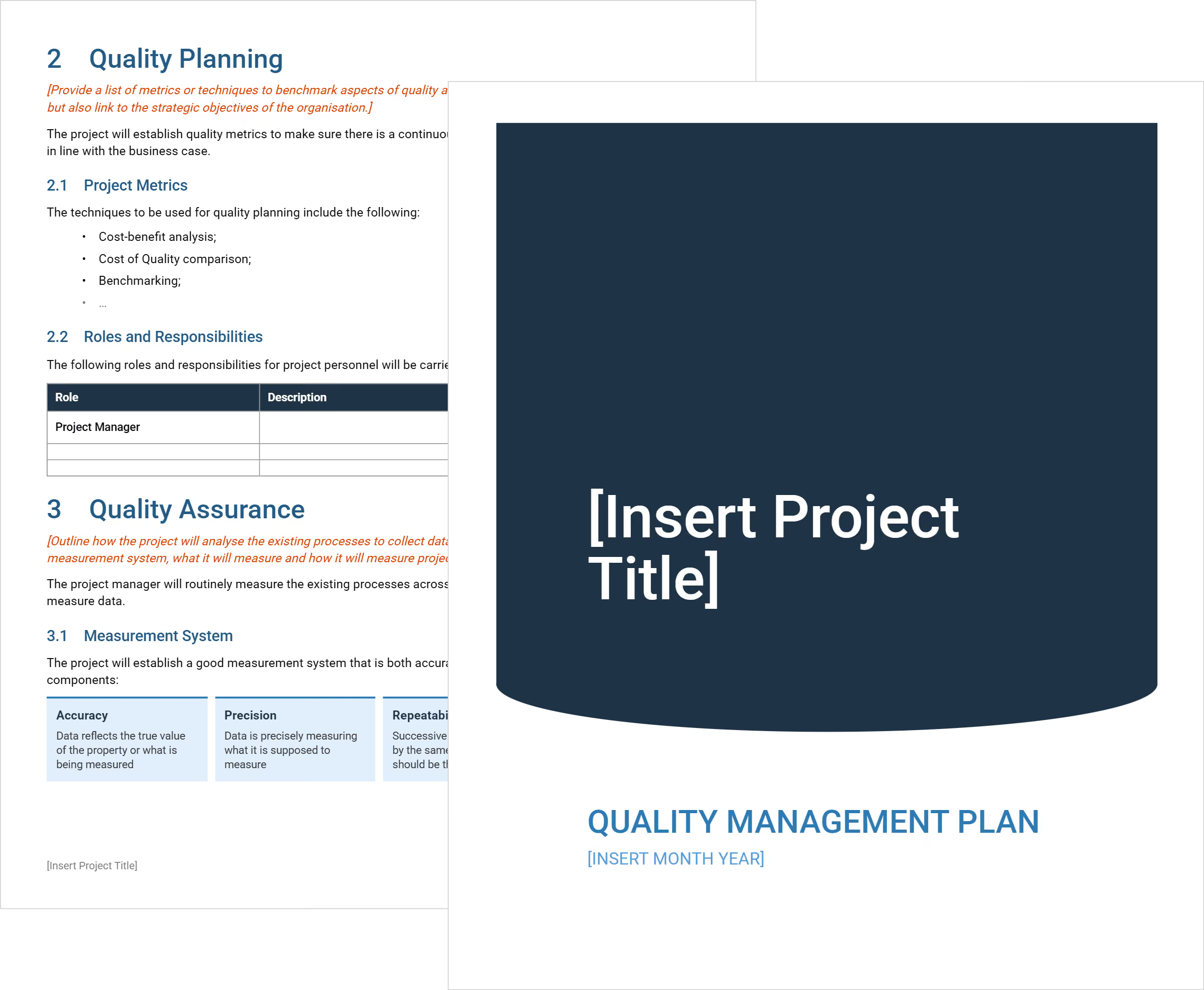

What is a Quality Management Plan?
A quality management plan is a document that defines a project's quality requirements. It covers quality assurance (QA), quality control (QC), inspection procedures, and assigned responsibilities.
In project quality management, this document sits within the broader project plan. PMI's PMBOK Guide places it under Process 8.1, Plan Quality Management. Each process in the plan is tied directly to the contract and project scope.
The plan applies an organization's quality policy to a specific project. It is distinct from a company-wide ISO 9001 quality management system, which covers the whole organization.
What a Project Quality Management Plan Template Includes
This QMP template contains the core fields for documenting project-specific QA and QC responsibilities. These components address project obligations from planning through closeout:
- Quality objectives: Specific, measurable targets aligned to contract specifications and scope.
- Roles and responsibilities: Identifies who owns inspections, NCRs, and corrective action sign-off.
- Inspection and testing plan: Documents hold points, witness points, and third-party testing requirements.
- Non-conformance workflow: How defective or non-compliant work gets flagged, documented, and resolved.
- Submittal review log: Tracks material approvals and shop drawing sign-offs before installation.
- Quality metrics and reporting: Defines how assurance data gets recorded and reviewed each reporting period.
- Document control: Version management for drawings, specs, and all quality documentation.
💡 Pro Tip: Lock down your non-conformance section before mobilization. Most site disputes trace back to teams that never defined "defective" in writing upfront.
How to Use This Quality Management Plan Template for Construction
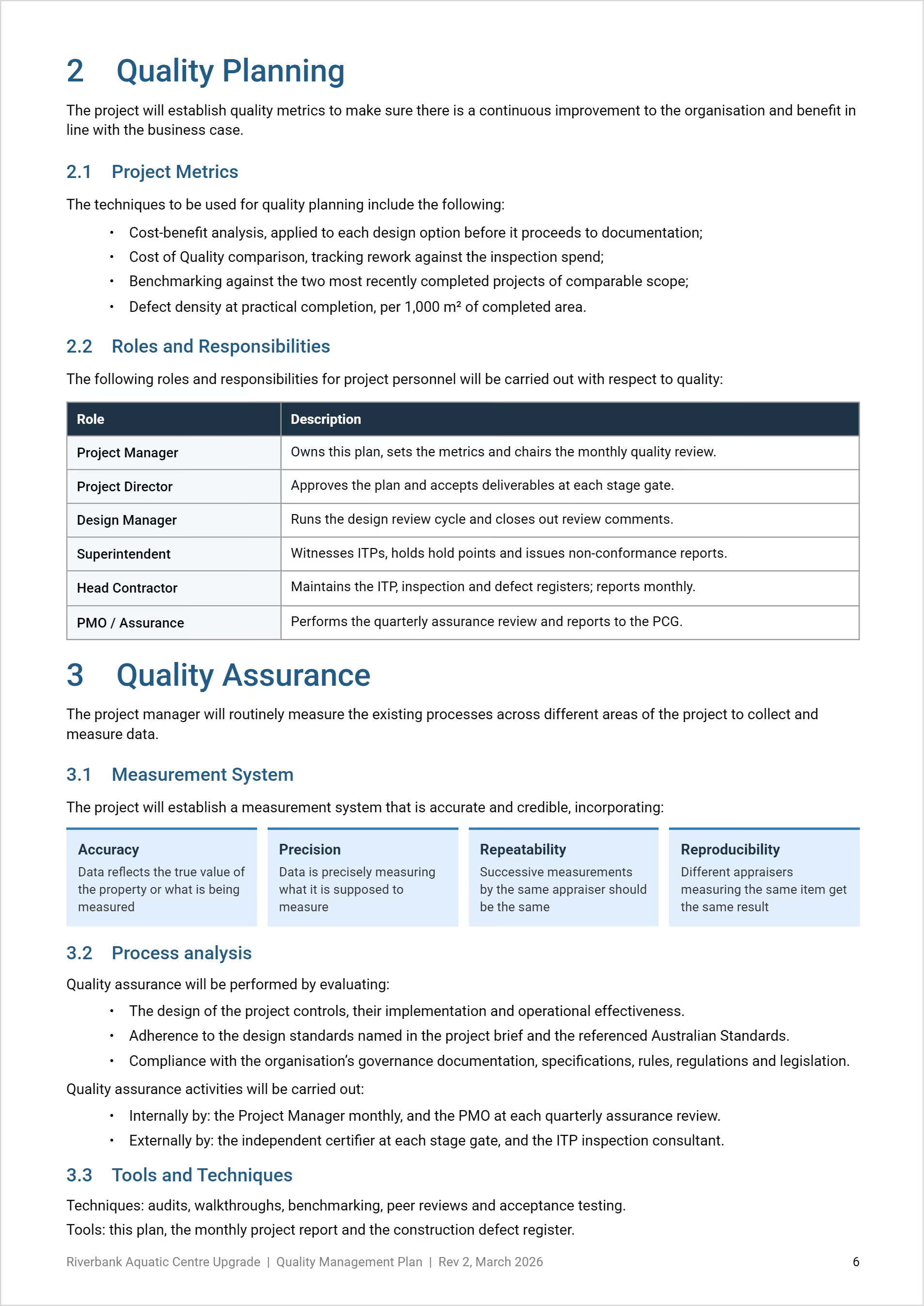
Use this Quality Management Plan template to define quality requirements, roles, and controls. Complete each section, then update it when project conditions change.
Work through the template in order, using project-specific evidence and approvals:
- Complete document control: Add version history, distribution, approvers, signatures, and dates.
- Define purpose and objectives: Explain governance, quality approach, standards, and lifecycle controls.
- Set quality objectives: Add project quality objectives linked to wider management plans.
- Plan metrics and roles: Add quality measures and assign project responsibilities.
- Define quality assurance: Set measurements, compliance checks, audits, walkthroughs, and peer reviews.
- Set quality control: Schedule reviews, deliverable checks, assessments, and process improvements.
- Keep the plan current: Review it after material project or governance changes.
For construction projects, connect quality controls to deliverables, defects, approvals, and reporting. Where relevant, align them with AS/ISO 9001:2015, PMBOK, and organizational procedures.
Why Every Project Needs a Quality Management Plan
A quality management plan ensures the project team meets the agreed quality standard before work leaves the site. Without it, quality expectations go unmet and rework costs climb.
Poor-quality work damages customer satisfaction. Project deliverables without acceptance criteria create disputes at substantial completion. PMBOK and total quality management both hold that quality must be built in, not bolted on.
A quality plan for project management supports:
- Quality improvement: Creates a feedback loop from site inspections back to leadership.
- Fewer disputes: Defined criteria reduce contractor-owner conflicts at handover.
- AIA A201 alignment: Meets contract documentation requirements from project start.
- Project team accountability: Everyone knows what is expected before mobilization.
- Deliverable traceability: Links all project deliverables to specific inspection requirements.
- Customer satisfaction protection: Owners receive work matching the agreed scope.
- Compliance documentation: Satisfies agency and project controls reporting requirements.
💡 Pro Tip: Present quality expectations at project kickoff. When owner, GC, and subs align on standards from day one, disputes drop at handover.
When to Implement a Construction Site Quality Management Plan
A construction site quality management plan should be ready before site work begins. It is not something you develop mid-project. These are the key trigger points:
- Pre-construction: Finalize the QMP before Notice to Proceed or site mobilization.
- Contract execution: Most contracts require a quality management program plan as a condition of award.
- Design-build and EPC projects: A quality check on design outputs is needed before construction begins.
- Government and agency projects: USACE and federal agencies require QMPs meeting established quality standards.
- High-complexity scopes: Multi-trade and high-rise projects need inspection hold points defined from day one.
- Subcontractor onboarding: Each trade enters with customer expectations and quality obligations already documented.
- After major change orders: Scope changes require QMP updates before new work proceeds.
Quality Management Best Practices for Construction Projects
Effective quality management means treating the QMP as an operational tool. Not a shelf document. Applying a consistent quality methodology separates high-performing projects from reactive ones.
☑️ Set measurable quality targets from day one: Vague goals like "meet specs" are not enough. Define specific test thresholds.
☑️ Run regular quality audits: Scheduled and unannounced audits catch non-conforming work before it compounds.
☑️ Apply the three-phase inspection structure: Preparatory, initial, and follow-up inspections prevent defects reaching the punch list.
☑️ Train all team members: Every team member must know the acceptance criteria and hold points.
☑️ Track NCRs to closure: Open non-conformance reports create defect liability exposure at handover.
☑️ Drive continuous improvement: Capture lessons learned at each milestone. Apply them to future QMPs.
☑️ Integrate quality into the schedule: Hold points tied to the program stop trades from proceeding without sign-off.
Build Quality into Every Project with Mastt
Most quality problems begin before the first tool is picked up. Vague plans leave expectations undefined. That's when hold points get missed and defects compound.
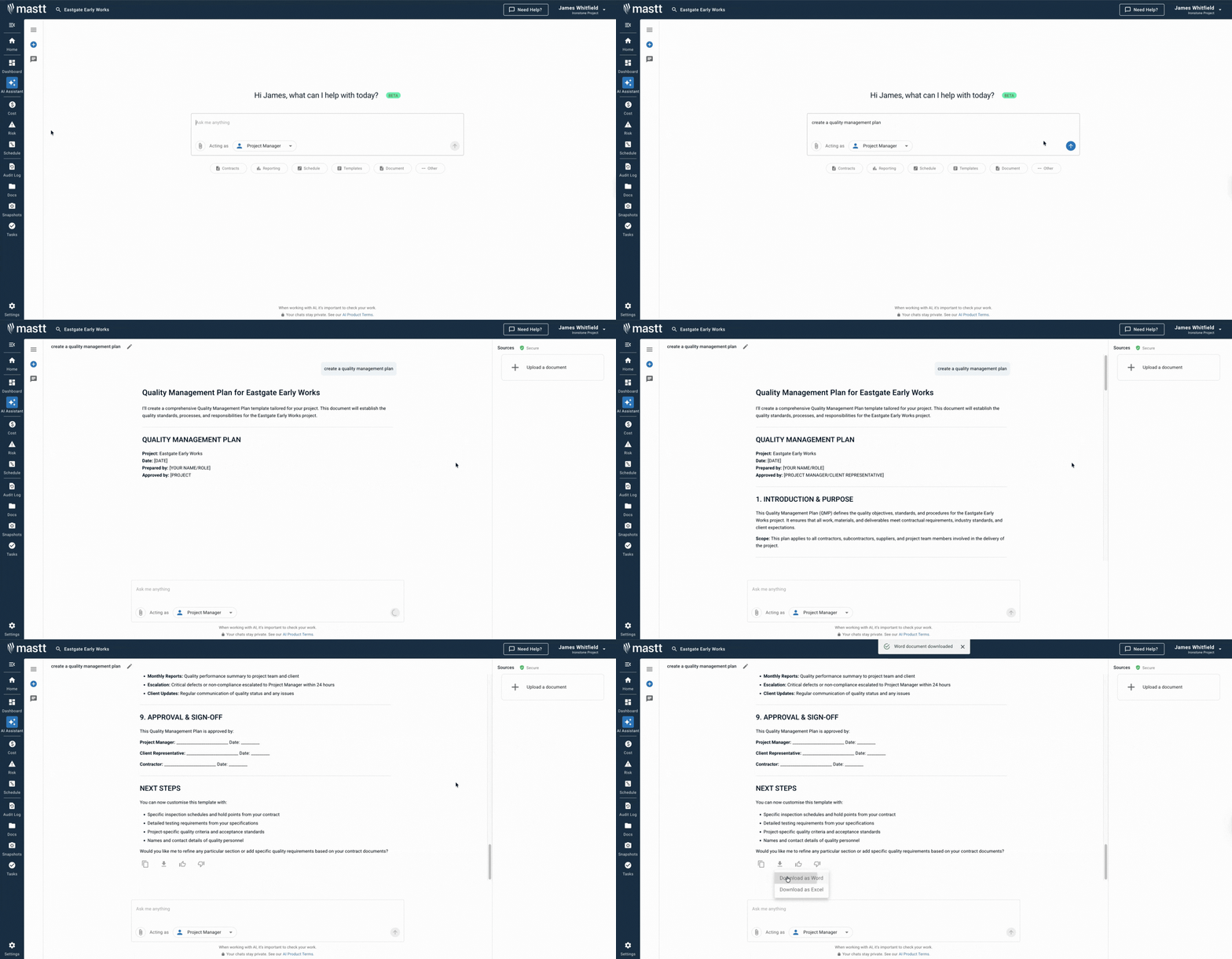
Mastt's AI Assistant helps you build a project-ready quality plan fast. Use your own contracts, specifications, and uploaded PDFs. No recycled templates, no blank pages.
👉 Try Mastt's AI and create a tailored quality management plan for your construction project today.

Written by
Jackson Row
Jackson Row is the Growth & North American Market Lead at Mastt. With a background in risk modeling, cost forecasting, and integrated project delivery, he helps capital project owners work smarter and faster. Jackson’s work supports better tools, better data, and better outcomes across the construction industry.

FREE quality management plan template to define QA/QC standards, assign responsibilities, and prevent costly rework on your construction project.

Top Performers Don’t Guess. They Deliver.
Cut the stress of showing up unprepared
Start for FreeTrusted by the bold, the brave, and the brilliant to deliver the future