


What is a Stakeholder Analysis?
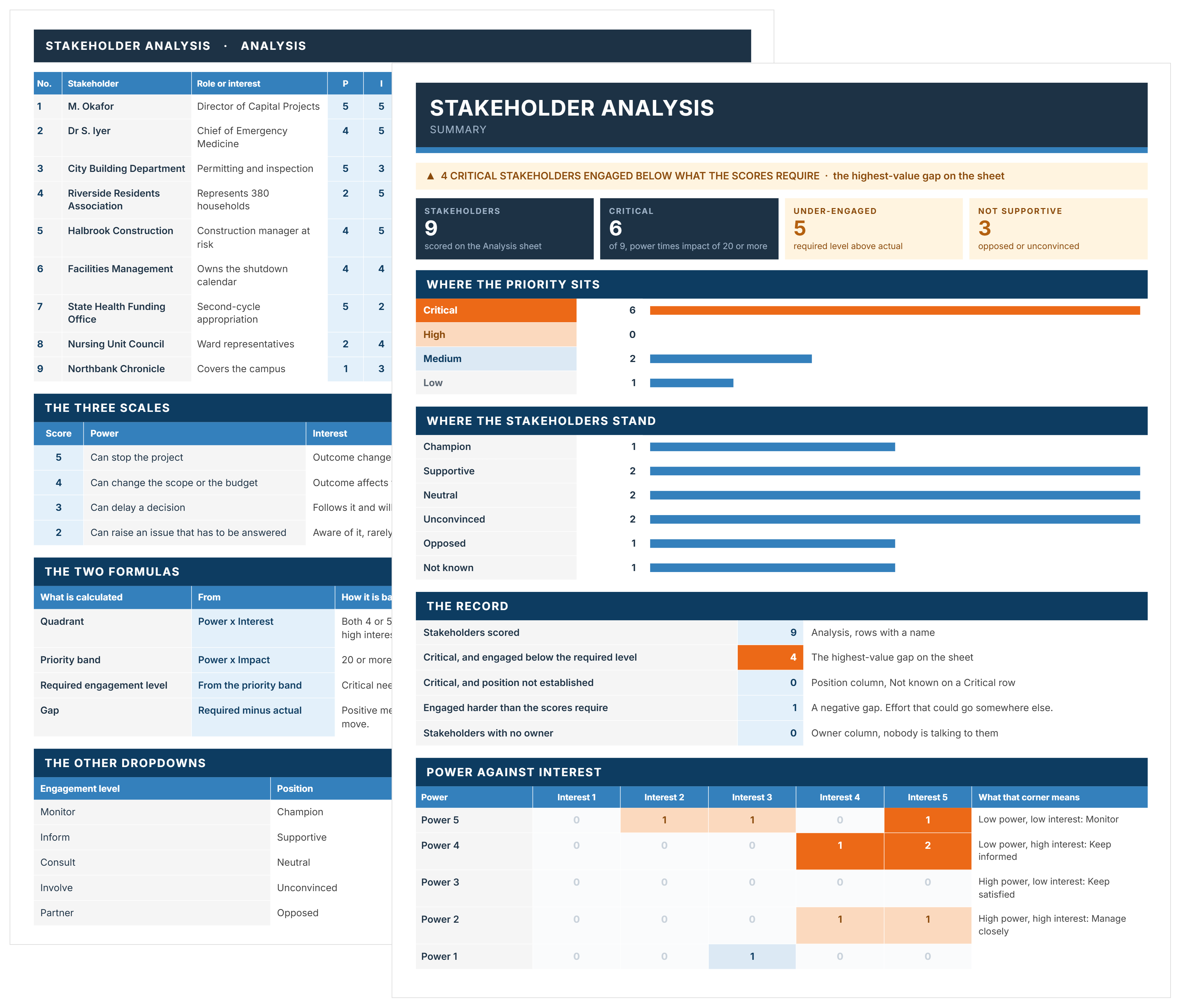
A stakeholder analysis identifies everyone who can affect or is affected by a project, then scores each of them so effort goes where it matters. A stakeholder analysis template gives you the structure to do it consistently, project after project.
It sits early in planning and gets redone at each stage gate, because power and interest move. A score taken during the business case is usually out of date by construction. The output is a prioritized list with an engagement level attached to each name, which is what the communications and engagement plans are built from.
Stakeholder Analysis Example
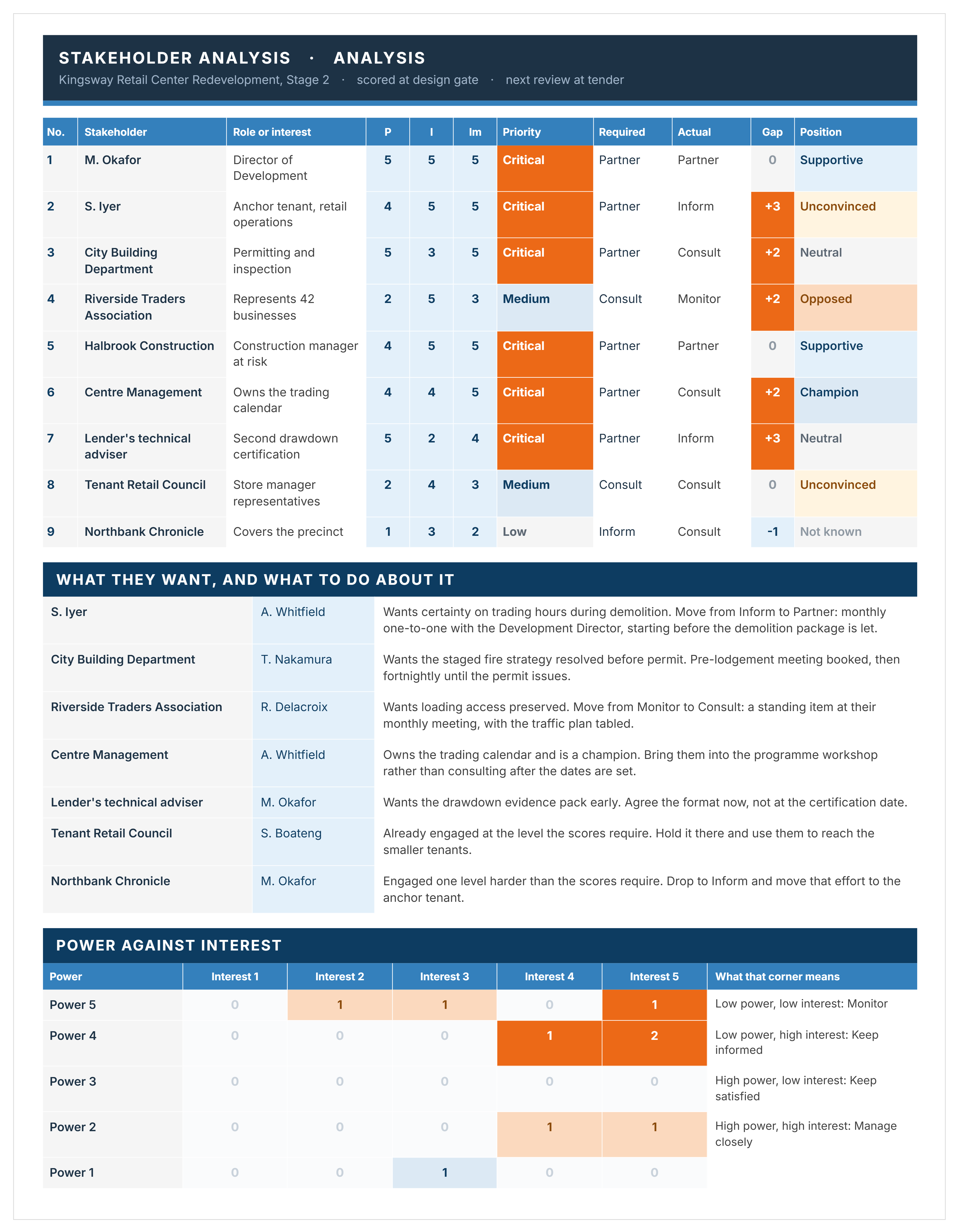
Here's an example of a completed stakeholder analysis, scoring nine stakeholders on a retail center redevelopment.
What Should a Stakeholder Analysis Include?
A stakeholder analysis needs the stakeholder's name and organization, their role, three scores, the priority those scores produce, the engagement level that priority requires, and the person who owns the relationship.
Quadrant, priority, required level and gap all calculate, so typing over them breaks the only column worth acting on.
How to Do a Stakeholder Analysis Using This Template
Four main steps: identify, score, prioritize, then plan the engagement. The first is identification, and it is the one most teams rush.
- Set the project, stage, who is assessing and the next review date on the Cover.
- List every stakeholder as a separate row, using the organization and role rather than just a name, so the analysis survives a staff change.
- Score power, interest and impact from 1 to 5, using the Scales sheet so two people scoring the same stakeholder mean the same thing.
- Let the quadrant, priority and required engagement level calculate rather than typing them.
- Record the actual engagement level, which is what each stakeholder is getting today, not what they should be getting.
- Read the gap column, since a positive gap means somebody needs more attention than they are receiving.
- Record their position, from champion through to opposed, and note what they want.
- Give every row an owner, because a stakeholder with no owner is a stakeholder nobody is talking to.
- Read the Summary to see where effort is concentrated and who has nobody assigned.
- Re-score at every stage gate.
Do not skip step 2 by working from an old project's list. The stakeholders on a hospital fitout are not the stakeholders on a road upgrade, and starting from a copied list is how community groups and permitting authorities get missed.
Power, Interest and Impact: Why This Template Uses Three Axes
Two axes tell you who to talk to most. A third tells you who is most affected by what you decide, and those are rarely the same list.
Plotting two axes on a grid is a separate step from scoring them. The stakeholder matrix is the template for that.
Reading the Engagement Gap
The gap is the difference between the engagement a stakeholder's priority requires and the engagement they are actually getting. It is the only column in the analysis worth acting on directly.
A high score is not a problem. A required level of Partner against an actual level of Inform is, and that gap of three is the row to fix this week.
Negative gaps matter too. Engaging somebody harder than their priority warrants is effort that belongs on the row above them. A media contact being consulted when monitoring would do is a real cost, just a less obvious one.
The Summary counts both. It also names any stakeholder with no owner assigned, which is usually a shorter and more uncomfortable list than teams expect.
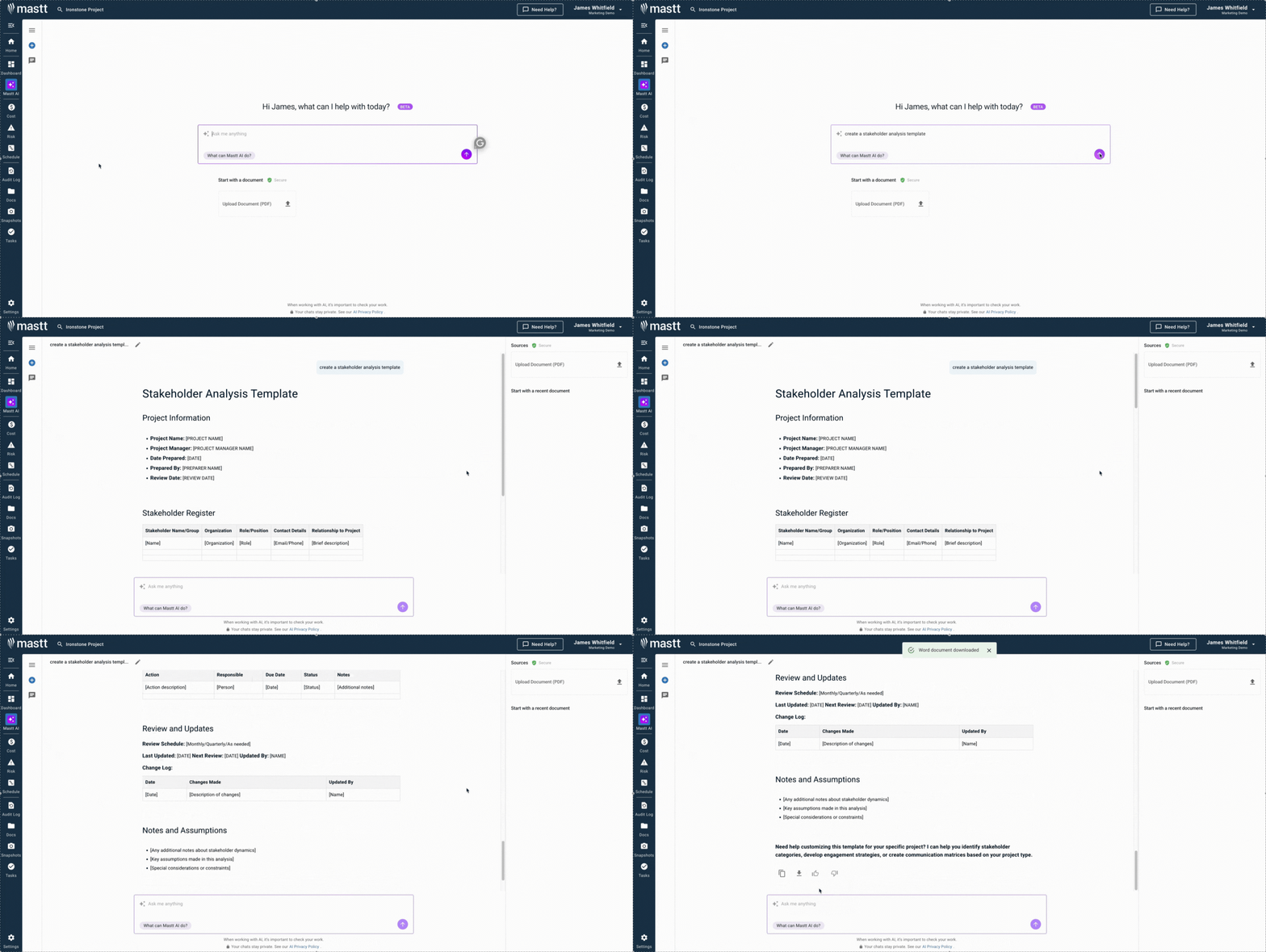
👉 Generate your stakeholder analysis template with Mastt AI today and transform stakeholder management from reactive firefighting to proactive relationship building.
Related Articles and Templates
Explore these resources for stakeholder identification, analysis, prioritization, and engagement planning:

Written by
Jackson Row
Jackson Row joined Mastt's founding North American team in 2023, implementing the platform for US government agencies and Fortune 500 organizations. He holds a Bachelor of Engineering in civil and mining engineering from UNSW and began his career as a construction cadet on civil projects in Sydney. At Mastt, he contributes articles on payment and client-side project management.

This FREE stakeholder analysis template scores power, interest, and impact, then shows the gap between the engagement each stakeholder needs and what they are actually getting.

Top Performers Don’t Guess. They Deliver.
Cut the stress of showing up unprepared
Start for FreeTrusted by the bold, the brave, and the brilliant to deliver the future