

Upload any PDF and let AI extract key clauses, dates, and figures instantly.
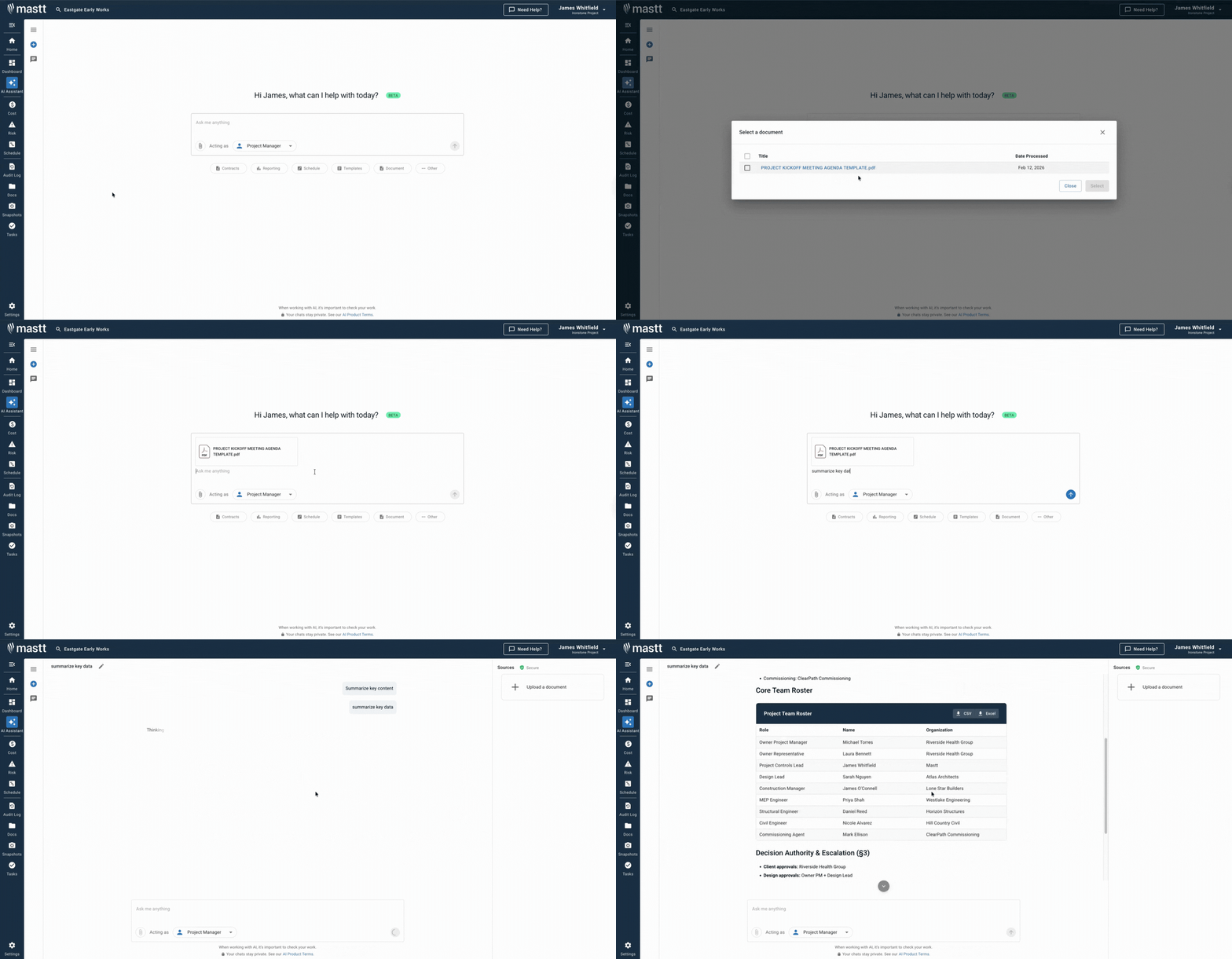
Upload any PDF and get instant insights, summaries, and answers from your contracts and project files using Mastt's AI for construction. Review your PDF in minutes, with responses grounded in your actual document content.
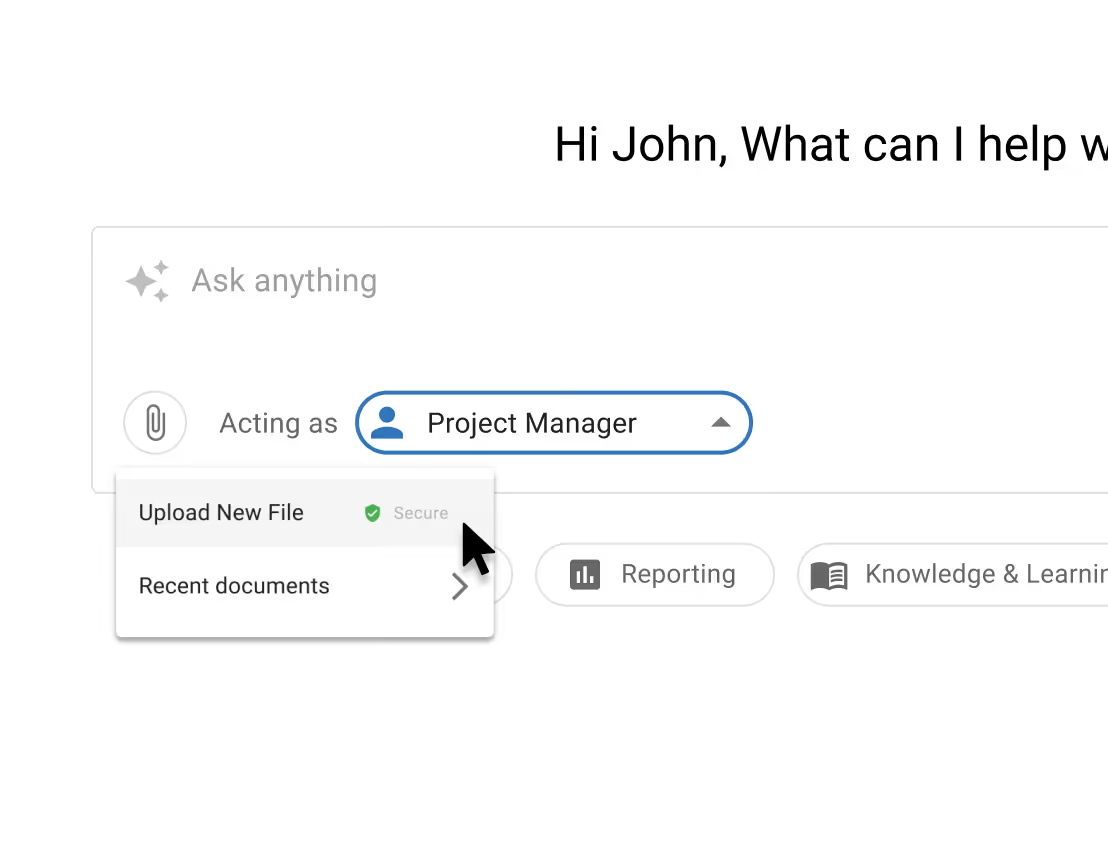
Drag and drop your construction documents and get key information immediately. The AI PDF summarizer processes lengthy files so you can focus on decisions that matter.
📄 Upload any PDF, including contracts, reports, and technical docs.
⚡ Automatically prepares documents for fast querying.
🔎 No manual scanning or page hunting required.
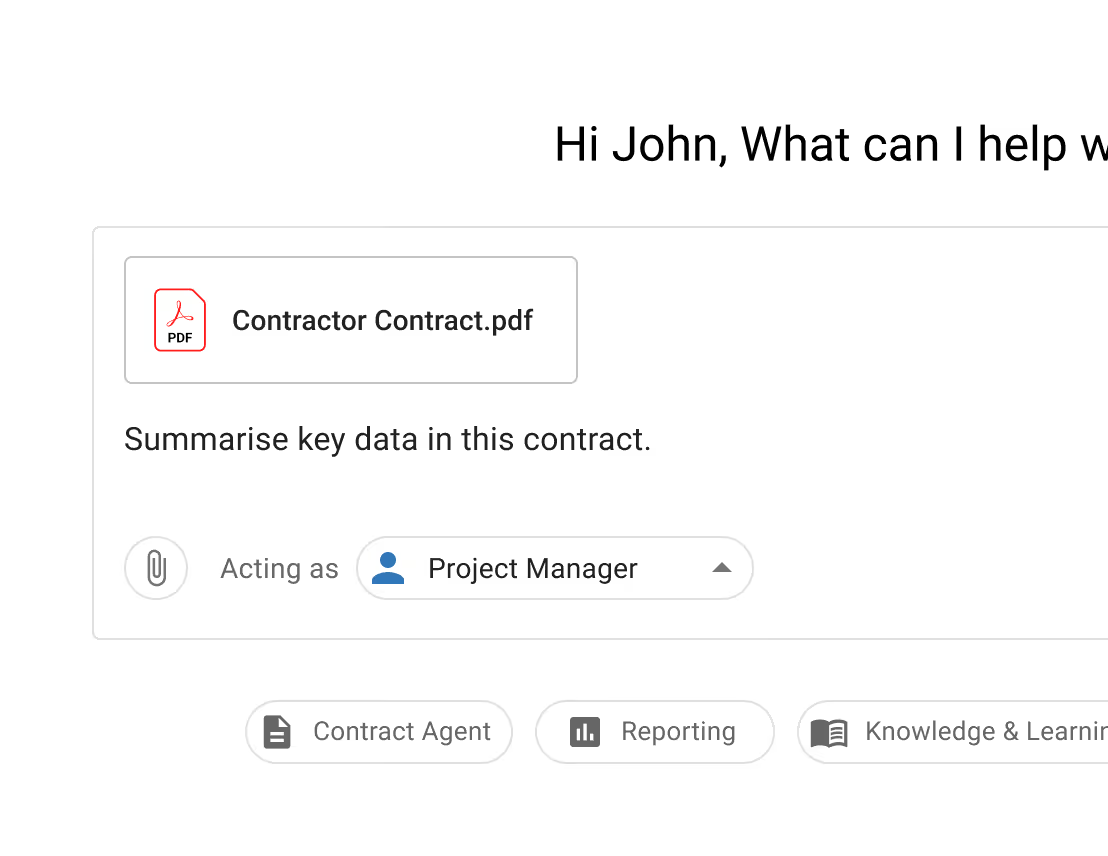
Convert static PDFs into a conversational workspace tailored to construction use. Ask specific questions about terms, dates, or clauses and receive clear, data-driven responses.
💬 Query details like obligations and deadlines in the AI chat.
🧠 Use natural language to find exactly what you need.
📌 Suggested questions surface relevant insights fast.
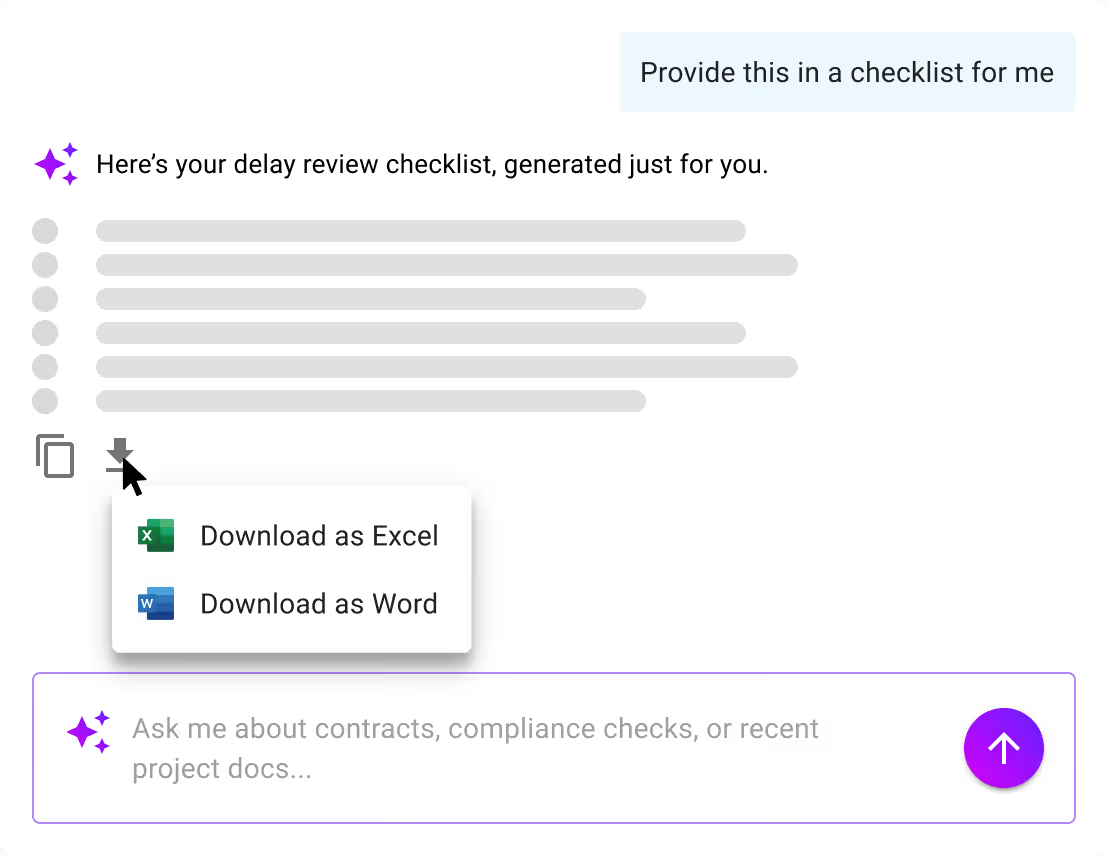
Go beyond reading. Use Mastt's AI responses to draft letters, summaries, or reports without switching tools. Export results for project records and action.
✍️ Copy or export AI responses to Word or Excel.
📂 Generate documents based on extracted insight.
⏱️ Reduce time spent on reviews and rework.
Become superhuman with AI today. Free to start, simple to scale.

Your first project is on us — no credit card required. Get started instantly with core tools.
.svg)
Flexible month-to-month plan. Add projects as you grow and access free videos, training, and guides.
per month

Full enterprise features, advanced security, and dedicated human rollout support.

Agentic AI that gives humans an AI Agent counterpart to accelerate work, increase quality, and boost output.

Upload documents and let AI extract and structure the key information for you.
Learn moreInteract directly with your project documents and get instant answers from your project data.
Learn more
Andrew Benn, WSP Technical Director
"With Mastt, our client can see the status of the project anytime, reducing back and forth queries, and not having to wait until the end of the month to receive a monthly report."
Read Case Study
Rebecca White, RPS Program Manager
"Mastt has saved our team significant time and effort in managing the financials elements of 65+projects. The team now has total visibility over their individual projects as well as the overarching program of works."
Read Case Study
Erik Maasepp, Capital Insight Senior Project Manager
"Mastt takes away a lot of user error that spreadsheets bring. With Mastt, we are able to combine multiple projects into programs or portfolios for management level analysis and direction."
Read Case Study
CAPT. Dan Foley, Army Digital Transformation Manager
"Mastt is increasing the team’s tempo and productivity by enabling real time information across our portfolio of projects. This transparency is assisting us to make informed decisions, to identify opportunities and reduce the risk."
Read Case Study
Dan Atkins, Jacobs National Program Manager
"Mastt's ability to record critical financial information as well as program forecasted delivery and milestones put Jacobs in a favourable position to our clients."
Read Case Study.webp)
Mohammed Salameh, Compass' Associate Director
"Moving to Mastt is one of the best decisions my team has ever made. It’s cost-effective, easy to use, and a quick set up."
Read Case Study.webp)
Fergus Bruce, Project Manager at WSP
"A key factor in our decision to adopt Mastt is its user-friendliness. It had to continue to empower us to work smart, allowing us to consistently deliver excellence across multiple sectors and geographic regions."
Read Case Study

