

Capture and process invoice data automatically with AI-powered OCR.
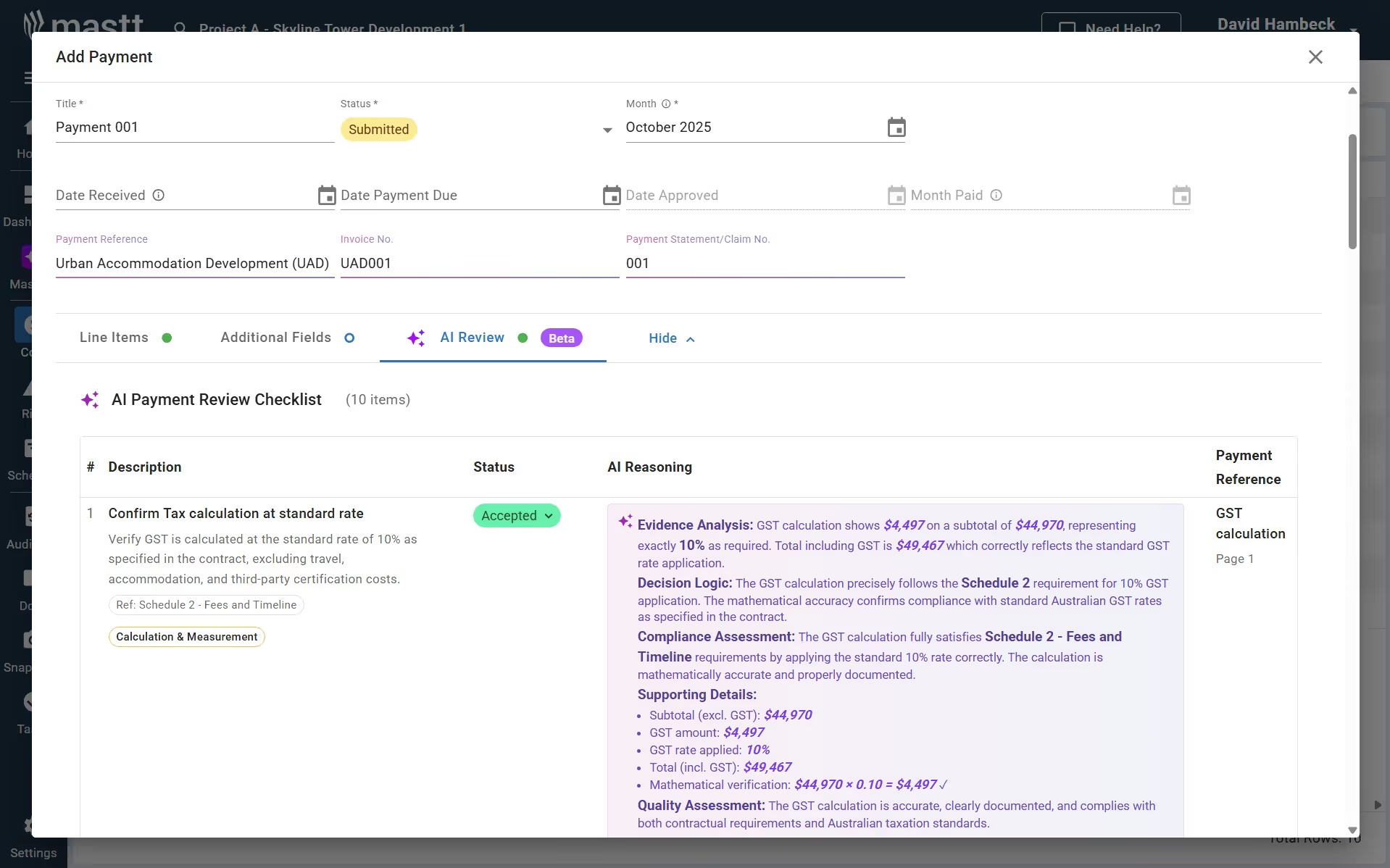
Upload contract and payment documents, and let Mastt extract the details for you. AI reads the PDF and pre-fills key fields so project teams avoid repetitive data entry. Contracts and payments can be reviewed, confirmed, and saved with far less manual work.

Upload contractor invoices and let Mastt read the document for you. AI extracts key fields and prepares the payment record so teams avoid manual transcription.
📄 Upload contractor invoices directly into Mastt.
🤖 AI reads the document and extracts invoice data automatically.
🧾 Pre-fill payment or contract fields with extracted information.
AI compliance helps teams confirm that invoices align with contract information before approval. Mastt compares extracted invoice data with contract records to highlight potential inconsistencies.
📑 Extract payment requirements from contract documents.
✔️ Review AI-generated compliance checks for payments.
⚠️ Flag items that require manual verification.


Once confirmed, the extracted information becomes a payment record stored in Mastt. Every payment stays linked to the contract and supporting document.
📊 Save payment records linked to project contracts.
📁 Attach the original invoice PDF for documentation.
Become superhuman with AI today. Free to start, simple to scale.

Your first project is on us — no credit card required. Get started instantly with core tools.
.svg)
Flexible month-to-month plan. Add projects as you grow and access free videos, training, and guides.
per month

Full enterprise features, advanced security, and dedicated human rollout support.

Agentic AI that gives humans an AI Agent counterpart to accelerate work, increase quality, and boost output.

Track approved contracts and budget allocations with full visibility over financial exposure.
Learn moreUpdate actuals through ERP system integration that syncs live cost data into project budgets.
Learn moreVerify invoices with AI that checks accuracy and flags errors before approval.
Learn moreCapture and process invoice data automatically with AI-powered OCR.
Learn moreManage construction invoices with software that handles billing, approvals, and payment tracking in one system.
Learn moreTrack contract sums and certified amounts across construction progress claims.
Learn more
Andrew Benn, WSP Technical Director
"With Mastt, our client can see the status of the project anytime, reducing back and forth queries, and not having to wait until the end of the month to receive a monthly report."
Read Case Study
Rebecca White, RPS Program Manager
"Mastt has saved our team significant time and effort in managing the financials elements of 65+projects. The team now has total visibility over their individual projects as well as the overarching program of works."
Read Case Study
Erik Maasepp, Capital Insight Senior Project Manager
"Mastt takes away a lot of user error that spreadsheets bring. With Mastt, we are able to combine multiple projects into programs or portfolios for management level analysis and direction."
Read Case Study
CAPT. Dan Foley, Army Digital Transformation Manager
"Mastt is increasing the team’s tempo and productivity by enabling real time information across our portfolio of projects. This transparency is assisting us to make informed decisions, to identify opportunities and reduce the risk."
Read Case Study
Dan Atkins, Jacobs National Program Manager
"Mastt's ability to record critical financial information as well as program forecasted delivery and milestones put Jacobs in a favourable position to our clients."
Read Case Study.webp)
Mohammed Salameh, Compass' Associate Director
"Moving to Mastt is one of the best decisions my team has ever made. It’s cost-effective, easy to use, and a quick set up."
Read Case Study.webp)
Fergus Bruce, Project Manager at WSP
"A key factor in our decision to adopt Mastt is its user-friendliness. It had to continue to empower us to work smart, allowing us to consistently deliver excellence across multiple sectors and geographic regions."
Read Case Study

