

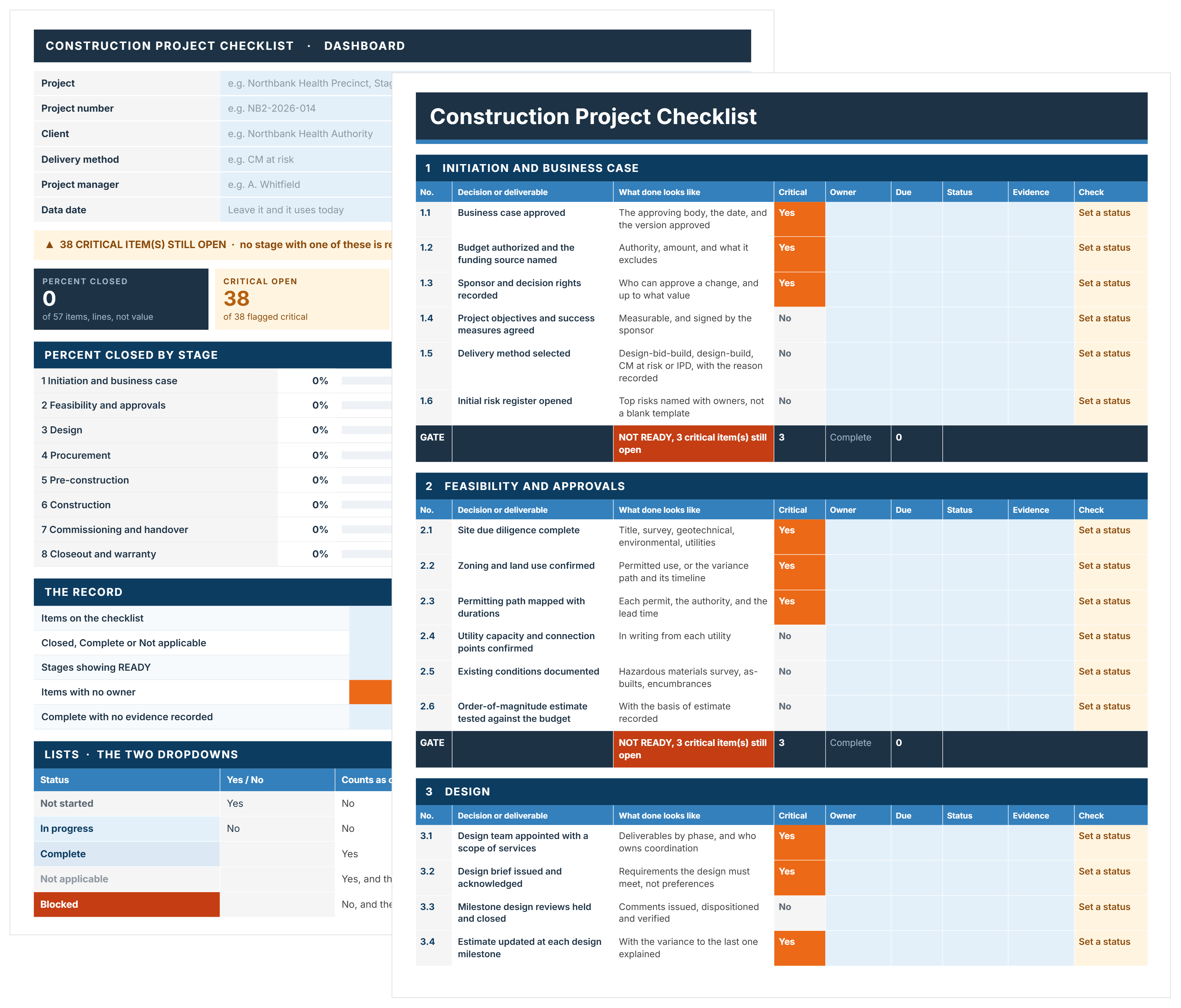

What is a Construction Project Checklist?
A construction project checklist is a task list that runs a job from early planning to final handover/turnover, with an owner and a due date against every line. It covers the whole lifecycle rather than one activity, which is what separates it from a site inspection or quality checklist.
Each line is a decision or a deliverable, not a reminder. "Permitting path mapped with durations" is a line. "Check permits" is not, because nobody can tell whether it has been done.
Construction Project Checklist Example
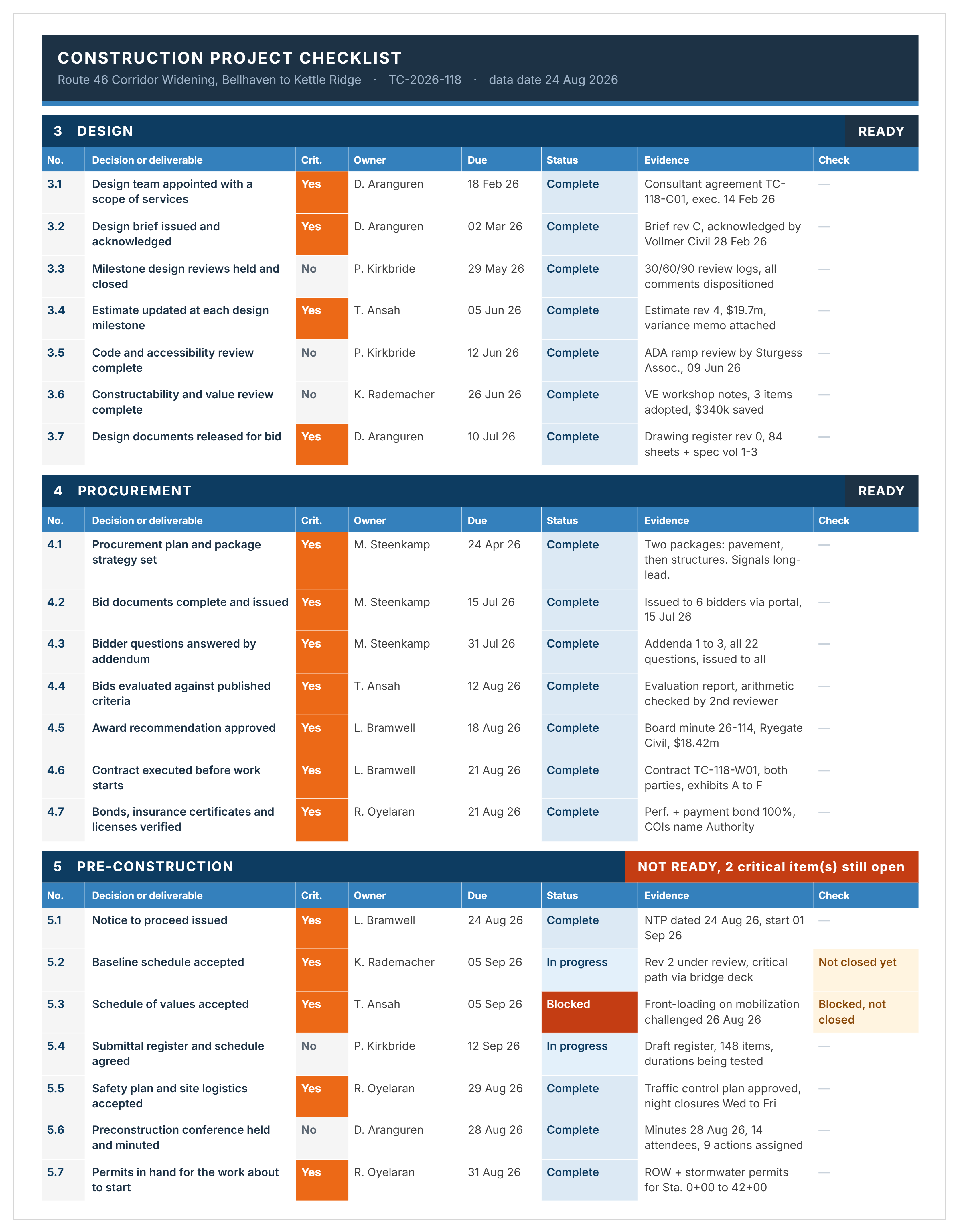
Here's a good example of a completed construction project checklist, showing three stages of a road corridor widening project.
The Stages of a Construction Project Checklist
Most run five stages: initiation, site preparation, execution, monitoring, and closeout. This template uses eight, splitting the front end where the expensive decisions sit.
Delete the stages your project does not have. A checklist nobody has edited is a checklist nobody believes.
What's Included in This Construction Checklist Template in Excel
Fifty-seven items across eight stages, with six columns on every line: the decision, what done looks like, whether it is critical, the owner, the due date and the evidence.
- The decision or deliverable: Written so two people would agree whether it has happened.
- What done looks like: "Business case approved" closes when you have the approving body, the date and the version approved. Without that column, closure is an opinion.
- Critical, yes or no: Not importance. Whether the next stage can safely begin without it.
- An owner: A named person. A line owned by the project team is owned by nobody.
- A due date: Set against the stage gate it belongs to.
- Evidence: Name the document, the date and where it lives. Complete with no evidence recorded is a claim.
A dashboard calculates percent complete and the gate result for each stage, plus the overdue count and the items with no owner. Nothing on it is typed.
Add and delete lines freely, but keep the six columns. Dropping evidence or the critical flag turns the checklist back into a to-do list.
How to Use This Construction Project Checklist Template in Excel
Set what counts as critical before you fill anything in. That single decision is what makes the rest of the checklist mean something.
- Enter the project, number, client, delivery method and project manager on the Cover, then set the data date.
- Delete the stages your project does not have.
- Work through each line and set the critical flag from your own project, since criticality depends on delivery method and approval path.
- Write what done looks like for any line you add, in the same style as the ones already there.
- Give every line a named owner before the project starts.
- Set due dates against the stage gate rather than a calendar quarter.
- Update status as work closes, and record the evidence in the same pass.
- Read the gate for each stage on the dashboard, not the percentage.
- Check the count of items with no owner, and the count closed with no evidence.
- Re-test the critical flags at each stage gate, since what blocks the next stage changes as the project moves.
The gates, percentages and overdue counts calculate from the status column. A Word version needs all of that maintained by hand, and it will be wrong within a month.
Related Articles and Templates
Explore these resources for construction planning, delivery, safety, procurement, and project controls:

Written by
Jackson Row
Jackson Row joined Mastt's founding North American team in 2023, implementing the platform for US government agencies and Fortune 500 organizations. He holds a Bachelor of Engineering in civil and mining engineering from UNSW and began his career as a construction cadet on civil projects in Sydney. At Mastt, he contributes articles on payment and client-side project management.

FREE construction project checklist template covering the whole lifecycle, from business case to warranty. See what each stage has to close before the next one can safely start.

Top Performers Don’t Guess. They Deliver.
Cut the stress of showing up unprepared
Start for FreeTrusted by the bold, the brave, and the brilliant to deliver the future