
.avif)

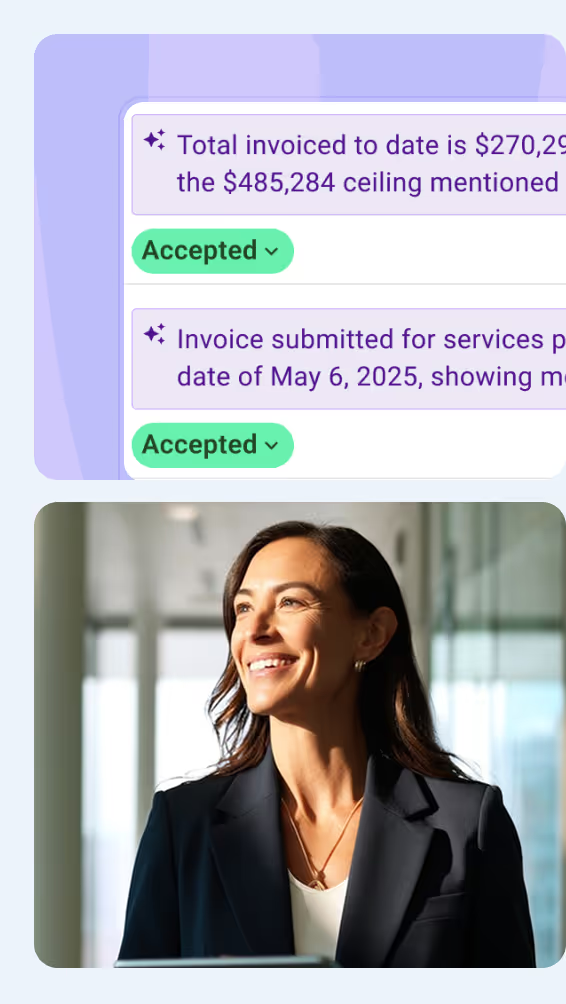
Erin Khan began her career as a project engineer before the technology side of the job pulled her in for good. She rose to the role of National Director of Construction Solutions at Suffolk Construction, and today she runs Erin Khan Consulting, helping contractors and AEC technology startups collaborate to build better. Here are 10 lessons we learned about AI adoption in construction from our recent conversation with her.
1. Define the Problem Before You Pick an AI Tool
Adopting AI in construction has to start with a clear problem rather than a shortlist of tools. Before comparing any product, a team needs to name what it actually wants to solve and why. According to Erin, most teams resist that question and would rather jump straight to solutions.
The urge to shop for tools is understandable, since that is where the early excitement lives. That energy is worth keeping. Erin noted, though, that starting from a tool instead of a problem is exactly what pulls a project out of alignment later.
I usually respond to them with a question that they don't like, but it's very insightful. What problem do you want to solve, and why? If you don't have the answer to that question, you can't really get to the next step of even starting to look at solutions.
- Erin Khan, Founder of Erin Khan Consulting
The hardest part of adopting AI happens before any software is chosen. If a team can state its problem in a single sentence, it has already done the work most rollouts skip.

2. Ask Your Field Teams Where the Real Pain Is
The best AI use cases come from the people doing the work, not from leadership guessing. Erin recommends a listening exercise first, where department heads and field crews say where the job actually hurts. Their answers point straight to the tasks worth automating.
The next step is to map that feedback against the wider business objectives. A digital safety process in place of paper forms is a good example, since it frees up field crews for more quality control on-site.
You map that with the business objectives and priorities, and then you can define which solutions you should look at and which ones to exclude. That exclusion piece is huge, because the market is so saturated that there are literally hundreds and thousands of solutions to evaluate.
- Erin Khan
Done well, the exercise narrows a crowded market down to a shortlist you can defend. The real value, though, lies in what you rule out. With thousands of tools competing for attention, a clear no cuts out a lot of wasted evaluation.
3. Use AI for Repetitive Tasks and People for Judgment
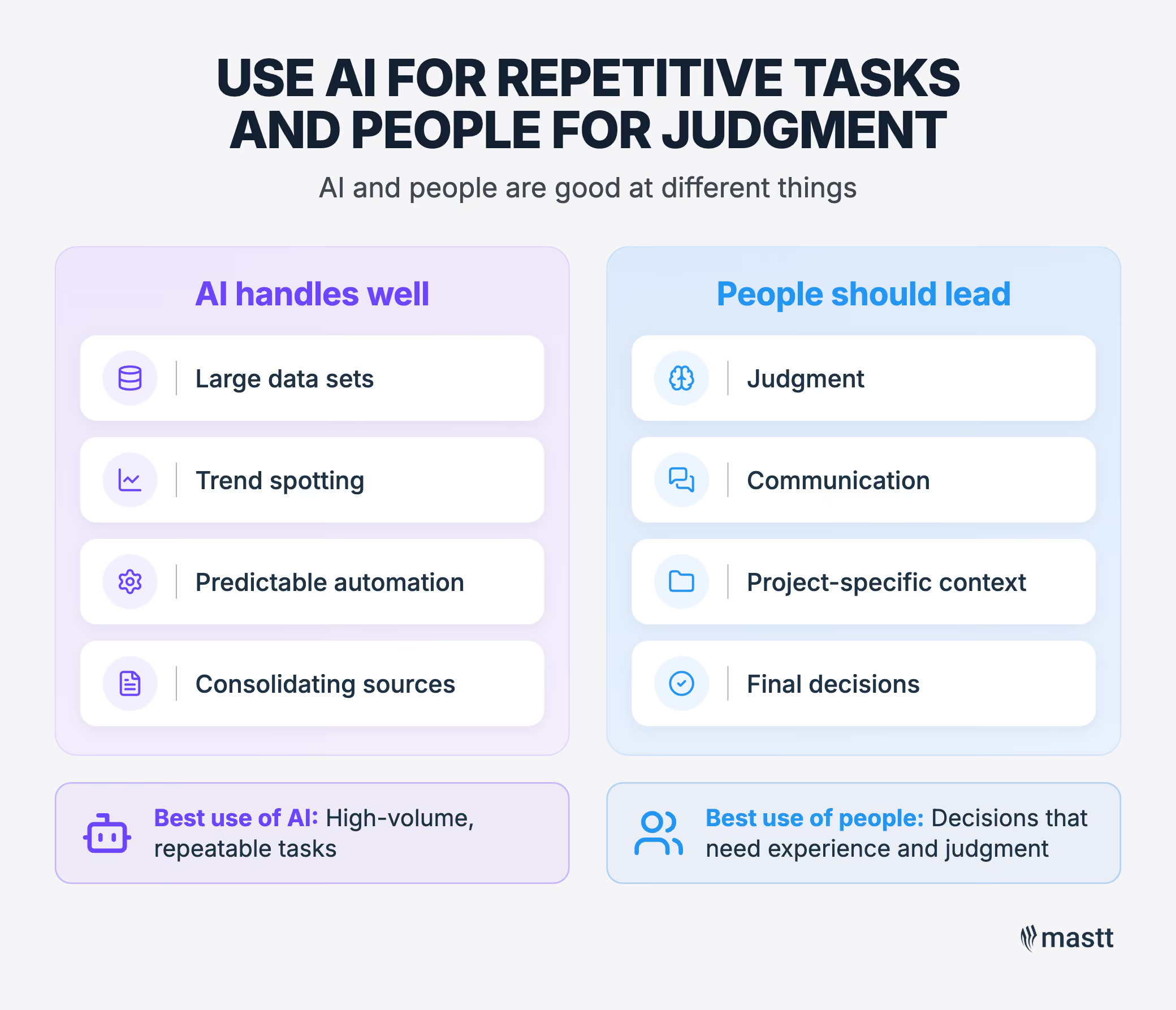
AI and people are good at different things, and the whole skill lies in not confusing the two. AI belongs on high-volume, predictable work, while people should stay on anything that calls for judgment. According to Erin, conflating the two is what produces poor outcomes.
AI is strong at processing large data sets, spotting trends, and automating predictable, repetitive tasks. Matching purchase order numbers to invoices is a good example, since the work is high volume and easy to verify. A person can simply review the output rather than match it by hand.
We have to be careful of putting AI in the driver's seat when it should be a human, and putting a human in the driver's seat when it's much better off to be an AI. I think we're going to see a bit of a rebalancing over time.
- Erin Khan
Estimating from a set of drawings sits at the other extreme, where an experienced estimator carries details no model can see. As Erin put it, the real test is whether a task rewards raw speed or human judgment.
4. Keep Training People to Do the Work by Hand
Even where AI does a task well, people still need to do it by hand from time to time, or the skills quietly fade. This is how early-career professionals learn the craft in the first place. According to Erin, if you have never produced an estimate yourself, you have no way to check one that the AI produces.
If you haven't at least done an estimate yourself, how can you know how to check one? So we need to maintain some level of humans actually doing these tasks, so we're retaining the knowledge, the talent, and the skills within our industry.
- Erin Khan
It works much like learning arithmetic by hand before being handed a calculator. Erin agreed the principle carries straight across. Keeping people hands-on protects the skills a company will need to supervise the tools later.
5. Plan for AI Running Costs Before They Escalate
AI pilots can burn through the capital budget faster than teams expect. Usage-based charges climb quickly, even across just one or two pilots. Erin mentioned that cost is the first thing to check, because teams often notice only once they are already over budget.
What happens often is that costs through initial pilots quickly add up, and then the team running it says, we didn't realize that this would be very quickly out of budget. So really make sure you're projecting that out as accurately as you can, and use a sandbox environment to de-risk the rest of the organization.
- Erin Khan
Both problems point to the same fix, which is to test in isolation from live systems. Doing so caps the spend and keeps any early mistakes well away from real work. The team still gets to learn how the tool behaves before it goes anywhere near production.
💡 Pro Tip: Set a usage budget and a hard cap before the pilot starts, and review the tool's usage dashboard weekly. Consumption-based AI costs are easy to underestimate, and a cap in a sandbox stops one enthusiastic user from burning the quarter's budget in a week.
6. Run Your AI Pilot as a People Problem, Not a Tech One
A pilot lives or dies on people rather than technology. The real question is whether users want the tool at all, since adoption tends to follow real interest. According to Erin, that makes any rollout a change-management exercise more than a technical one.
Erin recommends finding the innovation champions first. These are the open-minded people who will try something new and then talk about it once it works.
She also suggests opening the pilot to anyone who wants to volunteer. Some of the sharpest feedback comes from people who simply put their own hand up.
It's a lot of culture building, and we're people at the end of the day. People need to speak to people. It's not a technical thing at all. It's more of a psychological, cultural change management thing.
- Erin Khan
Skeptics come with the territory in construction, and a willing one can serve as a useful pressure test rather than a threat. The technical vetting still matters, but Erin noted that the cultural groundwork ultimately determines whether a pilot sticks.
7. Decide Between Real and Test Data by the Risk Level
The choice between live data and a copy really comes down to risk. Low-stakes work, like AI-generated meeting notes, is usually fine on real information, as long as anything private stays private. The calculation changes for higher-stakes work, especially anything wired into live financial data.
Maybe don't do that on a live project right out of the gate. Maybe do it on a copy of a live project, because if there's a bug, I've seen them happen, and I've been very happy that it was in a copy of a production environment.
- Erin Khan
A bug caught on a copy costs nothing, whereas the same bug on live financial data can be expensive to undo. Erin also points to the training and competency of whoever is using the tool as part of the same decision.
💡 Pro Tip: Before you connect an AI tool to a live cost or ERP database, run the first integration against a cloned project. It lets you confirm how the connections read and write data, so you catch mistakes without touching a client's real financials.
8. Stop Unapproved AI Tools From Leaking Company Data
Open access to AI brings a hidden risk with it. When staff reach for unapproved tools on their own, sensitive data can quietly leak out. The industry calls this shadow AI. According to Erin, it can go badly wrong, even though the wider access is worth having when it comes with proper oversight.
Erin mentioned a case from an Autodesk University conference. One subcontractor pasted a full proposal into ChatGPT to sharpen a bid, without realizing that model training was switched on. A rival working on the same proposal later searched the tool, and up came the first firm's full details.
We didn't magically learn exactly how to use the internet, we got savvy over time. There's internet safety, and there's going to be AI safety. What I'd love to see is industry-wide safe AI guidelines, because org to org it's kind of the wild west right now.
- Erin Khan
The lesson is that a new capability always demands new skills. We picked up internet safety gradually, over the years, and Erin argued that construction now needs its own AI safety habits before the next leak happens.
9. Treat AI as a Partner, Not a Source of Truth
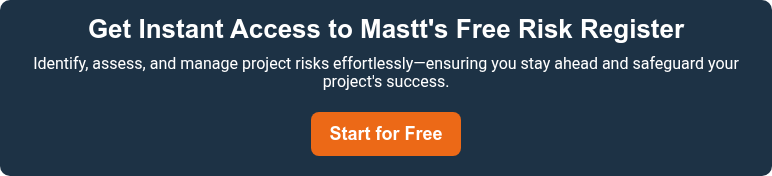
The most common way to misuse AI is to treat it as a source of truth. A chatbot is better understood as a partner, and its answers need checking before anyone relies on them. According to Erin, the tool is wired to please, so it will hand back something plausible, whether or not it is correct.
It's a partner, it is not necessarily telling you truthful things. It's kind of wired to please you. It's wired to make up stuff just to satisfy whatever you're prompting it.
- Erin Khan
That should change how you prompt it. Rather than asking it to write something from scratch, give it your outline, your notes, and your own thinking, then let it help organize the material. Used that way, it sharpens your work instead of standing in for it.
Instead of saying, hey AI, write this thing for me, it should be, here's my outline, here's my brainstorm, here are my thoughts, help me organize this so it's preserving your authenticity. At the end of the day we're people, and we want to interact with authentic people.
- Erin Khan
Used as a partner rather than an oracle, the tool leaves your own voice intact. Readers can almost always tell when writing has tipped into AI fluff. Protecting that authenticity is the whole point of the rules.
10. Scale AI Only When the Problem Affects the Whole Business
You can only scale a use case that solves a problem across the whole business. If it fixes something that touches just one team, a company-wide rollout has nowhere to go. Erin points to safety as a strong candidate, precisely because every project carries it.
If you're going enterprise-wide, you should have an enterprise problem you're trying to solve. Every project has safety on it, so if your problem is safety and you're using AI to support that, it's extremely relevant and will capture the interest for adoption.
- Erin Khan
Governance has to be in place from the start. That means clear success metrics, along with a way to stop a pilot that is not working, even one that leadership happens to like. According to Erin, the technology shifts so fast that being able to pivot quickly becomes a skill in its own right.
Erin also described what a mature organization looks like. One person owns AI as an accountable role, and behind them sit real data investment, in-house expertise, and governance that draws on risk, legal, finance, and insurance.
Making AI Adoption in Construction Work
According to Erin, two things carry it further than the technology ever will. The first is defining the problem before you shop for a solution. The second is running the rollout as a change in how people work, not a software purchase.
Everything else in these lessons follows from those two. A pilot only sticks when people actually want it. High-stakes work stays on a copy until it is proven. A use case earns a company-wide rollout only when the problem reaches that far. Settle the problem and the people first, and each of those calls gets easier to make.
.avif)
Written by
Doug Vincent
Doug Vincent is the co-founder and CEO of Mastt, the AI capital-project management platform used by governments, Fortune 500 companies, and consultancies across APAC, North America, and MENA. Before founding Mastt in 2019, he spent a decade at RPS delivering more than $2 billion in capital works, including the $2.1B Defence Navy Infrastructure program, and holds a CPSPM certification with the AIPM. He contributes content and speaks on AI in capital project delivery at Mastt.


Contributions by
Erin Khan
Erin Khan is a construction technology expert, speaker, and guest lecturer at USC and UCLA Extension, and the founder of Erin Khan Consulting in Los Angeles. A civil engineer, she spent a decade delivering projects at Morley Builders and leading construction innovation at Suffolk Construction, and was named to BuiltWorlds' Adoption Leaders 50. She contributes content on AI and technology adoption in construction at Mastt.
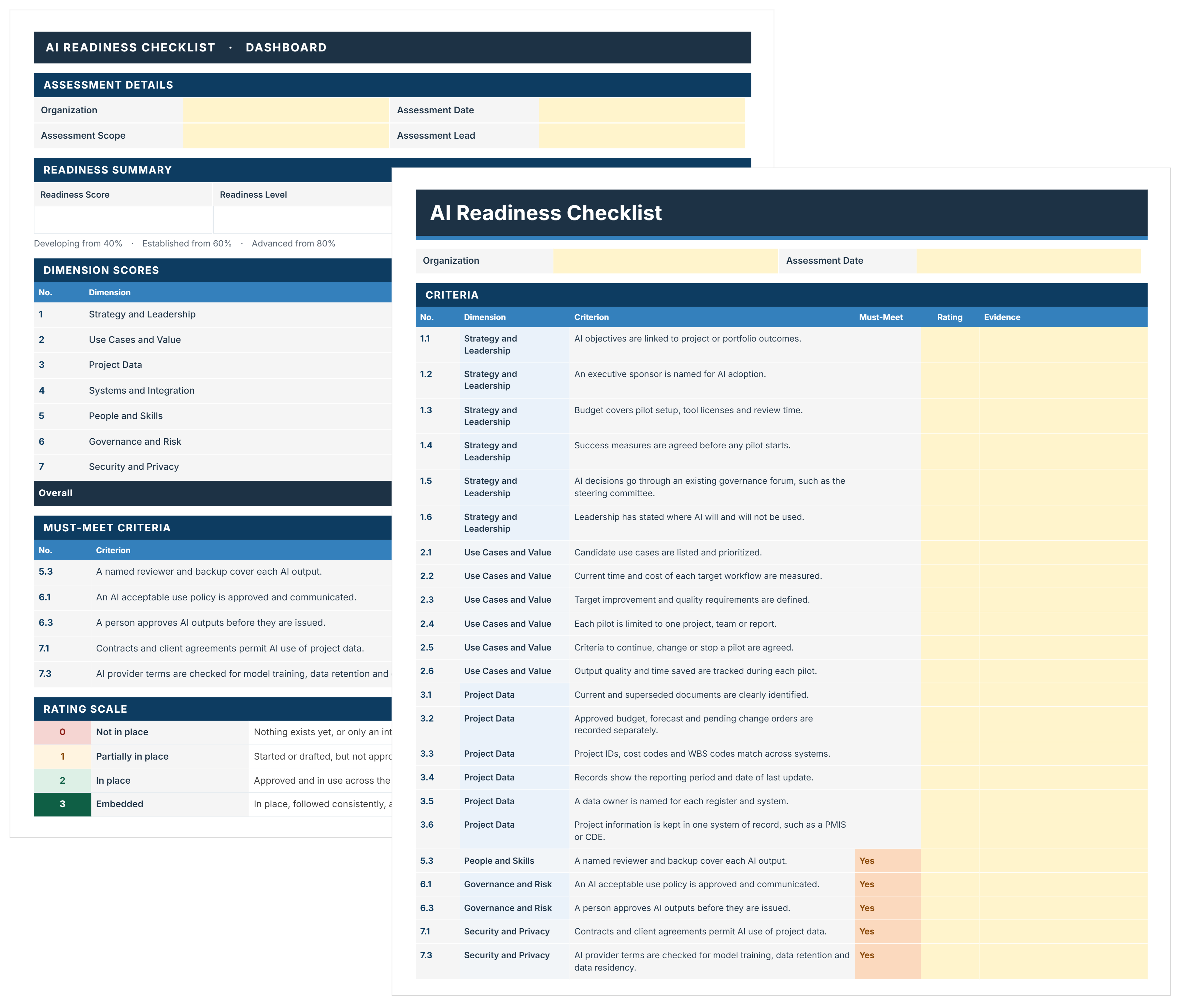
AI Readiness Checklist Template
FREE AI readiness checklist to assess and decide where AI starts on your projects. Score 44 criteria, close must-meet gaps, and pick a pilot with evidence.

Walk Into Every Meeting With Confidence, Clarity, and Control
No one wants to look unprepared, blindsided, or uncertain in front of stakeholders — but that’s exactly what happens without Mastt.
Start for FreeTrusted by the bold, the brave, and the brilliant across governments, Fortune 500s, and the world’s best in delivering the future