

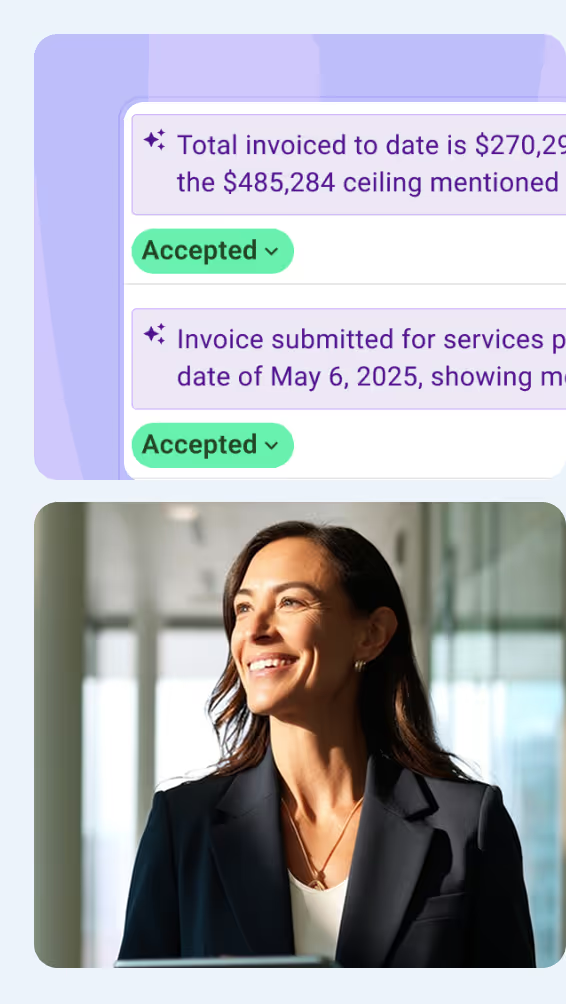



AI in project controls can create more time for analyzing construction project performance and making informed decisions. Getting that benefit depends on choosing useful tasks and knowing how to assess the results. These five tips explain how to apply AI to everyday project controls tasks and assess the results.
1. Start With One Task That Offers a Clear Benefit
Starting with one recurring project controls task makes it easier to assess whether AI saves time or improves the review. The team can check that result before extending the approach to other work.
A useful first AI task has a defined input and an output that the reviewer knows how to assess. In invoice verification, for example, the inputs could be an invoice and its supporting contract or purchase order. A useful result would identify rate or personnel discrepancies for the reviewer to resolve.
Dathan Beasley, Director at Turner & Townsend, considers what saving one employee five hours a week could make possible:
That individual can now work on the business rather than just working on a project.
- Dathan Beasley
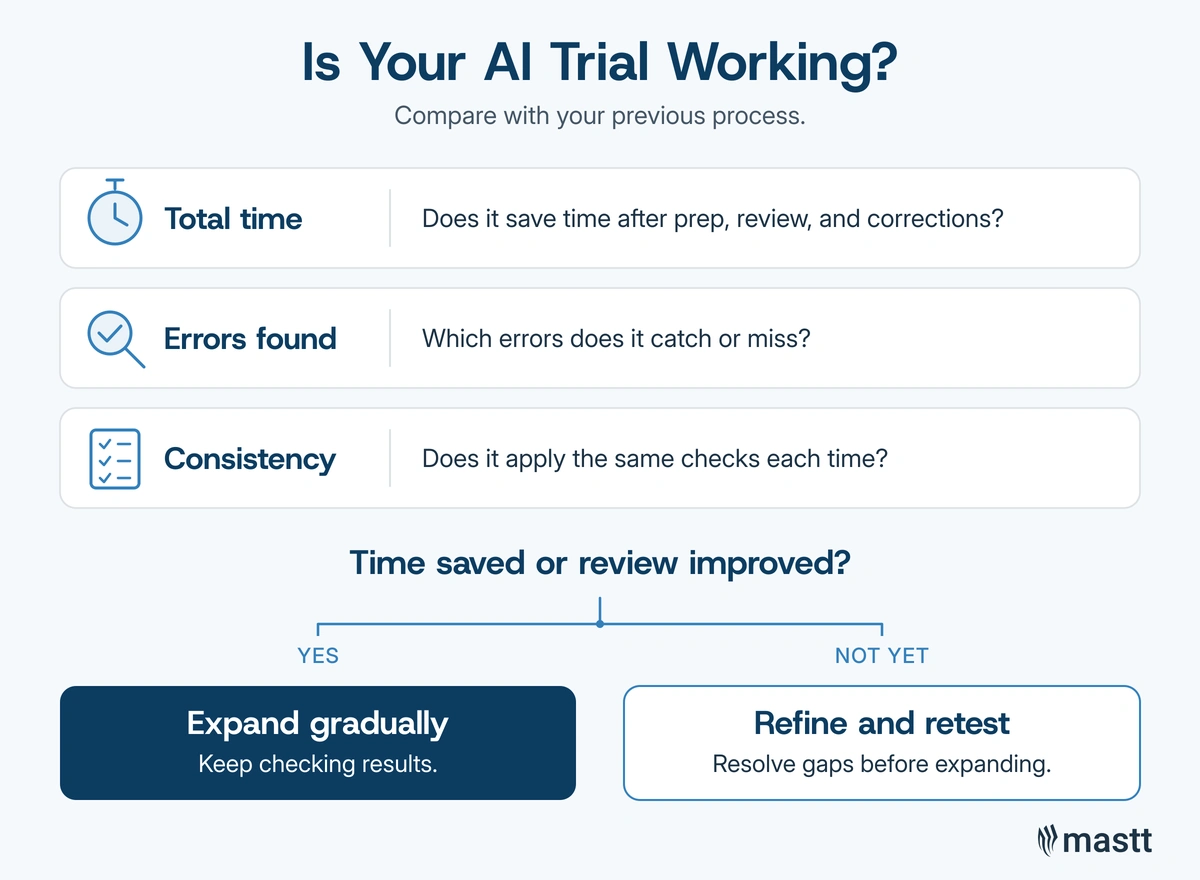
To assess the trial, record:
- Total time: Include document preparation and output checking when comparing the task with the previous process.
- Errors found: Verify the issues AI flags and note any discrepancies the reviewer had to identify separately.
- Consistency: Check whether the same review criteria were applied to each document.
If checking and correcting the output takes as long as the original task, identify what needs rework before expanding its use.
2. Use AI for Invoice Checks, Then Verify the Work
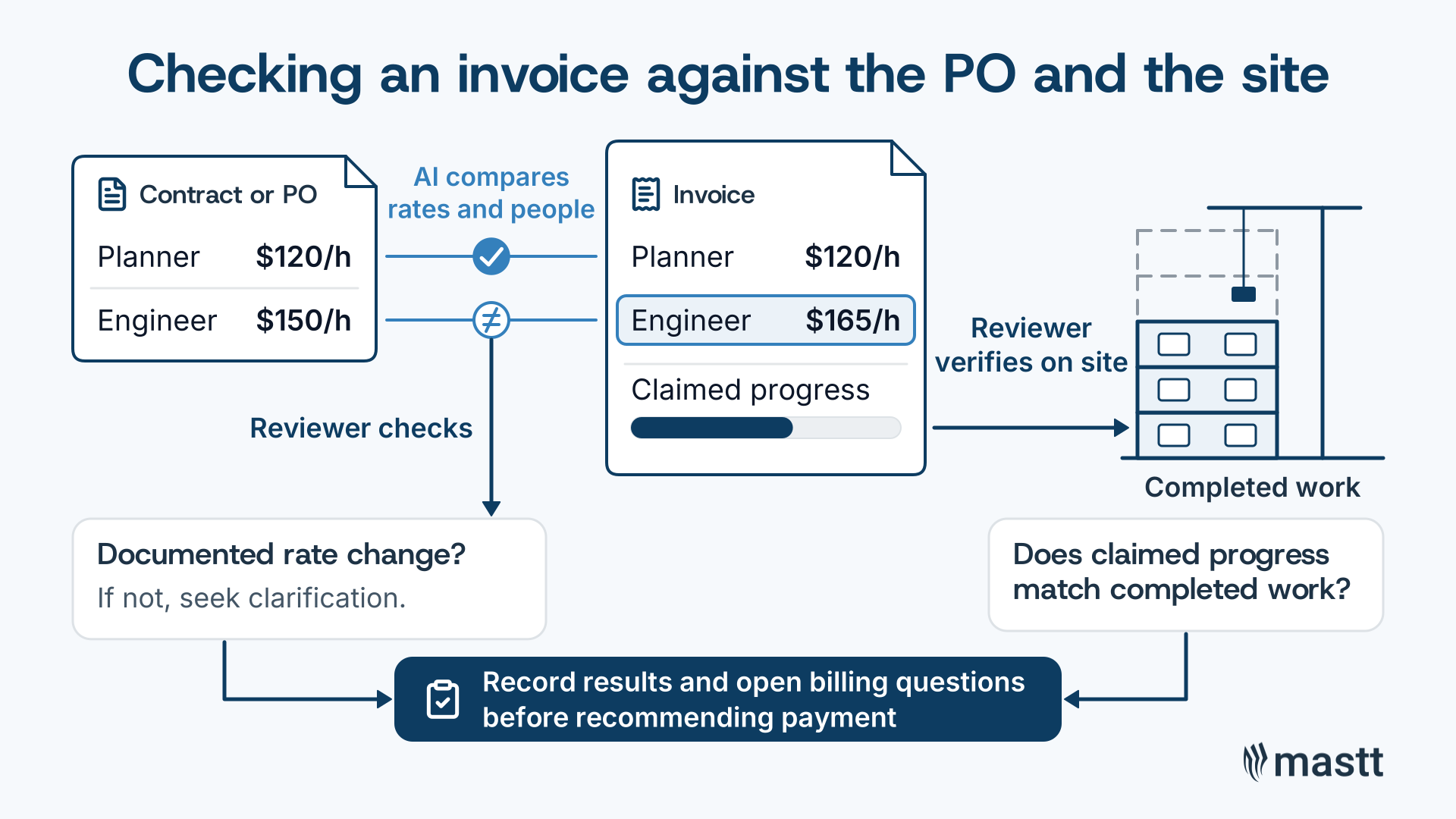
AI can support invoice verification by comparing billed rates and personnel against the supporting contract or purchase order. These checks can save time on billing reviews, giving the reviewer more time to verify progress on site.
For example, a rate mismatch should lead to a specific construction contract check. Ask AI to show the invoice line beside the corresponding rate in the purchase order. The reviewer can then check for a documented rate change and seek clarification if the difference remains unexplained.
Dathan's invoice check focuses on the rates and personnel billed against the contract: “Do they have the right rates? Do they have the right people?” He then uses the time recovered to verify progress on site.
Once the applicable rate is confirmed, the reviewer can complete that part of the invoice check. For billed site work, the reviewer still needs to establish whether the claimed progress matches completed work. Record the result of that check alongside any unresolved billing questions before recommending payment.
3. Compare Report Versions and Validate the Changes
AI can compare two versions of a project report to identify changes that need explanation. Checking those differences against the original documents helps the reviewer prepare an accurate update for the client.
Dathan used AI to compare a cost and schedule risk analysis (CSRA) with an earlier version before a funding decision. He reviewed the differences it identified and checked their accuracy. In doing so, he recognized a change resulting from a project decision.
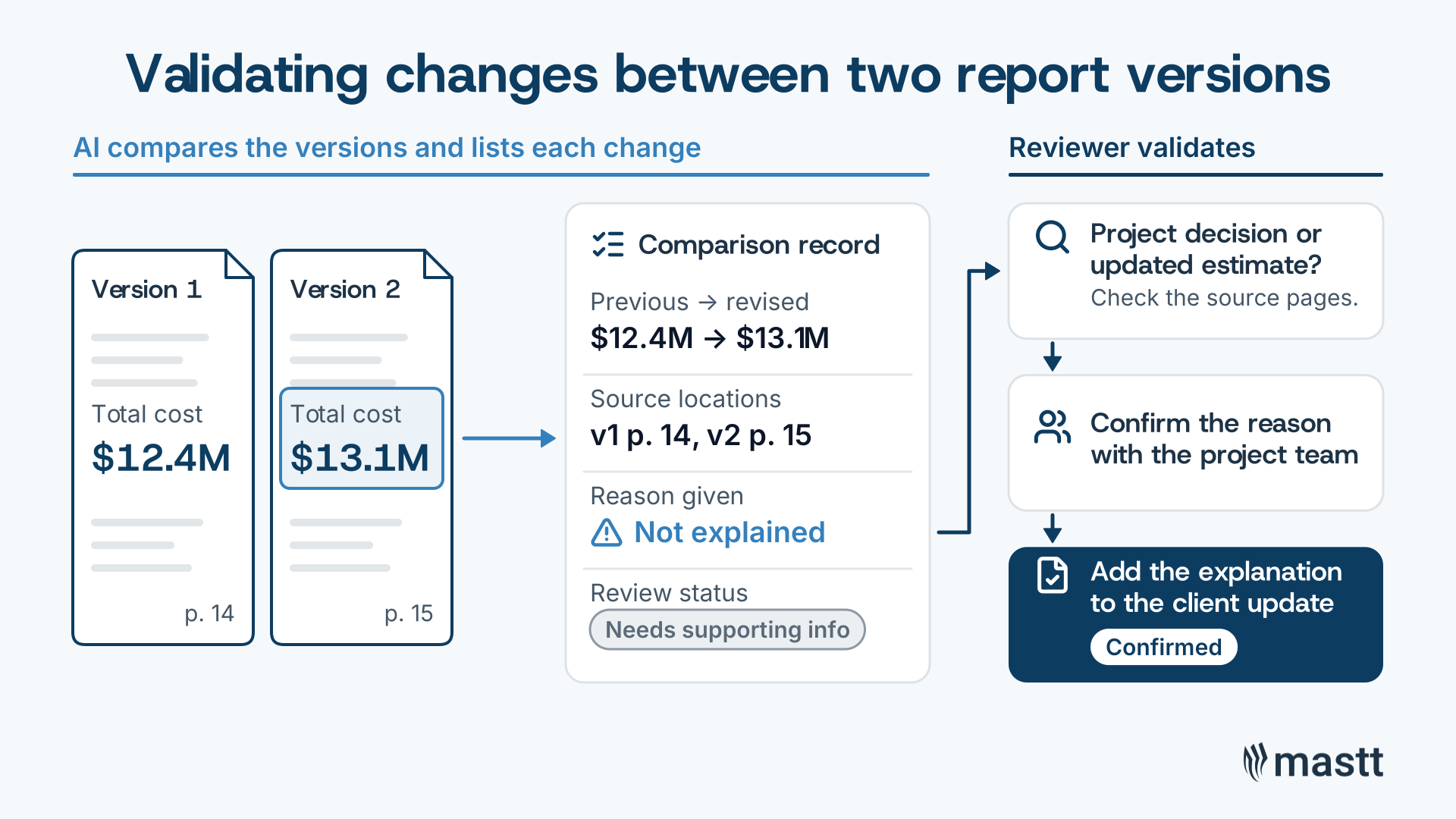
A comparison record can keep the findings and their review together:
For example, a revised cost figure may appear without an explanation. Use the source references to investigate whether it reflects a project decision or an updated estimate. Confirm the reason with the project team before including that explanation in the client report.
💡 Pro Tip: When AI flags a change in a project report, verify its cause and assess the effect on cost, schedule, and risk before updating the client. Project controls software brings budgets, changes, forecasts, risks, and schedules together to support that review.
4. Build AI Drafts From the Client’s Existing Procedures
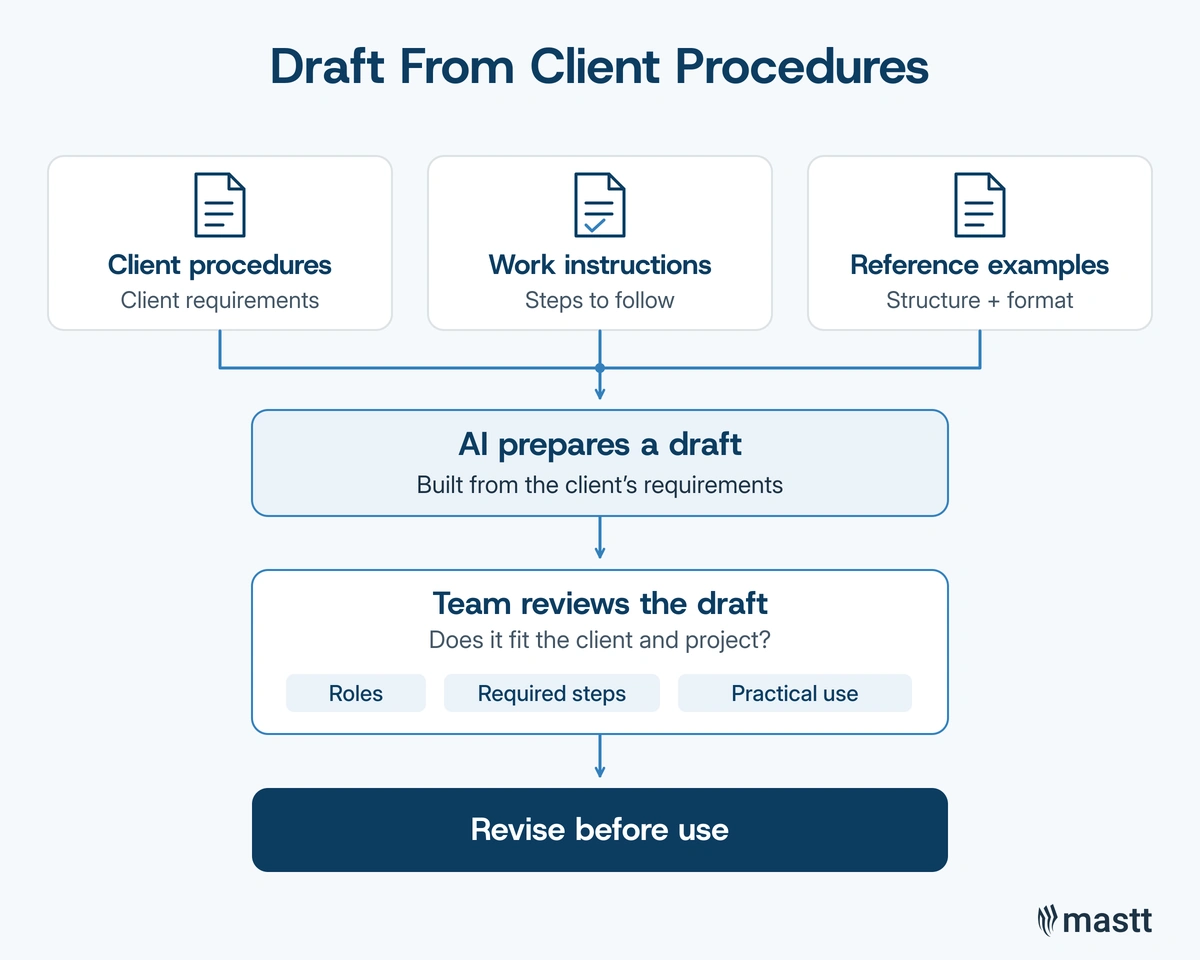
AI can use client procedures and work instructions to draft a project controls plan. Those documents supply the client's requirements, while reference plans can guide the structure of the draft. The team then has a document it can review and correct.
When a client lacked project controls and cost management plans, Dathan gathered its existing procedures and work instructions. He supplied those documents to AI alongside examples of his intended approach. This gave him a draft to review and develop with the team.
For a cost management plan, for example, the client's procedures should establish who reviews and approves proposed costs. The reference plan can help organize those responsibilities into a clear process. During the team's review, check:
- Responsibilities: Confirm that the named roles match the client's procedures and exist on the construction project.
- Instructions: Check that the draft preserves the required review and approval steps.
- Practicality: Ask team members to identify any step they could not follow and explain what needs changing.
If an approval role exists only in the reference plan, confirm who owns that decision with the client. Update the draft and recheck the related steps before the team adopts it.
5. Ask AI to Challenge Your Project Controls Approach
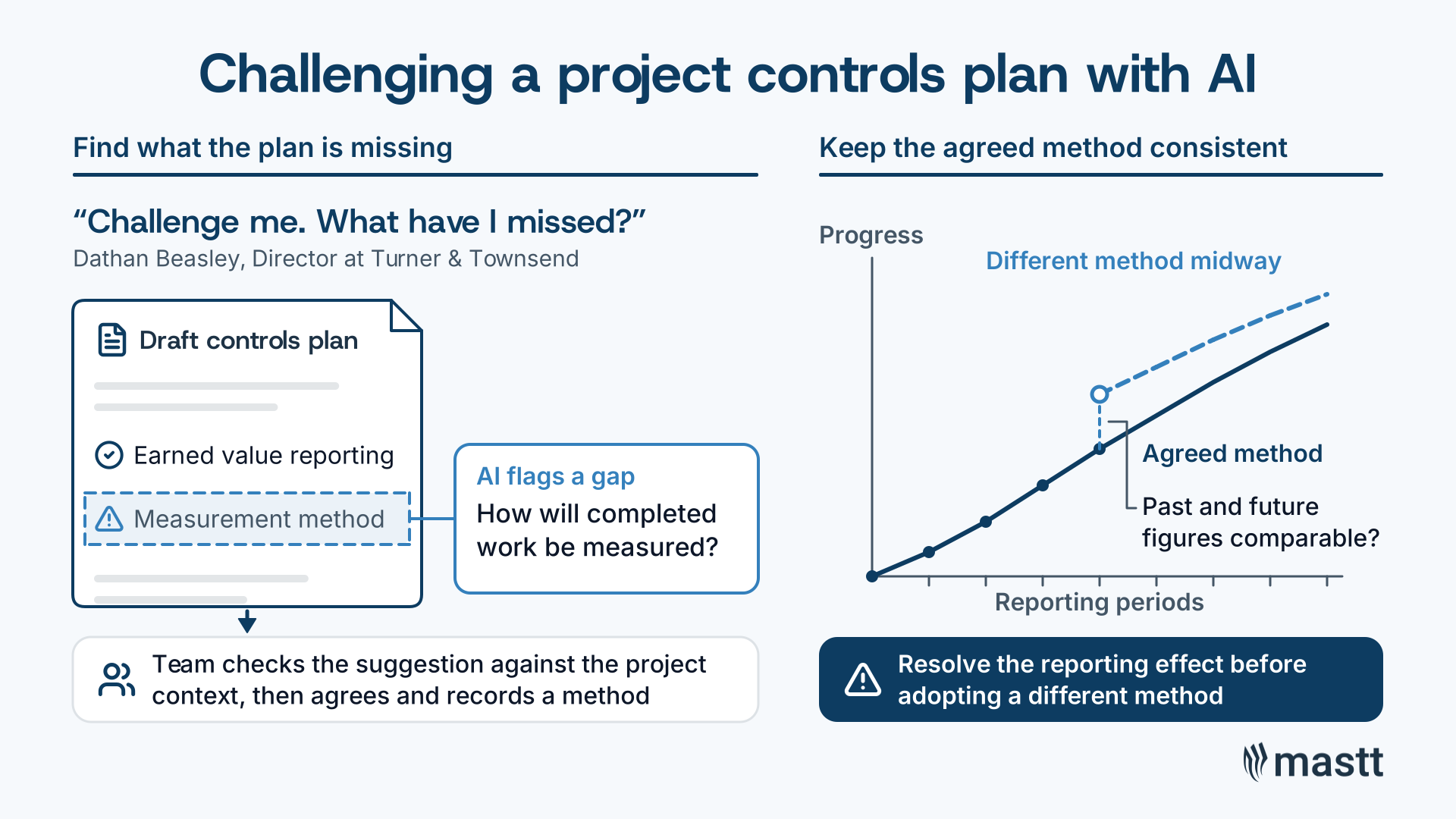
AI can help challenge a project controls plan by identifying gaps in how the proposed controls will work. The review needs the draft plan and project context so the team can assess which suggestions apply.
A plan might require earned value reporting without defining how completed work will be measured. In that case, ask AI to identify the relevant instruction and flag any missing detail. The team can then agree on a measurement method and record it in the plan.
Dathan uses AI to question his controls plan when adapting it to another industry, such as moving from life sciences to data centers. He describes the task directly:
Now, I could put a project controls plan together, great. Challenge me. What have I missed?
- Dathan Beasley
Dathan also stresses keeping the agreed measurement method consistent. If AI proposes a different method midway through a construction project, assess whether past and future progress figures would remain comparable. The team needs to resolve that reporting effect before adopting the change.
Put the Recovered Time Into Project Analysis
AI can reduce the work involved in preparing information for review. The benefit is more time to investigate discrepancies and explain what has changed on the project. Choose one recurring task and decide what a useful output would contain. After checking the result, assess whether AI has saved time or helped the reviewer identify an issue needing attention.
Read Mastt's full interview with Dathan Beasley for his wider discussion of project controls and risk.

Written by
Jackson Row
Jackson Row joined Mastt's founding North American team in 2023, implementing the platform for US government agencies and Fortune 500 organizations. He holds a Bachelor of Engineering in civil and mining engineering from UNSW and began his career as a construction cadet on civil projects in Sydney. At Mastt, he contributes articles on payment and client-side project management.


Contributions by
Dathan Beasley
Dathan Beasley is a Director at Turner & Townsend in Houston, with more than 25 years of experience on complex capital projects. His work includes billion-dollar programs for Fortune 500 companies. He also serves as AACE International’s Region 5 Director and on the Project Controls Expo USA Board of Advisors.
AI Readiness Checklist Template
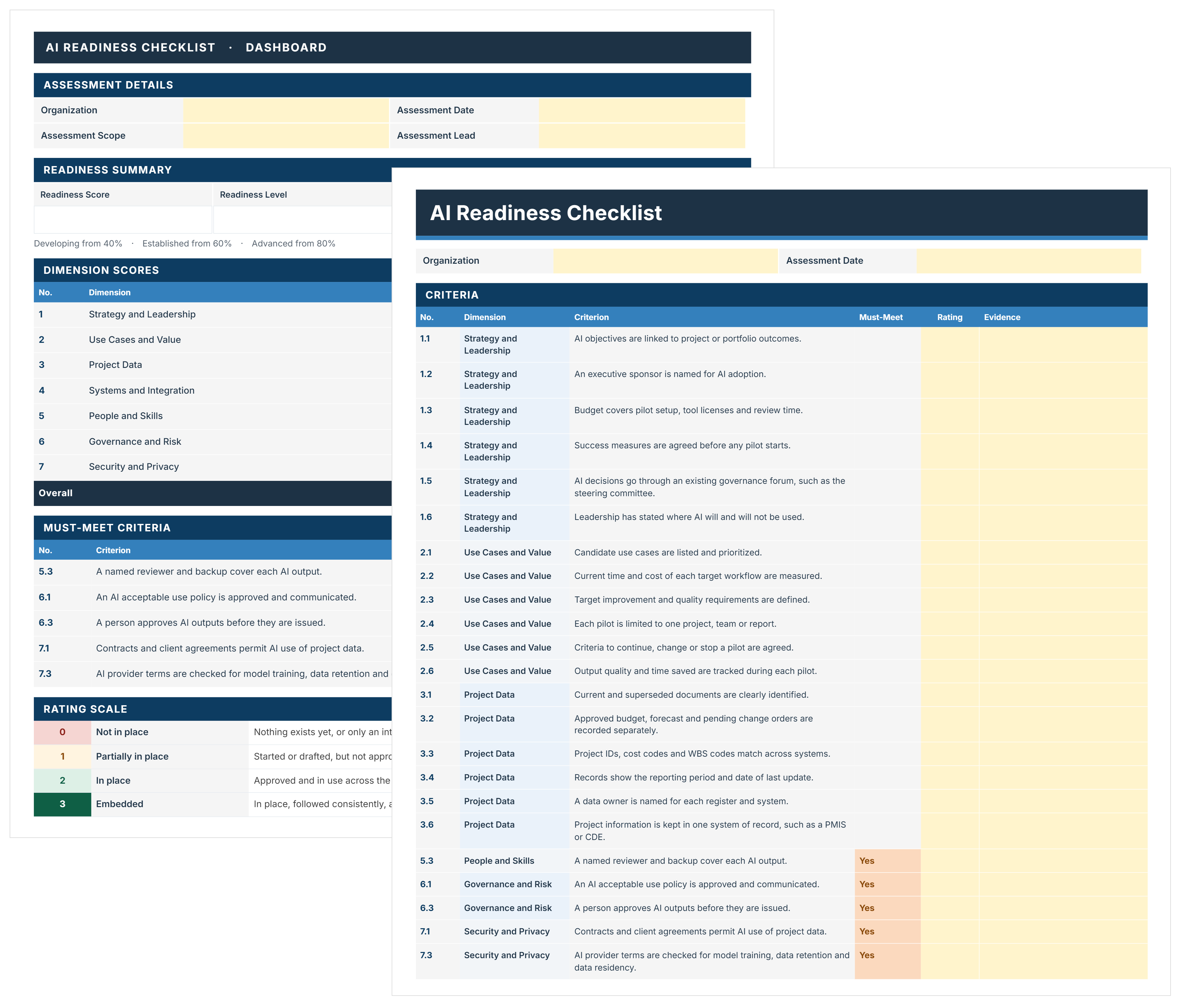
FREE AI readiness checklist to assess and decide where AI starts on your projects. Score 44 criteria, close must-meet gaps, and pick a pilot with evidence.

Walk Into Every Meeting With Confidence, Clarity, and Control
No one wants to look unprepared, blindsided, or uncertain in front of stakeholders — but that’s exactly what happens without Mastt.
Start for FreeTrusted by the bold, the brave, and the brilliant across governments, Fortune 500s, and the world’s best in delivering the future