
.avif)

Shadow AI is using AI tools without company approval or oversight. For construction teams, this can put confidential project information at risk. A single upload of a bid or client contract to the wrong tool can put commercial information outside the company's control. This article explains where shadow AI appears in construction and how to manage its risks.
What Is Shadow AI in Construction?
Shadow AI in construction is the use of AI tools for project work without company approval or adequate oversight. It can develop when employees connect AI assistants to business systems without IT knowing what those tools can access. The company may then have little visibility into how its project information is being used.
What Are Examples of Shadow AI?
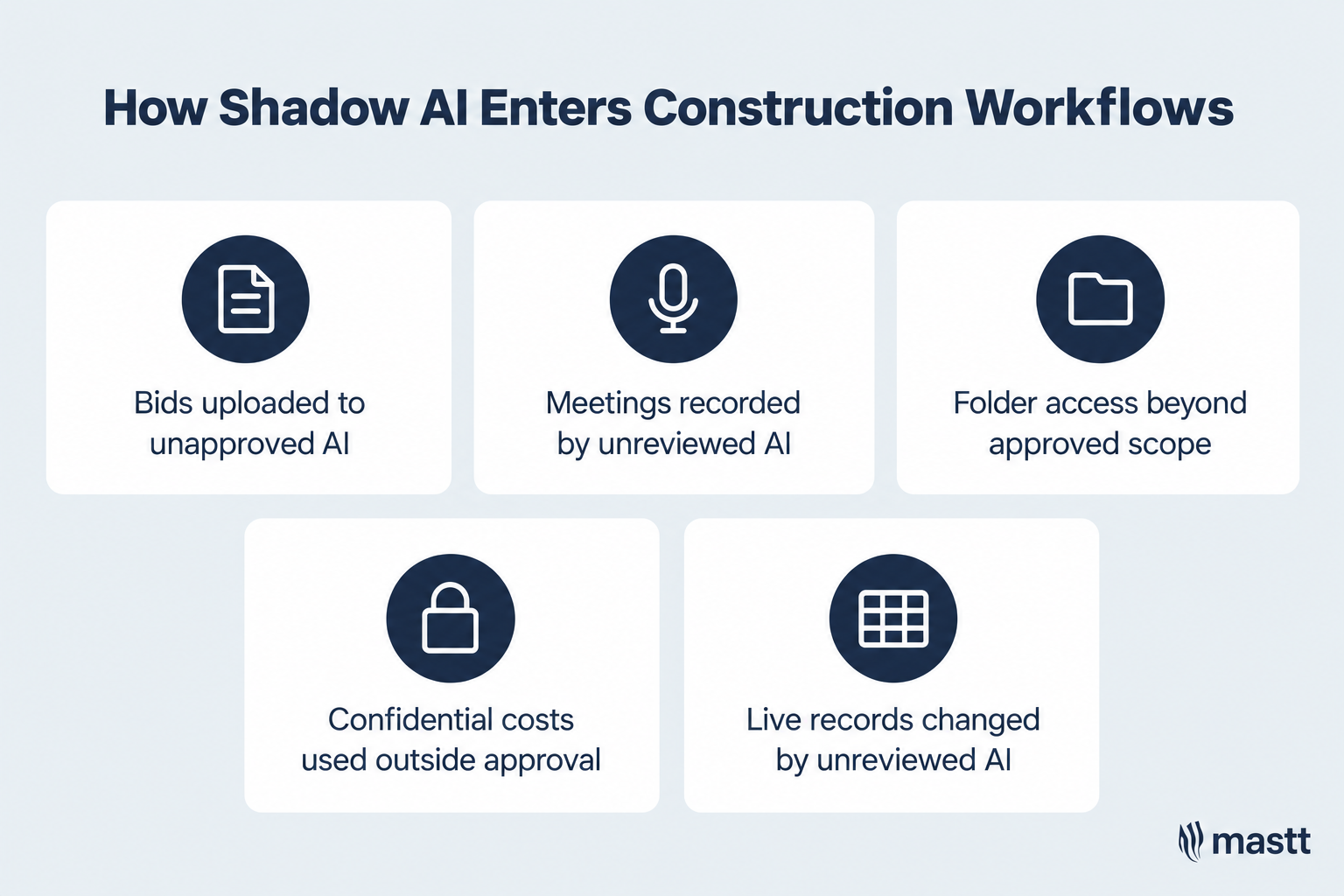
Examples of shadow AI include employees uploading bids to unapproved chatbots or introducing AI meeting assistants without company review. An approved tool can also become part of a shadow AI workflow when employees give it access beyond its permitted scope.
The following scenarios show how this can happen during construction project work.:
These examples show why oversight of AI in construction needs to cover the tool, its intended use, and the information it can access.
Shadow AI vs. Shadow IT: What Is the Difference?
Shadow IT covers technology used without company approval or oversight. Shadow AI is a subset involving AI tools or features. Both create visibility gaps, while AI use also requires attention to generated outputs and actions taken through connected systems.
The table compares how each shows up on a construction project.
The categories can overlap within one workflow. An employee might store a cost report in an unapproved cloud folder, then connect an AI assistant to analyze it. Reviewing that workflow requires checking both the storage arrangement and the assistant’s access and use.
Why Does Shadow AI Develop in Construction Companies?
Shadow AI develops when employees find useful tools and start using them before the company has reviewed their use. Employees often turn to AI to reduce repetitive work. Practical AI use cases in construction include drafting reports and turning meeting notes into task lists.
Mastt’s State of AI in Construction Project Management 2026 found that 66.7% of respondents had used ChatGPT for work in the previous three months. That usage makes clear that company guidance is relevant to everyday project work.
Several conditions can allow that experimentation to move beyond company oversight:
- Immediate project demands: An employee facing a reporting deadline may try an AI tool to summarize documents without checking whether it is approved.
- Easy access to tools: Individual subscriptions let employees start experimenting without involving IT. Some also build their own tools to support everyday workflows.
- Unclear company guidance: Teams may receive AI subscriptions without clear instructions about uploading client documents or connecting business systems.
- Limited training: Employees may understand how to get a useful answer but have little knowledge of privacy settings or access permissions.
As those uses spread, IT can lose visibility into which tools teams rely on and what project information they can access. By the time the company reviews a tool, it may already be part of several project workflows.
What Risks Does Shadow AI Create in Construction?
Shadow AI can expose confidential project information and allow unreviewed tools to access business systems. When companies cannot see how employees use AI, they also struggle to check its outputs or trace errors. The consequences can affect both the confidentiality of client documents and the reliability of project decisions.
The table shows how each risk can arise on a project and what it can lead to.
Shared documents used in AI project management in construction can contain confidential information from several organizations. Uploading a combined cost report to an unapproved tool, for example, may expose both the owner’s budget and subcontractors’ pricing.
How Can Construction Companies Detect Unapproved AI Use?
Construction companies can detect shadow AI by checking how employees use AI against approved tools and workflows. This requires input from project teams and IT, since subscription records alone cannot show what information employees share.
The following checks help build a clearer picture of actual use:
- Walk through project tasks: Ask employees to demonstrate where AI helps with reporting, document reviews, or meeting notes. Record the accounts they use and whether they upload files or connect directly to project folders.
- Review subscriptions and expenses: Check software purchases and reimbursement requests for AI services. Match each subscription to an approved use and a responsible person, then investigate any gaps.
- Check available application activity: Have IT review application-discovery and security records for unfamiliar AI services. Use those findings to ask further questions, since accessing a website does not establish that project data was uploaded.
- Inspect system connections: Review which AI applications can access shared folders and business systems. Check whether their permissions match the approved task, particularly where they can modify records.
No single check gives a complete picture. Free tools may leave no purchasing record, while activity outside monitored company systems may remain invisible to IT. Ask employees to disclose those uses so the review captures activity that technical checks may miss.
How Can Construction Companies Manage Shadow AI?
Managing shadow AI starts with understanding how employees already use it, then putting clear rules around those activities. Construction teams need guidance that reflects their actual work, including which documents they can upload and when a system connection needs approval.
That process should also preserve useful applications. Understanding why employees chose a tool helps the business provide an approved option they will continue using.
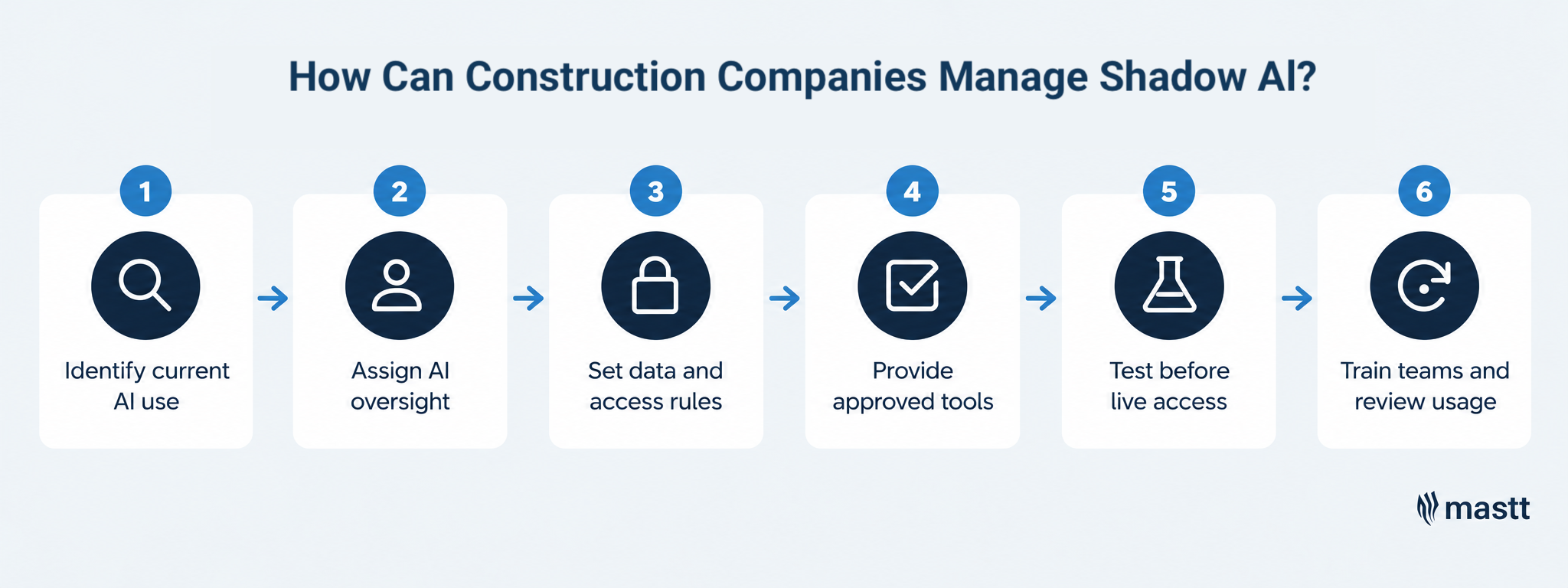
Step 1: Find out which AI tools teams already use
Start by asking project teams where AI helps them complete their work. Someone preparing monthly reports may use a chatbot to summarize progress notes. Another employee may have connected an assistant directly to shared project folders. These activities need different levels of review.
Ask employees to demonstrate the workflow, then record the tool, account type, information shared, and connected systems. Include personal accounts alongside company subscriptions. This inventory gives IT enough context to assess access while showing leadership which tasks employees want help with.
Step 2: Assign responsibility for AI oversight
Appoint an AI lead to coordinate AI governance across the business, including approvals and reviews of changing use. Project teams should explain the task and client information involved, while IT assesses access and security. Involve relevant risk staff when a proposed use raises confidentiality concerns.
Record significant AI-related risks within your risk management process, with an owner and agreed controls. For each approved workflow, identify who owns it and who checks its outputs before they inform project decisions. Employees should also know whom to contact when something goes wrong, so an unexpected upload or record change receives prompt attention.
Step 3: Set rules for project data and system access
Approval needs to explain what employees can do with a tool. An assistant suitable for drafting routine emails may need further assessment before it handles client contracts. Give teams examples of permitted documents and identify information that requires approval before upload.
System connections need similar boundaries. Specify which folders or records the assistant can access and whether it can change them. Review the provider’s data-handling terms alongside those permissions, so approval reflects both where information goes and what the tool can do.
Step 4: Provide approved tools for useful tasks
The inventory may reveal that employees adopted unapproved tools to help with a recurring task. Use those needs to compare AI tools for construction project management and select approved options that support the same work. For example, Mastt Agent can draft project documents and return completed work for review. Before introducing it, define which tasks the team can delegate and what information it may use.
Explain the permitted uses when introducing the tool, and give employees a clear way to request additional capabilities. A named reviewer can assess whether an existing approval covers the request or whether the new workflow needs testing.

Step 5: Test connected workflows before using live data
When AI connects to financial systems, testing needs to account for possible changes to project records. I’ve seen integration issues arise during testing and been glad they occurred in a copy of the production environment.
Use a controlled copy to check what the tool retrieves and whether it makes any unintended changes. Confirm that the test connection cannot alter live records, and protect confidential information in the copied data.
When testing tools such as Claude and ChatGPT, check how changes are recorded and how your team can reverse them. Include those checks in the criteria for approving live access.
Step 6: Train employees and review how usage changes
Employees need practice applying the rules to their own work. Training could involve deciding whether a bid document is suitable for upload or checking a contract summary against its source. These exercises help people recognize when they need approval and when an output needs correction.
Keep reviewing the workflow as its use develops. An assistant introduced for meeting notes may later gain access to wider project folders. That change should trigger another assessment, with the inventory updated to reflect the new permissions and purpose.
What Should a Construction AI Policy Include?
A construction AI policy should explain which tools employees can use, what project information they can share, and when further approval is needed. Write the rules around familiar tasks so teams can apply them before uploading documents or connecting systems.
The policy should give clear answers to these questions:
For example, approval to summarize internal meeting notes should state whether client meetings are also covered. If those meetings contain confidential commercial information, employees need to know whether the same tool and account remain suitable.
Bring Shadow AI Into View
Managing shadow AI starts with understanding what employees are trying to achieve and where company oversight is missing. Review an existing workflow with the project team and IT to identify what needs to change. Use that review to establish an approved way of working, with clear limits on data access and someone responsible for checking results.

Written by
Erin Khan
Erin Khan is a construction technology expert, speaker, and guest lecturer at USC and UCLA Extension, and the founder of Erin Khan Consulting in Los Angeles. A civil engineer, she spent a decade delivering projects at Morley Builders and leading construction innovation at Suffolk Construction, and was named to BuiltWorlds' Adoption Leaders 50. She contributes content on AI and technology adoption in construction at Mastt.

.avif)
Contributions by
Doug Vincent
Doug Vincent is the co-founder and CEO of Mastt, the AI capital-project management platform used by governments, Fortune 500 companies, and consultancies across APAC, North America, and MENA. Before founding Mastt in 2019, he spent a decade at RPS delivering more than $2 billion in capital works, including the $2.1B Defence Navy Infrastructure program, and holds a CPSPM certification with the AIPM. He contributes content and speaks on AI in capital project delivery at Mastt.
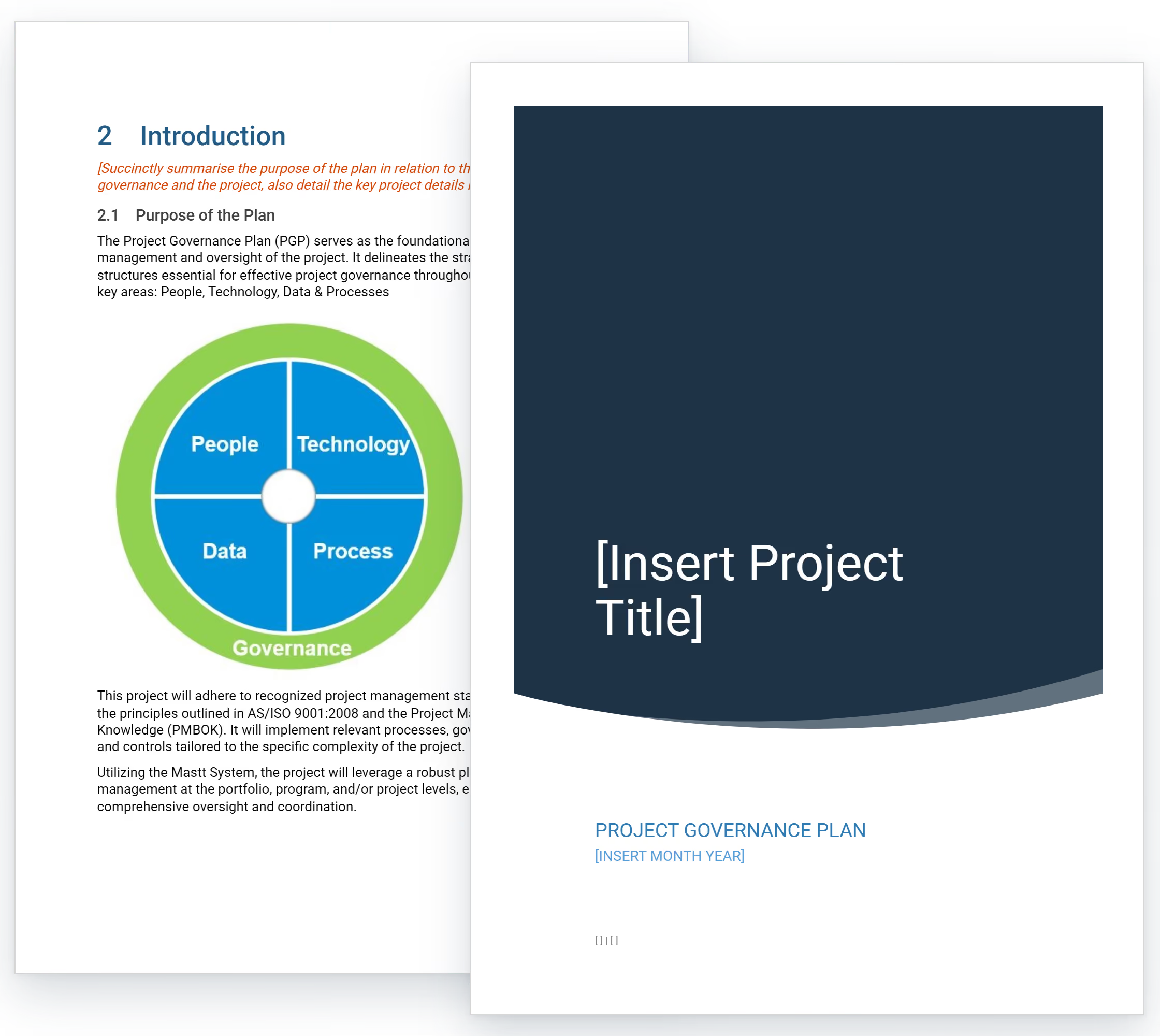
Project Governance Template
Use this FREE project governance template to establish decision authority and prevent scope disputes. Define approval hierarchies, escalation paths, and stakeholder roles before execution begins.

Walk Into Every Meeting With Confidence, Clarity, and Control
No one wants to look unprepared, blindsided, or uncertain in front of stakeholders — but that’s exactly what happens without Mastt.
Start for FreeTrusted by the bold, the brave, and the brilliant across governments, Fortune 500s, and the world’s best in delivering the future