


.avif)
Using AI in project management has gone from an experiment to an everyday tool on many construction jobs. It can do in minutes what used to take a client-side PM half a day. But it also gets things wrong often enough that trusting it blindly can burn you.
The difference between saving time and causing a problem comes down to how you use it. What's worked for me is simple. I handle AI the way you'd handle a new junior on the team.
Why Treat AI Like a Junior You Always Check?
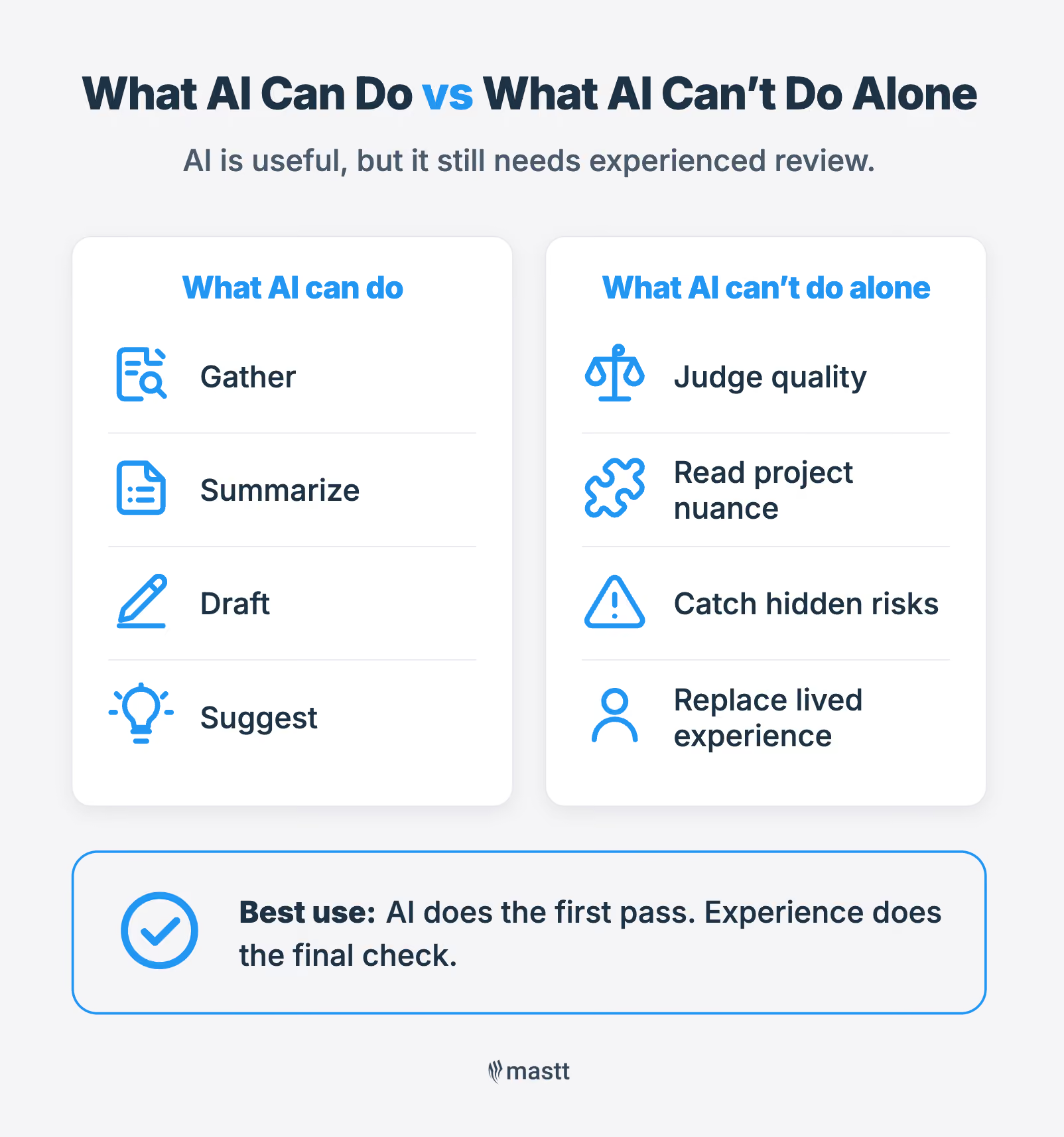
AI should be treated like a junior project manager because it works exactly like one. It goes out, gathers the information, puts it in one place, and makes a determination. But like any junior, it gets things wrong often enough that its work has to be checked before it's relied on. And checking only helps if you can tell a good answer from a bad one.
That is where experience comes in. It's also the reason I can review AI's work at all. I've worked the builder side, the landlord side, the consultant side, and the tenant side, and I've done them all now. So when AI hands me something, I know those problems have come up before, and a lot of the time, I know how to fix them.
That same background is what makes the gaps visible. Someone who knows the job can tell when an answer is off, while someone who doesn't will take it at face value. That is the line between AI saving time and AI causing a problem.
Where AI Is Already Saving Client-Side PMs Time
In my experience, the biggest time savings come from the document-heavy admin, the work that used to eat up my day. Over the last year, we've moved off a slow, data-heavy Access database and linked a few AI platforms to our project files. I'm running three right now, still working out which suits which task.
The three tasks where AI saves the most time:
- Contract administration: This is by far the biggest thing we use Mastt for, and it's a huge time saver. Just drop a contract PDF in, and it pulls the details straight into the fields instead of me keying them in by hand.
- Document searches: Finding a specific item that once took half an hour now takes about five minutes.
- Second-guessing a call: On a contract clause or variation, I make my determination first, then run it through AI to see what it returns.
The point is not getting bogged down in the contract admin spreadsheets. That frees me up to be out there making decisions with the contractor and the client, adding value rather than purely recording numbers. It's much more enjoyable than doing the spreadsheets, too.

The Biggest Risk of Using AI in Project Management
The biggest risk of using AI is blindly trusting its answers. AI is wrong from time to time. So, relying on its output without checking can lead you down the wrong path.
These are the three risks I see when using AI in project management:
- Wrong outputs, trusted blindly: A mistake that slips through can cause big issues, on the contractor side or the client side.
- Juniors who skip the groundwork: Someone who goes straight to AI without the boots-on-the-ground learning can't tell when something's wrong, and won't learn.
- The industry losing its depth: If we all lean on AI without the experience underneath, the depth of experience drains away over time, and I don't think that's the right call.
Keep an experienced set of eyes on what the AI produces. You need to understand your own role before you lean on the tool, because that experience is what catches the mistakes before they turn into problems.
How to Check AI's Work as a Project Manager
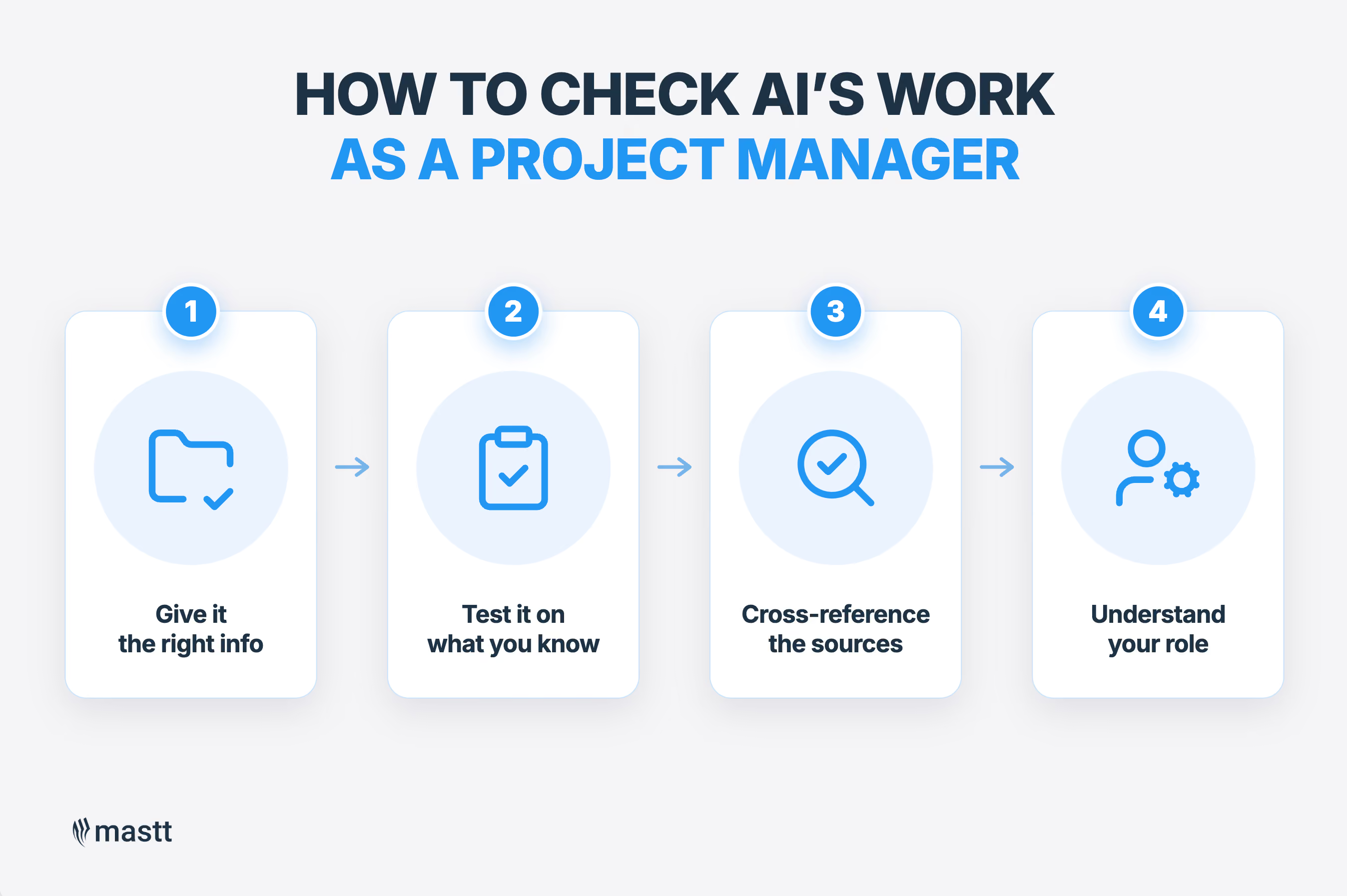
Checking AI's work takes experience, and it starts with treating every answer it gives as something to verify. It's the same discipline I'd bring to a junior's work, and it comes down to four steps.
Step 1: Give it the right information
AI is only as good as what you feed it. Give it the right information, and it's very powerful. Getting the inputs right is a big part of the job. In my experience, that comes up most with a contract clause or change order. I'll throw it into AI, give it the right information to work from, and see what it comes up with.
Step 2: Test it on answers you already know
I'm always testing AI on items where I already know the answer. I check what it gives me against things I've seen happen and dealt with myself. That's how I've built up any trust in it at all. A new tool is hard to trust, and that caution is the point. Start on the familiar, where a wrong answer can't hurt you, and you quickly learn where AI is solid and where it isn't.
Step 3: Cross-reference against the source documents
AI misses things. It won't always pick up a clause, or it may skip a key part of the document. So you should always cross-reference its output against the source documents, never take it on its own. This is where knowing the project pays off.
For instance, on jobs I know like the back of my hand, I can look at what AI gave me and say straight away that it hasn't picked this up or referred to that document. Those gaps only show if you already know what should be there.
Step 4: Understand your role before you rely on it
Before you rely on AI, you have to understand your own role well enough to judge what it gives you. That experience is what catches the errors. Without it, you're just trusting the output and hoping it's right. This is why AI's result deserves the same treatment as a junior's work. You check it before it's acted on, and you never sign it off unread.
What AI Doesn't Change for Junior PMs
For junior PMs, the way to become good at project management hasn't changed. You learn the job from the people already doing it, on-site, by asking questions. AI doesn't shortcut that, and the juniors who put in the groundwork are the ones who can use it well later.
For a junior finding their feet, a few habits carry the most weight:
- Get onto the site early to learn from the people doing the work. They carry the experience, and most are glad to share it.
- When something's built differently from what you've seen, ask the trades why. Being open about what you don't know is what gets them talking.
- Build relationships with seasoned contractors first. That’s what builds trust, respect and contributes to open communication.
That's how I learned myself. On my first fit-out, I went down to the site and asked the person installing what they were doing and how, until I understood how it went together. I've done it on every project since.
How Smarter AI Use Benefits the Client
AI gives us efficiency that flows straight to the client. The more efficient we are, the less time we spend on a project, and the better off the client is. For the client, those benefits show up in three ways:
- Cost savings: We're not adding hours to a project when we don't need to, and any PM who did would work themselves out of business once clients caught on.
- Faster information: Contract admin that once took a day can come down to an hour, then just needs some eyes to check it over.
- Up-to-date reporting: Because the data entry is automated and sped up, the client's dashboard reflects where the project really is straight away.
For the client, that adds up to a project that costs less, moves faster, and stays visible the whole way through. They don't have to chase us for an update, because it's already in front of them.

The Human Check Is What Makes AI Work
AI is a powerful tool for a project manager, as long as you treat it like a junior. It does the heavy lifting fast, but it takes your experience to catch what it gets wrong, and the final call stays yours.
So put it to work on the admin and let it clear the spreadsheets that eat your time. Just check what it gives you before you rely on it. In the end, we're all juniors with AI right now, so learn the work first, then decide how far to trust it.

Written by
Joshua Gamble
Joshua Gamble is a Director at Adaptis Project Developments, a Perth project management consultancy, with about a decade of construction experience, having started out in shopfitting and retail fit-outs. He specializes in delivering and superintending retail projects in live, trading environments. He contributes content on retail project delivery at Mastt.

.avif)
Contributions by
Doug Vincent
Doug Vincent is the co-founder and CEO of Mastt, the AI capital-project management platform used by governments, Fortune 500 companies, and consultancies across APAC, North America, and MENA. Before founding Mastt in 2019, he spent a decade at RPS delivering more than $2 billion in capital works, including the $2.1B Defence Navy Infrastructure program, and holds a CPSPM certification with the AIPM. He contributes content and speaks on AI in capital project delivery at Mastt.
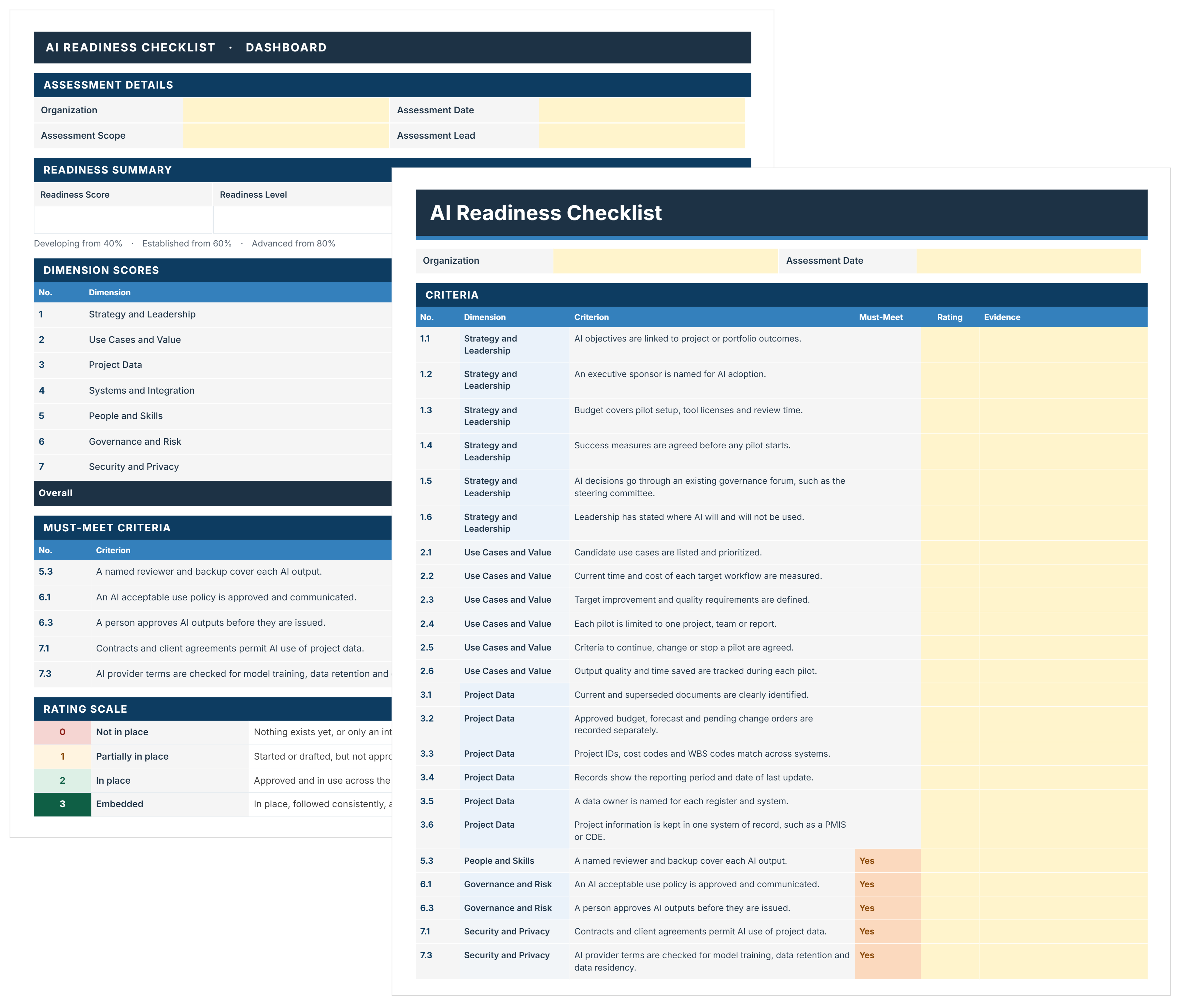
AI Readiness Checklist Template
FREE AI readiness checklist to assess and decide where AI starts on your projects. Score 44 criteria, close must-meet gaps, and pick a pilot with evidence.

Walk Into Every Meeting With Confidence, Clarity, and Control
No one wants to look unprepared, blindsided, or uncertain in front of stakeholders — but that’s exactly what happens without Mastt.
Start for FreeTrusted by the bold, the brave, and the brilliant across governments, Fortune 500s, and the world’s best in delivering the future