

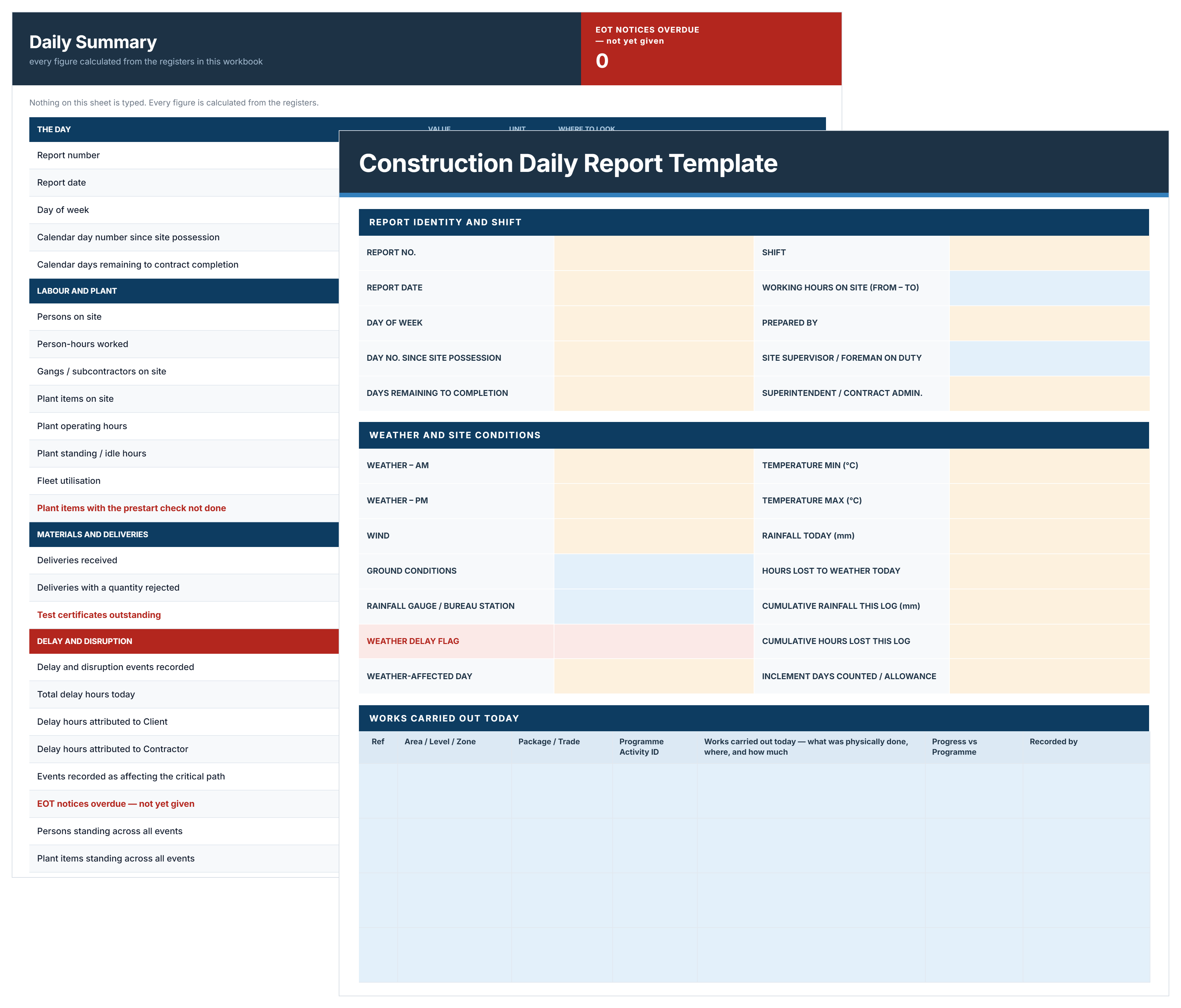

What is a Construction Daily Report?
A construction daily report is the record of what happened on site on one calendar day: what was physically built and where, who was there, what plant was working, what was delivered, what the weather did, and what stopped or slowed the work. One report per day, written the same day, signed and issued.
It matters because it is contemporaneous. A note written on the day carries weight that a reconstruction written six months later does not, and the daily report is usually the first document anyone asks for when a delay claim, a disruption claim or a dispute begins.
Some teams call the same document a daily field report or a jobsite daily report. If you need the superintendent's running log rather than the reported version, the construction daily log template covers that.
What to Include in a Construction Daily Report
A construction daily report needs seven things: the day and shift, the weather, the work carried out, the labor on site, the plant, the deliveries, and anything that delayed the work.
Construction Daily Report Example
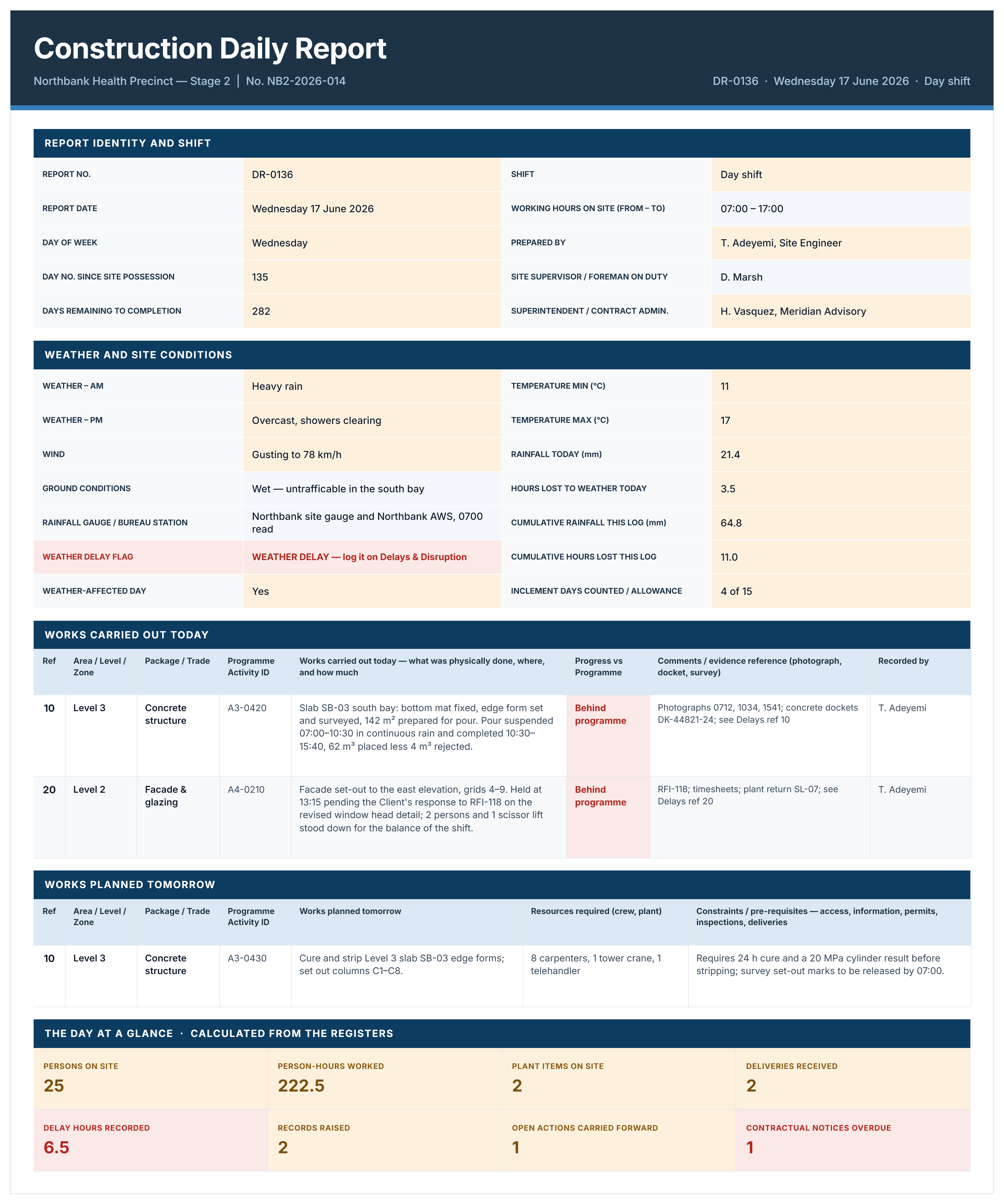
Here is an example of a completed construction daily report, covering a rain-affected day on a health precinct project.
How to Write a Daily Report for a Construction Project Using This Template
Write it the same day, from what you saw, in enough detail that someone who was not there can follow it. The test is whether it still makes sense to a stranger in three years.
- Complete the Cover once per reporting day, since every other sheet reads the project, number and date from it.
- Enter the day's weather on the Weather Log first, naming the gauge or station the rainfall came from, because a regional forecast is not evidence of conditions on your site.
- Record works carried out by area, level and package, with quantities and the schedule activity ID, not a description of the trade.
- Record works planned tomorrow with the pre-requisites each one depends on, since that is what turns a report into a look-ahead.
- Enter every gang on the Labor sheet with start, finish and breaks, and let person-hours calculate.
- Record every machine, including plant that stood idle and why.
- Log deliveries with the docket number, and record rejections and missing test certificates on the day.
- Record every delay and disruption event with its start and finish time, cause, who carried the risk, and whether the critical path was affected.
- Use Site Events for anything else with evidential value, including verbal directions, which should be confirmed in writing.
- Read the Daily Summary, sign the certification, and issue within the time the contract allows.
A daily report is issued once and not rewritten. If a correction is genuinely needed, issue a revision saying what changed and why, and keep the superseded version. A diary that has been quietly edited is worth very little as evidence.
Recording Delays, Weather and Disruption
The delay sheet in the file is where a daily report stops being administration and starts being evidence. Every event gets a start time, a finish time, the activity it affected, and four judgements most reports skip.
- Delay category: Inclement weather, late information, variation, access, industrial, or a supply issue.
- Responsibility: Client, contractor, neutral or shared, recorded as it appeared on the day.
- Critical path affected: Yes or no, because a delay to work with float is a different conversation.
- Notice required and given: With the notice reference, since an entitlement is usually lost by a missed deadline rather than a weak argument.
Persons standing and plant standing sit alongside them, which is what converts an event into a cost. Fourteen people and three machines idle for three and a half hours is a number. "Rain delayed the pour" is not.
The weather log carries the running position, so the cumulative rainfall, the cumulative hours lost and the inclement days counted against the allowance are all current on any given day rather than reconstructed at the end.
Related Articles and Templates
Explore these resources for construction daily reporting, site records, progress, and schedule tracking:
.avif)
Written by
Doug Vincent
Doug Vincent is the co-founder and CEO of Mastt, the AI capital-project management platform used by governments, Fortune 500 companies, and consultancies across APAC, North America, and MENA. Before founding Mastt in 2019, he spent a decade at RPS delivering more than $2 billion in capital works, including the $2.1B Defence Navy Infrastructure program, and holds a CPSPM certification with the AIPM. He contributes content and speaks on AI in capital project delivery at Mastt.

FREE construction daily report template in Excel format. Capture what was built, who was on site, what stopped work, and the evidence behind every hour lost.

Top Performers Don’t Guess. They Deliver.
Cut the stress of showing up unprepared
Start for FreeTrusted by the bold, the brave, and the brilliant to deliver the future