.avif)
Post author:
Jamie Cerexhe.avif)
Contributor:
Doug Vincent
Reviewed by:
Jackson Row

See how AI agents work in construction, with practical use cases, costs, risks, and steps to introduce them into your business.
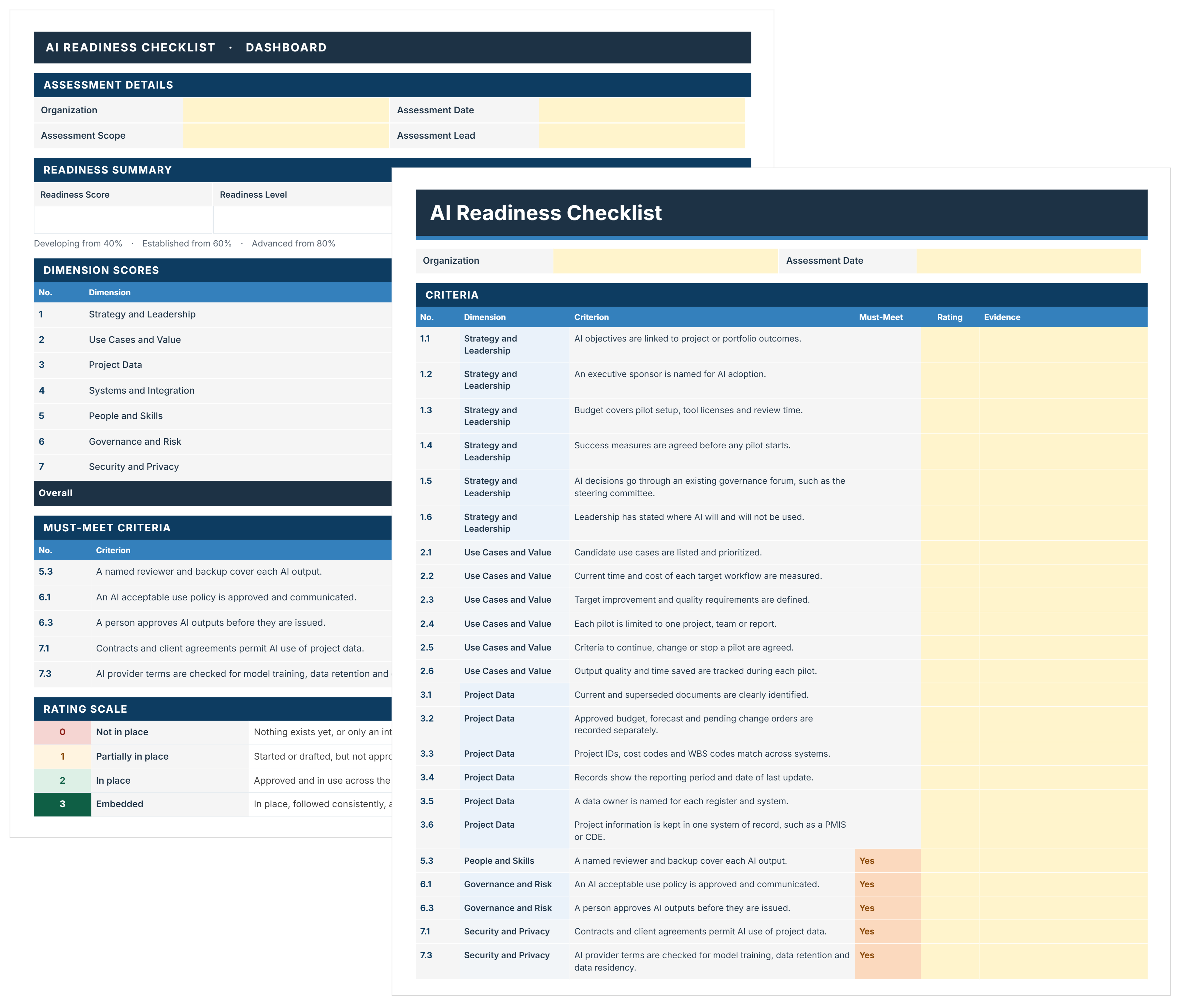
FREE AI readiness checklist to assess and decide where AI starts on your projects. Score 44 criteria, close must-meet gaps, and pick a pilot with evidence.

AI agents can carry out project tasks by interpreting information and using connected tools to act on an assigned goal. In construction, that could mean gathering records and preparing a document for review. Putting them to work requires a clear understanding of their capabilities, costs, and the oversight they need.
AI agents are software systems that use artificial intelligence to plan and carry out tasks toward an assigned goal. They interpret the information available and decide which tools or actions they need to complete the work.
Working toward an assigned outcome is central to what an AI agent is. You provide the goal and instructions, and it works through the steps without requiring a prompt for every action. As new information appears, it can adjust its approach or ask for clarification.
For example, a project manager could ask an agent to prepare a bid package using an approved document list. The agent could locate the required files and check whether the package is complete. If a scope references a missing drawing, it could search an authorized folder or ask the manager to supply it.
The agent’s permissions determine how far it can take that assignment. It might be allowed to assemble the package and flag unresolved items, with the project manager approving it before distribution.
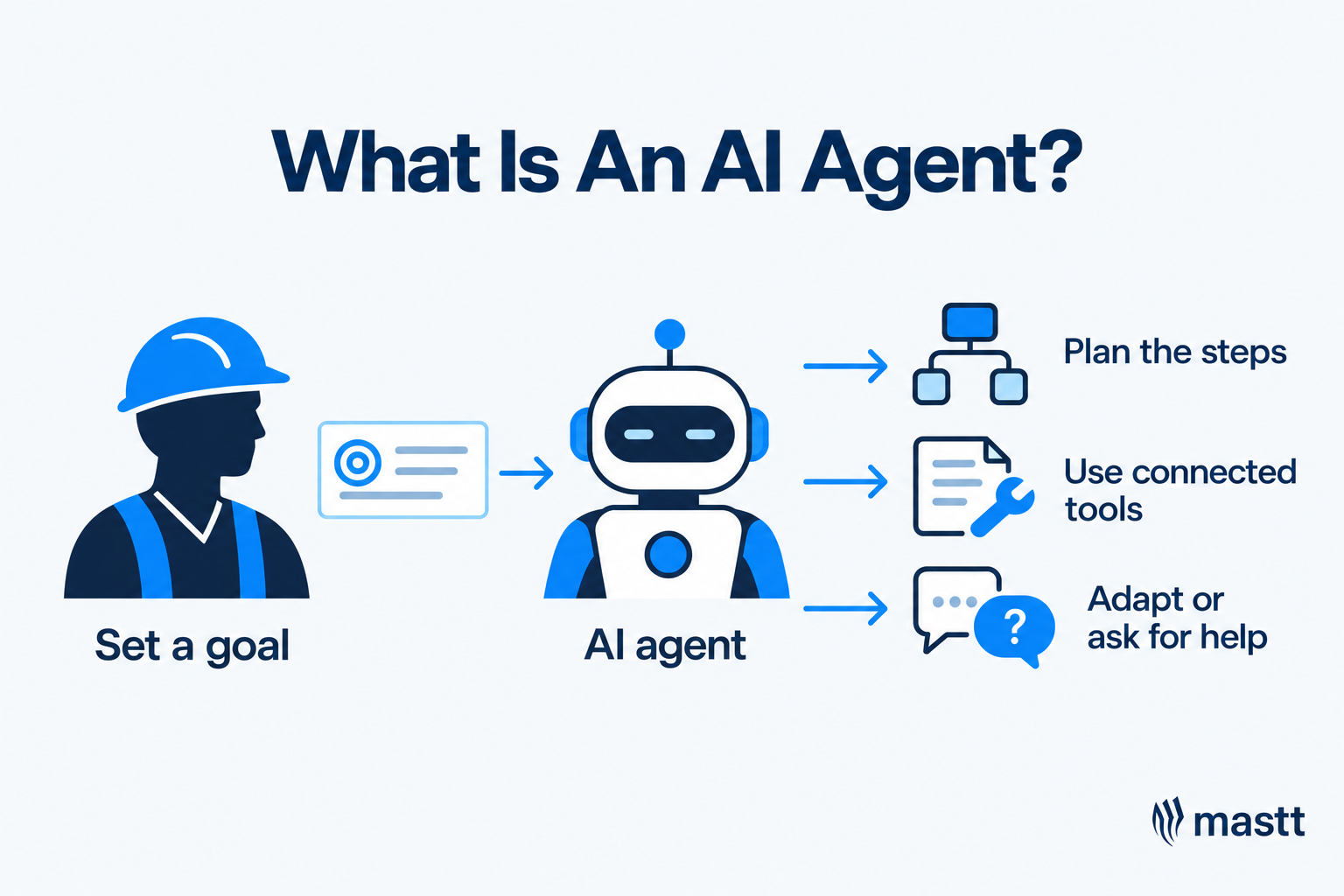
AI agents are commonly grouped into five types based on how they use information and choose actions. These categories come from broader AI research and include systems that operate through simple rules.
Fixed automation follows predefined rules, while an AI agent can interpret information and choose its next action. Both approaches can use AI, and an agent can operate within a partly automated workflow.
The comparison below shows how each approach can support construction project work.
Agentic AI in construction can work alongside fixed processes within construction workflow automation. An agent can investigate an unanswered request and draft a follow-up, while a fixed workflow routes it for approval and sends it once authorized.
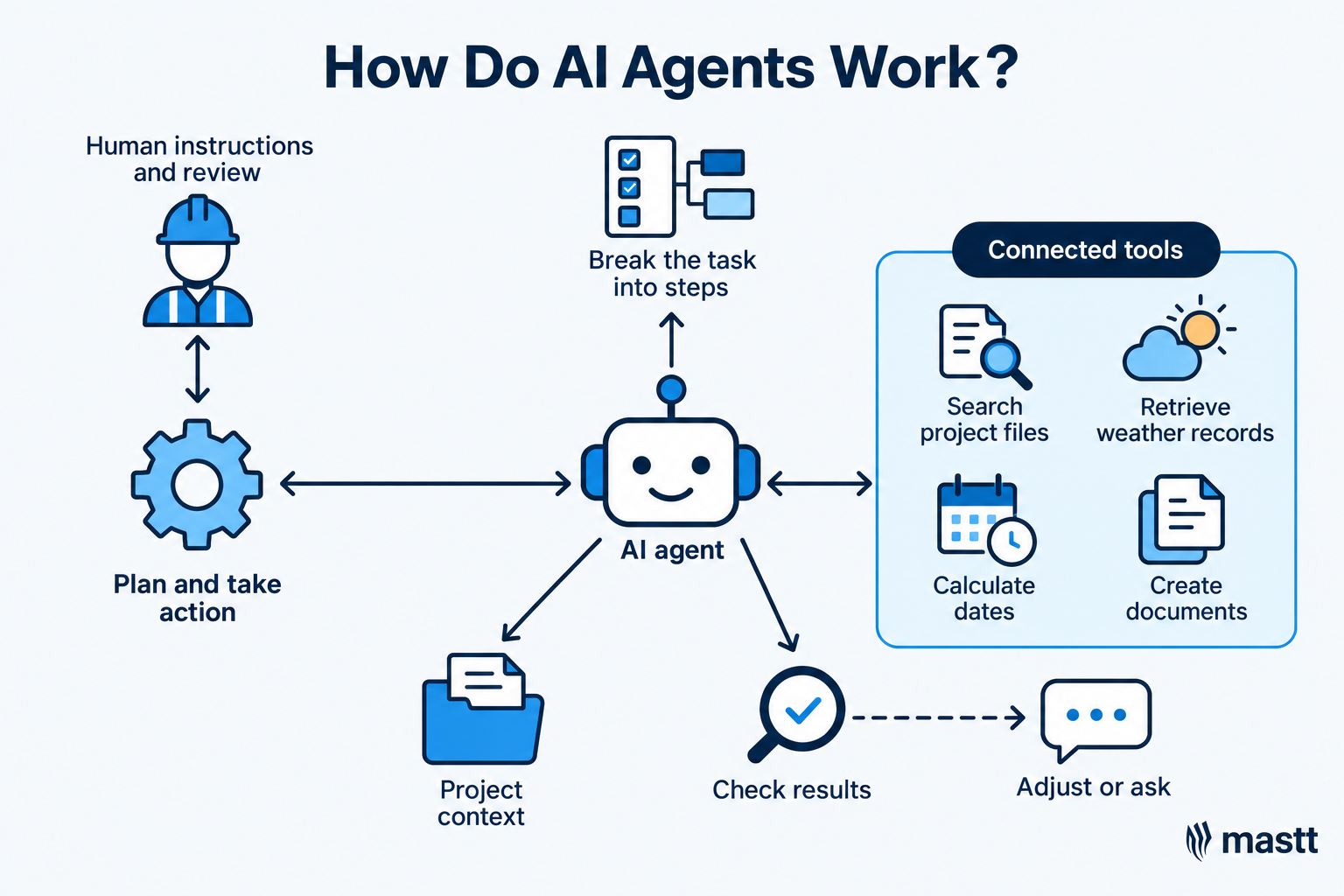
AI agents work through a cycle of planning, taking action, and checking results. A large language model (LLM) helps interpret the request and choose the next step. This AI agent workflow can repeat as new information appears.
Consider a site manager asking an agent to prepare a draft extension-of-time notice after heavy rain.
The sequence can change as the agent finds new information. For example, a contract clause may reference another document, prompting the agent to retrieve it before continuing. If that document is unavailable, the agent should flag the gap and explain which parts of the draft remain incomplete.
An AI agent needs a language model and tools to carry out project tasks. Skills and memory help it follow company procedures and use relevant context, while guardrails limit its access and actions.
The table below explains these five components through construction examples.
AI agents in construction can support project controls and administration by gathering information and preparing updates for review. Connections to capital project management software can give them access to relevant records and supported actions. Their capabilities depend on those connections and the information available.
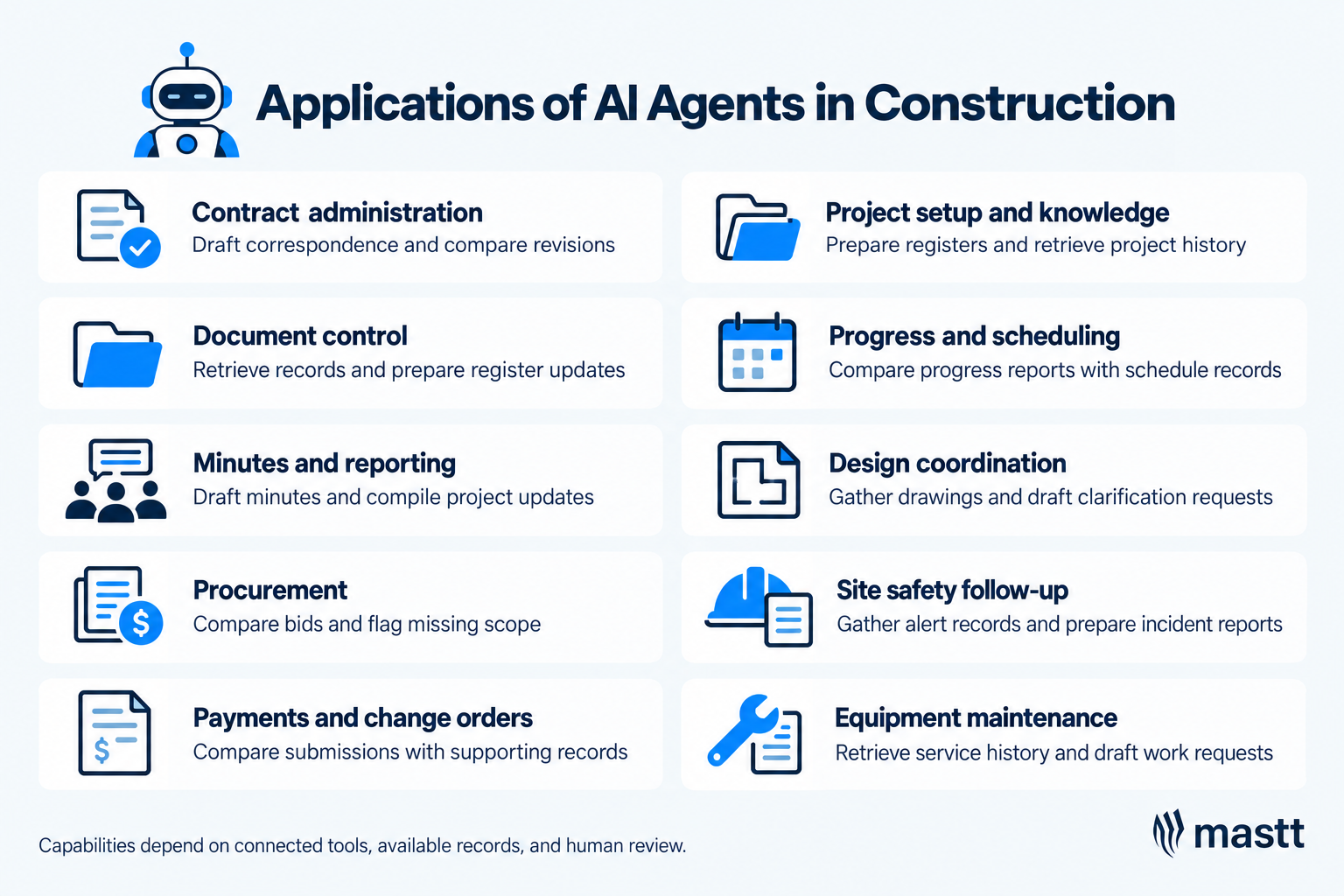
These agentic AI use cases in construction show where agents could support project delivery.
An AI agent can compare a revised construction contract agreement with the issued version and prepare a departure schedule listing proposed changes. Linking each change to its source helps the contract administrator review the terms.
For contract review, an agent can compare an amended agreement with the issued version and prepare a departure schedule listing proposed changes. Linking each change to its source helps the contract administrator assess the terms before updating contract management records.
An agent can support construction document management by matching incoming information to the correct project record. For example, it could identify which register entry relates to a contractor’s email about revised submittals or shop drawings.
For example, a message about relocating a doorway may relate to an existing design change. The agent can search earlier correspondence and prepare an update with supporting references. If several entries appear relevant, it should request confirmation before changing the register.
An agent can prepare minutes from a meeting transcript using the company’s template. It can consult project records to clarify references and flag missing action owners or deadlines.
Those records can also support monthly reporting. The agent can gather updates and assemble the factual content, while the project manager explains the implications for delivery. This includes identifying which issues require a client decision.
AI agents for contractors can help assemble bid submissions and identify missing scope information. For project owners assessing bids, an agent can organize bidders’ inclusions and exclusions into a comparison for review.
After procurement, a connected agent could check supplier correspondence against required delivery dates. If a supplier advises a delay, it could retrieve the relevant purchase order and identify the affected work package. The procurement lead would assess alternatives and agree on any changes.
For payment review, an agent can compare payment applications with contract records, approved changes, and previous submissions. It can investigate unsupported amounts and gather evidence for the assessor. This supports construction cost management while keeping payment approval with authorized staff.
For example, additional work may appear in a claim before its approval is recorded in the change order register. The agent can flag that difference for the payment assessor and prepare a proposed register update. Any change to approved costs remains subject to the business’s financial controls.
An AI admin system for a construction company could use agents to prepare project folders and standard registers from a brief. The agent could check the brief against setup requirements and ask the project manager for missing details.
During delivery, the agent can retrieve earlier decisions or relevant lessons from authorized company records. A question about site access, for instance, might lead it to minutes explaining the agreed arrangement and its supporting correspondence.
An AI agent for construction progress monitoring can compare site reports with schedule information and flag conflicting updates. For example, a weekly report might mark an activity complete while a later site record describes outstanding work.
The agent can bring those records together for the project manager to check. Where suitable AI scheduling tools are connected, it could also help prepare scenarios showing how a confirmed delay affects dependent activities. The planner validates the assumptions before changing the schedule.
An agent could support design coordination by gathering drawings, specifications, and issue records for a reviewer. Where requirements conflict, it could retrieve supporting documents and draft a request for information (RFI). The reviewer checks the question before issuing it.
With access to results from model coordination software, an agent could also organize clash reports and draft follow-up actions. Geometric clash detection would depend on the connected software, while designers assess the conflicts and determine the solution.
AI agents can support the reporting work that follows a site safety alert. For example, viAct describes an EHS AI agent that prepares incident reports and analyzes safety trends, alongside computer vision technology that detects potential hazards in camera footage.
Construction managers can use AI for site monitoring by connecting agents to alerts from specialist monitoring systems. An agent could gather the associated records and prepare an incident report, while site personnel assess conditions and determine the response.
An agent connected to service records and maintenance software could help investigate an equipment maintenance request. It could retrieve the machine’s service history, check the relevant maintenance instructions, and identify information needed before arranging service.
Using those records, the agent could prepare a maintenance request with the machine details and reported symptoms for review. Qualified personnel would diagnose the issue and authorize the work.
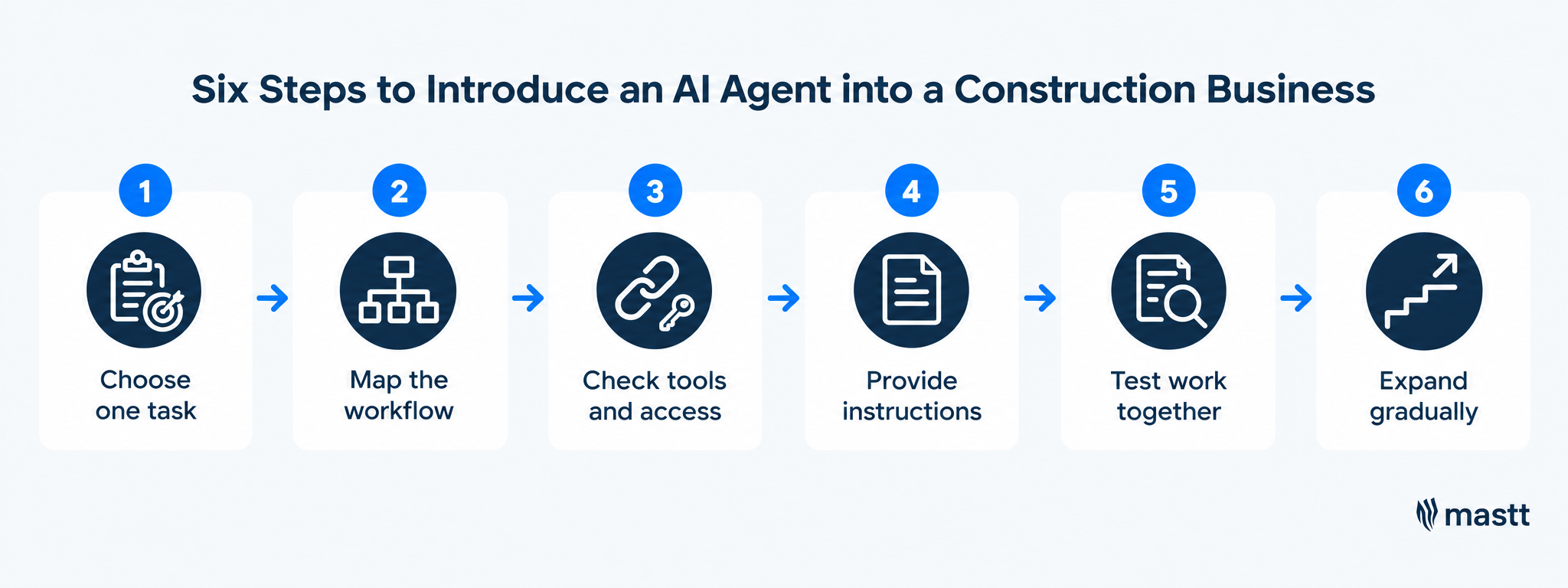
Introduce AI agents to your team by assigning one clearly defined task and working through it with the people who currently do that work. Provide the relevant records and instructions, then test the results before giving the agent greater responsibility.
In Mastt’s 2026 survey of 108 construction project management professionals, 9.3% of respondents were using AI agents, while 46.3% planned to start. For businesses preparing to make that move, the following steps provide a practical starting point.
Start with the people doing the work. Ask project managers and contract administrators which recurring requests involve substantial preparation or searching across systems. Their inboxes can help uncover these tasks because emails often trigger the work that follows.
For example, maintaining a change order register may involve reading incoming messages and finding the related instruction before updating an entry. Discuss what takes time and which parts require interpretation. If the task follows a simple, fixed rule, conventional automation may be sufficient.
Write the assignment around a specific outcome, such as “prepare proposed register updates from incoming change correspondence.” A broad instruction such as “manage change orders” leaves too much responsibility undefined.
Walk through a recent example with the person responsible. Follow the task from the initial request to the completed output, including any searches or questions needed along the way.
Record the information an agent would need to follow the same process:
For the change order example, preparing a register update is separate from deciding whether additional work is approved. Make that boundary explicit so the agent knows where its assignment ends. Include these task boundaries and approval responsibilities in your AI governance procedures so employees know who remains accountable.
Use the workflow map to check whether the proposed agent can actually complete the assignment. Access to email may let it read a request, but it also needs the relevant project documents and register.
Check the specific actions each connection supports. An agent may be able to search a document system without being able to save files or update records. Confirm those capabilities before assigning work that depends on them.
Some tasks will be possible immediately, while others will require additional setup or an unavailable integration. Ask the provider what configuration and training support it offers, particularly where the workflow spans several systems.
Give the agent the procedures and records that an experienced employee uses to complete the task. Include the current template and an example of a satisfactory output, then explain any project-specific requirements.
For register maintenance, instructions might explain how entries are identified and which correspondence supports a status change. They should also explain what to do when information is incomplete. For example, the agent should ask for clarification if it cannot confidently match a message to an existing entry.
Where supported, save recurring procedures as skills and retain relevant project context in memory. This reduces repeated explanations while giving the business a consistent set of instructions to maintain.
Begin with a human-in-the-loop approach. The responsible person reviews the agent’s work and answers questions before it proceeds past agreed checkpoints. Check whether it found the right records and understood how they relate to the task.
If it proposes an incorrect register update, work out why. It may have selected the wrong entry, missed later correspondence, or followed an unclear instruction. Correct the underlying guidance and work through another example to see whether the change helps.
Feedback needs to become part of the saved setup where the software supports it. A correction made during one conversation may not carry into the next assignment automatically.
Once the agent handles the task consistently, give it responsibility for that limited routine with the agreed review points. Keep someone responsible for answering questions and checking that its work remains suitable as project conditions change.
Expand the assignment in manageable steps. An agent preparing register updates might later gather outstanding items for a weekly review. That extension builds on the records and procedures it already uses.
Before adding more work, check whether the agent is reducing effort or creating extra corrections. This is a key part of adopting AI in construction. If results become unreliable, narrow the task and fix the cause before expanding its role.
AI agents can reduce repetitive administration and help project managers work with information spread across different systems. Their value comes from completing useful tasks reliably, with less effort required to prepare and check the results.
For construction businesses, the main benefits include:
These benefits should be assessed against the current way of working. Compare the total preparation, review, and correction time for the same task, alongside the quality of the completed output.
AI agents can misinterpret information, miss relevant records, produce an incorrect result, or even make hallucinations. When connected to project systems, mistakes can also affect stored data or outgoing correspondence. Clear task boundaries and review requirements help limit those consequences.
The main risks depend on the assignment, the information available, and the actions the agent is allowed to take.
When several employees use the same agent, it should respect each person’s access rights. For example, connecting accounting software through the CFO’s account should not allow a project manager to retrieve financial records they cannot otherwise access.
Set AI agent permissions to check who is making each request and whether they are authorized to access the information. Role-based access control (RBAC) assigns permissions by job role. The agent must still enforce the requesting user’s access when retrieving records.
When choosing AI agents for construction management, check whether they can perform the required tasks in your construction management platform. Buying can reduce development work when the available connections meet your needs. Building offers more control but requires people who can develop and maintain the system.
Before deciding to build an AI agent for construction, map the ongoing engineering and support responsibilities. Compare those commitments with a provider’s demonstrated ability to complete your chosen workflow. Mastt's AI agent for construction projects is one licensed option, taking tasks by forwarded email and returning the work for review.
AI agent costs depend on the platform, the work assigned, and how often the agent performs it. Budget for setup and ongoing supervision alongside subscription and usage charges.
The main cost drivers are:
Assess the total cost of ownership, including software charges, implementation costs, ongoing maintenance, and staff review time. Compare that cost with the original process, accounting for corrections, to determine whether the agent saves time or money.
Construction research points toward agents working directly with project software and coordinating specialized tasks. Turning these developments into dependable everyday workflows will require better testing and ways to supervise their actions.
Researchers are testing how agents can retrieve information from Building Information Modeling (BIM) models and modify elements through connected tools. A 2025 preprint on agentic BIM interaction, revised in 2026, proposes a reusable software architecture for connecting agents to building models. Its prototype used IfcOpenShell, an open-source BIM toolkit, to modify and generate model elements.
This suggests a path toward requesting model information or changes in plain language. Wider use will depend on support for different BIM systems and checks that proposed changes meet project requirements.
Multi-agent systems divide an assignment among agents with different responsibilities. One might interpret a request, another check the proposed action, and another operate the connected software.
A study in Automation in Construction tested five cooperating agents connected to Revit. Its prototype handled selected design coordination tasks, including element creation, clash detection, and documentation. Broader project use still needs validation.
Agents could also make it easier to investigate a schedule and prepare changes within the same workflow. A September 2026 scheduling study combined an agent with tools for retrieving, analyzing, modifying, and optimizing schedule information.
The system was evaluated using one project type at a single shipyard. It offers a useful research direction for construction scheduling, although its results cannot establish performance across building and infrastructure projects.
As agents take on more steps, recovering from mistakes becomes more important. The International AI Safety Report 2026 identifies recovering from errors in longer workflows as a current weakness. It also notes that pre-deployment test results do not reliably predict real-world usefulness or risk.
For construction businesses, a useful measure of progress will be whether agents can recognize missing information, stop when necessary, and leave work that someone can trace and check.
AI agents earn a place in project delivery when they consistently save time while meeting the required standard. Measure that saving across the whole task, including the effort spent checking and correcting outputs. Use those results to decide which responsibilities to delegate next, keeping approvals and project decisions with the people accountable for them.
Written by
A Forbes 30 Under 30 and PMI Future 50 honoree, Jamie Cerexhe is Mastt's co-founder and Chief Technology Officer. He leads the company's AI engineering, agentic pipelines, and security work, and earlier taught software development and contributed to the UNESCO Digital Skills Toolkit. At Mastt, Jamie contributes articles on AI, agentic workflows, and technology adoption in construction.

Contributions from
Doug Vincent is the co-founder and CEO of Mastt, the AI capital-project management platform used by governments, Fortune 500 companies, and consultancies across APAC, North America, and MENA. Before founding Mastt in 2019, he spent a decade at RPS delivering more than $2 billion in capital works, including the $2.1B Defence Navy Infrastructure program, and holds a CPSPM certification with the AIPM. He contributes content and speaks on AI in capital project delivery at Mastt.

Cut the stress of showing up unprepared
Start for FreeTrusted by the bold, the brave, and the brilliant to deliver the future