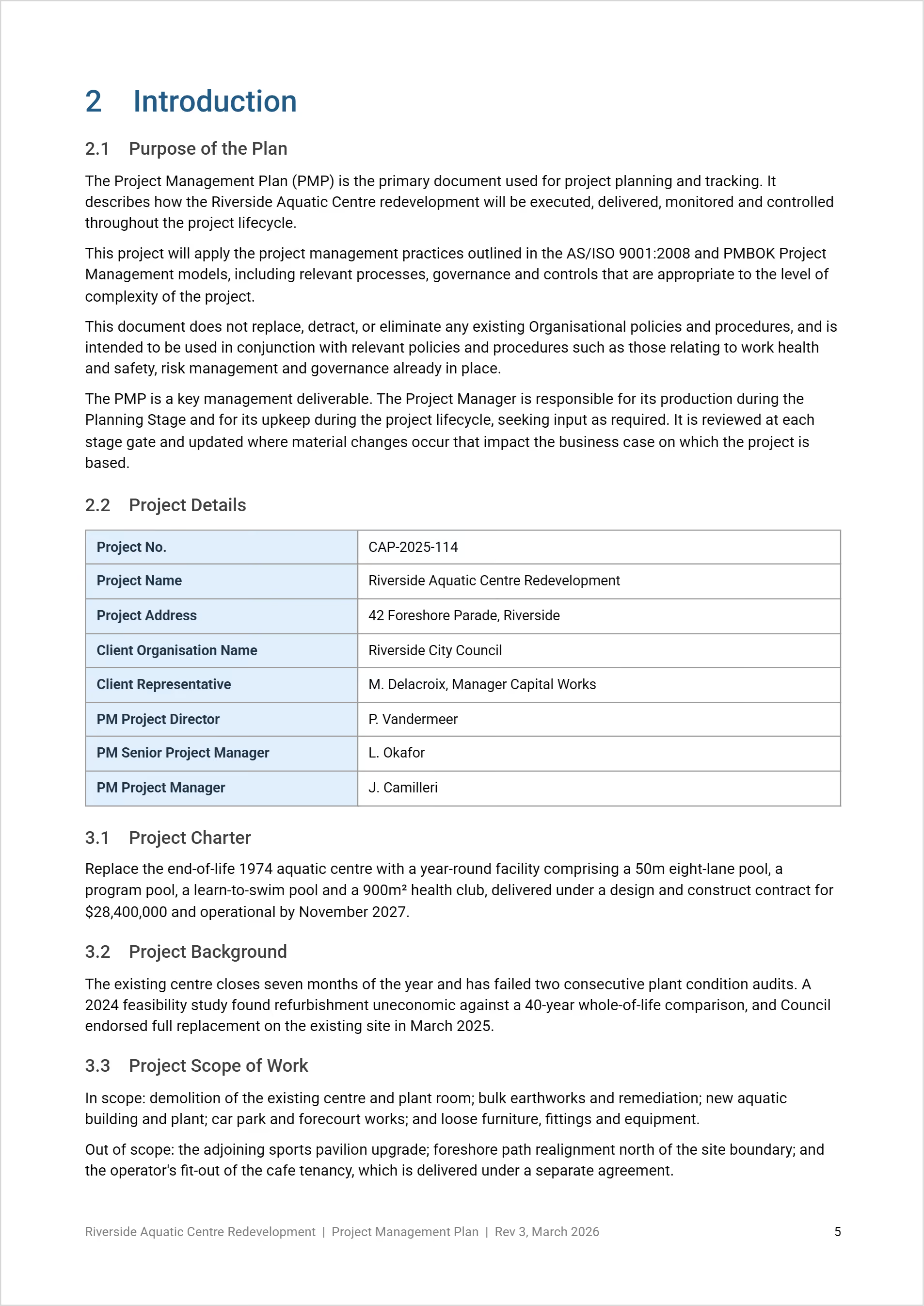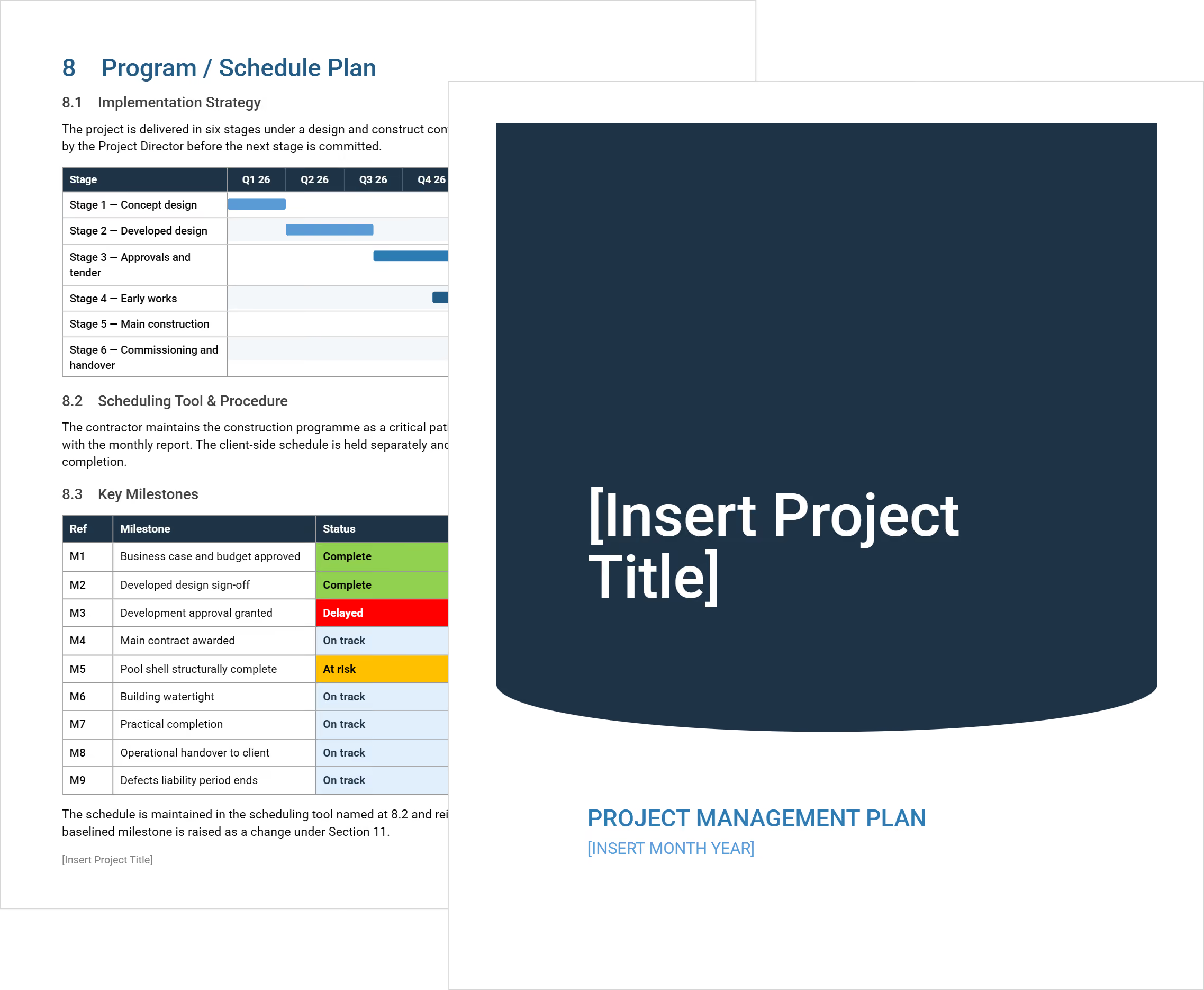
Project management plan template document showing executive summary, scope of work, and project details generated using Mastt's AI.
Free Template

Project Management Plan

Use this FREE project management plan to define how a construction project will be planned, governed, and controlled from initiation through delivery.

Templates
Word Template
Excel Template
Powerpoint Template
Project Management Plan
Template by
Anna Marie Goco
Published:
May 13, 2022

What is a Project Management Plan Template

A project management plan is a pre-structured, formal document that explains how a construction project will be run from initiation through delivery. The construction project management plan defines how work is planned, approved, tracked, and changed as the project progresses.

An effective project management plan also acts as the integration point for the controls the team will rely on throughout delivery. The plan ties together project baselines and supporting management approaches. Approvals, reporting, and change management then follow a single agreed-upon process across the project and the organization.

What’s Included in a Construction Project Management Plan Template

A project management plan template outlines the practical controls used to run the project day-to-day. Most templates include governance roles, escalation paths, and reporting cycles so approvals follow a consistent structure throughout project delivery.

Project management plan components typically include:

  • Project governance and authority: Defines who can approve project scope, cost, schedule, and contracts, with escalation paths when issues exceed delegated limits.
  • Scope management approach: Sets how scope is defined, reviewed, and protected so design development and site decisions do not quietly expand project obligations.
  • Schedule control method: Explains how the program is developed, updated, and reported, including how delays are assessed and recovery actions are approved.
  • Cost management framework: Establishes how budgets, commitments, forecasts, and actual costs are tracked and reconciled throughout delivery.
  • Change management process: Details how changes are identified, evaluated, approved, and recorded before affecting cost or time.
  • Risk and issue management: Outlines how project risks are logged, reviewed, and mitigated, with ownership clearly assigned to prevent unresolved exposure.
  • Communication and reporting rules: Sets reporting frequency, required formats, and meeting structures so stakeholders receive consistent and reliable project information.
  • Quality and compliance controls: Describes how design standards, inspections, and approvals are managed to avoid late-stage defects or rework.
  • Procurement and contract administration: Defines how packages are procured, contracts are administered, and claims or disputes are handled.

The most useful project plan templates do not overload each section with theory. Each component should answer one practical question the team will face during delivery, then define a clear process for handling it.

Why Use a Template for a Project Management Plan

A project management plan template gives construction teams a proven structure for setting control rules before delivery pressure hits. The template reduces guesswork and ensures critical management areas are addressed consistently across projects.

Using a project management plan template helps teams:

  • Start with a complete structure: A defined framework prevents missing controls that only become visible once cost, schedule, or scope issues surface.
  • Align stakeholders early: Standard sections make it easier for owners, consultants, and contractors to review and agree on how decisions will be made.
  • Reduce drafting and review time: Teams spend less time formatting documents and more time defining how the project will actually be managed.
  • Create consistency across projects: Repeated use of the same structure makes reporting, audits, and lessons learned easier to compare.
  • Support faster approvals: Familiar layouts allow reviewers to focus on content rather than searching for information.
  • Lower change risk during delivery: Clear processes set early reduce informal approvals and undocumented decisions later on site.
💡 Pro Tip: Customize one master project management plan template for the organization, then lock the section headings. Allow flexibility inside each section, but keep the structure fixed so teams do not redefine governance on every project.

How to Use a Construction Project Management Plan Template

Using a project management plan template starts with setting control rules before delivery decisions are made. The template should be completed early, reviewed with key stakeholders, and treated as an active reference throughout the project.

Follow these steps to use a construction project management plan template effectively:

  1. Confirm governance and authority: Identify who can approve scope, cost, schedule, and contract changes before filling out the rest of the template.
  2. Define control thresholds first: Set approval limits, reporting frequency, and escalation triggers so decisions do not rely on informal agreement later.
  3. Tailor sections to the project: Adjust each section to reflect project size, delivery model, and risk profile instead of copying prior project language.
  4. Align the template with contracts: Check that roles, approval paths, and change rules match contract terms to avoid conflicts during delivery.
  5. Review with delivery leads: Walk through the completed template with design, commercial, and construction leads to confirm the processes are workable in practice.
  6. Lock the plan before site mobilization: Finalize and approve the project management plan before construction starts to prevent shifting rules under pressure.
💡Pro Tip: Print or pin the approval authority table from the project management plan, where cost reports and change logs are reviewed. Visible authority limits reduce off-book approvals and protect project controls once site activity accelerates.

Generate a Construction-Ready Project Management Plan Template Using Mastt AI

Mastt’s AI Assistant creates a project management plan by translating project setup information into a structured, ready-to-use document. Instead of drafting sections manually, teams describe how the project will be governed and controlled, and the AI builds the template around those inputs.

Here’s how the Mastt's AI supports project management plan template creation:

🚀 Generate a plan template through AI chat: Describe the project type, delivery model, and governance needs, and Mastt‘s AI to produce a structured template with defined controls and responsibilities.

📂 Upload existing PDF plans or standards: Add approved project management plans, governance manuals, or PDF templates, and the AI uses them to align structure, language, and control logic.

Refine template content through conversation: Adjust approval rules, reporting cycles, control thresholds, and change processes without manually rewriting the template.

📑 Export the project management plan in editable formats: Download the completed project management plan template in Word or Excel for review, approval, and inclusion in formal project documentation.

Creating a project management plan with Mastt AI follows a straightforward workflow:

  1. Describe the project need: Enter requests such as “create a construction project management plan for a commercial development” in the chat.
  2. Refine through conversation: Adjust governance roles, approval thresholds, reporting rules, and management processes until the plan reflects how the project will operate.
  3. Export and apply: Download the completed project management plan template in Word or Excel and use it as the active control reference for the project team.

Every interaction takes place within a secure workspace. Project information remains controlled by the team, and you can update the template as governance or delivery conditions evolve.

👉 Explore the Mastt Help Center for practical guidance on generating project management plan templates using Mastt's AI Assistant.

AI Assistant dashboard in Mastt showing a chat interface for generating project management plan templates and project documentation.

Who Should Use a Construction Project Management Plan

A project management plan template supports any role that influences how a construction project is planned, governed, or adjusted over time. The template is most valuable when multiple parties need to follow the same rules under time and cost pressure.

A project management plan template is especially useful for:

  • Project owners and sponsors: Establish clear authority, approval limits, and reporting expectations before delegating delivery responsibility.
  • Client-side project managers: Coordinate consultants, contractors, and internal stakeholders using one agreed management framework.
  • Construction managers and builders: Understand decision pathways, change rules, and reporting obligations that affect site operations.
  • Design managers and consultants: Align design development, reviews, and approvals with defined project controls.
  • Commercial and contract managers: Apply consistent cost, variation, and claim processes that match the project’s governance structure.
  • Program and portfolio teams: Maintain consistent project management plan templates across multiple projects while allowing controlled variation.

The template works best when each role uses the same document as a reference point, not separate versions tailored by discipline. Shared understanding reduces informal approvals and conflicting instructions during delivery.

When to Implement a Project Management Plan

A project management plan should be in place before delivery decisions begin to affect cost, schedule, or contractual risk. The earlier the plan is implemented, the easier it is to enforce consistent controls as the project moves forward.

A project management plan is most effective when implemented at the following points:

  • Project initiation: Establish governance, authority, and reporting rules before consultants or contractors are engaged.
  • Before the scope is finalized: Set control boundaries early so design development does not introduce unmanaged growth.
  • Prior to procurement: Align approval pathways and change rules with contract strategy and package sequencing.
  • Before construction mobilization: Lock decision-making and escalation processes begin before site activity accelerates.
  • When delivery responsibility shifts: Reconfirm the plan when moving from design to construction or when new delivery partners are introduced.
  • After major governance changes: Update and reissue the plan if approval authority, funding, or organizational roles change.

Timing matters because controls are hardest to introduce once work is underway. Implementing the project management plan early creates shared expectations that hold under pressure rather than rules that must be enforced midstream.

Common Problems With Free Project Management Plan Templates in Word or Excel

Many free, downloadable project management plan templates fail because they often break down once projects become complicated. Common problems include vague approval rules, unclear ownership of change decisions, and plans that are never updated once construction begins.

Common challenges with generic project management plan templates in Word or Excel include:

⚠️ Static content that goes stale: Once downloaded, Word and Excel templates rarely stay aligned with current approvals, roles, or delivery conditions.

⚠️ Generic language that hides risk: Free project management plan templates often use broad wording that avoids real decision thresholds and accountability.

⚠️ Version control issues: Multiple copies circulate across email and shared drives, leading to conflicting guidance on approvals and reporting.

⚠️ Disconnected from live project data: Excel and Word plans sit outside cost, schedule, and change systems, forcing teams to reconcile information manually.

⚠️ Inconsistent customization: Teams edit templates differently on each project, creating gaps in governance and control between jobs.

⚠️ Weak enforcement during delivery: Static documents do not prevent informal approvals or off-template decisions once site pressure increases.

⚠️ Formatting over function: Downloadable online templates often prioritize appearance rather than how decisions are actually made in construction delivery.

These challenges do not come from the format alone but from how Word and Excel files are used. Without clear ownership and active reference, templates turn into background documents rather than working controls.

Take Control of Project Delivery With a Project Management Plan

Construction projects rarely fail because of a lack of effort. Problems usually arise when roles are unclear, approvals drift, and decisions happen outside agreed controls. Without a clear project management plan, teams rely on informal processes, which weaken governance as pressure mounts.

Mastt’s AI helps teams create project management plans that function as active control documents. Governance, approval limits, and reporting rules are defined early and remain aligned with how the project is actually managed.

👉 Build a construction-ready project management plan with Mastt’s AI Assistant and keep delivery decisions clear, consistent, and defensible.

FAQs About Project Management Plan

A project management plan defines how the project will be governed and controlled, while a schedule focuses only on activity sequencing and timeframes. The management plan explains how changes to the schedule are reviewed and approved.
A project management plan can be updated when governance, scope, or delivery methods change. Updates should follow the same approval rules defined in the plan to maintain consistency.
A project management plan template can be reused, but it should be adjusted for each project's size, risk profile, and delivery model. Reusing the structure while updating the controls helps maintain consistency without copying outdated assumptions.
Many teams start with project management plan templates in Word or Excel because they are easy to share and edit. As projects become more complex, static templates often struggle to stay aligned with live project controls.
Ownership of the project management plan template usually sits with the project manager or client representative. Clear ownership ensures the template stays current and continues to reflect agreed governance throughout delivery.
Topic: 
Project Management Plan

Written by

Anna Marie Goco

Anna is a seasoned Senior Content Writer at Mastt, specialising in project management and the construction industry. She leverages her in-depth knowledge to create valuable content that helps professionals in these fields. Through her writing, she contributes to the company's mission of empowering project managers and construction professionals with practical insights and solutions.

LinkedIn Icon
Back to top

Frequently Asked Questions

More Templates

Supercharging Construction Project Management with AI Powered Tools